



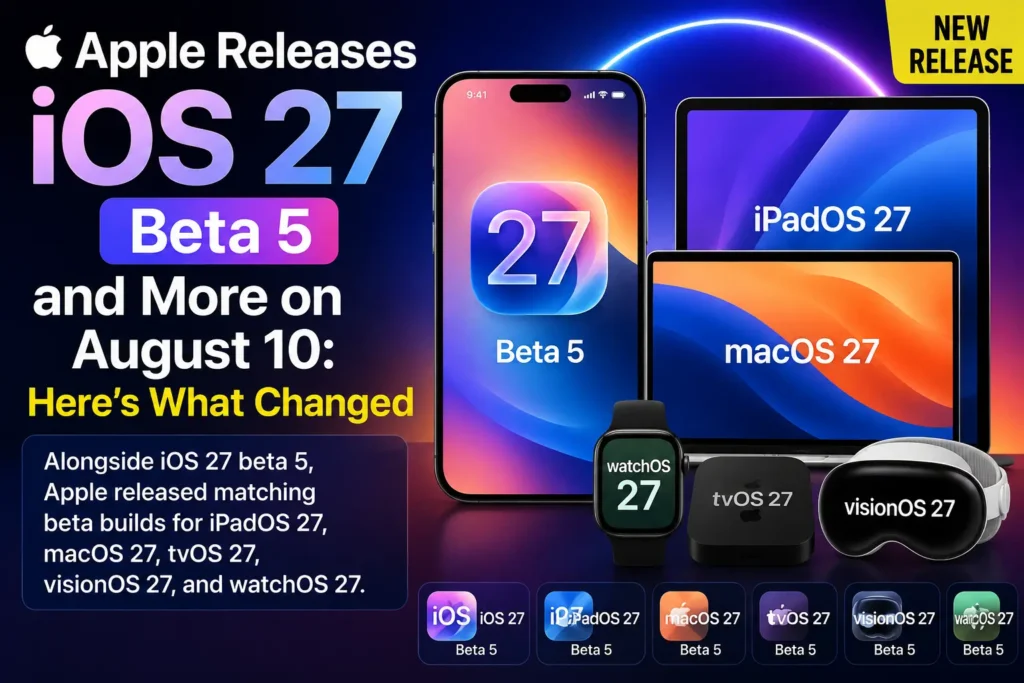
Apple pushed a major batch of software releases to developers on August 10, 2026, including the fifth developer beta of iOS 27.
The latest iOS 27 beta arrives as Apple continues preparing its next major iPhone software update for its eventual public release. Alongside iOS 27 beta 5, Apple released matching beta builds for iPadOS 27, macOS 27, tvOS 27, visionOS 27, and watchOS 27.
Apple also released several updates for its current operating systems, including iOS 26.6.1, iPadOS 26.6.1, macOS 26.6.2, iOS 18.7.10, and iPadOS 18.7.10.
Here’s everything you need to know.
iOS 27 Beta 5 Is Now Available
The headline release is iOS 27.0 beta 5, which carries build number 24A5408d.
Apple listed the update on August 10 alongside the fifth developer betas of its other upcoming operating systems.
This is still a developer beta, not the final public version of iOS 27.
That distinction is important if you’re considering installing it on your everyday iPhone.
What Is New in iOS 27 Beta 5?
Beta 5 appears to focus heavily on refinements, bug fixes, performance improvements, and polishing features introduced in earlier iOS 27 betas.
Early user reports indicate improvements and changes across areas such as the interface, Siri, Spotlight, keyboard behavior, icons, and animations. These observations come from beta testers and should not be treated as Apple’s official feature list.
Some reported changes include:
- Refined Liquid Glass interface effects
- Changes to Siri’s visual presentation
- Spotlight and Siri animation refinements
- Keyboard improvements
- Home Screen icon refinements
- Improvements to certain animations
- Various bug fixes and stability improvements
- CarPlay refinements
- Changes to some system interfaces
Because beta software can change before the final release, some of these behaviors may not appear in the final version.
iOS 27 Beta 5 Build Number
If you’re checking whether you have the latest developer beta, look for:
iOS 27.0 beta 5
Build: 24A5408d
Apple’s Developer release page lists the build as an August 10 release.
iPadOS 27 Beta 5 Also Released
Apple released iPadOS 27.0 beta 5 at the same time.
It uses the same 24A5408d build number listed by Apple for iOS 27 beta 5.
The iPad version continues Apple’s broader iPadOS 27 development, including the redesigned interface and multitasking-related improvements introduced during the beta cycle.
If you use an iPad for work or school, remember that this is still pre-release software.
macOS 27 Beta 5 Arrives
Mac users also received macOS 27.0 beta 5, build 26A5406e.
Apple released it on August 10 alongside the other OS 27 beta updates.
macOS 27 is Apple’s next major Mac operating system and is being developed alongside iOS 27.
Beta 5 continues the refinement process as Apple moves closer to the final release.
watchOS 27 Beta 5
Apple also released watchOS 27.0 beta 5.
The build number is:
24R5347a
The update was listed by Apple on August 10.
As with iOS 27, this release is primarily relevant to developers and beta testers at this stage.
tvOS 27 and visionOS 27 Beta 5
Apple’s August 10 release batch wasn’t limited to iPhone and Mac.
The company also released:
| Platform | Version | Build |
|---|---|---|
| iOS | 27.0 beta 5 | 24A5408d |
| iPadOS | 27.0 beta 5 | 24A5408d |
| macOS | 27.0 beta 5 | 26A5406e |
| tvOS | 27.0 beta 5 | 24J5346a |
| visionOS | 27.0 beta 5 | 24M5348b |
| watchOS | 27.0 beta 5 | 24R5347a |
All six beta releases were dated August 10, 2026, according to Apple’s Developer release page.
Apple Also Released iOS 26.6.1
There is another important part of Apple’s August 10 release batch.
Apple listed iOS 26.6.1, build 23G82, on the same day. iPadOS 26.6.1 was also released with the same build number.
However, there’s an important point for regular iPhone users.
iOS 26.6.1 should not automatically be interpreted as a broad public rollout.
Reports from beta testers indicate that the build was initially available in Apple’s developer/beta channels, while the regular public version remained iOS 26.6.
So if you’re using a normal public iOS release and don’t see iOS 26.6.1 under Settings > General > Software Update, that doesn’t necessarily mean something is wrong with your iPhone.
macOS 26.6.2 Is Also Listed
Apple’s release page also lists macOS 26.6.2, build 25G82, dated August 10.
Like iOS 26.6.1, this appears to be part of Apple’s maintenance and testing work around the current-generation operating systems.
iOS 18.7.10 Is Important for Older iPhones
Apple also listed iOS 18.7.10, build 22H373, on August 10.
iPadOS 18.7.10 carries the same build number.
This is particularly interesting for devices that remain on the iOS 18 software branch.
In other words, Apple’s August 10 releases weren’t only about iOS 27.
Apple is continuing to maintain older software branches while development of its next-generation platforms moves forward.
Should You Install iOS 27 Beta 5?
For most people, no.
If your iPhone is your primary device, it’s usually better to stay on the latest stable public release.
Beta software can contain:
- Bugs
- App compatibility problems
- Battery drain
- Performance issues
- Unexpected crashes
- Connectivity problems
- Changes that Apple later removes or modifies
Beta 5 may be more polished than earlier builds, but it is still a beta.
If you have a secondary iPhone and want to test iOS 27 features, however, beta software can be useful.
How to Check for the iOS 27 Beta
If you’re already enrolled in Apple’s developer beta program, you can check:
Settings → General → Software Update
Look for iOS 27.0 Developer Beta.
Before installing any beta, make a complete backup of your iPhone.
Apple’s Developer site also provides the official downloads and release notes for the August 10 builds.
Check: Apple Developer Releases
What Does This Mean for the Final iOS 27 Release?
The arrival of beta 5 is another sign that Apple is deep into the final development phase for iOS 27.
The focus is increasingly shifting from introducing the basic features to polishing the experience, fixing bugs, improving performance, and preparing the operating system for wider release.
Apple began the iOS 27 developer beta cycle at WWDC 2026 on June 8.
Apple’s August Developer newsletter also highlights continued preparation for iOS 27, including App Store assets and developer guidance around the upcoming platform.
Bottom Line
Apple’s August 10, 2026 releases are bigger than just another iOS beta.
The company released iOS 27 beta 5, along with beta 5 versions of iPadOS 27, macOS 27, tvOS 27, visionOS 27, and watchOS 27. Apple also listed maintenance builds including iOS 26.6.1, iPadOS 26.6.1, macOS 26.6.2, iOS 18.7.10, and iPadOS 18.7.10.
For most iPhone owners, the key takeaway is simple: don’t rush to install the iOS 27 beta on your primary iPhone. If you’re already testing it, beta 5 is the latest developer build and brings another round of refinements as Apple moves toward the final iOS 27 release.

T’kal is the lead strategist and developer behind Apple Headlines. With a background in digital marketing and web development, he specializes in technical Apple troubleshooting, software news, and hardware rumors. T’kal focuses on delivering high-authority tech content that bridges the gap between Apple enthusiasts and the latest industry innovations.