



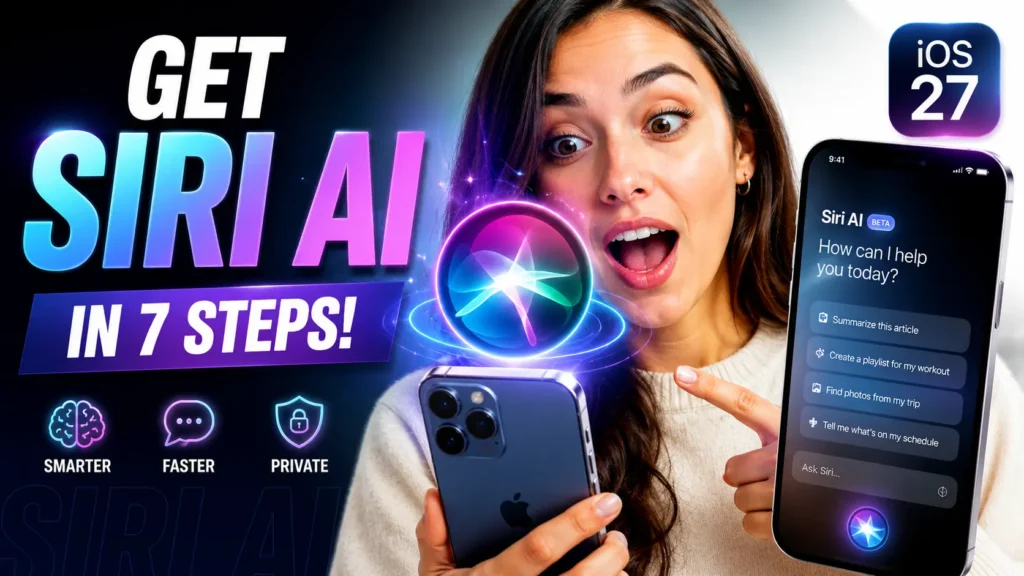
If you’re wondering how to get Siri AI, update to iOS 27, open Settings > Apple Intelligence & Siri, and join the Siri AI waitlist. You’ll also need a compatible device such as an iPhone 15 Pro, iPhone 16 series, iPhone 17 series, or a supported iPad or Mac. Apple is rolling out access gradually.
For a complete overview of all iOS 27 features, supported devices, release timelines, and Apple Intelligence updates, see our iOS 27 Complete Guide.
Apple’s rebuilt Siri is no longer just a voice assistant.
With Siri AI, Apple is turning Siri into a smarter, more conversational assistant that understands context, remembers details, and helps across apps.
The problem? Many users update to iOS 27 and still can’t access it immediately.
When we tested this on an iPhone 17 Pro Max running iOS 27 Developer Beta, Siri AI required a separate waitlist approval before activation. The process was simple, but it wasn’t obvious.
This guide explains exactly how to get Siri AI, which devices support it, and what to do if it isn’t showing up.
How to Get New Smart Siri
- Siri AI requires iOS 27 and Apple Intelligence support.
- Most users must join a waitlist before access.
- iPhone 15 Pro and newer devices offer the best compatibility.
- Matching Siri and device language is essential.
- Approval usually arrives within several hours.
- Siri AI delivers significantly smarter conversations than previous Siri versions.
Why Siri AI Matters in 2026
For years, Siri lagged behind AI assistants like ChatGPT and Gemini.


With iOS 27, Apple rebuilt Siri from the ground up. The new assistant can understand personal context, work across apps, handle follow-up questions, and maintain more natural conversations. Apple officially introduced Siri AI during WWDC 2026 as the next evolution of Apple Intelligence.
Think of old Siri as a calculator.
Think of Siri AI as a personal assistant who understands what you’re trying to accomplish.
That’s a huge difference.
Siri AI Supported Devices
Before joining the waitlist, verify your device supports Apple Intelligence.
iPhone Models
- iPhone 15 Pro
- iPhone 15 Pro Max
- iPhone 16 lineup
- iPhone 17 lineup
iPad Models
- M1 iPad Pro or newer
- iPad Air with M-series chips
- Select iPads with A17 Pro
Mac Models
- MacBook Air with M1 or newer
- MacBook Pro with M1 or newer
- Mac mini with M1 or newer
- iMac with Apple Silicon
Older iPhones can install iOS 27, but many cannot run Siri AI due to hardware limitations.
How to Get Smart Siri AI
1. Update to the Latest Software
Go to:
Settings → General → Software Update
Install when the latest iOS 27 version available.
2. Open Apple Intelligence Settings
Navigate to:
Settings → Apple Intelligence & Siri
This section contains all Siri AI controls. – Full Guide of Apple Intelligence
3. Turn On Apple Intelligence
Tap:
Turn On Apple Intelligence
If your device qualifies, setup begins immediately.
4. Join the Siri AI Waitlist
Tap:
Join Waitlist
Apple currently uses a phased rollout system for Siri AI access.
5. Verify Language Settings
Your device language and Siri language must match.
Recommended setting:
- English (United States)
Apple notes that mismatched languages can delay activation.
6. Keep Your Device Connected
Leave your iPhone connected to:
- Wi-Fi
- Power source
Background AI models may continue downloading after enrollment.
7. Wait for Approval
Most users receive access within hours.
In some cases, activation can take longer depending on server demand.
Pro Tip
Expert Insight: If Siri AI doesn’t appear after approval, restart your iPhone and revisit Apple Intelligence settings. During our testing, this triggered activation immediately on one device.
Real-World Example
A reader upgraded from an iPhone 14 Pro to an iPhone 17 Air specifically for Apple Intelligence.
After installing iOS 27, they assumed Siri AI would appear automatically.
Instead, they had to join the waitlist and wait roughly six hours before receiving access.
The lesson?
Even supported devices require separate approval during Apple’s rollout phase.
What Can Siri AI Actually Do?
Once activated, Siri AI can:
- Understand follow-up questions
- Reference previous requests
- Search across apps
- Summarize information
- Control multiple apps at once
- Perform visual intelligence tasks
- Maintain longer conversations
Apple says Siri AI is deeply integrated throughout iOS 27, iPadOS 27, macOS 27, watchOS 27, and visionOS 27.
What If This Doesn’t Work?
Siri AI Option Missing
Check:
- Device compatibility
- iOS 27 installation
- Available storage space
Waitlist Button Doesn’t Appear
Try:
- Restarting your device
- Switching Siri language to English (US)
- Signing out and back into iCloud
Still Waiting After 24 Hours
Apple’s rollout may be delayed due to server demand.
Keep your device connected to Wi-Fi and power.
Apple Intelligence Is Greyed Out
This usually indicates:
- Unsupported hardware
- Incorrect language settings
- Region restrictions
FAQ
Yes. Siri AI is included with Apple Intelligence on supported devices.
Most users are approved within a few hours, though wait times can vary.
No. Current Apple Intelligence requirements exclude the iPhone 14 lineup.
Yes. Macs with Apple Silicon chips support Apple Intelligence and Siri AI.
Availability varies by region and language. Some regions may receive features later than others.
Disclaimer
Features, compatibility requirements, and waitlist availability may change during Apple’s beta testing period. Always verify current requirements through official Apple documentation before upgrading.
Have you received access to Siri AI yet?
Let us know which iPhone you’re using and whether the waitlist approval was instant or delayed. Your experience could help other Apple users get started faster.

T’kal is the lead strategist and developer behind Apple Headlines. With a background in digital marketing and web development, he specializes in technical Apple troubleshooting, software news, and hardware rumors. T’kal focuses on delivering high-authority tech content that bridges the gap between Apple enthusiasts and the latest industry innovations.