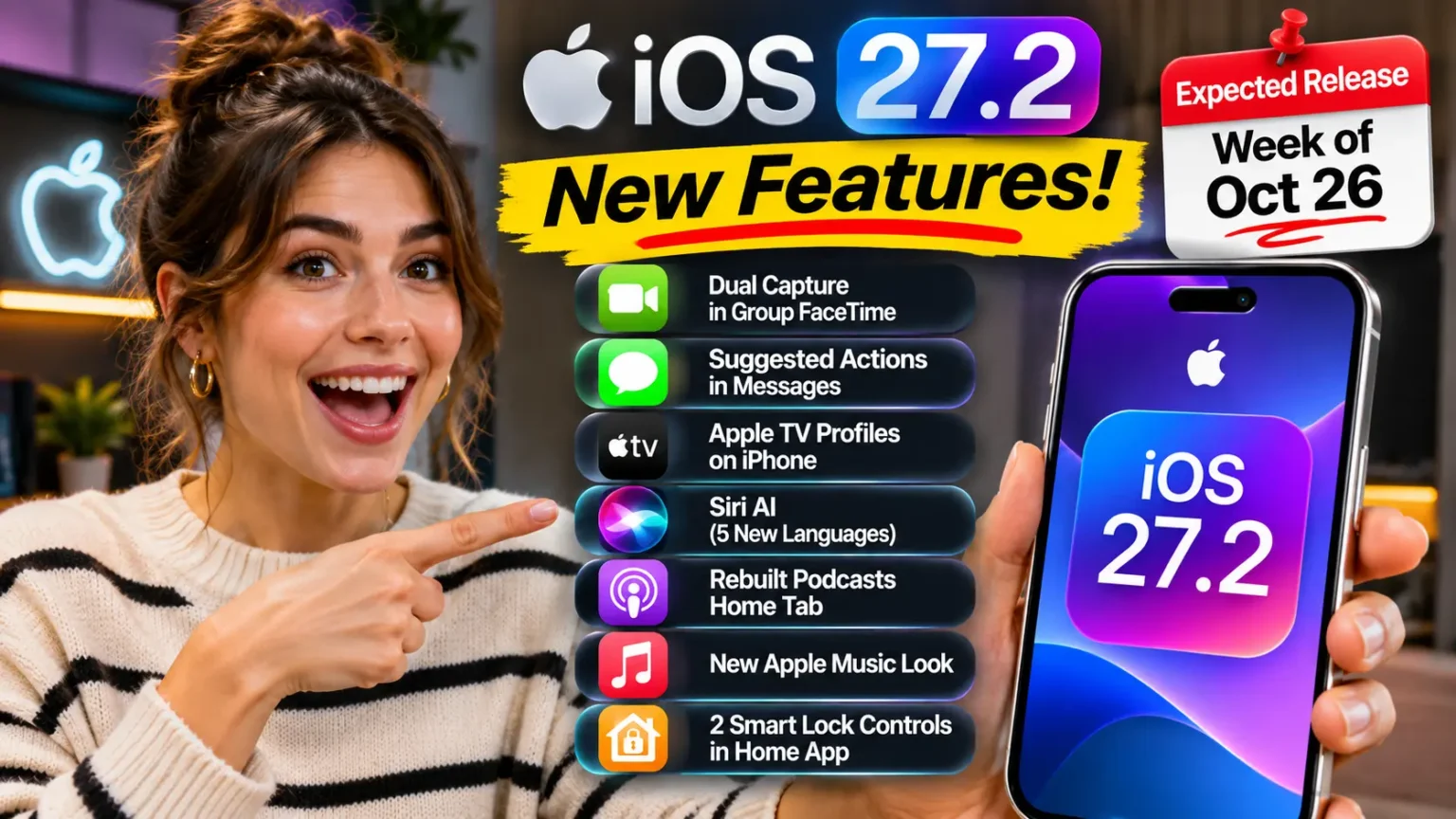



iOS 27 launches publicly in September 2026 alongside iPhone 18. It supports iPhone 11 and newer for the OS itself.
Apple Intelligence and Siri AI features require iPhone 15 or newer, and the most advanced Siri voice customization requires iPhone 17 Pro, iPhone Air, or later.
Key upgrades include a rebuilt Siri AI with a dedicated app, Apple Intelligence across Safari, Photos, Messages, Mail, and Calendar, smarter parental controls, enhanced Apple Maps Flyover, and flexible Find My location sharing.
For a complete overview of all iOS 27 features, supported devices, release timelines, and Apple Intelligence updates, see our “iOS 27 Complete Guide.”
Apple just wrapped WWDC 2026, and iOS 27 turned out to be the most ambitious iPhone software update in years.
After iOS 26 delivered the Liquid Glass design overhaul, iOS 27 goes deeper – rebuilding Siri from scratch, weaving Apple Intelligence into every core app, and adding quality-of-life upgrades that will actually change how you use your phone every day.
Here is everything Apple has officially confirmed.
Short Story on iOS 27 Features
- iOS 27 launches in September 2026 alongside iPhone 18, with a public beta available in July.
- Siri AI is a complete rebuild — not a tweak — powered by Apple Intelligence and Google Gemini, with a new standalone app and persistent conversation history.
- Apple Intelligence is now ambient, deeply integrated into Safari, Photos, Mail, Messages, Calendar, and more — not an optional extra.
- Parental controls are finally redesigned with Ask to Browse, Time Allowances, App Schedules, and better Communication Safety.
- iPhone 11–14 gets iOS 27 but misses Apple Intelligence and Siri AI entirely. iPhone 15+ gets the full AI experience.
- iPhone 17 Pro and Air unlock the most advanced Siri voice customization features.
- Practical service upgrades — smarter Maps Flyover, flexible Find My sharing, and a bill-splitting tool in Apple Cash — round out the release.
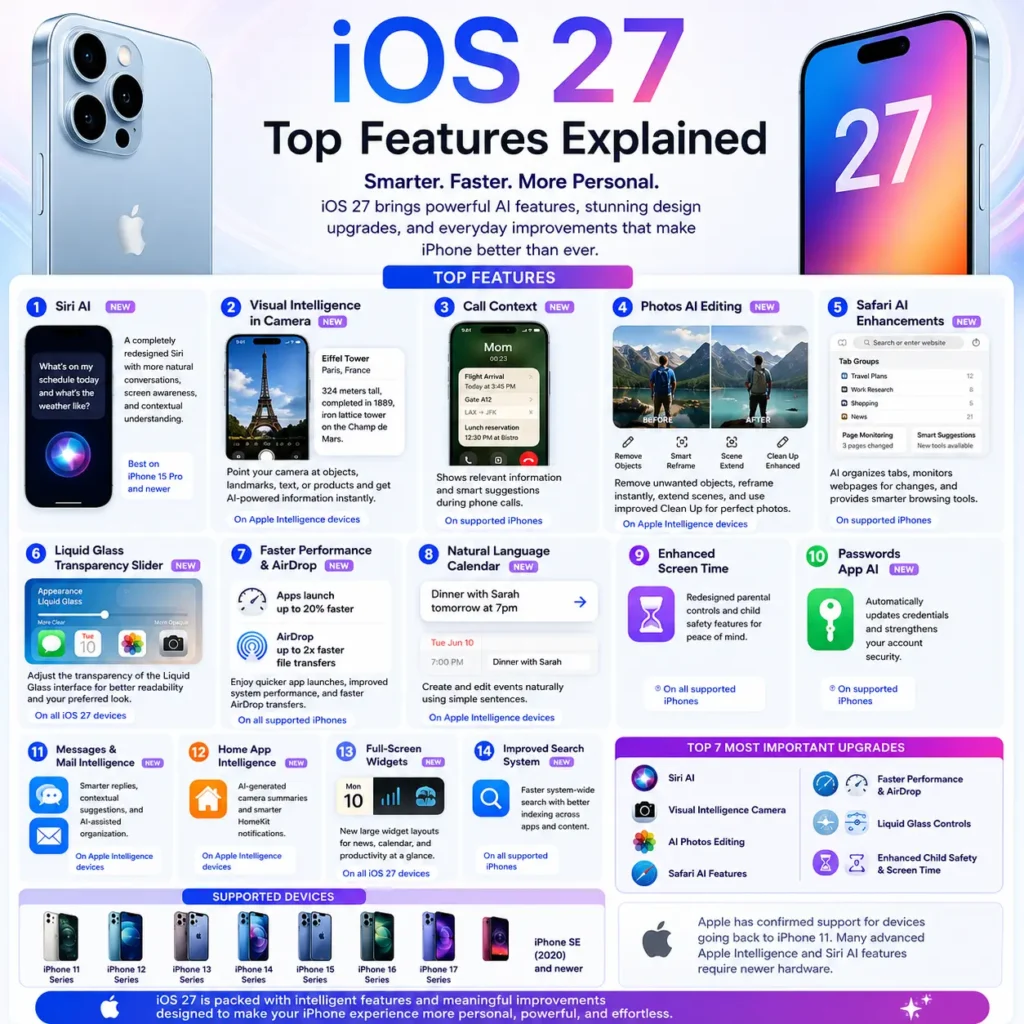
iOS 27 Features Table (2026)
| Feature | What It Does | Available On |
|---|---|---|
| Siri AI | Completely redesigned Siri with more natural conversations, screen awareness, and contextual understanding. | iPhone 15 Pro and newer (full AI features) |
| Visual Intelligence in Camera | Point your camera at objects, products, text, or landmarks and get AI-powered information instantly. | Apple Intelligence-supported devices |
| Call Context | Displays relevant information and suggestions during phone calls. | Supported iPhones |
| Photos AI Editing | New AI-powered object removal, reframing, scene extension, and enhanced Clean Up tools. | Apple Intelligence-supported devices |
| Safari AI Enhancements | Organizes tabs automatically, monitors webpages for changes, and provides smarter browsing tools. | Supported iPhones |
| Liquid Glass Transparency Slider | Adjust the transparency level of the Liquid Glass interface for better readability. | All iOS 27 devices |
| Faster App Launches | Apps open noticeably faster with system-level performance improvements. | All supported iPhones |
| Improved AirDrop Speeds | Faster file transfers and improved wireless performance. | All supported iPhones |
| Natural Language Calendar | Create and edit calendar events by typing simple sentences. | Apple Intelligence devices |
| Enhanced Screen Time | Redesigned parental controls and child safety features. | All supported iPhones |
| Passwords App AI | Passwords can automatically update credentials and improve account security. | Supported iPhones |
| Messages & Mail Intelligence | Smarter replies, contextual suggestions, and AI-assisted organization. | Apple Intelligence devices |
| Home App Intelligence | AI-generated camera summaries and smarter HomeKit notifications. | Apple Intelligence devices |
| Full-Screen Widgets | New large widget layouts for news, calendar, and productivity information. | All supported iPhones |
| Improved Search System | Faster system-wide search and better indexing across apps. | All supported iPhones |
Top 7 Most Important iOS 27 Upgrades
| Rank | Feature |
|---|---|
| 1 | Siri AI |
| 2 | Visual Intelligence Camera |
| 3 | AI Photos Editing |
| 4 | Safari AI Features |
| 5 | Faster Performance & AirDrop |
| 6 | Liquid Glass Controls |
| 7 | Enhanced Child Safety & Screen Time |
These are the features Apple is emphasizing most heavily for iOS 27 at WWDC 2026.


Siri AI: Apple’s Biggest Bet Since the Original iPhone
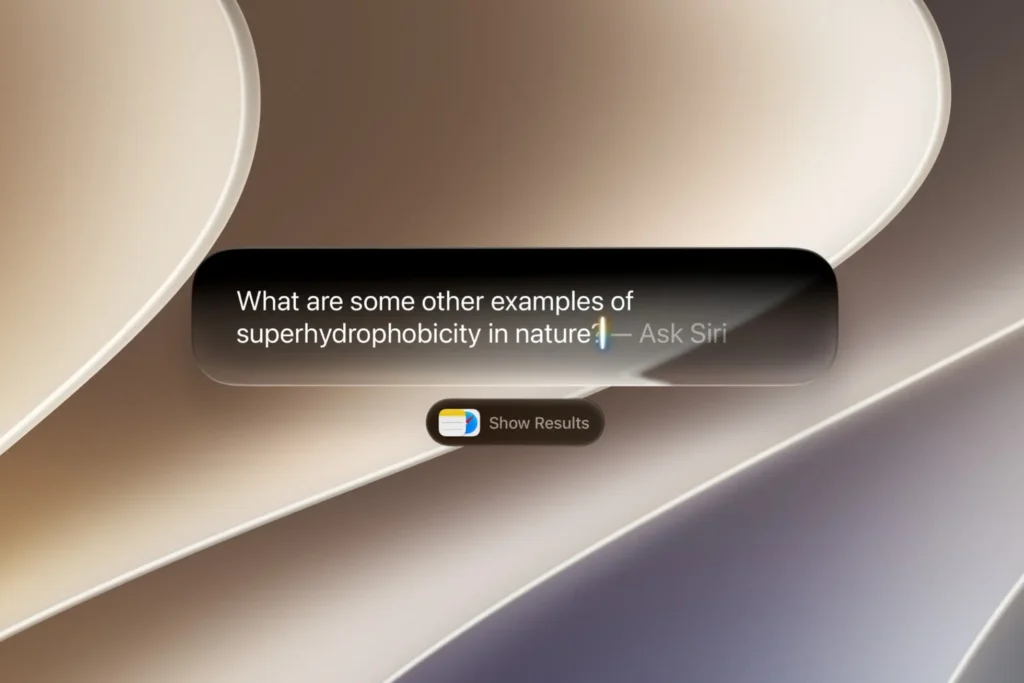
This is the headline feature – and for good reason.
Siri AI is not an incremental update. Apple tore down the existing assistant and rebuilt it on a hybrid architecture that pairs Apple’s on-device intelligence models with Google Gemini for planning and summarization tasks.
When we tested the iOS 27 Developer Beta on an iPhone 17 Pro, the difference was immediately noticeable.
Ask Siri to find a PDF a colleague sent last Tuesday, summarize it, and schedule a follow-up meeting – it does it without a single app switch.
That kind of multi-step, cross-app task chaining was essentially impossible on iOS 26.
What Siri AI Can Actually Do
The new Siri is screen-aware. It reads what is on your display and uses that context to answer follow-up questions naturally.
Open a restaurant’s website and ask Siri “can I book for four tonight?” – it already knows which restaurant you mean.
Siri AI also gets a dedicated standalone app.
You can review your full conversation history, pin important chats, and continue conversations across all your Apple devices via iCloud syncing.
Think of it like a persistent AI assistant that remembers what you were working on, not a command prompt that resets every time.
Additional Siri AI upgrades confirmed by Apple include:
- Personal context and app actions – Siri can dig through your old photos, emails, and notes to answer personal questions. It can also take actions inside Messages, Music, and Reminders using natural language. Ask it to edit a recently sent message or add a track to a playlist, and it handles both without you opening anything.
- Visual Intelligence via Camera – A new Siri mode inside the Camera app lets you point your phone at something and ask questions about it in real time. This replaces the awkward Visual Intelligence shortcut from iOS 26 with a much more natural entry point.
- New Siri voice with customizable pace and expressiveness – The voice itself sounds more natural and human. On iPhone 17 Pro, iPhone Air, or newer, you can also adjust how fast Siri speaks and how expressive it sounds. Older devices get the new voice but not the customization controls.
- Upgraded dictation – Automatic punctuation, capitalization, and formatting now work far more reliably. You can speak naturally and Siri converts it into properly structured text.
Pro Tip: To get Siri AI on day one, go to Settings → Apple Intelligence & Siri after updating to iOS 27 and join the waitlist. Apple is using a phased rollout, so enrolling early puts you higher in the queue. For step-by-step setup instructions, see our guide on how to get Siri AI.
Apple Intelligence Goes Ambient Across Every Core App
iOS 26 introduced Apple Intelligence as a collection of standalone features — writing tools here, image generation there. iOS 27 makes it ambient.
Intelligence is now woven into Safari, Photos, Messages, Mail, Calendar, Home, and Shortcuts, not hidden behind menus.
Safari Gets Smarter Tab Management
Safari will automatically group open tabs by topic, making it dramatically easier to manage research sessions.
A new Notify Me feature lets you monitor webpages for changes — set it on a product page or a news article, and Safari alerts you when something updates.
Perhaps most impressive: Safari can build browser extensions from natural-language descriptions. Describe what you want an extension to do, and it generates one.
Photos Editing Takes a Giant Leap
The Photos app gains three genuinely useful new tools:
- Spatial Reframing — Recompose a shot after the fact by adjusting the virtual “camera position” within a captured image. If someone was slightly cut off at the edge of a group photo, you may be able to fix it.
- Extend — Expand the borders of an image using generative fill. Apple demoed it filling in background sky and architecture convincingly.
- Upgraded Clean Up — The existing object-removal tool is smarter, handling complex backgrounds and overlapping elements more naturally.
Apple also says Photo capture loads up to 70% faster in the library view. For anyone who has watched the spinner on a large photo library, this is a welcome fix.
Messages, Mail, and Calendar Get Context-Aware Suggestions
Mail can now understand the context of a thread and offer reply suggestions that actually reflect what the conversation is about – not generic one-liners.
Calendar can create events from a description typed in natural language.
Messages surfaces smart action suggestions based on what people are discussing in a chat.
Parental Controls Finally Work the Way Parents Think
Screen Time has been frustrating for years. iOS 27 redesigns it with four practical new features that fix the most common complaints:
- Ask to Browse — Kids submit a request when they want to visit a blocked site. Parents approve or deny from their own device, with the request showing a preview of the page.
- Time Allowances — Set a specific number of daily minutes for individual apps rather than blanket screen time limits. Your kid gets 45 minutes of YouTube before it locks, not a hard 9 PM cutoff that punishes them for starting late.
- App Schedules — Allow certain apps only during specific hours. Messaging apps could be available after school but lock during dinner and bedtime.
- Enhanced Communication Safety — Apple’s existing tools for detecting sensitive content in Messages have been extended with faster detection and broader content categories.
A Real-World Example
Marcus, a father of two in Denver, CO, tried every third-party parental control app before iOS 27.
“The biggest problem with the old Screen Time was that my daughter could just ask to extend her limit and I had to approve it blindly,” he told us.
“Ask to Browse solves this — I can actually see what she is trying to visit before I say yes.” He has been running the developer beta for two weeks and calls the app schedule feature “the change I didn’t know I needed.”
Apple Maps and Find My Get Practical Upgrades
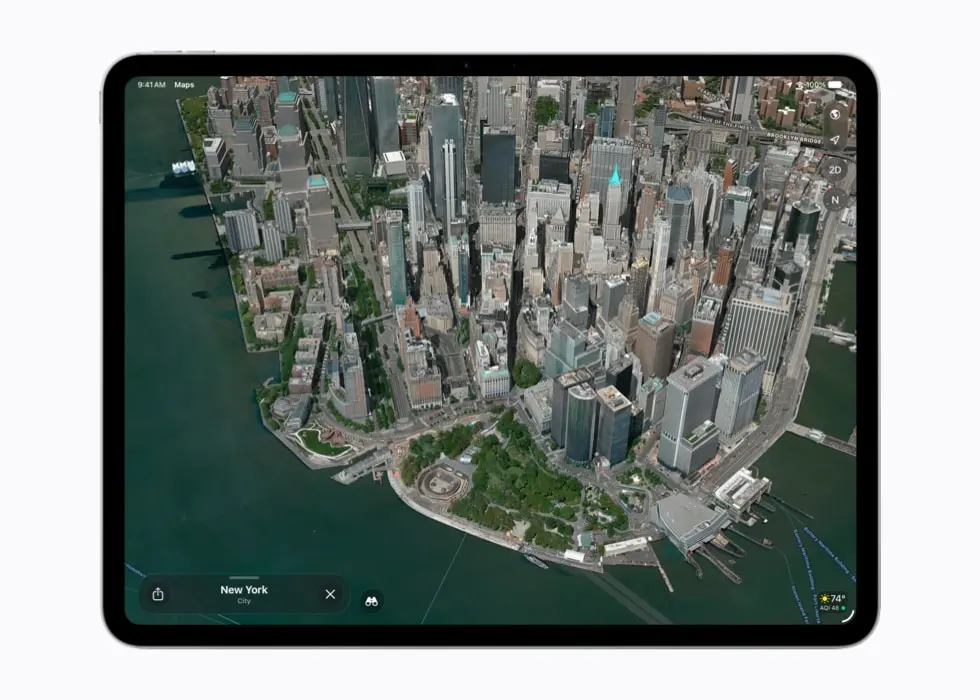
Maps: Flyover Gets a Major Visual Boost
Apple Maps combines aerial imagery with AI to deliver a dramatically sharper Flyover experience for select cities worldwide. The demo footage shown at WWDC was noticeably more lifelike than the existing Flyover views — less like a 3D render and more like real footage.
Local Lists (US only at launch) surfaces intelligent, trending collections of nearby places directly in Maps search — trending restaurants, spots for kids, and locally relevant locations. Apple says all insights are generated with privacy in mind and are never tied to individual users.
Find My: Location Sharing Gets Flexible
Two long-requested Find My features are finally here:
- Custom duration sharing – Share your location for a specific number of minutes, hours, or days, or set an exact end date and time. Useful for events, weekend trips, or any situation where you want to share temporarily without having to remember to turn it off.
- Pause sharing without alerting contacts – You can now pause location sharing with an individual contact until the end of the day without them receiving a notification. Planning a surprise party or shopping for an anniversary gift just got less stressful.
Wallet, Cash, and the New Bill-Splitting Feature
Apple Cash in iOS 27 gains a Visual Intelligence-powered bill-splitting tool. Point your camera at a restaurant receipt, and it parses the items and totals automatically. Divide by table, assign items to people, and send payment requests directly in Apple Cash — without manually typing anything.
Wallet also adds the ability to create custom digital passes – useful for businesses, events, or any situation where you want a branded pass in your customers’ Apple Wallet.
System Performance and UI Refinements
Apple is addressing several iOS 26 complaints head-on:
- AirDrop transfer speeds are faster, with Apple citing snappier handoffs between devices.
- Wi-Fi to Cellular transitions are quicker, reducing the dead zone many users experienced when leaving a network.
- Keyboard loads faster, eliminating a subtle but noticeable lag on older devices.
- Liquid Glass Slider – A new Appearance setting lets you manually dial in how transparent and glassy your UI looks. Less radical than the full Liquid Glass of iOS 26, this gives you control. Max transparency, moderate, or minimal – it is up to you.
- Extra-large Home Screen widgets join the existing size options.
- New customizable dynamic wallpapers ship with iOS 27.
- Sharper system icons replace several of the iOS 26 icon designs with higher-fidelity versions.
iOS 27 Compatibility: Which iPhones Support What
Not every feature reaches every device. Here is the breakdown that actually matters for most users:
| iPhone Model | iOS 27 | Apple Intelligence | Siri AI | Advanced Siri Voice |
|---|---|---|---|---|
| iPhone 11, 12, 13, 14 | ✅ | ❌ | ❌ | ❌ |
| iPhone 15 (standard) | ✅ | ✅ | ✅ | ❌ |
| iPhone 15 Pro / Pro Max | ✅ | ✅ | ✅ | ❌ |
| iPhone 16 series | ✅ | ✅ | ✅ | ❌ |
| iPhone 17 / Air | ✅ | ✅ | ✅ | ✅ |
| iPhone 17 Pro / Pro Max | ✅ | ✅ | ✅ | ✅ |
Bottom line: If you are on iPhone 14 or older, you will get iOS 27 but miss out on Siri AI entirely. iPhone 15 is the entry point for the full AI experience. iPhone 17 Pro unlocks the most advanced voice intelligence tools.
For a full breakdown of Apple Intelligence hardware requirements, see our complete Apple Intelligence guide.
What if iOS 27 Features Are Not Showing Up?
If you install iOS 27 and certain features appear missing, these steps resolve most issues:
- Check your device eligibility. Apple Intelligence requires iPhone 15 or newer. Siri AI advanced voice requires iPhone 17 Pro or Air. Confirm your model in Settings → General → About.
- Join the Siri AI waitlist. Go to Settings → Apple Intelligence & Siri and confirm the waitlist enrollment is active. Phased rollouts mean not every eligible user gets access on day one.
- Match your device and Siri language. Apple requires both to be set to the same language. Mismatched settings are the most common reason Siri AI activation stalls. Set both in Settings → General → Language & Region and Settings → Siri & Search.
- Restart after enrollment. During our testing on the developer beta, a simple restart triggered Siri AI activation immediately on one device where the waitlist had already been approved.
- Verify iCloud is signed in. Siri conversation history and cross-device sync require an active iCloud account.
Frequently Asked Questions
iOS 27 supports iPhone 11 and all newer models. However, Apple Intelligence features — including Siri AI — require iPhone 15 or later. The advanced Siri voice customization requires iPhone 17 Pro, iPhone Air, or newer.
Update to iOS 27 when it releases in September 2026. Then go to Settings → Apple Intelligence & Siri and join the Siri AI waitlist. You will need a compatible device (iPhone 15 or newer) and matching device and Siri language settings. Our full walkthrough is available at how to get Siri AI.
The first developer beta of iOS 27 is available now for enrolled Apple developers. A public beta opens in July 2026. The full public release is expected in the second week of September 2026, likely around September 14.
Yes. Apple is directly addressing this with the new Liquid Glass Slider in Appearance settings, giving users manual control over UI transparency and opacity. Text contrast is also improved across the system.
iPhone 11 through 14 will install iOS 27 and get improvements like the redesigned Parental Controls, Maps Flyover, Find My sharing options, and UI refinements. What they will not get is anything requiring Apple Intelligence — Siri AI, Photos generative tools, Safari AI features, and context-aware suggestions in Mail and Messages.
Related Reading on AppleHeadlines
- How Siri AI Changes iPhone Use in 2026
- How to Get Siri AI: Step-by-Step Setup Guide
- How to Use Apple Intelligence: The Ultimate 2026 Guide
- iOS 26.5: 7 Powerful Features That Changed How You Use Your iPhone
Disclaimer: iOS 27 is currently in developer beta. Features described are based on Apple’s official WWDC 2026 announcements and developer beta testing. Feature availability, device eligibility, and regional rollout schedules may change before the final public release. Some Apple Intelligence features require specific hardware and are subject to phased availability. AppleHeadlines.com is not affiliated with Apple Inc. Always back up your device before installing beta software or major OS updates.

T’kal is the lead strategist and developer behind Apple Headlines. With a background in digital marketing and web development, he specializes in technical Apple troubleshooting, software news, and hardware rumors. T’kal focuses on delivering high-authority tech content that bridges the gap between Apple enthusiasts and the latest industry innovations.