


Updated October 24, 2026 · Based on the iOS 27.2 release candidate (build 24B115)
Quick Answer
iOS 27.2 New Features & Release Date
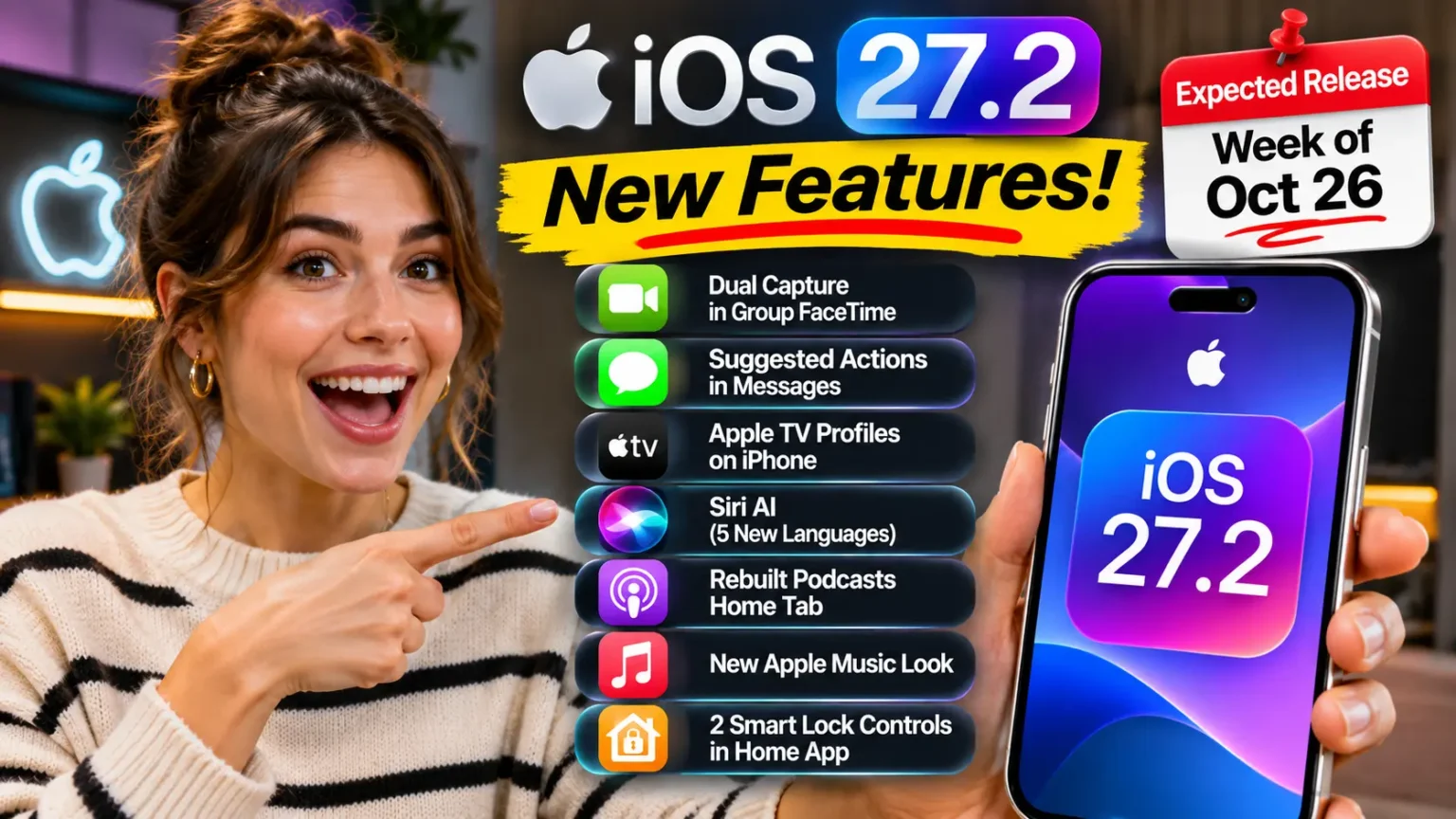
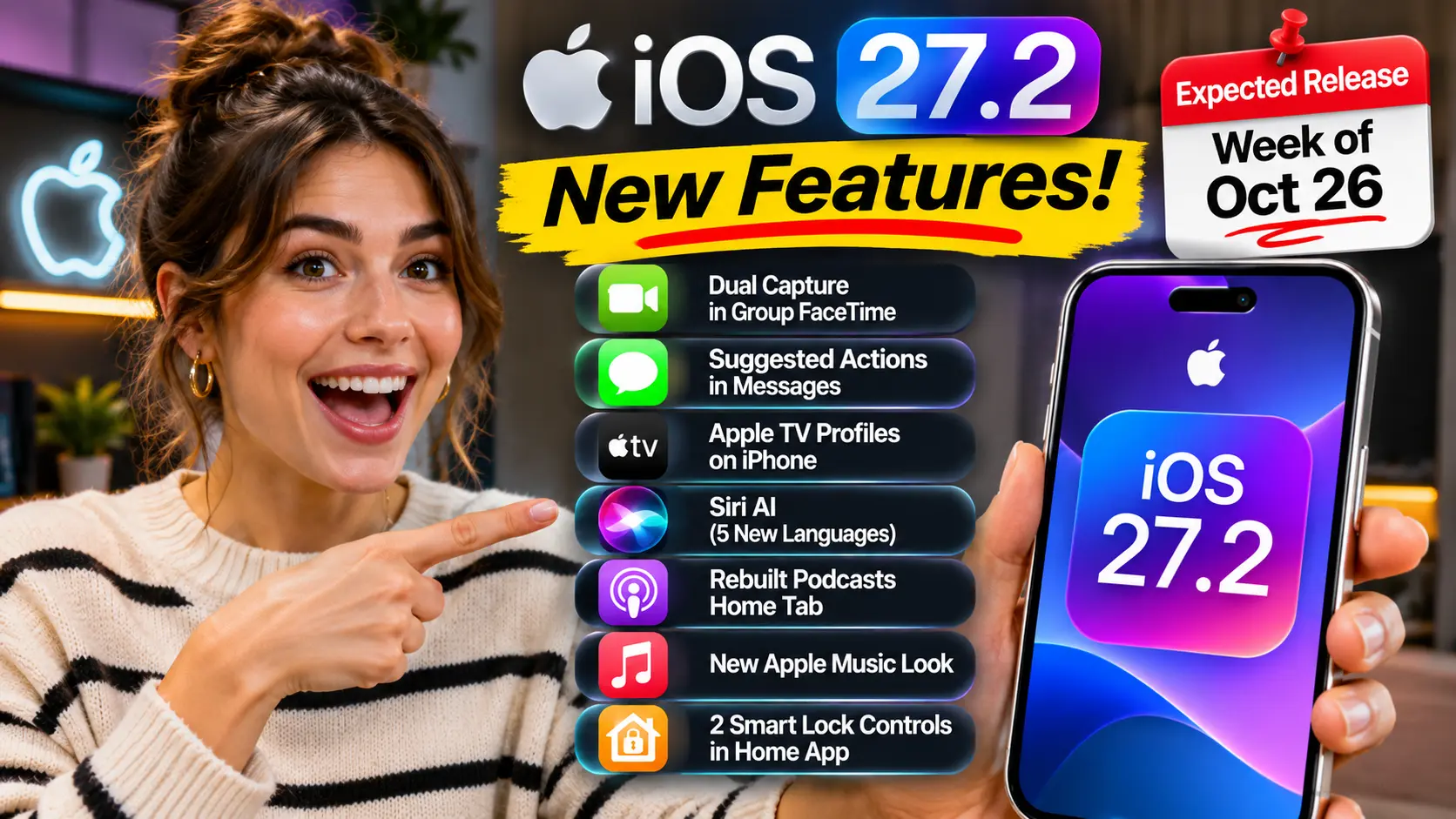
Apple’s iOS 27.2 release candidate brings new features for FaceTime, Messages, Siri, Apple TV, Music, Podcasts, and the Home app.
-
✓Dual Capture for Group FaceTime
New group video calling capabilities.
-
✓Suggested Actions in Messages
More helpful actions in conversations.
-
✓Apple TV Profiles on iPhone
Access personalized Apple TV profiles.
-
✓Siri AI in Five More Languages
Expanded language support for Siri AI.
-
✓Updated Apple Podcasts and Music
A rebuilt Podcasts Home tab and a refreshed Apple Music look.
-
✓Two New Smart Lock Controls
Additional smart lock controls in the Home app.
Apple has not confirmed the official release date. The release candidate (build 24B115) was released on October 19, 2026.
What’s missing? The redesigned Health app is not part of iOS 27.2.
You hear “iOS 27.2 is almost here,” and then the reports start fighting each other.
One site says Health got a makeover.
Another says it vanished.
Features were added, pulled, and added back.
And most iPhones never saw iOS 27.1 at all.
So what will really land on your phone?
This guide checks each claim against Apple’s own release pages and hands-on beta coverage.
You’ll get every confirmed feature, which iPhones qualify, and one missing feature.
Why iOS 27.2 Matters More Than a Normal “.2” Update
iOS 27 launched on September 14, 2026. Apple then did something unusual.
It skipped a public iOS 27.1 for most phones.
That version is built for the iPhone Duo, Apple’s first foldable.
Think of it like a building with two doors.
iOS 27.1 is the VIP side door made for one new phone.
iOS 27.2 is the front door for everyone else.
That makes 27.2 the first real feature update since iOS 27.0.1 fixed the early launch bugs on September 28.
If you’re still deciding whether iOS 27 is right for you, read our should I upgrade to iOS 27 checklist.
For the full picture of what iOS 27 brought, see our iOS 27 Complete Guide.
iOS 27.2 Release Date: Where Things Stand Right Now
Apple posted the iOS 27.2 release candidate (RC) on its developer releases page on October 19.
It posted matching RCs for iPadOS, macOS, watchOS, tvOS, and visionOS the same day.
An RC is meant to be the exact build that ships.
Apple can still swap it if a serious bug appears. That is why some people watch for an “RC 2.”
Apple has not announced a public day.
But Apple told customers the new Siri AI languages would arrive in October.
That leaves little room past the end of the month.
9to5Mac expects the release next week.
Here is how the betas unfolded:
iOS 27.2 Beta Timeline
Every major milestone, from beta 1 to the release candidate
| Build / Stage | Date | What Stood Out |
|---|---|---|
| Beta 1 | Sep 16, 2026 | Health & Siri updates Redesigned Health app, five new Siri AI languages, Apple TV profiles and a new Podcasts layout. |
| Beta 2 | Sep 21, 2026 | Public beta opens The same core feature list continued. A public beta opened shortly afterward. |
| Reported update | Sep 23, 2026 | Dual Capture in Group FaceTime Reports indicated that Dual Capture reached Group FaceTime. |
| Beta 3 | Oct 6, 2026 | Messages controls spotted Suggestion controls appeared in code, alongside small Apple Books design tweaks. |
| Beta 4 | Week of Oct 12 | Music and Home updates Messages toggles went live, a new Apple Music icon appeared, and smart lock controls arrived. The Health redesign was removed. |
| Release Candidate | Oct 19, 2026 | Build 24B115 The near-final version ahead of the public release. Latest milestone in this timeline |
That table answers the most common beta questions.
1. Beta 2 mostly repeated beta 1.
2. Beta 3 was a small step.
3. Beta 4 is where the final feature list took shape.
The 7 iOS 27.2 New Features, Explained
1. Dual Capture Comes to Group FaceTime
FaceTime got one of its biggest upgrades in years with iOS 27.
Dual Capture shows your front and rear cameras at the same time.
But in iOS 27, it only worked in one-on-one calls.
iOS 27.2 changes that. Dual Capture now works in Group FaceTime calls too.
You tap the flip button, and the back camera goes live while your front camera stays on.
Reports say iPhone 17 and newer send both views by default when you tap flip.
People on the call need iOS 27, iPadOS 27, or macOS 27 (or later) to see both views.
The real-world payoff is simple.
You can show the whole family the birthday cake and your face in the same frame.
2. Apple TV Profiles Arrive on iPhone and iPad
The Apple TV app finally gets user profiles on iPhone and iPad.
The feature already existed on Apple TV boxes. Now it moves to your phone for the first time.
When you open the TV app, you’ll see a profile picker.
You can turn it off if you don’t want it.
A profile needs a name, a content rating, and a note on whether the viewer is a child.
A child profile starts with a PG limit.
You can fine-tune the age ratings for shows and movies.
9to5Mac’s testing found that kids only see age-appropriate Apple series and movies.
Your own watch queue also stays clean, which is a quiet bonus.
There’s also a new switch for sign language interpretation when it’s available.
It lives in the TV app settings.
3. Siri AI Speaks Five More Languages
Siri AI launched in English only. iOS 27.2 adds French, Japanese, Korean, Portuguese, and Spanish.
This is the biggest change for anyone outside English-speaking markets.
A few limits apply. Siri AI needs an Apple Intelligence iPhone.
That means an iPhone 15 Pro, iPhone 15 Pro Max, or any iPhone 16 model or later.
Apple also says Siri AI is not initially available in the EU on iPhone.
Daily usage limits may apply.
There’s a small settings cleanup too.
The “App Access” list inside Siri settings is now called Excluded Apps.
You can add several apps at once instead of one by one.
Excluded apps stay out of Siri, Search, and suggestions.
Having trouble with it?
Start with our guide to getting Siri AI on your iPhone and our Siri AI problems fixes.
4. Suggested Actions Return to Messages
This one has a story. Apple showed Suggested Actions in the summer iOS 27 beta.
Then Apple pulled it before the September launch.
Now it’s back in iOS 27.2 with more control.
Messages reads the context of a chat and offers a one-tap next step.
Someone invites you to dinner?
You can add it to Calendar. A friend asks you to remember something?
You can make a reminder or a note.
The new part is the settings screen.
Go to Settings → Apps → Messages → Suggested Actions. You’ll find five toggles:
- Add to Calendar
- Add to Reminders
- Add to Notes
- Show in Maps
- Flights and Packages
These suggestions run on Apple Intelligence.
So you need an iPhone 15 Pro or newer, and Apple lists the feature in English.
Code found in an earlier beta also hinted at a setting that hides unused suggestions after 30 days.
Check whether it ships.
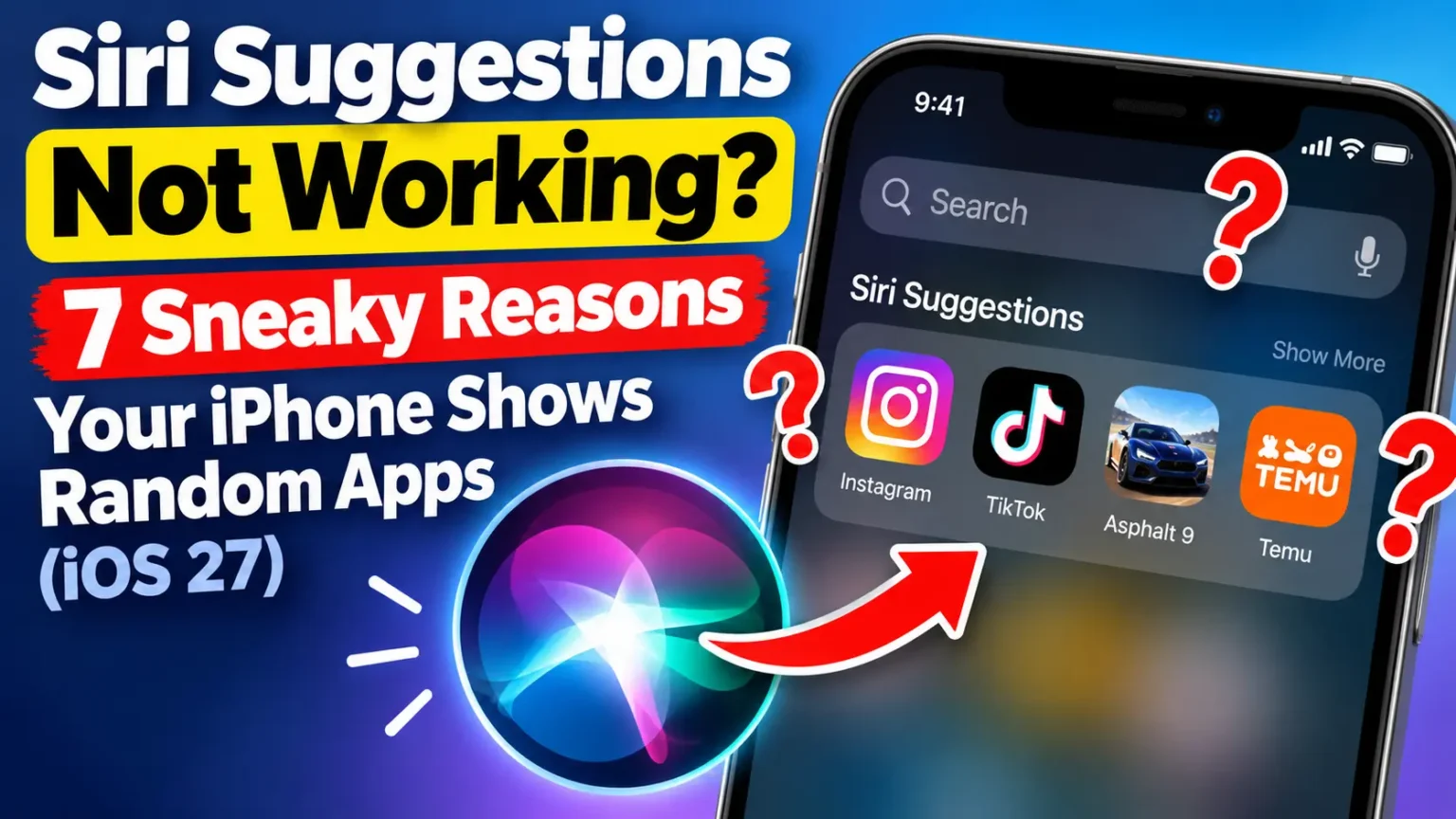
Don’t confuse this with Siri Suggestions in Spotlight.
That’s a different feature.
If your search results show random apps, read our Siri Suggestions fix guide.
Pro Tip: Trim Suggested Actions in 30 Seconds
Apple has previously adjusted this feature after some suggestions felt random. Review your settings early and keep only the suggestions that are useful to you.
Keep what you use. Reminders and Calendar may be useful if you rely on them daily.
Trim the extras. Consider switching off Maps, flight, and package suggestions if they don’t fit your routine.
Want to skip Apple Intelligence? Read our guide to turning off Apple Intelligence for your available options.
5. Apple Podcasts Splits “Up Next” in Two
The old Up Next queue at the top of the Podcasts Home tab was cluttered.
iOS 27.2 splits it into two clear sections:
- New Episodes replaces Up Next. It shows the latest releases from shows you follow.
- Continue Playing sits right below it. It collects every episode you’ve started but not finished.
9to5Mac’s Ryan Christoffel used this in the beta and called it a big improvement.
It’s a small change. But it fixes a daily annoyance for anyone who follows a lot of shows.
6. Apple Music Gets a New Look
Apple Music changed its face in beta 4. The red-and-white icon is gone.
The new icon is black and white. Blue now highlights the active tab inside the app.
Red accents were removed from buttons like Play and Shuffle in your Library.
Some MacRumors readers did not love losing the red.
Apple also refreshed the Music widgets.
Apple even updated Music’s look on its website. So this looks like a wider rebrand, not a one-off tweak.
7. The Home App Adds Two Smart Lock Controls
If you own a compatible smart lock, iOS 27.2 adds two helpful settings:
- Lock After Closing starts an automatic lock timer once the door shuts.
- Door Left Open sends a notification when the door stays open too long.
Your lock needs a door-position sensor for these to work. Installing iOS 27.2 alone won’t add them to every lock.
Check your lock maker’s support page first.
Small Changes Worth Knowing
Beta testers also spotted a few smaller items. Confirm them against Apple’s final release notes once they post.
- Games app: The Home tab now shows recently downloaded games you haven’t opened yet.
- Call Context: Anniversary alerts can appear in the Phone app when you call someone.
- CarPlay Ultra: New themes for wallpaper, gauges, and color. – How to Use Apple CarPlay
- Clock: The AM and PM text on alarms is smaller than the time.
- Privacy: App Tracking Transparency gets an alternate prompt for some EU users.
What Apple Left Out: The Redesigned Health App
Here is the twist. Betas 1 through 3 included Apple’s redesigned Health app.
It had tabs for Insights, Longevity, and Browse, plus a Health Age feature.
Many early “iOS 27.2 features” lists led with it.
Then beta 4 restored the old Health app.
The RC does not include the redesign.
9to5Mac reports that Apple still plans to ship it later this year.
So if you read a list that promises a new Health app in iOS 27.2, it’s out of date.
Which iPhones Get Which iOS 27.2 Features
iOS 27.2 is expected to run on the same iPhones as iOS 27, which starts at the iPhone 11. Not every feature works on every phone, though.
iOS 27.2 Feature Compatibility
Check your device and requirements before updating
| Feature | What You Need |
|---|---|
| Dual Capture in Group FaceTime |
iPhone 17 or newer According to reports. Other participants need iOS 27 or later, or the corresponding supported OS. |
| Suggested Actions in Messages |
Apple Intelligence An eligible iPhone, such as iPhone 15 Pro or newer, with supported language settings. |
| Apple TV Profiles |
Compatible iPhone Any iPhone supported by iOS 27.2. |
| Siri AI in New Languages |
Apple Intelligence An eligible iPhone and supported language. Availability may vary by region; initial EU availability is excluded according to the supplied details. |
| Podcasts and Music Changes |
Compatible iPhone Any iPhone that supports iOS 27.2. |
| Lock After Closing / Door Left Open |
Compatible smart lock A supported smart lock and compatible door-position sensor. Check accessory and Home app requirements. |
Important: Requirements can differ by feature, language, region, and accessory. Apple Intelligence features need compatible hardware and supported settings.
A Real-World Example: The Shared iPhone Problem
This is an illustrative scenario, not a single reader’s story.
Picture a parent who shares one iPhone with a seven-year-old on long car rides.
Before the update, the kid opens the TV app and sees the parent’s “Continue Watching” row.
That includes shows they shouldn’t see.
The parent’s own recommendations also fill up with cartoons.
After iOS 27.2, the picker appears.
The parent makes a child profile with a PG limit. Now the kid sees only age-appropriate titles.
The parent’s queue stays clean. The setup takes about a minute.
That is the kind of small fix that matters more than a flashy feature.
How to Install iOS 27.2 the Day It Drops
iOS 27.2 Update Checklist
Follow these 7 steps for a smoother iPhone update.
If you’re on the public beta, you’ll likely get the final build automatically. The menu names can shift slightly between releases.
What If This Doesn’t Work?
The update isn’t showing up. As of today, Apple has not released the final version.
Check again on release day. Restart your iPhone. Make sure Wi-Fi is on.
Rollouts can reach people at different times.
You don’t have enough storage. Updates need extra room to unpack.
Delete unused apps and large videos first.
If Apple Intelligence is eating space you don’t need, our guide to turning off Apple Intelligence shows how to free some back.
A feature is missing. Run through this checklist:
- Is your iPhone an Apple Intelligence model?
- Is Siri set to a supported language?
- Are you in the EU, where Siri AI isn’t available at first?
- Does your smart lock have a door sensor?
- Is the other person on iOS 27 or later for Dual Capture?
Your iPhone acts odd after updating. Give it a few hours to finish background work. Then check our fixes for iOS 27 battery drain and an unresponsive touchscreen. Still stuck? A Genius Bar appointment is the safest next step.
Key Takeaways
What you need to know about iOS 27.2
Release Candidate Is Available
iOS 27.2 reached release candidate status with build 24B115 on October 19, 2026. A late-October public release looks likely, but Apple has not confirmed a date.
Seven Headline Features Lead the Update
Expect Group FaceTime Dual Capture, Suggested Actions in Messages, Apple TV profiles, five new Siri AI languages, a redesigned Podcasts Home tab, a refreshed Apple Music look, and two smart lock controls.
The Health App Redesign Is Missing
The redesigned Health app is not included in iOS 27.2. Apple is expected to deliver it in a later release.
Not Every iPhone Gets Every Feature
Apple Intelligence features may require a compatible iPhone and supported language. Other features can depend on region, software version, or smart-home accessories.
Prepare Before Installing
Back up your iPhone, connect to trusted Wi-Fi, keep your device powered, and review Suggested Actions settings after updating.
FAQ
Apple has not announced an exact day. The release candidate arrived on October 19. Reports point to the week of October 26. Apple also said the new Siri AI languages would arrive in October. We’ll update this page when Apple confirms it.
iOS 27.2 is expected to support the same phones as iOS 27. That list starts with the iPhone 11 and includes the iPhone SE (2nd generation and later). Apple Intelligence features need an iPhone 15 Pro, iPhone 15 Pro Max, or any iPhone 16 model or later.
No. It appeared in betas 1 through 3. Apple removed it in beta 4 and restored the current Health app. The release candidate does not include it. Reports say it’s still planned for later this year.
The public beta opened in late September, and public testers could get the release candidate. But the final release is close. Most people should skip the beta and wait for the public update. It’s the safer path.
iOS 27.1 is built for the iPhone Duo. Apple went straight from iOS 27.0.1 to iOS 27.2 for other iPhones. You haven’t missed anything.
Sources
- Apple Developer, “Releases” (iOS 27.2 RC, build 24B115, October 19, 2026):
- Apple, “iOS 27” feature and compatibility page:
- 9to5Mac, “iOS 27.2: Three new features coming to your iPhone next week” (October 23, 2026):
- MacRumors, “Everything New in iOS 27.2 Beta 1” (September 16, 2026):
Disclaimer
This article is for general information. It is based on Apple’s developer release page and public reporting on beta and release candidate builds as of October 24, 2026. Apple can change, delay, or remove features before the public release. Feature availability varies by iPhone model, region, language, and accessory. Always back up your data before installing any update. Apple Headlines is an independent publication and is not affiliated with Apple Inc. Product names are trademarks of their owners.
Ready for update day? Bookmark this page. We’ll refresh it the moment Apple publishes the final release notes. Then explore our iOS 27 Complete Guide and our iOS 27 vs iOS 26 comparison to get the most out of your iPhone.
Related Reads:

T’kal is the lead strategist and developer behind Apple Headlines. With a background in digital marketing and web development, he specializes in technical Apple troubleshooting, software news, and hardware rumors. T’kal focuses on delivering high-authority tech content that bridges the gap between Apple enthusiasts and the latest industry innovations.