

Last Updated: September 1, 2026
Apple has released iOS 27.0 beta 8, the latest developer beta of its upcoming iPhone software update. The new build arrived on August 31, 2026, just one week after beta 7, and carries build number 24A5430a.
With iOS 27 now approaching its final public release, beta 8 is primarily about polishing the operating system, improving reliability, fixing bugs, and refining existing features rather than introducing a major collection of new features.
Some of the most notable changes include faster AirPlay connections with Apple TV and HomePod, more relevant Spotlight search suggestions, improved system audio behavior, additional performance refinements, and further changes to the Liquid Glass interface.
If you’re already testing iOS 27, here’s everything you need to know about beta 8, including what’s new, the release timeline, battery-life considerations, Siri AI changes, how to install the update, and whether you should upgrade.
Latest Update: iOS 27.0 beta 8 (24A5430a) was released to developers on August 31, 2026. Apple has also released the sixth public beta of iOS 27.
iOS 27 Beta 8 Release Date and Build Number
Apple released iOS 27.0 beta 8 on August 31, 2026.
The latest developer build is:
- Version: iOS 27.0 beta 8
- Build: 24A5430a
- Release date: August 31, 2026
- Previous developer beta: iOS 27.0 beta 7
- Previous build: 24A5424a
Apple’s official Developer release page confirms the beta 8 version, build number, and August 31 release date.
iOS 27 Beta Release Timeline
Apple has moved through the iOS 27 beta cycle quickly, with weekly releases during the later stages of testing.
| Version | Release Date | Build |
|---|---|---|
| iOS 27 Beta 1 | June 8, 2026 | 24A5355q |
| iOS 27 Beta 2 | June 22, 2026 | 24A5370h |
| iOS 27 Beta 3 | July 6, 2026 | 24A5380h |
| iOS 27 Beta 4 | July 20, 2026 | 24A5390f |
| iOS 27 Beta 5 | August 10, 2026 | 24A5408d |
| iOS 27 Beta 6 | August 17, 2026 | 24A5418b |
| iOS 27 Beta 7 | August 24, 2026 | 24A5424a |
| iOS 27 Beta 8 | August 31, 2026 | 24A5430a |
Apple’s official release listings confirm the beta 2 through beta 8 builds and dates.
What’s New in iOS 27 Beta 8?
The biggest thing to understand about beta 8 is that it isn’t a major feature-focused release.
Apple is now in the late stages of iOS 27 testing, so many of the changes are designed to improve existing features and make the operating system more reliable before the final release.
Apple’s beta release notes and testing reports point to a long list of smaller changes and refinements across iOS 27.
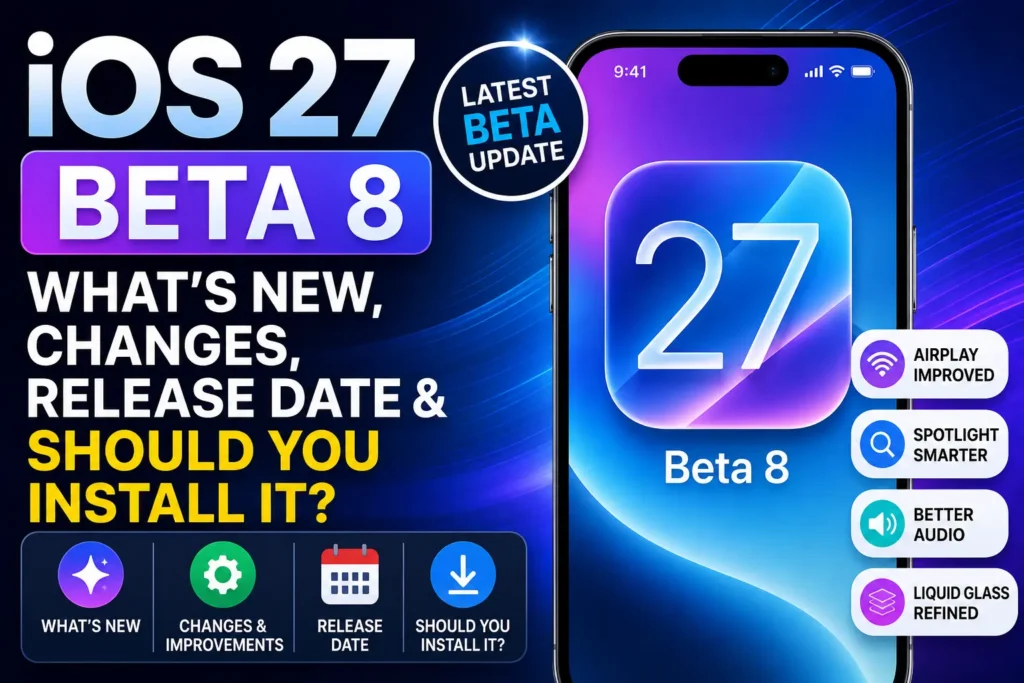
Here are the most notable changes.
1. Faster AirPlay Connections to Apple TV and HomePod
One of the clearest changes in beta 8 is improved AirPlay connection speed and reliability.
The update makes connections to compatible Apple TV and HomePod devices faster and more dependable.
This is important to clarify: beta 8 does not introduce a brand-new AirPlay feature.
Instead, Apple is improving the existing AirPlay experience.
If you regularly stream music, videos, or other content from your iPhone to an Apple TV or HomePod, the improvement should make establishing an AirPlay connection feel more reliable.
2. More Relevant Spotlight Search Suggestions
Apple is also refining Spotlight in iOS 27 beta 8.
The latest beta includes more relevant Spotlight search suggestions, making it easier to find apps, information, and other content from the system search interface.
Spotlight has become a more important part of iOS 27 as Apple continues improving system-wide search and intelligence.
The beta 8 changes are another example of Apple focusing on refinement rather than adding a completely new search system.
3. Liquid Glass Gets Further Refinements
Liquid Glass remains one of the most visible changes in iOS 27.
However, the Liquid Glass transparency slider was not introduced in beta 8.
Apple introduced the ability to customize Liquid Glass transparency earlier in the beta cycle. By beta 6, Apple had added a slider that allowed users to adjust the transparency of the interface.
Beta 8 continues to refine the Liquid Glass experience.
That includes broader interface polishing, smoother animations, consistent visual behavior, and additional adjustments to how the new design appears throughout iOS.
Beta 6 vs Beta 8
It’s worth making the distinction clear:
- Beta 6: Introduced the Liquid Glass transparency customization slider.
- Beta 8: Continues refining Liquid Glass and related interface behavior.
So, if you’re writing about what’s new specifically in beta 8, don’t claim that beta 8 introduced the transparency slider.
4. Improved System Audio Behavior
iOS 27 beta 8 also changes how web audio interacts with system audio.
According to the current beta change list, web audio no longer interrupts system audio in the same way it previously could.
This is a relatively small change, but it can make the overall audio experience feel more predictable when using Safari and other apps.
5. More System Performance Improvements
Performance remains a major focus as Apple approaches the final version of iOS 27.
The broader iOS 27 beta cycle has introduced improvements such as faster app launches, quicker keyboard appearance, faster AirDrop transfers, and smoother transitions between Wi-Fi and cellular networks.
Beta 8 continues that refinement process.
You shouldn’t expect a dramatic performance transformation after installing beta 8, but the goal is to make the overall operating system feel more responsive and polished.
6. Faster AirDrop and Other Small Improvements
Apple is also continuing to improve AirDrop performance.
The beta 8 change list includes faster AirDrop transfers, along with improvements to recipient discovery and other sharing-related behavior.
Other smaller changes reported in beta 8 include improvements to:
- Photos
- Messages
- Safari
- Camera
- Maps
- CarPlay
- Shortcuts
- Apple Music
- Files
- Health
- Accessibility
- Home
- Find My
Many of these changes are relatively small individually, but they contribute to the overall polish of the operating system.
Siri AI Updates in iOS 27 Beta 8
Siri AI remains one of the biggest changes coming with iOS 27.
Apple is developing a more capable Siri that can understand context, interact with information on the screen, use information from supported apps, and handle more complex requests.
However, it is important to distinguish between Siri features introduced during the iOS 27 beta cycle and features specifically introduced in beta 8.
Beta 8 does not represent a major new Siri feature release.
Instead, Apple continues refining the Siri experience as iOS 27 approaches its final release.
Siri Voice Customization Is Hardware Limited
One of the more interesting Siri AI features in iOS 27 is the ability to customize aspects of Siri’s voice.
Users can adjust:
- Pace, which changes how quickly Siri speaks.
- Expressivity, which changes emphasis and delivery.
However, these controls are not available on every iPhone.
On iPhone, Siri voice customization is limited to:
- iPhone 17 Pro
- iPhone 17 Pro Max
- iPhone Air
The limitation exists because these features rely on Apple’s more advanced on-device Apple Intelligence model and require at least 12GB of RAM.
So don’t describe Siri’s Pace and Expressivity controls as a universal iOS 27 feature.
Siri Screen Awareness
iOS 27 also expands Siri’s ability to understand information displayed on the iPhone screen.
Screen awareness is part of Apple’s broader Siri AI development and is not a beta 8-exclusive feature.
The same applies to the redesigned Siri experience and other AI capabilities being developed throughout the iOS 27 beta cycle.
iOS 27 Beta 8 vs Beta 7
Beta 8 arrived exactly one week after beta 7.
| Feature | iOS 27 Beta 7 | iOS 27 Beta 8 |
|---|---|---|
| Release date | August 24 | August 31 |
| Build | 24A5424a | 24A5430a |
| AirPlay improvements | Yes | Further reliability improvements |
| Spotlight | Refinements | More relevant suggestions |
| Liquid Glass | Refinements | Further refinements |
| System audio | Fixes | Additional improvements |
| Performance | Improvements | Further optimization |
| Major new features | Limited | Limited |
The short one-week gap between the two releases is typical of Apple’s late-stage beta development cycle.
iOS 27 Beta 8 Battery Life
Battery life is one area that can be difficult to judge immediately after installing a beta.
If your iPhone consumes more battery than usual after installing iOS 27 beta 8, background system activity may be responsible.
After an iOS update, your iPhone can perform tasks such as:
- Spotlight indexing
- Photo analysis
- File indexing
- Database updates
- App optimization
- System housekeeping
Apple has explained that Spotlight indexing after an update can take hours or even days, depending on how much information is stored on the device.
Some Beta Testers Report Temporary Indexing Spikes
Some beta testers have reported noticeable battery-use spikes during the first 24–48 hours after installing a new beta, followed by more normal battery behavior once background indexing settles down.
That 24–48-hour period should be treated as a reported experience, not a guaranteed timeframe. The actual duration can vary significantly from one iPhone to another.
If you just installed beta 8 and battery life looks unusually poor, give the device some time to finish its background work before deciding that the update has permanently affected battery life.
How to Help Your iPhone Finish Indexing
Try the following:
- Connect your iPhone to Wi-Fi.
- Plug it into power.
- Leave it idle for several hours.
- Avoid repeatedly restarting the device.
- Check battery usage again after the background processes have settled.
If unusually high battery drain continues, open:
Settings → Battery
Then check which apps or system activities are consuming the most power.
Is iOS 27 Beta 8 Stable?
Beta 8 should be considerably more mature than the first iOS 27 developer beta, but it is still beta software.
Late-stage betas generally focus more heavily on stability and bug fixing, but that doesn’t mean every problem has been eliminated.
You could still encounter:
- App crashes
- Battery drain
- Compatibility problems
- Unexpected animations
- Connectivity issues
- Performance bugs
- Features that change before the final release
For this reason, beta software is better suited to developers and experienced testers than people who depend on their iPhone for critical daily tasks.
Should You Install iOS 27 Beta 8?
Install iOS 27 Beta 8 if:
- You’re already running an iOS 27 beta.
- You’re an app developer.
- You need to test iOS 27 compatibility.
- You have a secondary iPhone.
- You want to experience the latest iOS 27 features before the final release.
- You understand the risks of beta software.
Wait for the Final Release if:
- This is your primary iPhone.
- You rely on important banking or authentication apps.
- You need maximum stability.
- You don’t want potential battery or app problems.
- You aren’t comfortable troubleshooting beta software.
At this point in the beta cycle, existing beta testers have a good reason to update to beta 8, while most regular users should simply wait for the final release.
How to Install iOS 27 Beta 8
If you’re enrolled in Apple’s developer beta program, you can update directly from your iPhone.
Step 1: Open Settings
Open the Settings app.
Step 2: Tap General
Select:
General → Software Update
Step 3: Open Beta Updates
Tap:
Beta Updates
Then select the appropriate iOS 27 beta option for your account.
Step 4: Download iOS 27 Beta 8
Return to the Software Update screen.
If your device is eligible, you should see:
iOS 27.0 Beta 8
Tap:
Download and Install
Allow the iPhone to restart and complete the installation.
Apple’s developer beta releases can be installed through Software Update on supported devices.
Before Installing Beta 8
Before installing any beta software:
- Back up your iPhone.
- Make sure you have enough free storage.
- Connect to Wi-Fi.
- Keep the iPhone connected to power.
- Make sure you understand that beta software can contain bugs.
iOS 27 Beta 8 Public Beta
Apple has also moved the public beta program forward.
On August 31, Apple released the sixth public beta of iOS 27, several hours after releasing the eighth developer beta.
That means public beta testers can also continue testing iOS 27 as Apple moves toward the final release.
If you’re already enrolled in Apple’s public beta program, check:
Settings → General → Software Update → Beta Updates
Then select the iOS 27 Public Beta option if it is available for your device.
Is Beta 8 the Final iOS 27 Beta?
Apple has not confirmed that beta 8 is the final beta.
However, the timing shows that iOS 27 is now in the final stretch of testing.
Apple has been releasing developer betas weekly, and the company is expected to move toward the Release Candidate stage before the final public release. Current reporting expects the Release Candidate around the time of Apple’s September event.
That means beta 8 could be one of the final developer builds before Apple moves to an RC.
What Happens After iOS 27 Beta 8?
The next major milestone is likely to be a Release Candidate (RC).
A Release Candidate is a build Apple considers close to the final public version.
If no major issues are discovered, the RC can become the version released to the public.
However, Apple can still release another beta or RC if additional bugs are discovered.
For now, beta 8 represents the latest developer version of iOS 27.
Frequently Asked Questions
When was iOS 27 Beta 8 released?
Apple released iOS 27.0 beta 8 on August 31, 2026.
What is the iOS 27 Beta 8 build number?
The build number is 24A5430a.
What’s new in iOS 27 Beta 8?
The update focuses primarily on refinements and reliability. Notable changes include faster AirPlay connections with Apple TV and HomePod, more relevant Spotlight suggestions, improved system audio behavior, faster AirDrop transfers, Liquid Glass refinements, and numerous smaller system improvements.
Did iOS 27 Beta 8 introduce the Liquid Glass transparency slider?
No. The transparency customization slider was introduced earlier in the beta cycle, including by beta 6. Beta 8 continues refining the Liquid Glass experience.
Does Beta 8 improve AirPlay?
Yes. Beta 8 improves the speed and reliability of AirPlay connections with Apple TV and HomePod. This is an improvement to the existing AirPlay experience, not a new AirPlay feature.
Does Siri voice customization work on every iPhone?
No. The Pace and Expressivity controls for Siri voice customization are limited on iPhone to iPhone 17 Pro, iPhone 17 Pro Max, and iPhone Air.
Should I install iOS 27 Beta 8?
If you’re already testing iOS 27 or you’re a developer, updating to beta 8 makes sense. If your iPhone is your primary device and stability is important, waiting for the final release is the safer choice.
How do I get iOS 27 Beta 8?
Go to:
Settings → General → Software Update → Beta Updates
Then select the appropriate iOS 27 beta option and install the available update.
Is iOS 27 Beta 8 stable?
It is a late-stage beta and should be more polished than the earlier builds, but it remains pre-release software and can still contain bugs and compatibility issues.
Is iOS 27 Beta 8 the final beta?
Apple has not confirmed that beta 8 is the final beta. Another beta or a Release Candidate could still be released before the final public version.
Final Verdict: Should You Update to iOS 27 Beta 8?
For existing beta testers, yes. For most regular iPhone users, wait.
iOS 27 beta 8 is less about introducing a dramatic new feature and more about getting Apple’s next major iPhone update ready for release.
The latest build, 24A5430a, arrived on August 31 and improves areas such as AirPlay reliability, Spotlight, system audio, performance, AirDrop, and the Liquid Glass interface.
Apple is now very close to the final stage of iOS 27 testing.
If you’re already running a beta, updating to beta 8 gives you Apple’s latest test build and the newest refinements.
But if you’re using your main iPhone and don’t need early access, there’s little reason to install beta software this late in the cycle. Waiting for the stable iOS 27 release will give you a more reliable experience.
Keep Following iOS 27
We’ll update this article when Apple releases the next iOS 27 beta, Release Candidate, or final public version.
Related: Check out our iOS 27 Complete Guide for the full list of iOS 27 features, supported iPhones, Siri AI improvements, release information, beta updates, and installation instructions.
Read More:

T’kal is the lead strategist and developer behind Apple Headlines. With a background in digital marketing and web development, he specializes in technical Apple troubleshooting, software news, and hardware rumors. T’kal focuses on delivering high-authority tech content that bridges the gap between Apple enthusiasts and the latest industry innovations.