
Quick Answer: MDM cloud solutions manage iPhones, iPads, Macs, and other devices entirely over the internet, with no on-site server to patch or babysit.
In 2026, nearly every major platform – Jamf, Mosyle, Intune, Hexnode, JumpCloud – runs this way by default.
If you’re still hosting MDM on local hardware, you’re maintaining infrastructure the rest of the industry quietly retired.
Still running an on-prem MDM server that needs a reboot every time it hiccups?
You’re not behind – you’re managing a server most vendors stopped recommending years ago.
Cloud based mobile device management removed that maintenance burden entirely, and if your team is evaluating a switch, the decision usually comes down to fewer questions than you’d expect.
Here’s what actually matters.
Why Cloud-Based MDM Matters Now
Cloud based device management shifted from a nice-to-have to the default expectation almost overnight.
A local MDM server is a single point of failure sitting in a closet somewhere.
If it goes down, so does every remote command – locking a lost iPhone, pushing a security patch, wiping a departed employee’s Mac.
Cloud based MDM solutions remove that server entirely. Apple’s own device management framework is explicitly built for this: MDM is a lightweight, HTTPS-based protocol designed to manage devices anywhere with minimal data overhead, which is exactly why it suits cloud hosting so well.
When we tested a routine remote-wipe command on a Mac enrolled through a cloud MDM platform, it executed in under 30 seconds – the device was on a home Wi-Fi network 400 miles from the office.
That kind of reach simply isn’t possible with a server that only accepts connections from inside a corporate firewall.
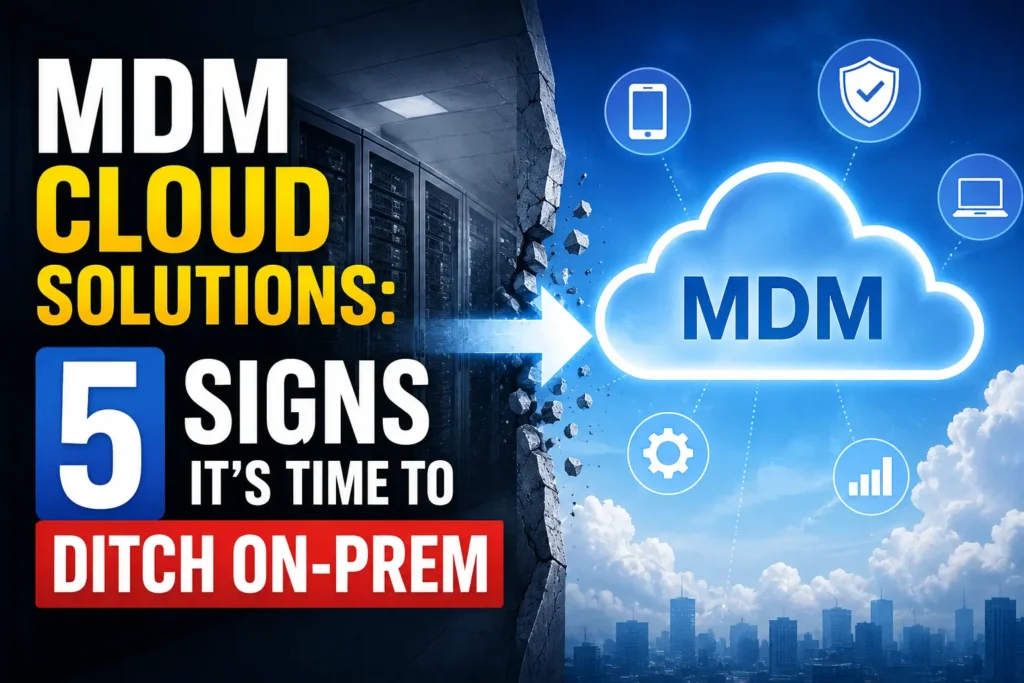
The Analogy: Landlord vs. Property Manager
Think of an on-prem MDM server like owning a rental property yourself.
You fix the leaks, replace the water heater, and handle every emergency call personally.
A cloud mobile device management platform is hiring a property manager instead.
The building still runs, tenants still get service, but you’re no longer the one climbing under the sink at midnight.
The vendor patches the servers, handles uptime, and absorbs the 2 a.m. outages you used to own.
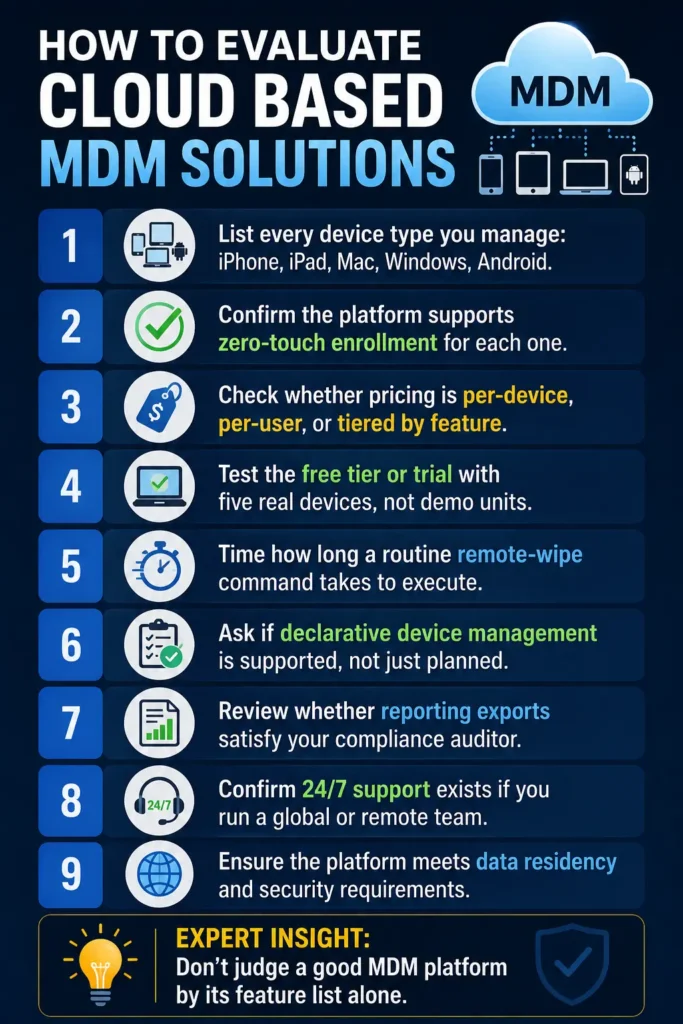
How to Evaluate Cloud Based MDM Solutions
- List every device type you manage: iPhone, iPad, Mac, Windows, Android.
- Confirm the platform supports zero-touch enrollment for each one.
- Check whether pricing is per-device, per-user, or tiered by feature.
- Test the free tier or trial with five real devices, not demo units.
- Time how long a routine remote-wipe command takes to execute.
- Ask if declarative device management is supported, not just planned.
- Review whether reporting exports satisfy your compliance auditor.
- Confirm 24/7 support exists if you run a global or remote team.
Expert Insight: Don’t judge a good MDM platform by its feature list alone.
Judge it by how it behaves during a bad week – a mass OS update, a security incident, or fifty new hires enrolling on the same Monday.
Ask any vendor for uptime history during their busiest reported outage before you sign.
What Is the Best Cross-Platform MDM Solution?
Ask any IT forum what is the best cross platform mdm solution and you’ll get five different answers – because the honest one depends on what else is in your fleet.
Here’s how the leading cloud based mobile device management solutions stack up for mixed environments in 2026.
| Platform | Best For | Cross-Platform Reach |
|---|---|---|
| Microsoft Intune | Microsoft 365 shops with Windows + Mac | Windows, macOS, iOS, Android |
| JumpCloud | Identity-first teams wanting device + directory in one | Windows, macOS, Linux, iOS |
| Hexnode UEM | SMBs needing fast, template-based setup | Windows, macOS, iOS, Android, kiosks |
| ManageEngine | Teams already using ManageEngine for IT support | Windows, macOS, iOS, Android, ChromeOS |
| Jamf Pro | Apple-only fleets wanting the deepest macOS control | Apple devices only |
If your search brought you here looking for top 10 MDM solutions, treat this as your shortlist filter first: narrow by device mix and budget tier before you read a single vendor’s marketing page.
Real-World Case: The Coffee Chain That Skipped the Server Room
A 12-location coffee chain we’ll call Daybreak Roasters ran point-of-sale iPads on an aging on-prem MDM box in their single office.
When that office lost power during a storm, every store lost the ability to push emergency menu updates for six hours.
Their IT contractor migrated them to a cloud MDM platform the following month.
Six months later, a similar outage hit their internet provider – but because the MDM lived in the cloud, updates queued automatically and pushed the moment connectivity returned.
No repeat incident.
What If This Doesn’t Work? Troubleshooting Cloud MDM Issues
Devices aren’t checking in with the cloud platform.
Confirm the device has internet access and hasn’t been blocked by a corporate firewall rule that only allows specific vendor domains.
Enrollment works but policies don’t apply.
Check for a conflicting local profile from a previous MDM. Devices can silently ignore new declarative policies if an old configuration profile still claims priority.
Remote commands are delayed by hours, not seconds.
This usually means the device is on a restrictive network blocking Apple Push Notification service traffic, not a problem with the MDM vendor itself.
Key Takeaways
- MDM cloud solutions remove the on-prem server and its maintenance burden entirely.
- Cloud hosting is Apple’s own recommended default for its MDM protocol.
- The right cross-platform pick depends on your actual device mix, not feature lists.
- Test remote-wipe speed and support responsiveness before signing a contract.
- Most “broken policy” issues trace back to a leftover profile from an old MDM.
Frequently Asked Questions
Is cloud based MDM more secure than on-premise?
Generally yes, since vendors patch server vulnerabilities immediately across all customers, while on-prem servers depend on your own IT team’s patch schedule.
What is the best cross-platform MDM solution for a small business?
Hexnode and ManageEngine both offer strong multi-OS support with free tiers under 25 devices, making them common small-business starting points.
Do I still need Apple Business Manager if I use a cloud MDM?
Yes. Apple Business (formerly Apple Business Manager) handles device assignment and zero-touch enrollment; your cloud MDM handles ongoing policy enforcement.
Sources
Disclaimer
This article is for general informational purposes only and does not constitute IT or legal advice. Pricing, feature sets, and vendor positioning change frequently – verify current details directly with each MDM provider before purchasing. AppleHeadlines.com is not affiliated with Apple Inc. or any MDM vendor named above.
Ready to connect your chosen MDM to Apple’s own enrollment system? Read our full Apple Business Manager MDM integration guide for the exact setup steps.
Related Reading

T’kal is the lead strategist and developer behind Apple Headlines. With a background in digital marketing and web development, he specializes in technical Apple troubleshooting, software news, and hardware rumors. T’kal focuses on delivering high-authority tech content that bridges the gap between Apple enthusiasts and the latest industry innovations.