




Apple just pushed iOS 26.4.2 on April 22, 2026 — and this one isn’t a routine cleanup update.
It patches a real-world security flaw that the FBI actively used to read deleted messages off a locked iPhone.
If your iPhone is still running iOS 26.4.1 or older, your private notifications may not actually be gone when you delete them.
Here’s everything you need to know, explained clearly — and how to protect yourself right now.
Quick info on iOS 26.4.2
- iOS 26.4.2 was released April 22, 2026 and is a security-focused update — not a feature release.
- CVE-2026-28950 patches a flaw where deleted notifications were being silently retained in local device storage.
- The FBI actively exploited this vulnerability to extract deleted Signal message previews from a suspect’s iPhone.
- Improved data redaction is now applied at the logging level, preventing sensitive content from persisting in the first place.
- All users on iPhone 11 or later should update immediately, regardless of whether they use Signal.
- Physical device access was required to exploit the flaw — this was not a remote attack vector.
- Adjusting notification preview settings to “Never” adds an extra privacy layer even after patching.
What Is iOS 26.4.2 and Why Did Apple Release It So Urgently?
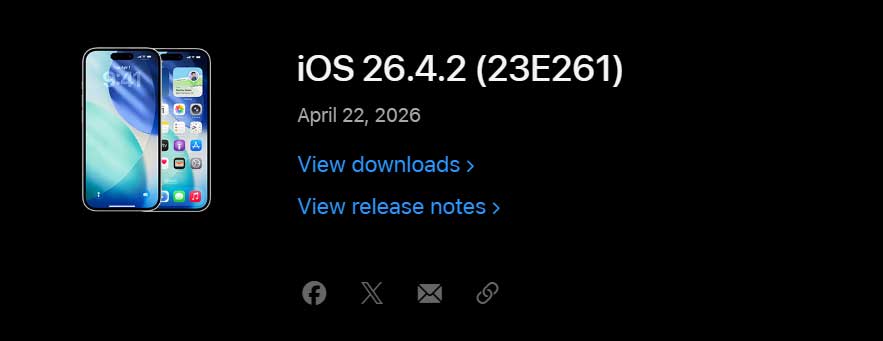
Apple doesn’t rush out mid-cycle updates unless something serious needs fixing.
iOS 26.4.2 was released on April 22, 2026, and addresses a security issue in Notification Services where notifications marked for deletion could be unexpectedly retained on the device. BY– Apple
That sounds like a dry technical note. The reality behind it is anything but.
A flaw with notification services allowed notifications that were supposed to be deleted to be retained on an iPhone or iPad.


Apple says it fixed the logging issue with improved data redaction.
Here’s where it gets serious:
Apple became aware of the vulnerability after recent court testimony revealed that the FBI was able to access the internal notification database on an iPhone involved in a case, providing law enforcement with access to message previews.
In other words, this wasn’t a theoretical risk. It was already being actively exploited.
The FBI, Signal, and Your Deleted Messages: The Full Story
How the Flaw Actually Worked
Think of your iPhone’s notification database like a recycling bin on a computer.
When you delete a file, most people assume it’s gone immediately.
But sometimes, that file sits in a temporary holding area — still readable — before it’s truly wiped.
That’s exactly what happened here with iOS notifications.
The iPhone in question was set to display the content of Signal messages on the Lock Screen, and with that feature enabled, the iPhone stores message content.
The defendant in the case had deleted the Signal app and had Signal messages set to disappear, but the iPhone kept the messages in its database long enough for the FBI to access them.
The FBI’s use of this particular iOS notification flaw was first reported by 404 Media, who learned the agency used a tool to access Signal notification data stored locally on an iPhone even after it was deleted.
Signal CEO Meredith Whitaker had previously flagged the issue, writing that “notifications for deleted [messages] shouldn’t remain in any OS notification database,” and directing Signal users to adjust their settings so that push notifications didn’t include the name of the messenger or message content.
The CVE Behind the Fix
The vulnerability is tracked as CVE-2026-28950. Apple’s fix addresses a logging issue with improved data redaction, available for iPhone 11 and later, iPad Pro 12.9-inch 3rd generation and later, iPad Pro 11-inch 1st generation and later, iPad Air 3rd generation and later, iPad 8th generation and later, and iPad mini 5th generation and later. Apple
iOS 26.4.2 Features and What’s Actually Fixed
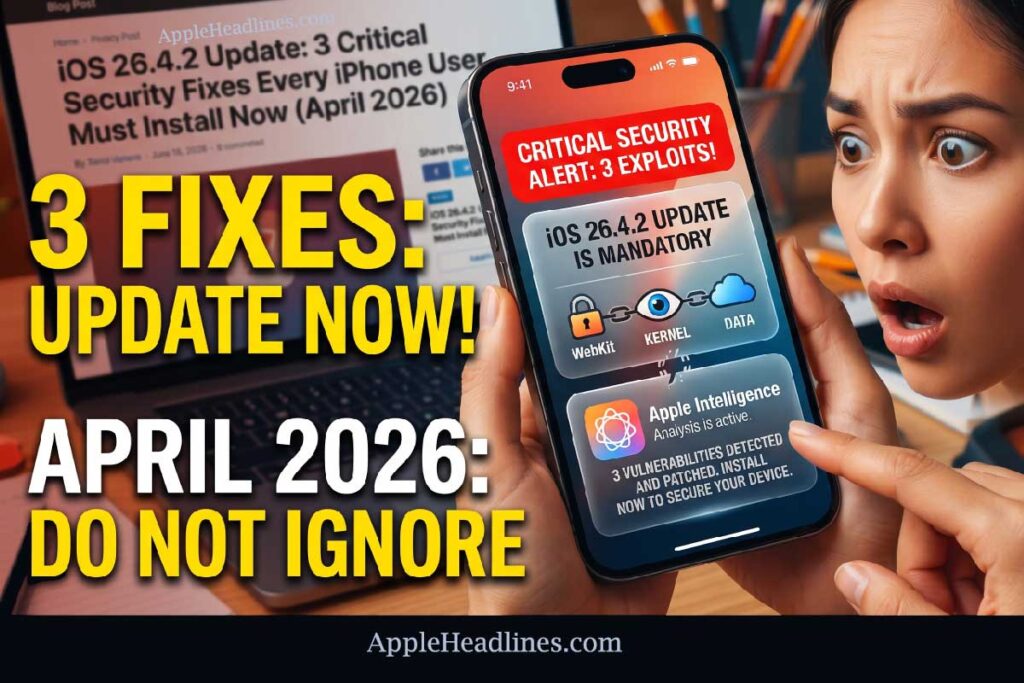
The Notification Services Vulnerability (CVE-2026-28950)
This is the headline fix. The core problem was a data retention bug in iOS’s Notification Services framework.
When a user deleted a notification – or an app was removed from their device – the associated message content was supposed to be erased from local storage.
Instead, it persisted in the device’s internal notification database.
The privacy of your notifications is vulnerable in at least two places, according to the EFF: in the cloud, where they get routed through a company’s servers and likely partially logged in metadata, and on the local storage of the phone where they’re received.
Apple’s update should ideally make deleted notifications appropriately inaccessible.
The iOS 26.4.2 update addresses the local storage side of that equation with stronger data redaction logic.
The Logging Issue Fix
Beyond the notification vulnerability, Apple also patched a separate logging issue that was causing iPhone data to be inadequately redacted in system logs.
While Apple hasn’t disclosed the full scope of which apps or services were affected, this type of logging flaw can expose sensitive metadata to anyone who gains access to the device’s diagnostic files.
💡 Expert Insight
Why “Improved Data Redaction” Is More Important Than It Sounds
Apple’s fix uses a technique called data redaction at the logging layer — essentially, it teaches the operating system to automatically scrub sensitive content before it ever gets written to persistent storage. This is a fundamentally different approach from simply deleting data after it’s stored. Think of it like a coffee shop barista crossing out your name on the receipt before handing it back — rather than shredding the receipt after you’ve left it on the table. The earlier the redaction happens in the pipeline, the less chance there is for any tool or technique to recover it.
Why This Matters Beyond Signal Users?
Consider this scenario.
A journalist in a sensitive investigation uses Signal to communicate with a confidential source.
They delete every message immediately and even uninstall Signal afterward.
Under the old iOS behavior, a law enforcement agency with the right forensic tool could still potentially extract those notification previews from the device’s local database — without ever breaking Signal’s end-to-end encryption.
The encryption itself was never compromised. But the notification preview system — the piece of iOS that shows you a pop-up when a message arrives — stored that content separately, outside of Signal’s encrypted container. That local copy was completely unprotected.
This is why the iOS 26.4.2 update matters to everyone — not just people using Signal. Any messaging app that sends push notifications could be subject to a similar residual data footprint.
How to Install the iOS 26.4.2 Update Right Now
Updating is straightforward..
Follow Installation of iOS 26.4.2 steps carefully
The entire process typically takes 10–15 minutes depending on your Wi-Fi speed.
Most users won’t need to back up their device first, but it is always a good practice before any OS update.
Which iPhones and iPads Are Eligible for iOS 26.4.2?
The update is available for: i
Phone 11 and later, iPad Pro 12.9-inch 3rd generation and later, iPad Pro 11-inch 1st generation and later, iPad Air 3rd generation and later, iPad 8th generation and later, and iPad mini 5th generation and later.
Quick reference:
| Device | Minimum Model |
|---|---|
| iPhone | iPhone 11 |
| iPad Pro 12.9″ | 3rd generation |
| iPad Pro 11″ | 1st generation |
| iPad Air | 3rd generation |
| iPad (standard) | 8th generation |
| iPad mini | 5th generation |
If your device is older than these models, it will not receive iOS 26.4.2.
Consider this a strong reason to evaluate an upgrade if privacy matters to your use case.
What If iOS 26.4.2 Won’t Install? Troubleshooting Guide
Sometimes updates don’t go smoothly. Here are the most common issues and how to resolve them.
Problem: “Unable to check for update” error
Problem: Update downloads but installation fails
Problem: Update doesn’t appear in Software Update
Problem: iPhone gets stuck on Apple logo during update
Problem: Battery drains fast after updating
Should You Be Worried If You Haven’t Updated Yet?
Practically speaking, exploiting this flaw required physical access to the device.
A remote attacker couldn’t use this vulnerability over the internet.
The risk was primarily tied to forensic tools used by law enforcement, or a scenario where someone physically seized your device.
That said, there’s no reason to delay updating.
The patch is free, fast, and eliminates a documented security risk entirely.
Limiting what’s actually visible in notifications in the first place is also worth considering Engadget as a complementary step — even after updating.
Bonus Privacy Steps to Take After Updating
After you’ve installed iOS 26.4.2, these settings will give you an additional layer of notification privacy:
This won’t prevent push notification metadata from being logged by the app’s server, but it significantly limits what gets stored locally on your device.
Frequently Asked Questions
Q: Is iOS 26.4.2 a mandatory update? Apple does not force users to update, but this update patches an actively exploited security vulnerability. It is strongly recommended for all eligible devices.
Q: Does this update affect iPhone performance or battery life? No performance regressions have been reported. Minor battery drain in the first 24–48 hours after any iOS update is normal as the system reindexes.
Q: I don’t use Signal. Do I still need to update? Yes. The vulnerability existed at the iOS system level in the Notification Services framework — not within Signal itself. Any app that sends push notifications with visible content could theoretically have left residual data exposed in the same way.
Q: Was my data actually accessed if I haven’t updated yet? Exploitation of this flaw required physical access to the device along with specialized forensic tools. If your iPhone has not been physically seized or tampered with, the risk to you personally is low. Still, updating eliminates the vulnerability entirely.
Q: What about iOS 18 users who haven’t moved to iOS 26? Apple users running iOS 26, iPadOS 26, iOS 18, or iPadOS 18 should update to the latest versions to avoid being impacted by the security flaw. MacRumors Apple released a parallel patch for iOS 18 devices as iOS 18.7.8.
→ Update your iPhone to iOS 26.4.2 now: Go to Settings > General > Software Update and protect your notification privacy today.
Disclaimer: This article is intended for informational purposes only and does not constitute legal advice. The information about CVE-2026-28950 and law enforcement use of forensic tools is based on publicly available court records, Apple’s official security documentation, and reporting from established technology publications. Individual privacy risks vary based on personal device usage, settings, and circumstances. AppleHeadlines.com is an independent publication and is not affiliated with Apple Inc.

Virginia J. Alfonso is a seasoned technology writer with a passion for all things digital. With over a decade of experience covering the latest in tech innovation, gadgets, and software, Virginia brings a unique blend of technical expertise and accessible writing to her work. Her articles focus on making complex tech topics easy to understand for readers of all levels.