





Updated November 12, 2026
Apple Support Community Is Closing: What You Need to Know
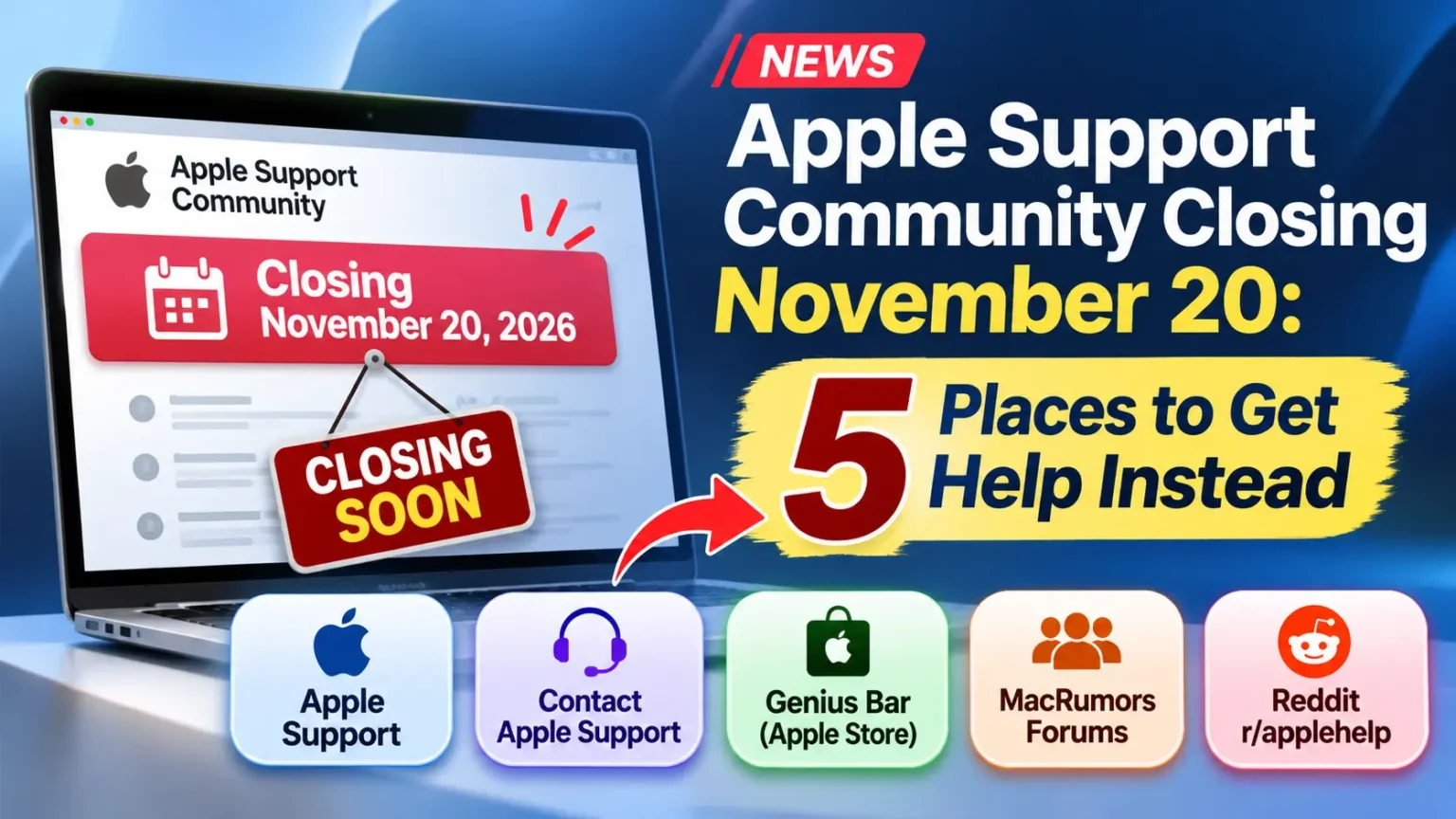
Apple has stopped accepting new posts on the Apple Support Community as of November 10, 2026. The community forum is scheduled to shut down permanently on Friday, November 20, 2026.
November 20, 2026, is the final date to access the Apple Support Community before it closes permanently.
Apple has shut down new posts on its Apple Support Community.
The forum goes offline for good on Friday, November 20, 2026.
If you used it to fix an iPhone, Mac, or Apple Watch problem, you now need a new plan.
This guide shows five places to get help instead.
It also explains what Apple has said so far, what is still unclear, and which option fits each kind of problem.
Pick your route now, before the forum disappears.
What Apple Announced (And What Is Still Unclear)
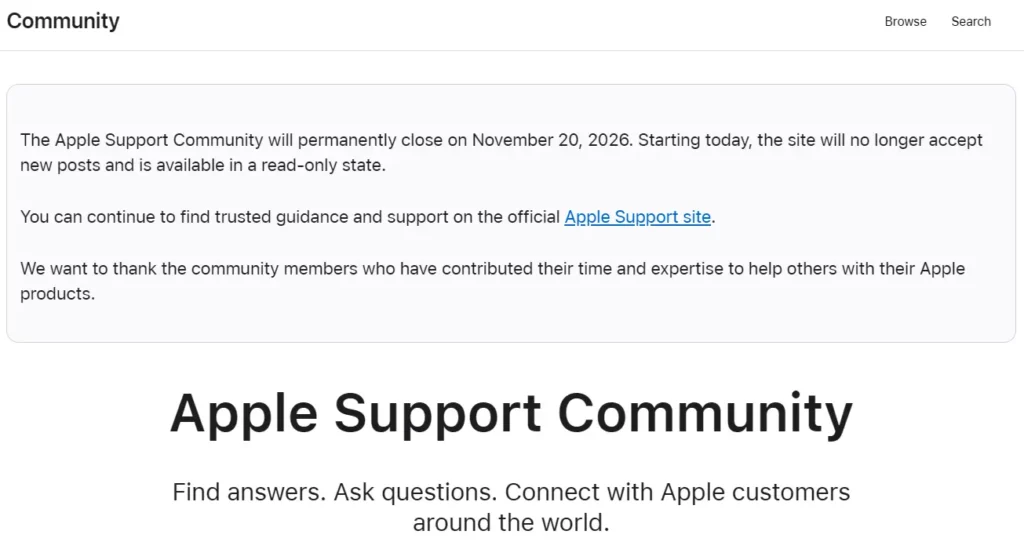
Apple added a notice to the forum on Tuesday, November 10, 2026.
It says the Apple Support Community will permanently close on November 20.
The site no longer accepts new posts. It is now read-only.
MacRumors reports that the last post went up at 5:49 p.m. Pacific Time that day.
The sign-in button still shows, but it leads to an internal portal for Apple employees.
Regular customers cannot log in.
Apple’s notice points people to the official Apple Support site.
It also thanks the members who helped others over the years.
Apple told MacRumors it made the call after a careful review of strategy and customer needs.
The forum has a long history.
Apple started an early version, the Apple Tech Exchange, in 1998. It became Apple Discussions in 2000.
It was renamed Apple Support Communities in 2011 and took its current name in 2022.
What we do not know yet:
- Apple has not said whether old threads will stay online after November 20. The Register reported that the archive’s future is unclear.
- As of November 12, 2026, Apple has not named a replacement forum.
- Apple has not shared a detailed reason beyond its short statement.
Save What You Need Before November 20
Many people landed on the forum from a Google search.
Those links may stop working if Apple removes the archive.
Apple has not confirmed that it will, so treat it as a risk.
Do this now:
- Open any thread that solved a problem for you.
- Copy the steps into a notes app.
- Write down your device model and software version next to the steps.
- Save the page as a PDF if you want the full thread.
Fix steps often change with each software update.
A saved answer from an older iOS version may not match iOS 27.
Use it as a clue, not a final answer.
What the Closure Means for Your Google Searches
Search results for Apple problems often included forum threads.
That may change.
If Apple removes the archive, those links could break or drop out of results.
Apple has not confirmed what will happen.
In the meantime, expect more results from support.apple.com and tech sites.
Check the date on any fix you find. Look for the iOS or macOS version it names.
If the version is old, treat the steps with care.
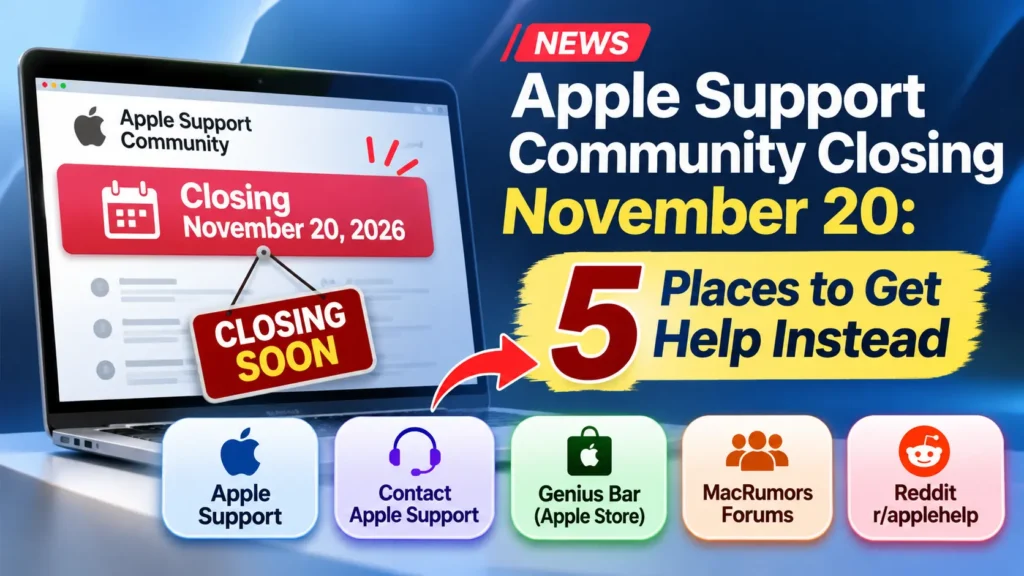
5 Places to Get Apple Help After the Forum Closes
1. The Apple Support Site (support.apple.com)
This is where Apple tells people to go.
It holds official how-to guides for iPhone, iPad, Mac, Apple Watch, AirPods, and Apple Account problems.
How to get the most from it:
- Search the exact error message in quotes.
- Add your product name, like “iPhone” or “MacBook Pro.”
- Check the date on the article. Newer is better.
- Follow the steps in order. Do not skip ahead.
Best for: software problems, settings, and “how do I” questions.
2. Contact Apple Support Directly
Apple lists its contact options at getsupport.apple.com.
Depending on your issue and region, you can usually pick chat, a phone call, or a callback.
Have your device and Apple Account ready.
This option replaces the “ask the community” step.
A person who can see your account may help faster than a forum thread.
Coverage can affect what is free, so check your warranty or AppleCare plan first.
Best for: Apple Account lockouts, billing, repairs, and problems the guides do not fix.
3. An Apple Store or Genius Bar Visit
Some problems are physical.
Think of a bad screen, battery, or port.
A forum cannot fix those.
An in-person visit can.
Technicians can run tests and check the device in front of you.
Book ahead if you can. Walk-ins can mean a long wait.
Our guide to booking a Genius Bar appointment shows the steps.
Best for: cracked screens, battery drain that hits hardware, water damage, and devices that will not turn on.
4. MacRumors Forums and Reddit’s r/applehelp
MacRumors named both as alternatives to Apple’s forum.
You get fast replies from other users.
You also get mixed quality, just like on Apple’s forum.
Stay safe with these rules:
- Never post your Apple Account password or a verification code.
- Hide your serial number and phone number in screenshots.
- Do not run steps that erase data unless you have a backup.
- Look for answers that several people confirm.
Best for: new bugs, beta software, and “is it just me?” questions.
5. Paid and Professional Support
Sometimes free help is not enough.
Paid options can save time.
- AppleCare plans add coverage and priority support for eligible devices.
- Apple Authorized Service Providers are repair shops that Apple approves.
- Mac IT support services help home offices and small teams.
- Managed Apple device support helps companies that run many Macs and iPhones.
An iPhone repair service fits when you need a fast fix. You skip the wait for an Apple Store slot. Check that the shop is authorized if you want to protect your warranty.
Best for: repairs, business fleets, and people who want one point of contact.
Quick Comparison: Which Option Fits Your Problem?
| Your Problem | Start Here | Why |
|---|---|---|
| iPhone will not update | Apple Support site | Official step-by-step guides |
| Apple Account locked | Contact Apple Support | Needs account checks |
| Cracked screen or dead battery | Apple Store or authorized provider | Needs hands-on repair |
| Odd bug after a new iOS release | MacRumors Forums or r/applehelp | Other users report it fast |
| 20 Macs act up after an update | Managed Apple device support | Handles many devices at once |
| Want coverage for future repairs | AppleCare plan | Adds protection and support |
Pro Tip: Write a “help card” before you ask anyone for help. Include your device model, software version, the exact error text, and what you already tried. A clear card gets better answers from Apple, a forum, or a repair shop. It also stops the “did you restart?” loop.
Illustrative Scenario: From Forum Search to Fix
This is an illustrative scenario, not a report from a real reader.
Picture a reader with an iPhone 18 Pro on iOS 27.
The Mail app keeps showing “Updating…” after an update. In the past, they would search a forum thread and try the top reply.
With the forum closed, they use a new path.
They write a help card first.
Then they search the exact message on the Apple Support site.
They find a guide and run the steps in order.
The problem stays.
So they open Apple’s contact page and book a callback.
The advisor sees the account and walks through the next fix.
The lesson: start with the official guide, then escalate.
Do not bounce between random threads.
Troubleshooting: What If You Still Cannot Find an Answer?
Try these steps in order:
- Rewrite your search. Use the exact words on your screen.
- Check Apple’s System Status page. A service outage may be the cause.
- Update your software. Many bugs are fixed in point releases.
- Restart the device. Then test again.
- Try a settings reset. Our Reset All Settings guide shows what it wipes and what it keeps.
- Contact Apple Support. Share your help card.
- Book a hardware check. Do this if the issue is physical or keeps coming back.
If a fix tells you to erase your device, back it up first.
For Businesses and IT Teams
A closed forum hurts teams that used it for quick answers.
Small offices and IT admins now need a plan. Consider these steps:
- Pick one internal owner for Apple device questions.
- Keep a shared doc of known fixes by device and OS version.
- Bookmark the Apple Support pages your team uses most.
- Compare Mac IT support services and managed Apple device support. This matters once you run more than a handful of devices.
- Ask any provider how fast they respond and which Apple products they cover.
Key Takeaways
- Apple Support Community stopped taking new posts on November 10, 2026, and closes on November 20.
- Apple points users to the official Apple Support site.
- Apple has not said if the old threads will stay online.
- Use Apple Support for account and software issues, and the Genius Bar for hardware.
- MacRumors Forums and r/applehelp can fill the community gap, but check every answer.
- Save any thread you rely on now, and treat old fixes with care.
FAQ
It closes permanently on Friday, November 20, 2026. Apple stopped new posts on November 10.
No. The site is read-only. You can read existing threads until it closes, but you cannot post.
Apple has not said. Save any answer you need before November 20.
Apple told MacRumors it made the decision after a careful review of strategy and customer needs. It has not shared more detail.
Use the Apple Support site and Apple’s contact options. For user-to-user help, try MacRumors Forums or Reddit’s r/applehelp.
As of November 12, 2026, Apple has not announced one.
They can be useful, but they are not run by Apple. Do not share passwords or codes. Check advice against Apple’s guides before you act.
Sources
- MacRumors, “‘Apple Support Community’ Permanently Closing on November 20,” November 10, 2026
- The Register, “Apple tells its Support Community to STFU,” November 11, 2026
- Engadget, “Apple is shutting down its online Support Community on November 20”
- 9to5Mac, “End of an era: Apple Support Community forums will permanently close on November 20,” November 10, 2026
- Apple Support Community notice
Disclaimer
This article is for general information. Apple may change its plans, support options, or the status of the archive after publication. Check support.apple.com for current details. AppleHeadlines.com is not affiliated with Apple Inc.
Need More Help?
Not sure where to start? Check our Genius Bar appointment guide or browse our iPhone troubleshooting guides. Bookmark this page. We will update it if Apple shares news about the archive.
Related Posts:

T’kal is the lead strategist and developer behind Apple Headlines. With a background in digital marketing and web development, he specializes in technical Apple troubleshooting, software news, and hardware rumors. T’kal focuses on delivering high-authority tech content that bridges the gap between Apple enthusiasts and the latest industry innovations.