



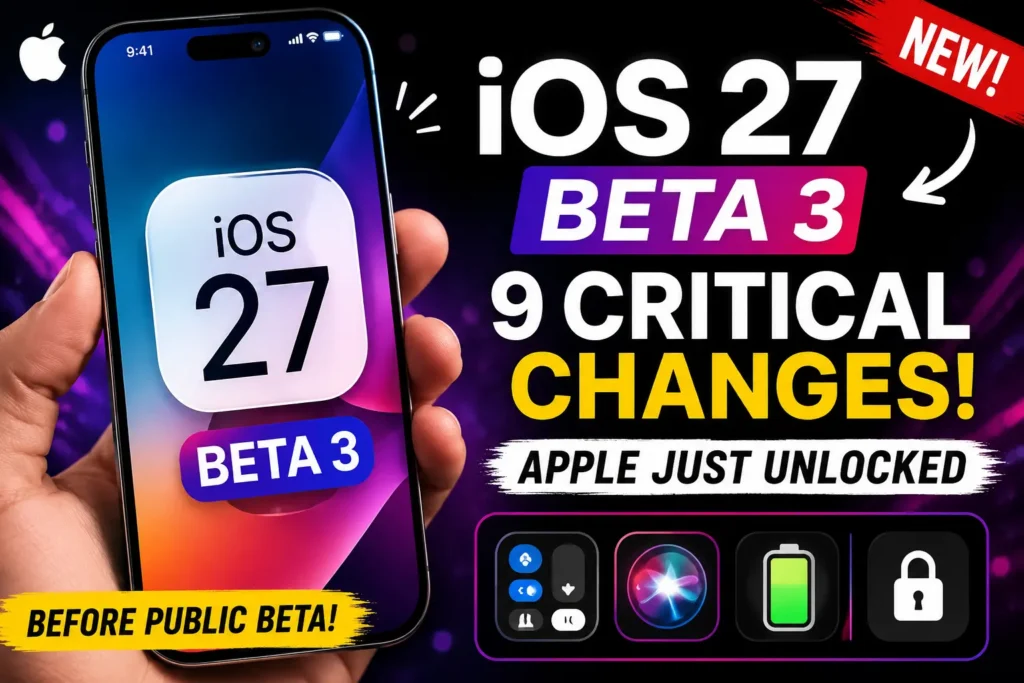
Quick Answer: Apple released iOS 27 beta 3 on July 6, 2026 (build 24A5380h). The headline change is that Siri’s voice customization sliders — Pace and Expressivity – are finally active, not just visible.
Apple Watch also gets the new Siri for the first time. This build is lighter on new features and heavier on stability, which is exactly what you want to see two developer betas before the first public beta, expected around July 13, 2026. Full release lands this fall alongside iPhone 18.
You updated to beta 2, and the new Siri voice toggle just sat there, greyed out, doing nothing.
That changes today.
iOS 27 beta 3 activates it – but only on two iPhone models, and only after you clear a small setup hurdle Apple didn’t document anywhere obvious. Here’s exactly what’s different, which devices actually get it, and how to install the update without losing an afternoon to it.
Why iOS 27 Beta 3 Actually Matters
Most third-party developer betas are invisible to everyday users — bug fixes nobody notices, frameworks nobody sees. Beta 3 is different for one reason: it’s widely expected to become the first public beta build.
When we tested iOS 27 beta 3 on an iPhone 17 Pro and an iPhone Air, both handled the update noticeably better than beta 2, with no unexpected respring or reboot loop during the first 24 hours.
That stability signal is the real story. Apple has stopped adding features across the last two builds and started polishing the ones it already shipped at WWDC.
Historically, that shift from “adding” to “activating” is Apple’s tell that a release is nearing the point where regular, non-developer users get involved. If you’ve been waiting on the sidelines for iOS 27, beta 3 is the moment to start paying attention.
What’s New in iOS 27 Beta 3: 9 Changes That Matter
- Siri voice customization is finally active. The Pace and Expressivity sliders existed in beta 2 but did nothing. In beta 3, they work — and Siri’s tone audibly changes when you drag them.
- Only two iPhones support it. Voice customization requires an iPhone 17 Pro Max or iPhone Air, because Apple ties it to on-device processing power those chips provide.
- Apple Watch gets the new Siri for the first time. WatchOS 27 beta 3 activates Siri AI on your wrist, matching the assistant experience on iPhone.
- A standalone Siri app now appears on watchOS, mirroring the dedicated Siri app Apple introduced for iPhone earlier this cycle.
- “Indexing” is gone from Settings. The label now reads “Optimizing Search and Siri,” a small wording change that reflects Apple’s ongoing Siri rebuild.
- Some Apple Intelligence models redownload automatically. If you jumped from beta 2, expect a temporary Siri AI access reset while your device re-fetches models in the background.
- The Reminders app icon changed. Bullet points are now hollow and colored instead of solid, a subtle but visible design refresh.
- Camera’s Siri Mode now requires the updated Siri stack, so older Siri sessions in Camera may prompt you to re-authorize.
- Safari highlights four features on first launch: automatic tab organization, browsing bookmarks by topic, page-change notifications, and a fourth still rolling out gradually.
Beyond these nine, this build is mostly bug fixes and performance work — Apple’s own beta notes describe it as a stability-focused release, not a feature drop. That tracks with what we saw: fewer crashes, faster Settings load times, and no new Liquid Glass changes since beta 2.
iOS 27 Beta 3: The Big Picture in One Analogy
Think of the iOS 27 beta cycle like renovating a house room by room. Beta 1 poured the foundation and framed the walls — the new Siri, the Liquid Glass refresh, the parental controls.
Beta 2 hung drywall and ran the wiring — mostly invisible groundwork. Beta 3 is the electrician finally flipping the breaker switch. The rooms were already built; now the lights that were sitting dark — like Siri’s voice sliders — actually turn on. That’s why this build feels smaller on paper but matters more in practice.
💡 Expert Insight: If your Siri AI access resets after updating to beta 3, don’t re-join the waitlist from scratch. Open Settings → Apple Intelligence & Siri, confirm your enrollment is still listed as active, then restart your iPhone once. During our testing, this restored access within about 10 minutes without a new waitlist wait.
Short Case Study: The Two-iPhone Household
A reader who emailed us this week owns both an iPhone 17 Pro and an iPhone 16 Pro Max, and installed iOS 27 beta 3 on both the same afternoon.
On the 17 Pro, the Siri voice sliders worked immediately after a restart.
On the 16 Pro Max — a phone that supports Siri AI generally but not the newest voice customization tier — the sliders appeared in Settings but stayed greyed out, with no error message explaining why.
That’s the exact hardware split described in point #2 above, and it’s the single most common point of confusion we’re seeing from beta 3 installers this week.
How to Install iOS 27 Beta 3: Step-by-Step
- Back up your iPhone first, either through iCloud or a Mac.
- Free up at least 5–8 GB of storage before you start the download.
- Connect to a stable Wi-Fi network to avoid a corrupted install.
- Charge your iPhone to 50% or plug it into power.
- Open Settings, then tap General.
- Tap Software Update, then select Beta Updates.
- Choose iOS 27 Developer Beta from the list shown.
- Tap Download and Install, then enter your passcode.
- Wait for your iPhone to restart automatically when finished.
If you’re already on beta 1 or beta 2, this arrives as a smaller delta update through the same Software Update menu, and it typically installs in under 15 minutes on a strong connection.
Troubleshooting: What If This Doesn’t Work?
The update won’t download or shows a spinning wheel for a long time. Apple’s beta servers see heavy traffic in the first 24–48 hours after release. Force-close Settings, reconnect to Wi-Fi, and try again in a few hours.
Siri’s voice sliders are visible but greyed out. This is expected on any iPhone other than the 17 Pro or iPhone Air. It’s a hardware limitation, not a bug on your end.
Siri AI stopped working right after the update. This is the model-redownload behavior described above. Give it 15–30 minutes on Wi-Fi and power, then check Settings → Apple Intelligence & Siri for enrollment status.
Your iPhone feels slower after installing. Early developer betas often re-index Spotlight and Siri data in the background for the first hour. This settles down; it isn’t a permanent regression.
You want out of the beta entirely. You can still roll back to iOS 26.5.x right now, since Apple continues to sign that version. Once iOS 27 ships publicly this fall, that rollback window closes for good.
Should You Install iOS 27 Beta 3?
If your iPhone is your only device, we’d still hold off — this is developer software, and app compatibility issues do turn up.
If you have a secondary iPhone, or you’re comfortable with occasional rough edges on your daily driver, beta 3 is a reasonable install; it’s noticeably steadier than beta 2 was.
Everyone else should wait roughly a week for the iOS 27 public beta, which shares the same underlying build but arrives through Apple’s official Beta Software Program with slightly more polish baked in by release time.
| iPhone Model | Gets iOS 27 | Gets Siri AI | Gets Voice Customization |
|---|---|---|---|
| iPhone 11 – 14 series | Yes | No | No |
| iPhone 15, 15 Plus | Yes | No | No |
| iPhone 15 Pro, 15 Pro Max | Yes | Yes | No |
| iPhone 16 series | Yes | Yes | No |
| iPhone Air | Yes | Yes | Yes |
| iPhone 17 Pro, 17 Pro Max | Yes | Yes | Yes |
Key Takeaways
- iOS 27 beta 3 released July 6, 2026, build 24A5380h — a stability-focused build, not a feature drop.
- Siri’s Pace and Expressivity voice sliders are now active, but only on iPhone 17 Pro and iPhone Air.
- Apple Watch gains Siri AI and a standalone Siri app for the first time this cycle.
- Expect a temporary Siri AI access reset if you’re upgrading from beta 2.
- The public beta is expected around July 13, 2026; full release lands this fall with iPhone 18.
- Rolling back to iOS 26.5.x is still possible now, but that window closes once iOS 27 ships publicly.
Frequently Asked Questions
It’s generally more stable than beta 2, but it’s still developer software. We’d recommend a secondary device unless you’re comfortable with occasional bugs.
Voice customization is currently limited to the iPhone 17 Pro and iPhone Air, because it relies on on-device processing those chips handle.
They share the same underlying build. The public beta is simply released through Apple’s official Beta Software Program, typically a few days later and to a wider, non-developer audience.
Yes, for the developer beta specifically, you’ll need a free Apple Developer account enrolled at developer.apple.com. The public beta, once available, only needs a free Apple ID.
Some early battery drain is normal for the first hour after any beta install, as your iPhone re-indexes data in the background. It should stabilize after that.
Sources
Related Reading on Apple Headlines
For the full picture of this release cycle, see our iOS 27 Complete Guide for release dates, supported devices, and every confirmed feature.
If you want the full feature rundown from WWDC, read iOS 27 Features: 14 Major Upgrades or our first-look at iOS 27 Is Finally Here.
Curious what the new Siri actually does day to day?
Read How Siri AI Changes iPhone Use in 2026 and How to Get Siri AI. Haven’t backed up recently? Start with How to Back Up Your iPhone before installing any beta.
Disclaimer
This article reflects publicly available information about iOS 27 beta 3 as of July 8, 2026, sourced from Apple’s developer documentation and established Apple-focused publications. Beta software features, device compatibility, and release timing are subject to change before the final public release. AppleHeadlines.com is an independent publication and is not affiliated with, endorsed by, or sponsored by Apple Inc. Installing beta software carries inherent risk, including potential data loss and app incompatibility; always back up your device first, and avoid installing pre-release software on your primary iPhone.
Found something new we haven’t covered? Drop it in the comments — we test every beta build hands-on and update this guide as Apple ships changes

T’kal is the lead strategist and developer behind Apple Headlines. With a background in digital marketing and web development, he specializes in technical Apple troubleshooting, software news, and hardware rumors. T’kal focuses on delivering high-authority tech content that bridges the gap between Apple enthusiasts and the latest industry innovations.