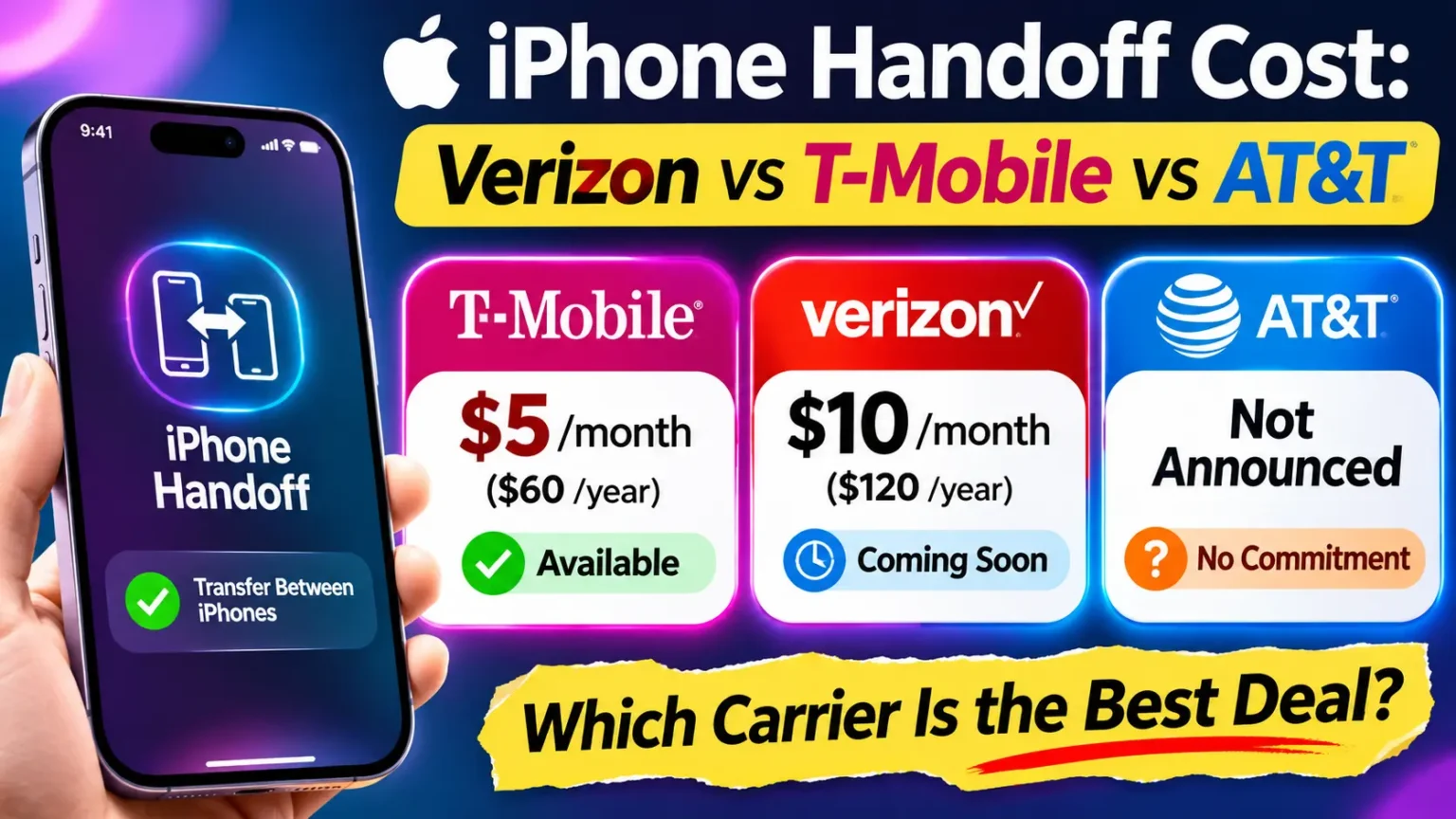







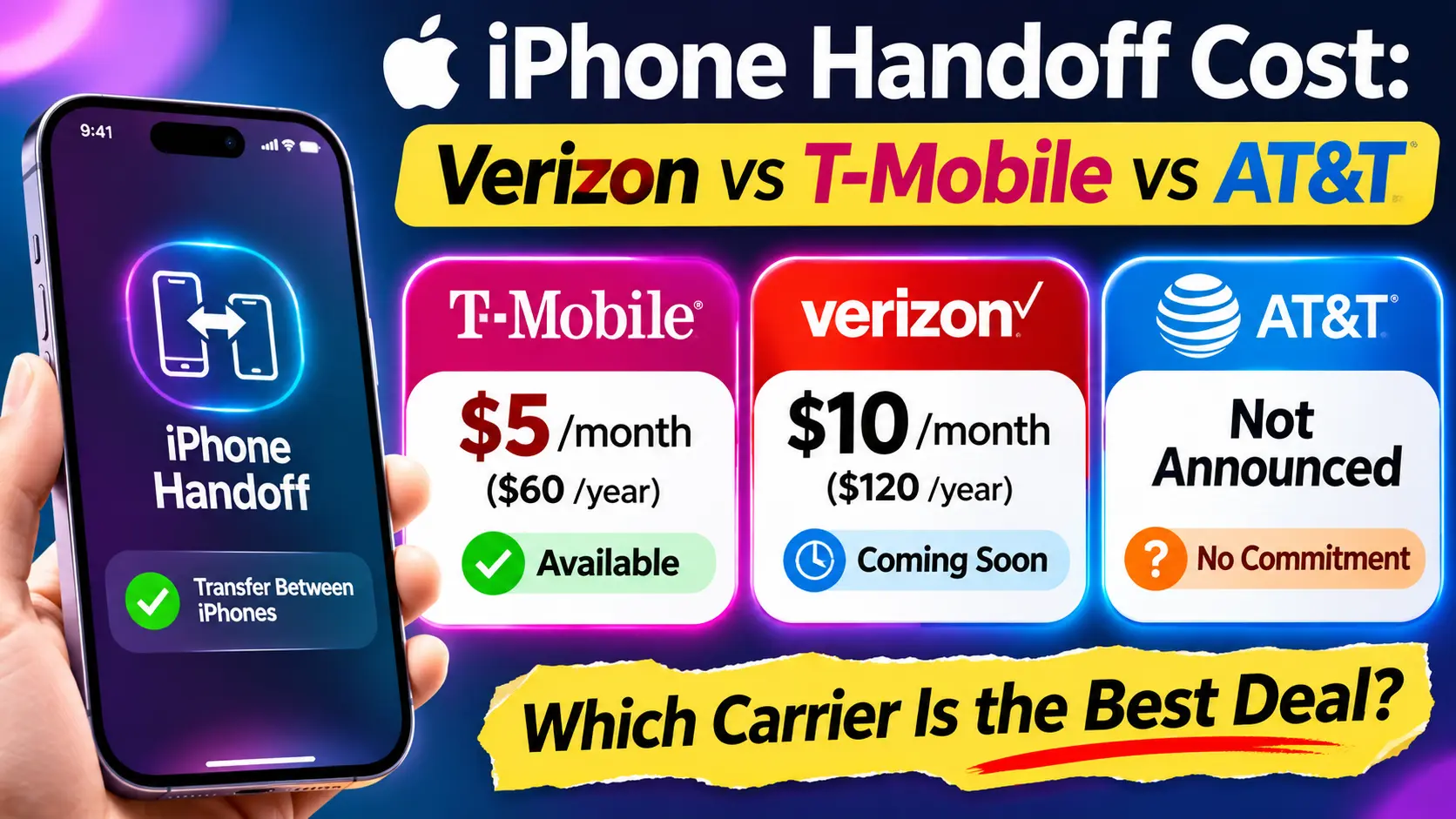
Short answer: iPhone Handoff costs $5 a month on T-Mobile. Verizon has announced $10 a month but hasn’t said when it starts. AT&T hasn’t committed to supporting it.
That’s $60 a year on T-Mobile and $120 a year on Verizon once it launches.
Handoff arrived with iOS 27.
It lets you use one phone number on two iPhones and move between them just by unlocking the one you want.
Here’s how it works, what each carrier charges, and whether it’s worth paying for.
What is iPhone Handoff?
iPhone Handoff puts one phone number on two iPhones.
The number is active on only one phone at a time.
Unlock the other iPhone and the number switches to it.



Apple says these follow whichever iPhone is active:
Other iCloud data stays in sync on both phones.
It isn’t a second line, and it isn’t call forwarding.
Your calls don’t ring on both phones, because only one phone holds the number at a time.
What you need to use it
According to Apple’s iPhone Handoff setup page, you need:
- iOS 27 or later on both iPhones
- Wi-Fi on both phones during setup
- The same Apple Account on both
- Messages in iCloud turned on, so messages sync
- FaceTime and iMessage signed in with the same Apple Account on both
- An eSIM from a supported carrier on each phone. Apple’s page lists T-Mobile in the US, Telekom in Germany and EE in the UK.
Apple’s page doesn’t list which iPhone models are supported. Check on your own phone before you buy anything.
Apple also says carrier fees may apply when you enroll and tells you to contact your carrier for details.
iPhone Handoff cost by carrier
iPhone Handoff Cost by Carrier
Compare monthly pricing and availability in the U.S.
T-Mobile
First U.S. carrier to support HandoffT-Mobile was the first U.S. carrier to support iPhone Handoff. Read announcement ↗
Verizon
Service announced October 16Verizon announced the service as coming soon, but has not provided a launch date. Read announcement ↗
AT&T
No Handoff commitment announcedAT&T says it sees potential in the feature and points customers toward its existing eSIM transfer options. Read announcement ↗
T-Mobile: $5 a month
T-Mobile announced the $5 fee on September 10. Reports I found don’t say whether the fee applies per line or per account, so confirm with T-Mobile before you sign up.
Verizon: $10 a month, not live yet
Verizon announced the $10 fee on October 16, alongside its iPhone Duo pre-orders. It’s twice what T-Mobile charges. Apple’s setup page still lists only T-Mobile for the US. In what I found, Verizon hasn’t said when Handoff will start, whether every customer can use it, or what exactly the fee includes.
AT&T: no plans announced
AT&T hasn’t said it will support Handoff or given a timeline. It says its focus remains on existing eSIM activation and transfer options.
How to set up iPhone Handoff
Apple describes three paths. The Settings route is the easiest to follow if you already own both phones:
- On the new iPhone, open Settings > Cellular.
- Tap Set Up Cellular or Add eSIM.
- Choose Use Number on This iPhone and Another, then tap Continue.
- Tap Continue again to start Handoff.
- Choose which phone keeps the main eSIM. “Other iPhone” leaves it on the current phone, and “This iPhone” moves it to the new one.
- Follow the prompts on both phones.
During new-iPhone setup, you can instead place the two phones side by side and choose the option to use your number on this iPhone and another.
To switch phones, unlock the iPhone you want to use.
The one that was active shows an arrow icon at the top of the screen. The one you just unlocked shows “Switched to this iPhone.”
Apple recommends keeping a private passcode on both phones, since whoever unlocks a phone controls which one holds your number.
What iPhone Handoff can’t do
- Apple Watch doesn’t move. Pair it to the iPhone you use most. Without that phone nearby, the watch relies on Wi-Fi or cellular if you’ve activated it.
- Some carrier features stay on the main phone. Call Forwarding, Caller ID and carrier account management are managed there.
- Some Wallet items may work on only one phone. Payment cards work on both, but certain transit passes, IDs and work badges may not.
- Some apps can log you out. Banking apps, for example, may sign you out on one phone when you sign in on the other, or ask for approval first.
- Two numbers are possible but limited. Dual SIM works only if both eSIMs come from supported carriers, and you set each one up separately.
How to cancel iPhone Handoff
Apple’s page doesn’t describe an off switch on the phone.
You turn Handoff off with your carrier.
Don’t just delete the eSIM.
Deleting it from the iPhone doesn’t stop the carrier charge, and billing may continue until you ask the carrier to end the service.
Call or message your carrier and tell them you want to cancel Handoff.
Is iPhone Handoff worth it?
Over 12 months, it’s $60 on T-Mobile and $120 on Verizon (once it launches).
It may be worth paying for if you:
- Keep two iPhones, such as a work phone and a personal phone, or a main phone and a backup, and want one number on both
- Want to switch phones without moving a SIM or eSIM by hand
- Are on T-Mobile, where the price is lowest and the service is already available
It’s probably not worth it if you:
- Rarely use a second iPhone. You’d pay every month for a feature you seldom use.
- Are on AT&T, where it isn’t offered.
- Only need to move your number to a new phone once. That’s an eSIM transfer, and Apple’s setup page covers moving to a replacement iPhone.
Frequently asked questions
Does iPhone Handoff work on AT&T?
Not at the moment. AT&T hasn’t committed to supporting it and isn’t on Apple’s list of carriers.
Can I use iPhone Handoff on Verizon today?
Verizon announced it as “coming soon” without a date. Check Verizon’s site before you plan around it.
Do both iPhones ring at the same time?
No. The number is active on one iPhone at a time.
Is the fee per line or per account?
I couldn’t confirm this for T-Mobile. Ask the carrier before you enroll.
Does my Apple Watch switch phones with Handoff?
No. Pair it to the phone you use most.
How do I stop paying for Handoff?
Contact your carrier. Deleting the eSIM on the phone doesn’t end the charge.
Sources: Apple Support: Set up iPhone Handoff, MacRumors: T-Mobile $5 fee, MacRumors: Verizon $10 fee, MacRumors: AT&T response.
Related Posts:

Ruth writes in-depth guides about Apple products, focusing on practical solutions for everyday users. Her articles cover device setup, hidden features, troubleshooting, and the latest updates for iOS, watchOS, and other Apple platforms.
He regularly researches Apple updates and tests features on devices like the iPhone and Apple Watch to ensure readers receive accurate and helpful information.