



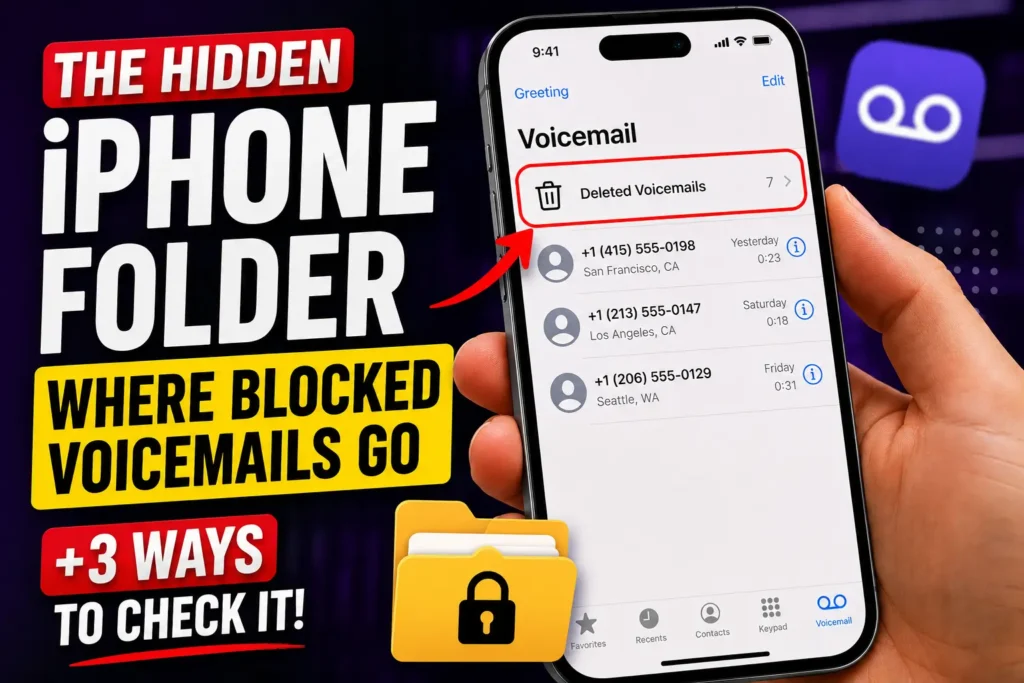
Quick Answer: Blocked callers can still leave you a voicemail — your iPhone just hides it. Open the Phone app, tap the menu icon (or the Voicemail tab on Classic layout), then scroll to the bottom and tap Deleted Voicemails.
That folder holds every voicemail from a blocked number, and it never triggers a badge or notification.
You blocked the number.
You expected silence.
Then you noticed a red badge on the Phone app anyway, and no idea where it came from.
That’s the moment most iPhone owners realize blocking someone doesn’t actually stop their voicemail — it just moves it somewhere you’d never think to look.
When we tested this on our iPhone 17 Pro running iOS 26.6, we confirmed the folder is still there, it’s just buried one tap deeper than it used to be.
Why Blocked Numbers Can Still Leave a Voicemail
Blocking a contact on iPhone only controls what your device does with an incoming call — it silences the ring and skips the notification.
It does not control what your carrier does with the call, and carriers still route rejected calls straight to voicemail by default.

That’s the gap. Apple built the Blocked Messages folder specifically to catch what falls through it, so a genuinely important call – a doctor’s office, a delivery driver, a kid using a friend’s phone – doesn’t vanish completely just because the number was on your block list.
This matters for more than curiosity.
Parents monitoring a shared family line, small business owners who block spam but still need customer messages, and anyone documenting harassment for a police report all have real reasons to check this folder regularly, not just once.
How to See Blocked Voicemails on iPhone (iOS 26 and iOS 27)
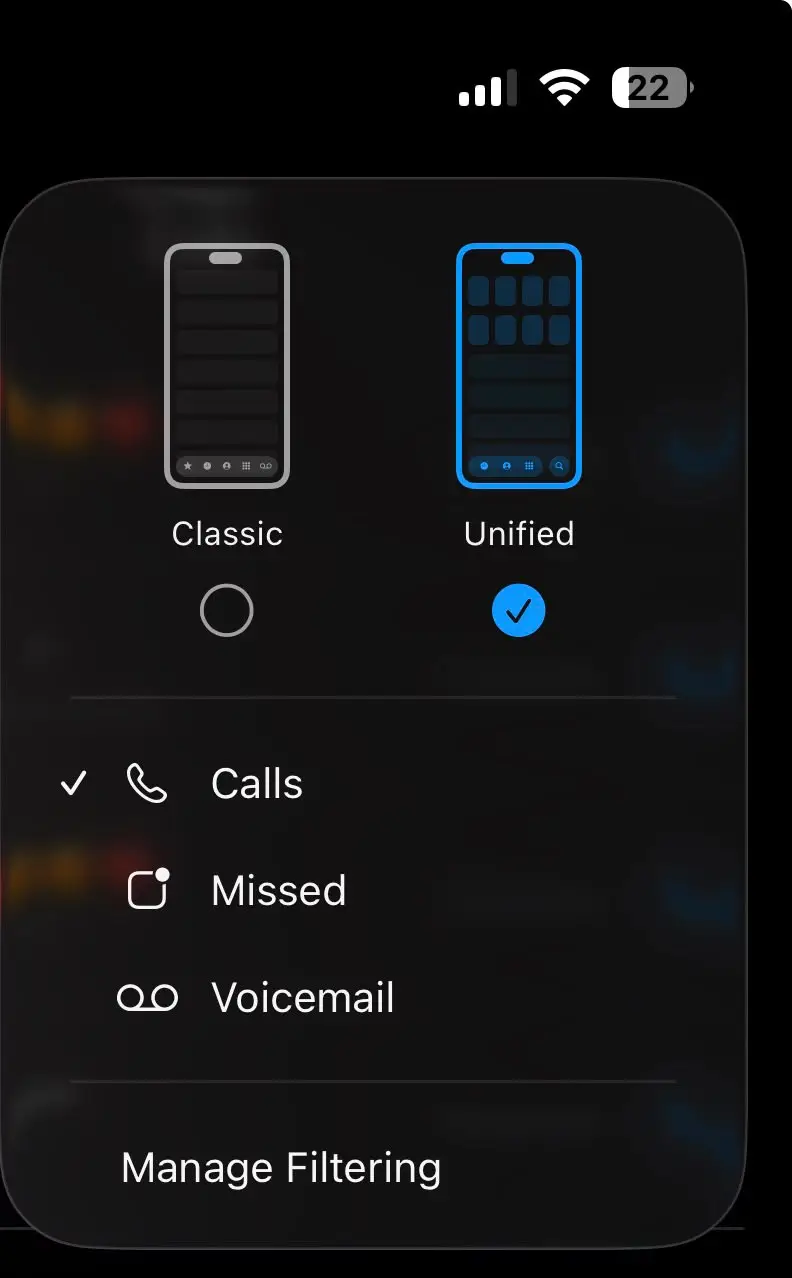
iOS 26 replaced the old five-tab Phone layout with a combined Unified view, which is why so many people can’t find Voicemail at all anymore.
Here’s where it actually lives, whether you’re on iOS 26.6 or testing the iOS 27 public beta.
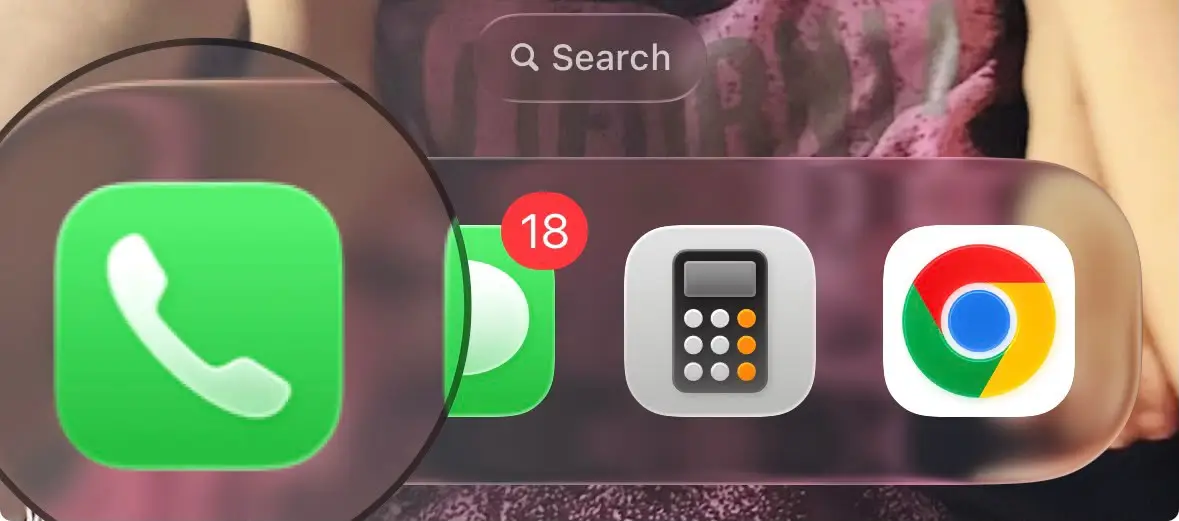
Step 1: Open the Phone app on your iPhone.
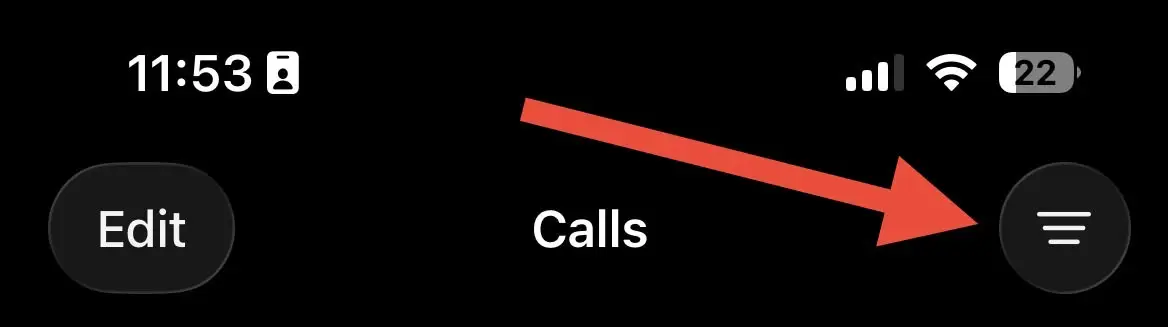
STEP 2: Tap the menu icon in the top-right corner of the Calls screen.
Step 3: Select Voicemail from the filter list that appears.
Step 4: Scroll to the bottom and tap Deleted Voicemails.
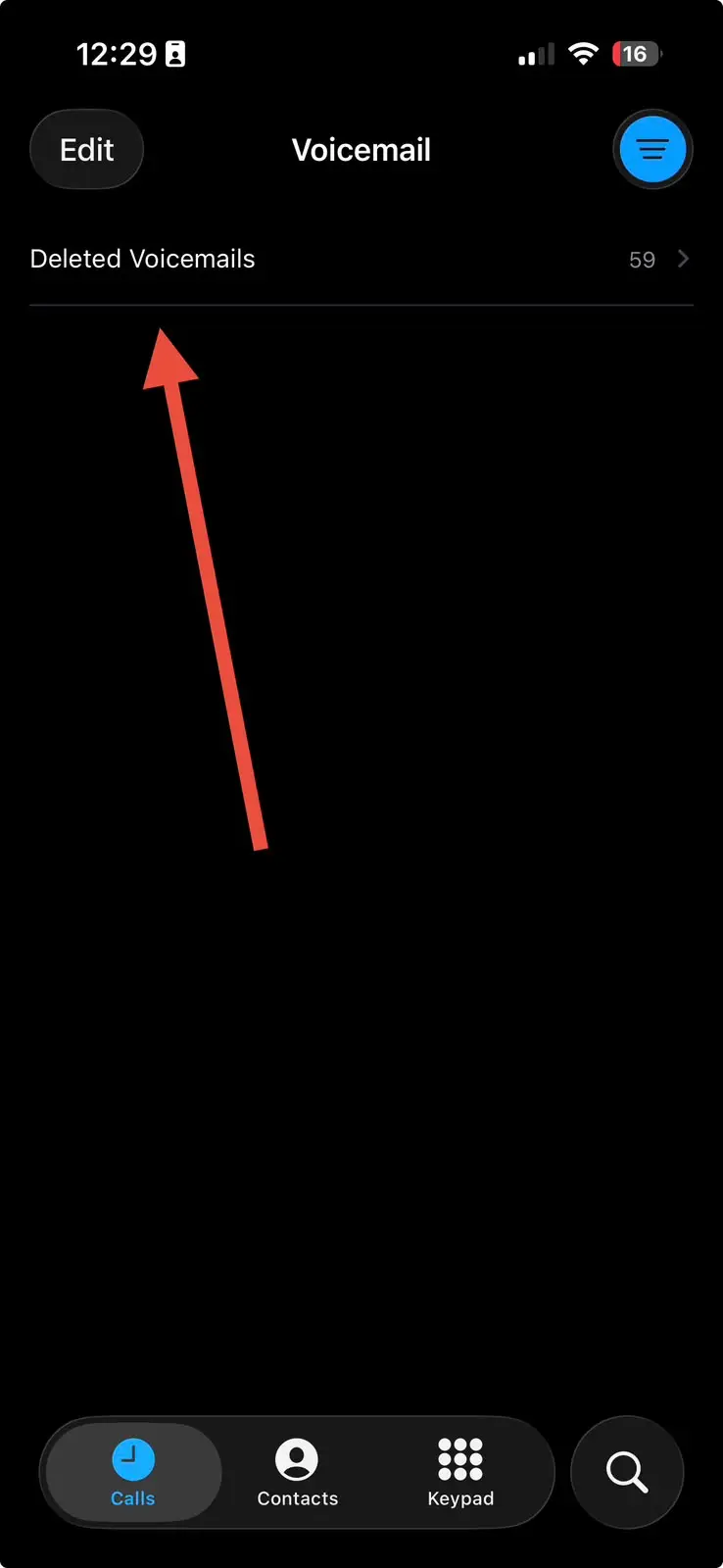
Step 5: You’ll find voicemails left by blocked numbers there (if your carrier and iOS version support storing them).
Step 6: Tap a voicemail to play it or read its transcript. You can delete it permanently or restore it if needed.
Important note: There isn’t a dedicated “Blocked Messages” folder in the Phone app. On supported iPhones, voicemails from blocked numbers may appear in Deleted Voicemail instead, depending on your carrier’s visual voicemail implementation.
If you don’t see them there, your carrier may automatically discard voicemails from blocked callers.
Checking Blocked Voicemails on iOS 18 or Earlier
Running an older iPhone that hasn’t updated past iOS 18? The path is more direct, since the classic layout was still the default.
- Open the Phone app and tap Voicemail in the bottom-right corner.
- Scroll down past your regular messages to the bottom of the list.
- Tap Blocked Messages if the folder appears.
- Tap a message to play it automatically, or tap Pause to stop.
- Swipe left on any entry and tap Delete to remove it.
No folder showing up on either version? That usually means no blocked caller has left a message yet — not that the feature is broken.
Think of It Like a P.O. Box, Not Your Front Porch
Regular voicemail is delivered straight to your front porch — you see it the moment you walk outside.
Blocked Messages works more like a P.O. box: the mail is genuinely there, addressed to you, and completely legal to open, but nobody rings your doorbell to tell you it arrived.
You have to walk to the box and check it yourself. That’s the whole reason people miss these voicemails for weeks.
Expert Insight: Don’t Trust Retention to Save You
Pro Tip: Several carriers and iOS builds treat blocked voicemails as lower priority than regular ones, meaning they can be purged faster or without warning if you’re low on storage. Multiple carriers have also confirmed they don’t guarantee long-term storage for blocked-caller messages the way they do for your main inbox. If a blocked voicemail matters — as evidence, as a record, or just as something you don’t want to lose — tap the Share icon and save the audio file to your device or send it to yourself, rather than assuming it’ll sit in that folder indefinitely.
The Delivery Driver Nobody Heard From
A reader wrote in after blocking a persistent robocaller, only to have their actual food delivery driver’s number flagged as spam by their carrier’s filter weeks later.
The driver, unable to reach the door, left a voicemail explaining he’d left the order with a neighbor. It sat in Blocked Messages for four days, unseen, while the reader assumed the order was lost and disputed the charge.
Checking that folder once a week would have caught it immediately — and avoided an awkward call to customer support.
What If This Doesn’t Work?
No Blocked Messages folder appears at all.
This almost always means no blocked number has left a voicemail yet, not that the feature is missing. Confirm by pressing and holding 1 in the Phone app’s keypad to call your carrier’s voicemail line directly and listen through everything manually.
The folder was there before but is empty now.
Check the Deleted Voicemail folder first, since accidental swipes move entries there rather than erasing them outright. Deleted voicemails typically stay recoverable for about 30 days before your carrier clears them permanently.
Switching layouts doesn’t bring the folder back.
Force-quit the Phone app by swiping up and holding, then reopening it can resolve a stuck sync between Unified and Classic views.
Your carrier doesn’t support Visual Voicemail at all.
Not every US carrier or MVNO offers Blocked Messages as a separate folder. Call your voicemail service directly using the press-and-hold-1 method as a reliable fallback.
You want blocked numbers stopped from leaving voicemail entirely. i
Phone itself can’t do this — blocking only mutes your notifications, not the carrier’s voicemail routing. AT&T’s Call Protect and Verizon’s Call Filter both offer network-level blocking that can prevent a blocked caller from reaching voicemail at all; check your carrier’s app or account settings for that specific toggle.
Key Takeaways
- Blocking doesn’t stop voicemail. It only silences the ring and skips your notification — the carrier still connects the call to voicemail.
- The folder lives inside Voicemail, tucked at the bottom of the list, in both Unified and Classic Phone app layouts.
- You won’t get an alert. Checking Blocked Messages has to be a habit, not something you wait to be told about.
- Retention isn’t guaranteed. Save anything important with the Share button instead of trusting the folder to hold it.
- True prevention happens at the carrier level, not through iPhone’s built-in Block Contact feature.
Questions of Our Readers
Can a blocked number still leave a voicemail on iPhone?
Yes. Blocking silences calls and notifications on your device, but your carrier still routes the rejected call to voicemail, which lands in the separate Blocked Messages folder.
How do I stop a blocked number from leaving a voicemail completely?
You can’t do this through iPhone’s Block Contact feature alone. Carrier-level tools like AT&T Call Protect or Verizon Call Filter can intercept these calls before they ever reach voicemail.
Why don’t I see a Blocked Messages folder in my Phone app?
It only appears once a blocked caller actually leaves a message. If nobody blocked has left a voicemail yet, the folder stays hidden until one arrives.
Will a blocked caller know I listened to their voicemail?
No. Playing, reading, or deleting a voicemail in the Blocked Messages folder sends no notification or read receipt back to the caller.
Do blocked voicemails show up if I check voicemail through Settings > Phone > Blocked Contacts?
No, that screen only lists blocked numbers themselves. The actual voicemail audio and transcripts live in the Phone app’s Voicemail section, not in Settings.
Sources
- Apple Support: Block phone numbers, contacts, and emails on iPhone
- Apple Support: Check voicemail on iPhone
- Apple Newsroom: iOS 26 and iOS 27 feature announcements
Disclaimer
This article is for informational purposes only. iOS features, menu locations, and voicemail retention windows vary by carrier, region, and account type, and may change with future software updates. AppleHeadlines.com is not responsible for missed messages, deleted voicemails, or carrier billing resulting from following these steps. For account-specific issues, contact your carrier or refer to Apple’s official support documentation at support.apple.com.
Related reading on AppleHeadlines: If you’re not sure a number is even on your block list, see our guide on how to see blocked numbers on iPhone.
Blocked the wrong person by accident?
Here’s how to unblock a number on iPhone in minutes.
Want voicemail gone entirely instead of just hidden?
Read how to switch off voicemail on iPhone. And if you suspect someone blocked you, check the 8 signs someone blocked you on iPhone.

T’kal is the lead strategist and developer behind Apple Headlines. With a background in digital marketing and web development, he specializes in technical Apple troubleshooting, software news, and hardware rumors. T’kal focuses on delivering high-authority tech content that bridges the gap between Apple enthusiasts and the latest industry innovations.