



Your iPhone battery loses capacity over time.
That is just how lithium-ion batteries work.
But Apple built a clever feature to slow this down. It is called optimized battery charging.
This feature learns your daily charging habits. Then it adjusts how your iPhone charges overnight.
The goal?
Extend your battery’s overall lifespan. In this guide, you will learn what optimized battery charging is.
You will understand how it works. Plus, you will discover whether you should keep it on.
Headlines in Short
Understanding Optimized Battery Charging
Optimized battery charging is an Apple feature. It was introduced in iOS 13.


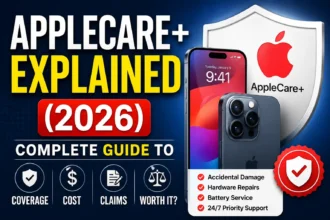
The feature uses machine learning to understand your charging patterns. It reduces battery aging by limiting time at full charge.
Here’s what happens: lithium-ion batteries age faster when kept at 100% charge.
Especially for long periods. Heat also speeds up aging. Optimized battery charging addresses both problems.
Your iPhone learns when you typically charge overnight.
Let’s say you plug in at 11 PM every night. You unplug around 7 AM for work.
The iPhone notices this pattern. Instead of charging to 100% immediately, it charges to 80%.
Then it waits. Just before 7 AM, it completes the final 20%. This minimizes time spent at full charge.
Why Battery Aging Matters

Battery aging is unavoidable. All lithium-ion batteries degrade over time.
You might notice your iPhone battery doesn’t last as long. That’s aging in action.
Apple measures battery health as maximum capacity.
A new iPhone has 100% capacity. After two years, it might drop to 80-85%.
What causes aging? Several factors play a role:
Optimized battery charging tackles the second factor. By reducing time at 100%, it preserves battery health longer.
How Optimized Battery Charging Works
The technology behind optimized battery charging is sophisticated. Yet it works silently in the background. You don’t need to do anything once it’s enabled.
Machine Learning and Pattern Recognition
Your iPhone uses on-device machine learning. It analyzes your charging behavior over weeks.
The algorithm looks for consistent patterns.
Do you charge every night at the same time?
Do you unplug at the same hour each morning?
The system tracks these habits.
Location data helps too. Your iPhone knows if you’re home or away. It’s more likely to activate optimized charging at familiar locations. Like your bedroom at night. This prevents unnecessary delays when you’re traveling.
Once a pattern is established, the feature kicks in. You plug in your phone at 11 PM. It charges quickly to 80%.
Then it pauses. At 6:30 AM, it resumes charging. By 7 AM, you have a fully charged iPhone.
The 80% Threshold Explained
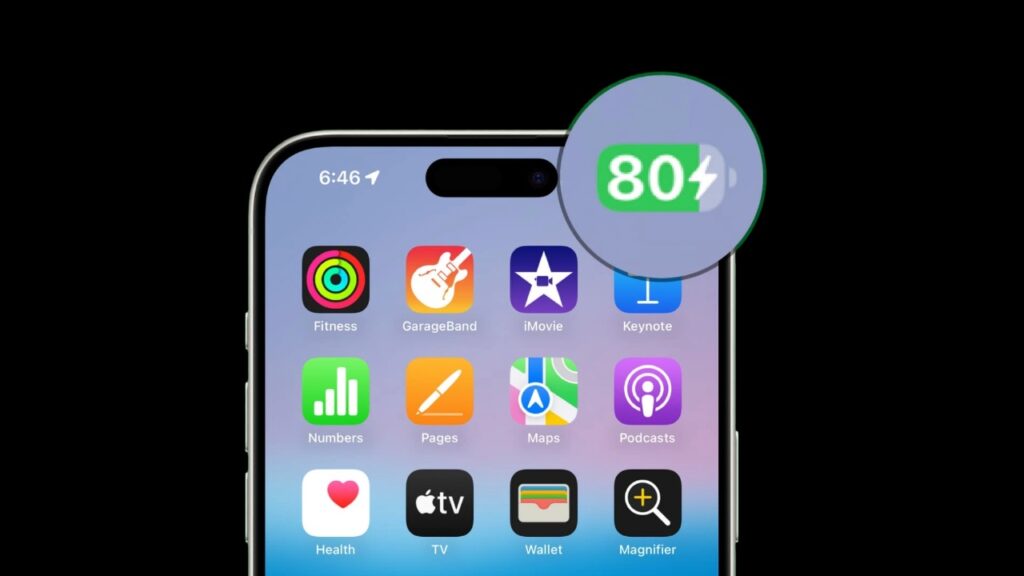
Why does the iPhone stop at 80%?
This isn’t random. Battery research shows that lithium-ion cells age slower below 80% charge.
The chemical stress inside the battery increases above this level. By holding at 80%, Apple reduces long-term degradation.
Think of it like this. Imagine filling a water balloon. Filling it halfway puts little stress on the material. Filling it to maximum capacity stretches the rubber. Over time, that rubber weakens. The same principle applies to batteries.
Benefits of Optimized Battery Charging

Should you use this feature?
For most people, yes. The benefits are substantial.
Extended Battery Lifespan
The primary benefit is longer battery life. Not daily usage time.
But the years your battery maintains good health.
Apple estimates optimized charging can extend battery lifespan significantly. Some users report 90%+ capacity after two years. Without the feature, that might drop to 80%.
Here’s real-world context. An iPhone battery is designed for 500 complete charge cycles.
After that, it retains about 80% capacity. With optimized charging, you might reach 600-700 cycles. That’s an extra year of strong battery performance.
Reduced Heat Generation
Constant charging creates heat. Heat damages batteries. By pausing at 80%, optimized charging reduces heat exposure. Your iPhone stays cooler overnight. This contributes to slower aging.
Cost Savings
Battery replacement isn’t cheap. Apple charges $69-$99 for out-of-warranty replacement. If optimized charging adds even one extra year, you save money. You also avoid the hassle of scheduling service.
How to Enable or Disable Optimized Battery Charging
Optimized battery charging is usually on by default. But you can check and adjust the setting. Here’s how.
Checking Your Settings
Follow these steps to verify the feature is active:
- Open the Settings app on your iPhone
- Scroll down and tap Battery
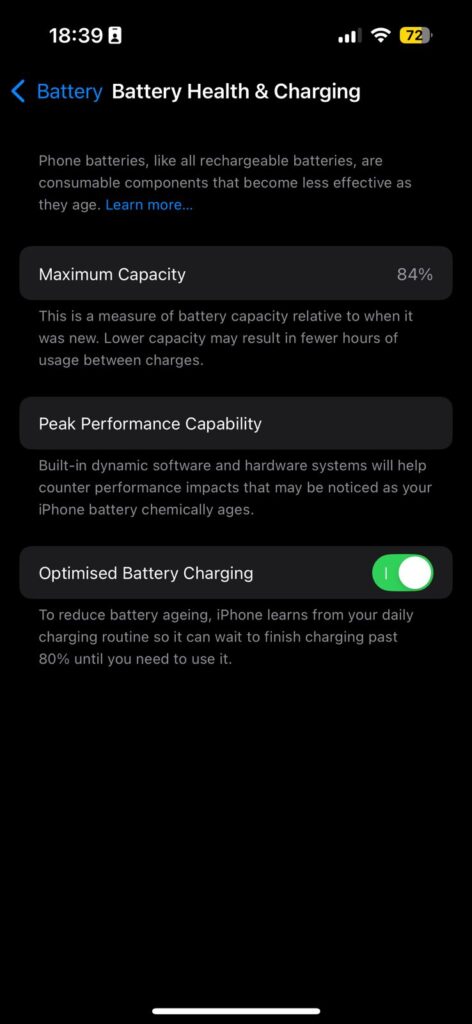
- Tap Battery Health & Charging
- Look for Optimized Battery Charging toggle
- Ensure the toggle is green (on)
If the toggle is off, tap it to enable. The feature needs location services enabled too. Go to Settings > Privacy & Security > Location Services. Make sure it’s turned on.
When to Disable the Feature
Sometimes you need a full charge immediately. Maybe you’re traveling early morning. Or you need maximum battery for a long day. You can temporarily disable optimized charging.
On the lock screen, tap and hold the charging notification. You’ll see two options: Turn Off Until Tomorrow or Turn Off. Choose based on your needs. The feature reactivates automatically later.
Common Questions About Optimized Battery Charging
Users often have questions about how this feature affects daily use.
Will My Phone Be Fully Charged in the Morning?
Yes. Once optimized battery charging learns your routine, your iPhone will be 100% charged. The timing is precise. It completes charging just before you unplug. This gives you full battery without keeping it at 100% all night.
Does It Work with All Chargers?
Yes. Optimized battery charging works with any charging method. Lightning cable, MagSafe, Qi wireless charging. The feature isn’t hardware-dependent. It’s controlled by iOS software. So any compatible charger will work.
What If My Schedule Is Irregular?
The feature adapts. If you don’t have consistent charging habits, it may not activate. That’s okay. The iPhone prioritizes convenience over battery optimization. For shift workers or frequent travelers, the feature might not engage often. You can still benefit when your routine is stable.
Optimized Battery Charging on Other Apple Devices
This feature isn’t exclusive to iPhones. Apple expanded it to other products. Each implementation has slight differences.
MacBooks
MacBooks with Apple silicon chips have battery health management. It’s similar to optimized battery charging. The Mac learns your usage patterns. It may not charge past 80% when plugged in constantly. This protects the battery from degradation. The feature is in System Settings > Battery.
Apple Watch
Apple Watch gained optimized charging in watchOS 7. It works the same way. The watch learns your sleep schedule. It charges to 80% quickly. Then completes charging before you wake up. Enable it in the Watch app under Battery Health.
AirPods
AirPods Pro and AirPods (3rd generation) support optimized charging. They charge to 80% in the case. Then finish charging when you’re likely to use them. This happens automatically. There’s no setting to toggle.
Tips for Maximizing Battery Health
Optimized battery charging helps. But you can do more. Combine the feature with these best practices. Your battery will thank you.
Following these tips extends battery life even further. Small changes add up over time.
Frequently Asked Questions
1. Does optimized battery charging drain my battery faster during the day?
No, it doesn’t affect daily battery drain. The feature only changes charging behavior overnight. During the day, your iPhone performs exactly the same. You won’t notice any difference in battery life.
2. How long does it take for the iPhone to learn my routine?
Apple doesn’t specify an exact timeframe. Most users notice it activating within 1-2 weeks. The iPhone needs to see consistent patterns. If you charge at different times each night, learning takes longer.
3. Can I use fast charging with optimized battery charging?
Yes, absolutely. Fast charging works up to 80%. Then optimized charging pauses the charge. When it’s time to complete, charging resumes at normal speed. The two features complement each other.
4. Why does my iPhone sometimes ignore optimized battery charging?
Several reasons cause this. You might be in a new location. Your charging schedule might be inconsistent lately. Or you might need a full charge soon. iOS makes intelligent decisions based on context.
5. Is optimized battery charging available on older iPhones?
Any iPhone running iOS 13 or later supports optimized battery charging. That includes iPhone 6s and newer models. Just make sure your iOS is updated. Check Settings > General > Software Update.
Disclaimer
This article provides general information about iPhone battery features. Battery performance varies based on usage patterns and device age.
Results may differ from user to user. For specific technical issues, contact Apple Support directly. This content is for educational purposes only.
We are not affiliated with Apple Inc.
Product names and features are accurate as of publication date. Apple may update features without notice.

T’kal is the lead strategist and developer behind Apple Headlines. With a background in digital marketing and web development, he specializes in technical Apple troubleshooting, software news, and hardware rumors. T’kal focuses on delivering high-authority tech content that bridges the gap between Apple enthusiasts and the latest industry innovations.