



By using this site, you agree to the Privacy Policy and Terms of Use.
Accept
Apple Headlines Logo Image Apple Headline's White Logo
  • 🔥 Trending:
  • Apple News
  • How to Fix
  • Readers Space
  • iOS 27
  • Apps
  • iPhone
  • Mac
  • AirPods
  • iPad
  • Apple Watch
  • iOS
  • iPadOS
  • Contact Us
Reading: How Much RAM Does a MacBook Air Have? MacBook Air M4 – Explained
Apple HeadlinesApple Headlines
Font ResizerAa
  • iPhone
  • Mac
  • AirPods
  • iPad
  • Apple Watch
  • iOS
  • iPadOS
  • Contact Us
Search
  • iPhone
  • Mac
  • AirPods
  • iPad
  • Apple Watch
  • iOS
  • iPadOS
  • Contact Us

Must Read

Apple Watch Series 12 concept showing the expected design and features

Apple Watch Series 12 & Ultra 4: Release Date, Price & What’s New

Woman holding an iPhone showing the Print menu beside a wireless printer

How to Print From iPhone: The Complete AirPrint Playbook (7 Fixes Included)

How to Use iPhone as Webcam on Mac and Windows

How to Use iPhone as Webcam – Mac, Windows & Apps

Water-damaged iPhone with 24-hour rescue window and emergency drying warning

Water Damaged iPhone? The 24-Hour Rescue Window That Decides If It Survives

iPhone 18 Pro features, specs and USA pricing

iPhone 18 Pro – Features, Specs & USA Pricing

Follow US
© Apple Headlines. All Rights Reserved.
Apple Headlines > Mac > How Much RAM Does a MacBook Air Have? MacBook Air M4 – Explained
Mac

How Much RAM Does a MacBook Air Have? MacBook Air M4 – Explained

Virginia J. Alfonso By Virginia J. Alfonso Last updated: December 19, 2025
6 Min Read
SHARE

Apple’s MacBook Air continues to be one of the most popular laptops in the US.
In March 2025, Apple introduced the MacBook Air M4, available in 13-inch and 15-inch sizes.
With Apple Intelligence features and the powerful M4 chip, RAM selection is now more important than ever.
Many buyers still ask, how much RAM does a MacBook Air have, and which option is best for daily use.
This guide explains Key RAM Configurations, performance impact, and How Much RAM You Need.
We use real-world examples to keep things simple and practical.

Story In Short

  • How much RAM does a MacBook Air have? It starts at 8GB.
  • MacBook Air M4 offers 8GB, 16GB, and 24GB options.
  • Unified memory boosts speed and efficiency.
  • 16GB RAM is best for most users.
  • More RAM helps AI, multitasking, and future updates.

What Is RAM and Why It Matters on the MacBook Air M4

MacBook Air lightweight aluminum design ideal for users choosing the right RAM configuration
The MacBook Air combines portability with powerful RAM options for everyday and professional use.

RAM allows your MacBook Air to run apps smoothly.
It handles multitasking, background processes, and AI features.

On the MacBook Air M4, Apple uses unified memory.
This memory is shared by the CPU, GPU, and Neural Engine.
It improves speed and power efficiency.

Important reminder:
RAM cannot be upgraded later.
Your purchase decision matters long term.

Main Topics
Story In ShortWhat Is RAM and Why It Matters on the MacBook Air M4How Much RAM Does a MacBook Air Have in the M4 Model?Key RAM Configurations on MacBook Air M4How Much RAM You Need Based on Your UsageHow Apple M4 Chip Changes RAM PerformanceMacBook Air M4 RAM vs Older ModelsOther Features That Impact PerformanceFAQsDisclaimers:Final CTA

How Much RAM Does a MacBook Air Have in the M4 Model?
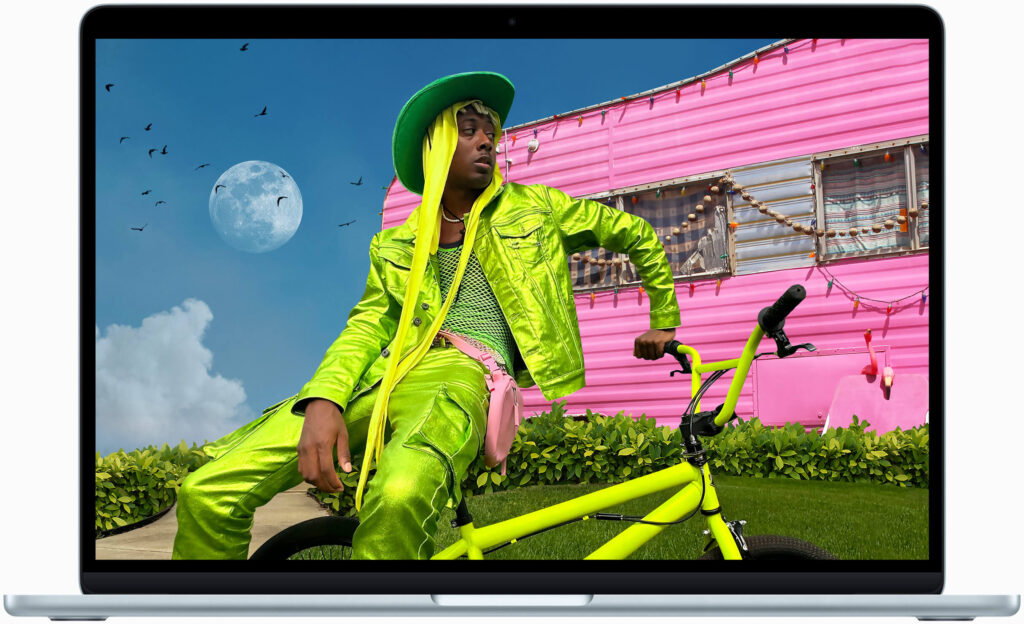
MacBook Air showing vivid colors on Liquid Retina display powered by Apple silicon and efficient RAM
The MacBook Air delivers smooth performance and rich visuals thanks to Apple silicon and optimized RAM.

So, how much RAM does a MacBook Air have in 2025?

Base RAM on MacBook Air M4

The MacBook Air M4 starts with:

  • 8GB unified memory

This applies to both:

  • 13-inch MacBook Air M4
  • 15-inch MacBook Air M4

Apple optimizes macOS for this configuration.
For light use, performance remains smooth.

More Read

How to Use iPhone as Webcam on Mac and Windows
How to Use iPhone as Webcam – Mac, Windows & Apps
How to check for malware on Mac using seven powerful methods to find and remove threats
How to Check for Malware on Mac: 7 Powerful Ways to Find and Remove Threats
Woman showing an Apple Genius Bar appointment on an iPhone with tips to skip the waitq
Apple Genius Bar Appointment: Insider Secrets to Skip the Wait

Key RAM Configurations on MacBook Air M4

Apple offers upgraded memory options at checkout.

Available RAM Options

  • 8GB – Base configuration
  • 16GB – Recommended upgrade
  • 24GB – High-performance option

These are the Key RAM Configurations available in the latest model.

Higher RAM improves:

  • Multitasking
  • AI processing
  • Longevity

How Much RAM You Need Based on Your Usage
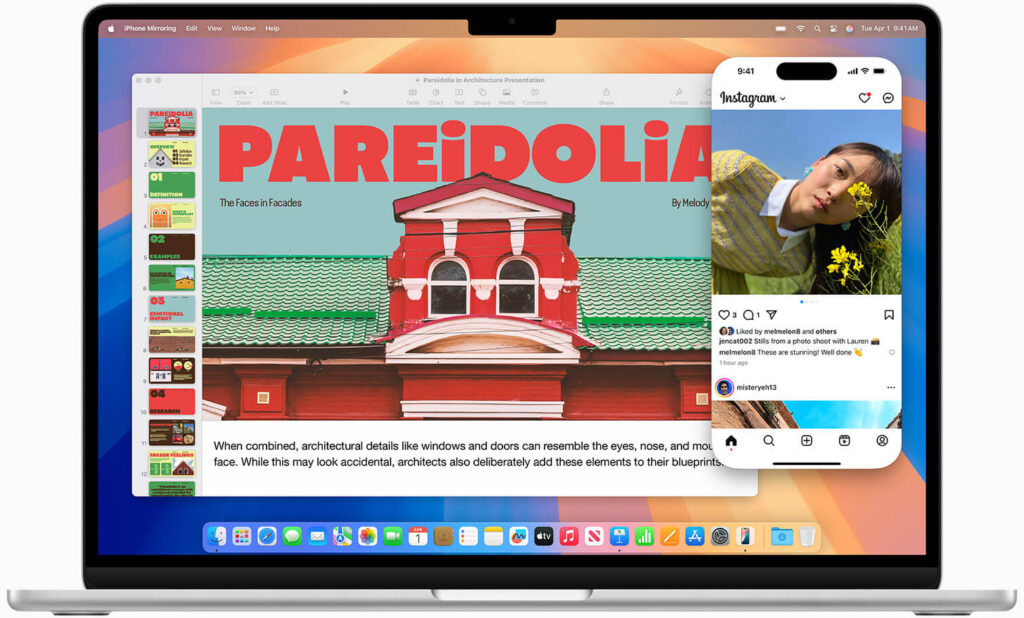
MacBook Air M4 with Apple M4 chip showing multitasking supported by unified memory RAM
The MacBook Air M4 uses unified memory to handle multitasking, creative work, and AI features smoothly.

Choosing RAM depends on your daily tasks.

8GB RAM: For Everyday Apple Users

Best if you:

  • Browse Safari
  • Stream videos
  • Use Pages, Mail, and Notes
  • Sync with iPhone and iPad

Example:
A casual user working, browsing, and attending video calls.

16GB RAM: Best Choice for Most Buyers

Choose 16GB if you:

  • Use multiple apps at once
  • Edit photos or short videos
  • Work with Apple Intelligence tools
  • Use coding or design software

This option delivers excellent value.
It also keeps your Mac fast for years.

24GB RAM: Built for Power and AI Tasks

Choose 24GB if you:

  • Edit 4K video
  • Use advanced creative apps
  • Run virtual machines
  • Want maximum future-proofing

This pairs perfectly with the M4 chip’s GPU and Neural Engine.

How Apple M4 Chip Changes RAM Performance

The M4 chip includes:

  • 10-core CPU
  • Up to 10-core GPU with ray tracing
  • 16-core Neural Engine

Because of unified memory, apps share RAM efficiently.
AI tasks run faster with more memory available.

Still, heavy workloads benefit from higher RAM.
Efficiency does not replace capacity.

MacBook Air M4 RAM vs Older Models

Compared to older Intel models:

  • 8GB on M4 feels faster
  • Battery life improves dramatically
  • Fanless design stays silent

Compared to MacBook Pro:

  • Air supports up to 24GB RAM
  • Pro offers higher limits for extreme users

For most people, Air with 16GB RAM is ideal.

Other Features That Impact Performance

While RAM matters, other features help too:

  • Up to 18 hours battery life
  • Liquid Retina display with 500 nits
  • Supports two external displays (lid closed)
  • Wi-Fi 6E and Thunderbolt 4

These features work best with adequate RAM.

FAQs

1. Is 8GB RAM enough for MacBook Air M4?

Yes, for basic use and light multitasking.

2. Can I upgrade RAM later?

No. RAM is fixed at purchase.

3. Is 16GB RAM worth it in 2025?

Yes. It offers better performance and longevity.

4. Does Apple Intelligence need more RAM?

Yes. AI features benefit from higher memory.

5. Should students choose 16GB RAM?

Yes, especially for coding, design, or long-term use.

Disclaimers:

This article is for informational purposes only.
Specifications may change.
Always confirm details on Apple’s official website before purchasing.

Final CTA

Buying the new MacBook Air M4?
Choose the right RAM today for smoother performance tomorrow.
Visit Apple’s official MacBook Air page and customize your ideal model now.

Virginia smiling face image
Virginia J. Alfonso

Virginia J. Alfonso is a seasoned technology writer with a passion for all things digital. With over a decade of experience covering the latest in tech innovation, gadgets, and software, Virginia brings a unique blend of technical expertise and accessible writing to her work. Her articles focus on making complex tech topics easy to understand for readers of all levels.

Share This Article
Facebook Twitter Pinterest Whatsapp Whatsapp LinkedIn Reddit Threads Email Copy Link
Previous Article iPhone 17 Pro Max showcasing new features, battery life, and user experience iPhone 17 Pro Max: Complete Guide to Apple’s Most Advanced Smartphone
Next Article safari extensions Change Safari Background on iPhone & Mac: Complete Guide

Follow Us On Social

FacebookLike
InstagramFollow
YoutubeSubscribe

Our Published Video

Must Read

Apple Watch Series 12 concept showing the expected design and features

Apple Watch Series 12 & Ultra 4: Release Date, Price & What’s New

Woman holding an iPhone showing the Print menu beside a wireless printer

How to Print From iPhone: The Complete AirPrint Playbook (7 Fixes Included)

How to Use iPhone as Webcam on Mac and Windows

How to Use iPhone as Webcam – Mac, Windows & Apps

Water-damaged iPhone with 24-hour rescue window and emergency drying warning

Water Damaged iPhone? The 24-Hour Rescue Window That Decides If It Survives

iPhone 18 Pro features, specs and USA pricing

iPhone 18 Pro – Features, Specs & USA Pricing

iOS 27 Beta 8 update showing new changes, AirPlay improvements, Spotlight, Liquid Glass refinements, and release information

iOS 27 Beta 8: What’s New, Changes, Release Date & Should You Install It?

Apple Headlines Logo Image

Apple Headlines delivers fresh, reliable Apple news, how-to guides, and tips for every Apple user.

Topics

  • iOS
  • iPhone
  • Mac
  • Apple News
  • Apple Watch
  • iPadOS
  • AirPods

Quick Links

  • Home
  • About Us
  • Privacy Policy
  • Terms of Service
  • Contact Us
Apple Headlines Logo Image

Designed By Apple Headlines

appleheadlines.com
News latter icon
Subscribe to Apple Headlines

Stay up to date with the latest Apple news, iPhone updates, iOS releases, tips, guides, and more. Subscribe to Apple Headlines on YouTube.

Subscribe on YouTubeJoin the Apple Headlines community