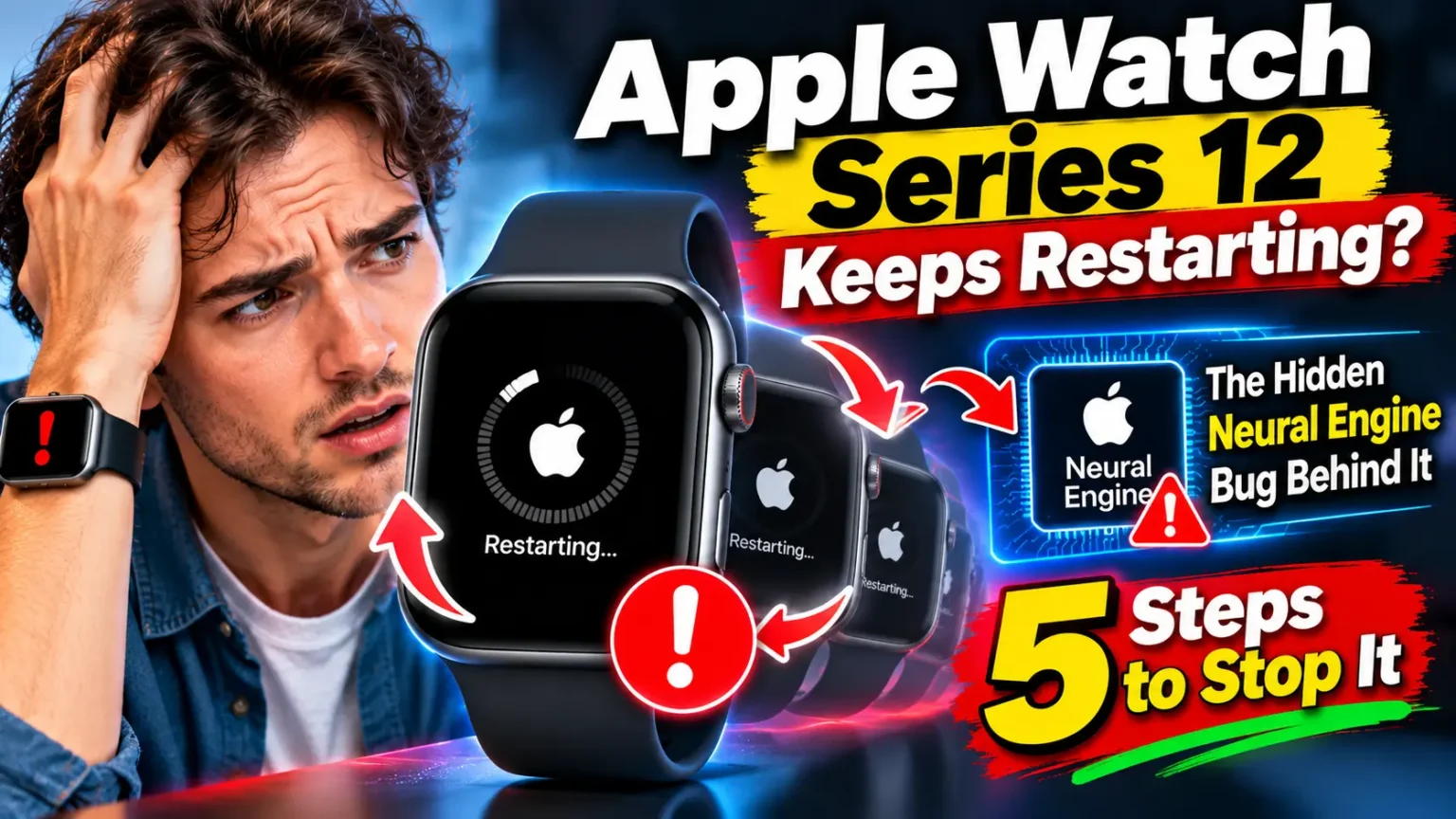



If your Apple Watch Series 12 keeps restarting, install watchOS 27.0.1 first. Apple released it on September 23, 2026, to stop random reboots on the Series 12 and Ultra 4.
Put the watch on its charger, keep it above 50%, then open Settings > General > Software Update.
Still rebooting? Force restart it, check for “panic-full” logs, and contact Apple Support.
Your new watch just flashed the Apple logo again.
Maybe it happened mid-workout. Maybe it happened while the watch sat on your nightstand.
That is maddening on a device that costs hundreds of dollars and tracks your health.
The good news: you are not alone, and Apple has already shipped a fix.
This guide explains the cause, which models are affected, and what to do next.
We also cover what to try if the reboots survive the update.
Why This Problem Deserves Your Attention
A watch that reboots is more than annoying.


It can cut a workout recording short.
It can delay an alert you actually need.
It also wears down your trust in something you wear all day.
We have followed the Series 12 and Ultra 4 since launch day.
Our Apple Watch Series 12 and Ultra 4 guide covers the full lineup.
For this article, we compared owner reports, MacRumors’ coverage, and Apple’s release notes.
When we walked through the update on a Series 12 paired with an iPhone 18 Pro running iOS 27.0.1, the whole process took about ten minutes.
Here is the key point. Apple fixed this with a software update.
That suggests a software bug, not something you did wrong.
What Is Actually Causing the Reboots?
The story moved fast. Here is the timeline:
- September 14: watchOS 27 reaches the public.
- September 18: The Series 12 and Ultra 4 go on sale. Owners report reboots the same day.
- September 21: MacRumors reports about 30 owners in a single forum thread. At least four share “panic-full” logs showing the same Neural Engine timeout.
- September 23: Apple releases watchOS 27.0.1 for the Series 12 and Ultra 4.
- Late September: Apple widens 27.0.1 to other compatible watchOS 27 models. Its notes mention only bug fixes.
In those shared logs, the Apple Neural Engine freezes for about two seconds.
A built-in watchdog then forces the watch to restart.
One log showed a command waiting 2,020 milliseconds against a 2,000-millisecond limit.
Apple has not confirmed that the Neural Engine is the root cause, so treat that as the leading theory.
Owners saw reboots while using Siri AI, editing watch faces, opening Maps or the App Store, starting calls, and recording workouts.
A few watches rebooted while sitting idle.
An Easy Way to Picture It
Think of the watchdog as a circuit breaker in your home.
Your Neural Engine is a heavy appliance.
If it freezes too long, the breaker trips.
But the breaker does not shut off just that one appliance.
It cuts power to the whole house.
That is why a small AI hiccup can send your entire watch back to the Apple logo.
Which Models and watchOS Versions Are Affected?
Reports center on two watches. The table below shows what we found.
| Watch | Reboot reports | Fix |
|---|---|---|
| Apple Watch Series 12 | Widespread | watchOS 27.0.1 (September 23) |
| Apple Watch Ultra 4 | Widespread | watchOS 27.0.1 (September 23) |
| Series 9–11, Ultra 2–3, SE 3 | Not part of the launch reports we found | 27.0.1 offered later as a general bug-fix |
A few details matter here:
- Reboots showed up on the original watchOS 27.0 and on the day-one update installed during setup.
- Some owners erased their watches and set them up as new, yet still saw reboots.
- One Series 12 owner said a replacement unit had the same Neural Engine panic.
- watchOS 27 needs a Series 9 or later, Ultra 2 or later, or SE 3, plus an iPhone on iOS 27.
Own an older watch that is restarting?
That is likely a different problem.
Skip ahead to our older-model section below.
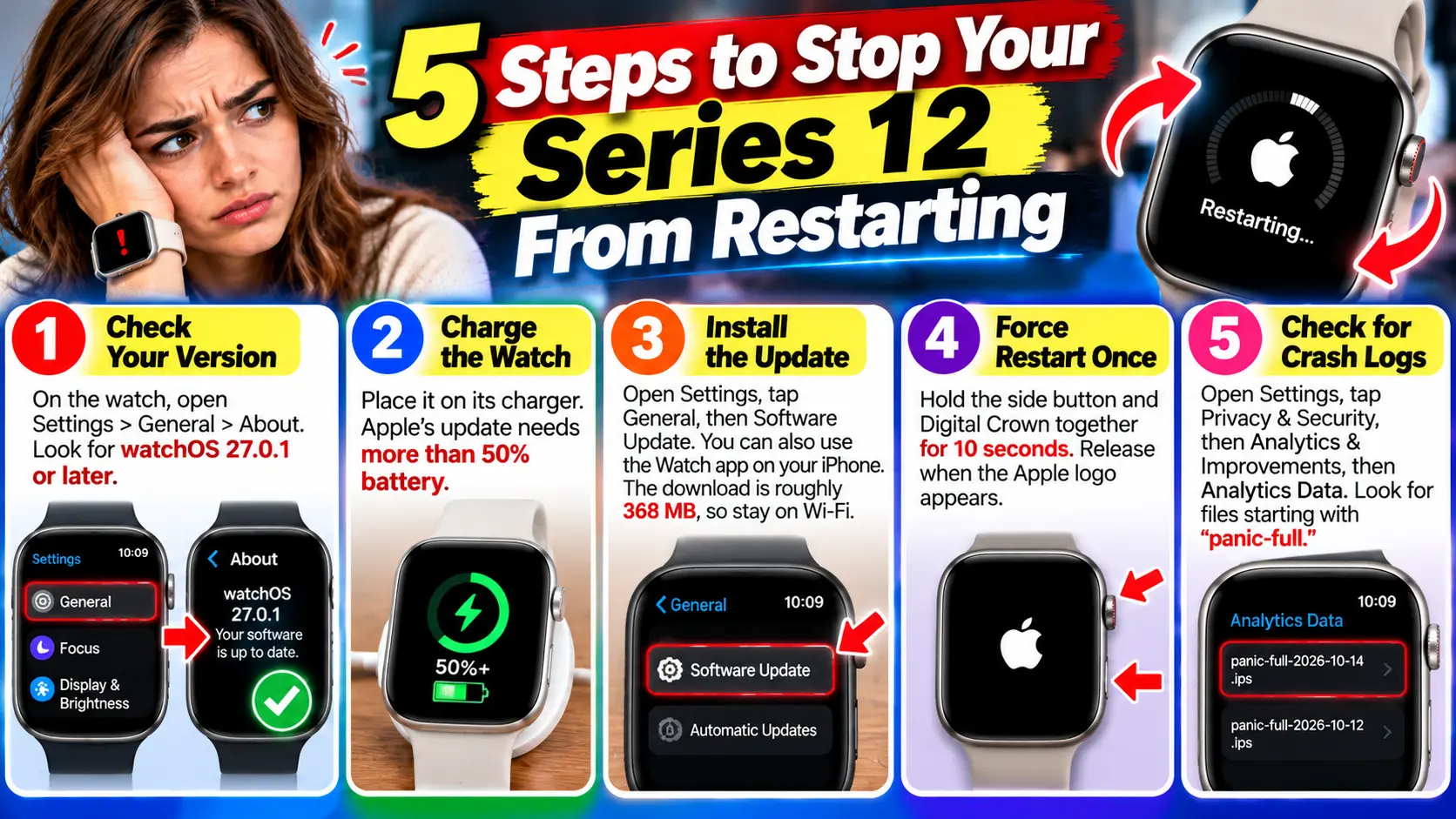
5 Steps to Stop Your Series 12 From Restarting
Work through these in order. Most owners only need the first three.
- Check your version. On the watch, open Settings, then General, then About. Look for watchOS 27.0.1 or later.
- Charge the watch. Place it on its charger. Apple’s update needs more than 50% battery.
- Install the update. Open Settings, tap General, then Software Update. You can also use the Watch app on your iPhone. The download is roughly 368 MB, so stay on Wi-Fi.
- Force restart once. Hold the side button and Digital Crown together for 10 seconds. Release when the Apple logo appears.
- Check for crash logs. Open Settings, tap Privacy & Security, then Analytics & Improvements, then Analytics Data. Look for files starting with “panic-full.”
Pro Tip: Keep a Reboot Diary
Open Notes and start a short list.
Write the date, time, and what you were doing each time the watch restarts. Add your watchOS version.
Take a screenshot of any “panic-full” file name.
This takes two minutes, and it can save you a long phone call later.
Apple Support moves faster when you hand over patterns instead of guesses.
Is It Possible to Restart an Apple Watch?
Yes, and there are two ways. A normal restart is the gentle option.
A force restart is the stronger one.
Normal restart: Press and hold the side button until the sliders appear.
Tap the power icon, then drag the Power Off slider. Wait a moment. Hold the side button until the Apple logo appears.
Force restart: Hold the side button and Digital Crown together for at least 10 seconds.
Let go when you see the logo. Use this when the watch is frozen or acting strangely.
One note for owners.
A force restart is not a cure for this bug.
One MacRumors forum owner said it settled things after a couple of early reboots.
Others needed the software update.
Real-World Example: Two Owners, Two Outcomes
This is an illustrative composite based on public owner reports, not a single named person.
Picture a runner who unboxes a Series 12 on launch weekend.
Ten minutes into a Sunday run, the watch flashes the logo and restarts.
The workout keeps recording, but the scare sticks.
She installs watchOS 27.0.1 that night, force restarts, and logs the next three days. No reboots appear.
Now picture a second owner with a different result.
His watch keeps restarting after the update, and he has already tried a clean setup.
Because he kept a diary and saved the “panic-full” file names, his Apple Support call is short.
The advisor skips the basics and moves to a hardware check.
The lesson is simple. Update first. Then document everything.
What If This Doesn’t Work?
If the reboots continue after watchOS 27.0.1, follow this path:
- Set the watch up as new. Open the Watch app, tap All Watches, tap the info icon, and choose Unpair. When pairing again, choose “Set Up as New Apple Watch” instead of restoring a backup.
- Treat that as a test, not a promise. Some owners still had reboots after a clean setup. If yours does too, stop troubleshooting and call Apple.
- Contact Apple Support. Share your diary, your watchOS version, and your log file names. Your watch is likely still under Apple’s one-year limited warranty.
- Book in-person help. Our guide to the Apple Genius Bar appointment walks through booking a slot.
- Ask about a replacement, but stay realistic. One owner reported that a replacement unit had the same panic. A swap may help, though it is not guaranteed.
If your watch also refuses to power on or charge, see our Apple Watch won’t charge or turn on guide.
Will Apple Fix the Series 12 and Ultra 4 Restart Problem?
Apple already issued a fix. It arrived about five days after launch, which is fast.
Still, Apple has not published a root cause. Its release notes call it a bug-fix update, and the security page lists no CVE entries for 27.0.1.
We did not find any recall or repair program tied to this issue.
Apple is testing watchOS 27.2, but nothing we found says it changes this fix.
If new details arrive, we will update this page.
Why Does My Apple Watch Keep Restarting on Its Own? (Older Models)
If you own a Series 9, 10, 11, or an Ultra 2 or 3, this launch bug probably is not your problem. Common culprits on older watches include:
- A very low battery that dies mid-use.
- A misbehaving app. Update your apps, or remove the newest one and test.
- A failed or interrupted software update.
- Heat, water, or physical damage.
Start with an update and a force restart. Then check apps one at a time. If nothing helps, treat it as a hardware case and contact Apple. For the bigger picture on Apple’s software, see our iOS 27 complete guide.
Reading about wrist problems too? Our Series 12 skin irritation guide covers the other launch-week complaint.
Key Takeaways
- The Series 12 and Ultra 4 had widespread random reboots after launch on September 18, 2026.
- Apple’s fix is watchOS 27.0.1, released September 23, 2026.
- Shared logs point to a Neural Engine timeout, though Apple has not confirmed the cause.
- Charge above 50% before updating, then force restart once.
- Reboots after a clean setup are a sign to call Apple.
- Keep a reboot diary. It speeds up every support conversation.
FAQ
Most launch-week cases trace back to a software bug. Logs from several owners showed the Neural Engine freezing, then a watchdog forcing a restart. Apple’s update, watchOS 27.0.1, targets this issue.
On a Series 12 or Ultra 4, update to watchOS 27.0.1 first. On other models, common causes include low battery, a bad app, or a stalled update. Force restart, update, and test apps one by one.
Yes. Hold the side button, tap the power icon, and drag Power Off. To force a restart, hold the side button and Digital Crown for 10 seconds until the logo appears.
Apple released a fix on September 23, 2026, in watchOS 27.0.1. If reboots continue afterward, contact Apple Support. Bring your logs and watchOS version.
Usually not. Update first, then force restart. A clean setup is a backup test. Some owners still had reboots after one, so it is not a guaranteed cure.
Sources
- Apple Discussions
- MacRumors, “Apple Watch Series 12 and Ultra 4 Owners Report Unexpected Reboots,” September 21, 2026
Disclaimer
This article is for general information only. Steps and menu names may vary by watchOS version. Apple has not confirmed the root cause of these reboots, and some details come from owner reports. Back up your iPhone before unpairing a watch. AppleHeadlines.com is not affiliated with Apple Inc. For warranty or repair decisions, follow guidance from Apple Support.
Still stuck with a restarting watch? Install watchOS 27.0.1 tonight, start your reboot diary, and bookmark this page. If you find a fix that worked for you, tell us in the comments so other owners can try it.
Related Post:
- Apple Watch Series 12 Keeps Restarting? The Hidden Neural Engine Bug Behind It (Plus 5 Steps to Stop It)
- Apple TV 4K Dolby Atmos Not Working: The ARC Trap Silencing Your Soundbar (+6 Checks)
- Apple Watch Won’t Update or Connect to iPhone? The Hidden watchOS 27 Trap (Plus 7 Proven Fixes)
- Apple Health Data Not Syncing? Why Your iPhone, iPad and Watch Disagree (7 Hidden Culprits)
- AirPods 5 Hurt Ears? The Hidden Fit Trap – and 6 Ways Out

T’kal is the lead strategist and developer behind Apple Headlines. With a background in digital marketing and web development, he specializes in technical Apple troubleshooting, software news, and hardware rumors. T’kal focuses on delivering high-authority tech content that bridges the gap between Apple enthusiasts and the latest industry innovations.