Updated October 6, 2026
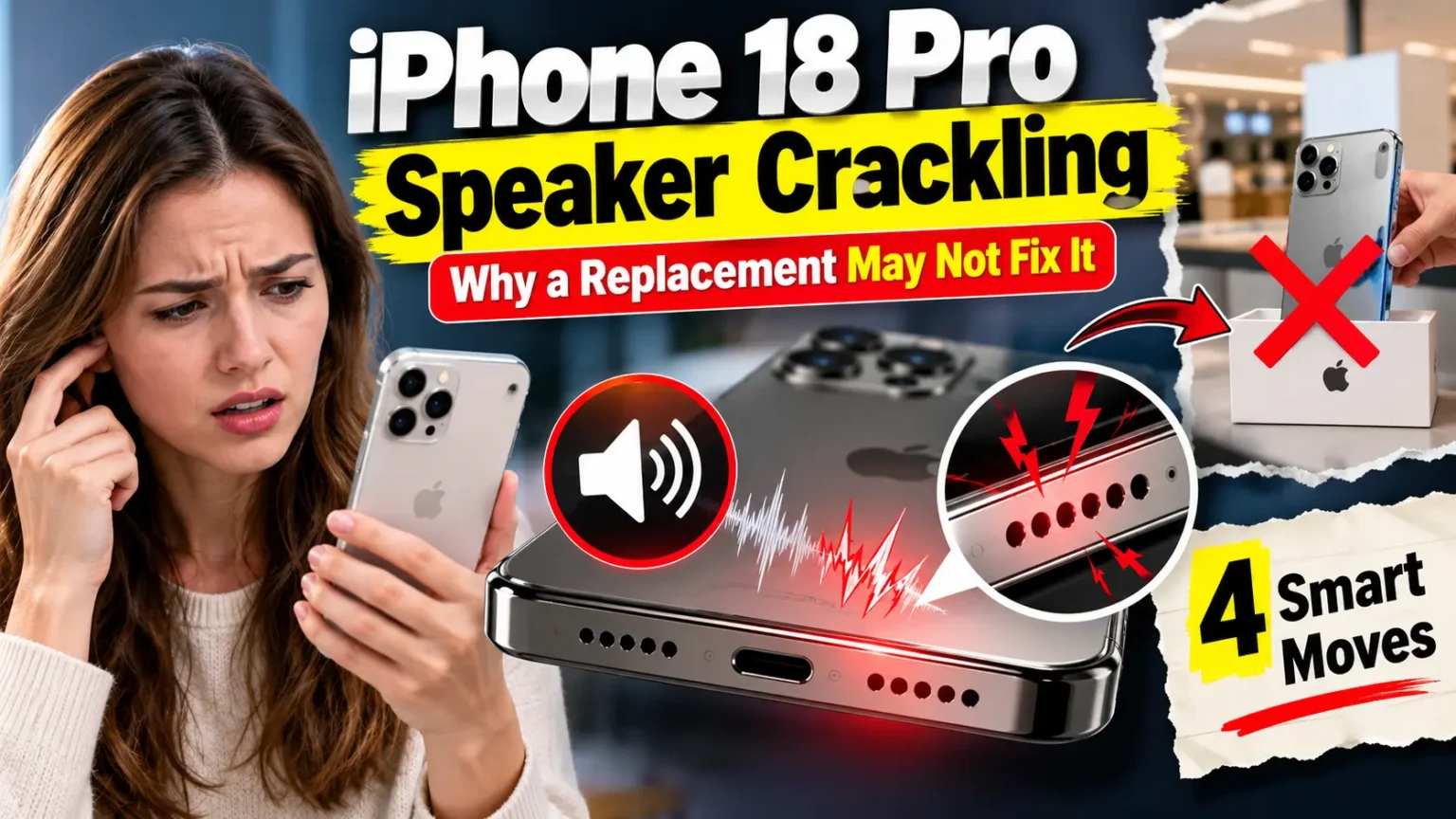
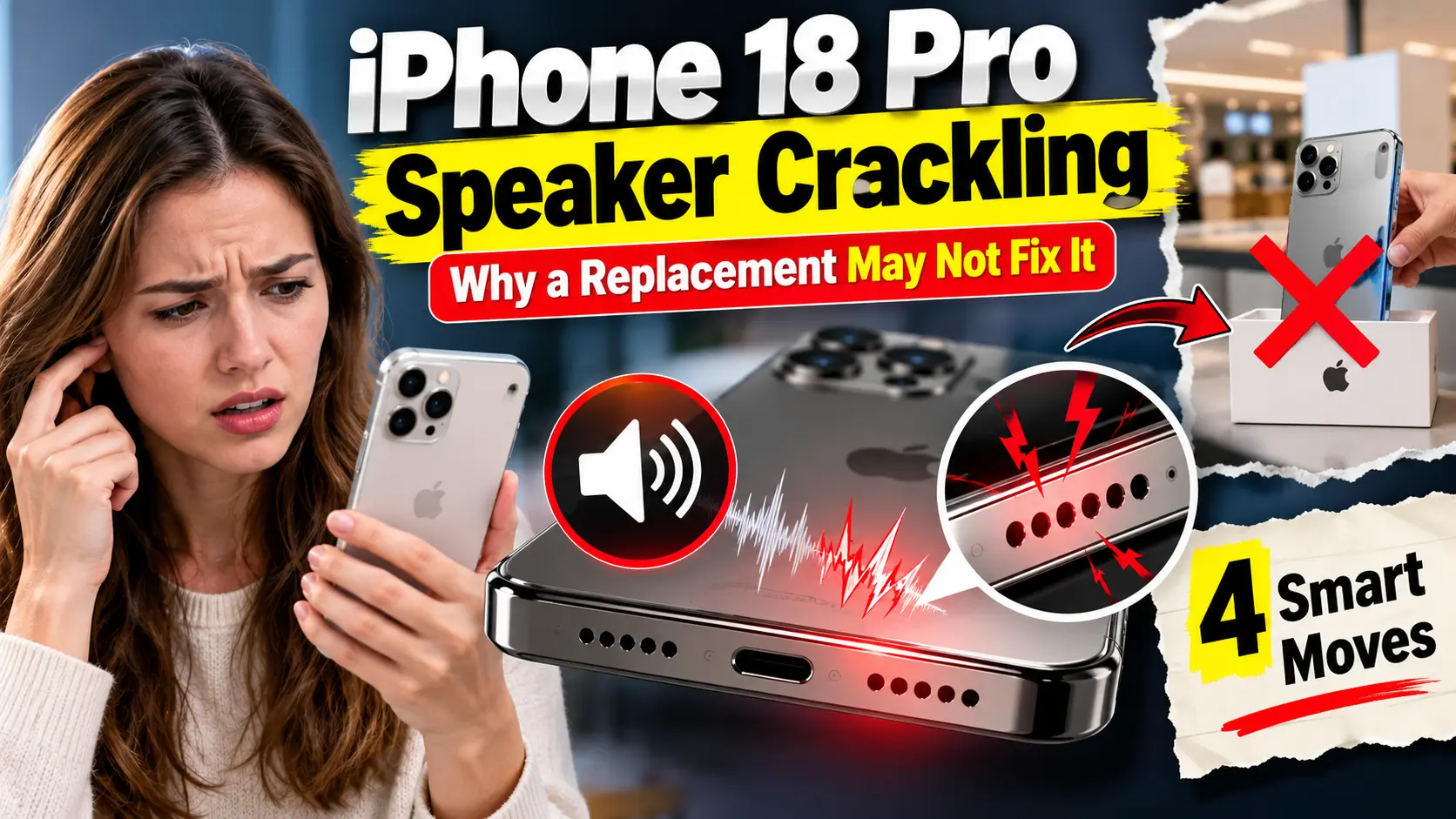
Quick Answer: Some iPhone 18 Pro and iPhone 18 Pro Max owners hear crackling, ticks, or pops from the earpiece speaker.
Apple has not listed a fix, and iOS 27.0.1 did not stop the sound for most people reporting it.
Replacement phones reportedly make the same noise, which points toward software.
The best workaround so far is switching Mic Mode from Voice Isolation to Standard.
Record the sound, then contact Apple before your return window closes.
You paid flagship money, and now your new iPhone ticks every time the keyboard opens. Maybe it pops when a notification lands.
Maybe it crackles during a call.
You are not imagining it.
Owners on Reddit and the MacRumors forums describe the same thing.
This guide covers what triggers the sound, which workarounds helped other people, and how to choose between waiting for an update and asking Apple for help.
Why iPhone 18 Pro Speaker Crackling Deserves Your Attention
A quiet pop sounds minor.
But the earpiece handles every call and voicemail you hold to your ear, so a fault is noticeable daily.
There is a clock, too.
Return windows are short, and the iPhone 18 Pro line went on sale in mid-September.
At Apple Headlines, we track launch-window bugs every year.
The owners who document a problem early usually get answers fastest.
What Owners Say: iPhone 18 Pro Speaker Crackling on Reddit and Forums
MacRumors was first to pull the reports together. Owners describe a crackle, a faint tick, a pop, or random clicking.
Most say it comes from the earpiece at the top of the phone. Both the iPhone 18 Pro and the iPhone 18 Pro Max are involved.
Some owners hear it constantly. Others hear it only in certain moments. These triggers come up most:
| Trigger | Where it was reported |
|---|---|
| Switching apps or scrolling websites | MacRumors, Reddit |
| Keyboard opening, notifications arriving | MacRumors |
| Cellular phone calls | MacRumors |
| Toggling Airplane Mode, dragging brightness quickly | MacRumors |
| Setting a timer, scrolling picker wheels, muted video autoplay | MacRumors Forums (iOS 27.0.1 owner) |
| A faint buzz at maximum volume | PhoneArena |
9to5Mac took a measured view: enough reports to call it real, too few to call it widespread. Plenty of owners say their phone is perfectly quiet.
Software Bug or Hardware Defect? A Kitchen Analogy
Picture a busy restaurant kitchen with one serving window.
Every order goes through it: calls, alerts, keyboard clicks, and music.
If the staff swap tickets at the wrong moment, you hear a clatter, though no dish is ruined.
Your iPhone routes sound the same way.
A badly timed handoff between audio paths could produce a pop with nothing physically broken.
This is our best explanation, not an Apple diagnosis.
Three clues lean toward software:
- Some owners swapped phones and heard the same sound on the replacement.
- One owner reported similar crackling on a standard iPhone 17 after updating to iOS 27.
- The sound shows up during software events, like toggling Airplane Mode.
No one has ruled out hardware, though. As of October 6, 2026, we found no public Apple statement and no update that lists a speaker fix.
A few forum posters also say their iPhone 17 Pro crackles while charging. That is a separate complaint.
Models and iOS Versions: Who Is Affected?
| Device and software | What owners report | Status |
|---|---|---|
| iPhone 18 Pro, iOS 27 | Earpiece crackle, tick, or pop | Reported |
| iPhone 18 Pro Max, iOS 27.0.1 | Clicking continues for some owners | Mixed results |
| Replacement iPhone 18 Pro units | Same sound as the original | Reported by several owners |
| iPhone 17 (standard), iOS 27 | Similar crackling after update | Single report |
Apple shipped iOS 27.0.1 on September 28 to stop Face ID restarts. The notes skip any speaker fix. One owner says it ended the sound. Most say it changed nothing.
iPhone 18 Pro Speaker Crackling Fix: 7 Steps to Try Today
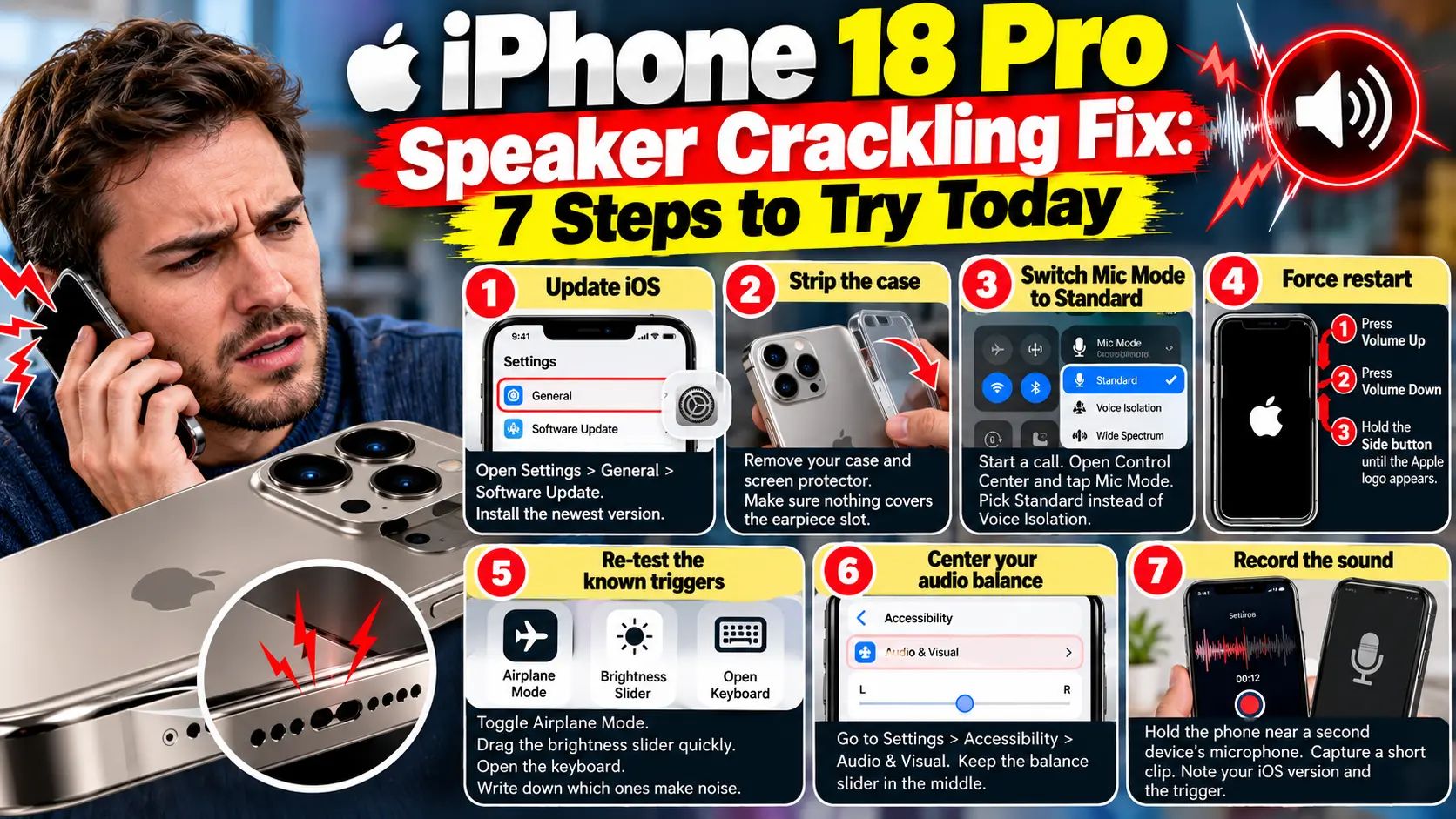
When we walked through these menu paths on an iPhone 17 Pro running iOS 27.0.1, the Mic Mode option appeared only after a call started. None of these steps is a confirmed cure. Treat each one as a test.
- Update iOS. Open Settings, tap General, then tap Software Update. Install the newest version. Our iOS 27 complete guide lists what each release changes.
- Strip the case. Remove your case and screen protector. Make sure nothing covers the earpiece slot at the top.
- Switch Mic Mode to Standard. Start a call. Open Control Center and tap Mic Mode. Pick Standard instead of Voice Isolation. Some owners report less crackling.
- Force restart. Press and release Volume Up. Press and release Volume Down. Hold the Side button until the Apple logo appears.
- Re-test the known triggers. Toggle Airplane Mode. Drag the brightness slider quickly. Open the keyboard. Write down which ones make noise.
- Center your audio balance. Go to Settings, Accessibility, then Audio & Visual. Keep the balance slider in the middle. It is a low-risk check, but nobody has confirmed it helps.
- Record the sound. Hold the phone near a second device’s microphone. Capture a short clip. Note your iOS version and the trigger.
Pro Tip: Aim for a repeatable trigger. “It pops every time I toggle Airplane Mode” is far stronger than “it sometimes crackles.” A Genius Bar technician can test a repeatable trigger in minutes. Save your video, your iOS version, and the exact steps in one note on your phone.
Case Study: Two Owners, Two Different Outcomes
A Reddit user picked up an iPhone 18 Pro Max from Best Buy and set it up the same day. They heard a pop from the upper or lower speaker, like pulling out an aux cable.
It happened during app switching, volume changes, and maybe voice dictation.
Later, the owner said it was happening less. By morning, hours had passed with no noise.
Now compare a MacRumors Forums owner on iOS 27.0.1. Their Pro Max still clicked.
They could trigger it by setting a timer, spinning a picker wheel, or opening YouTube while a thumbnail autoplayed on mute.
Watch your phone for a few days and log every pop. A sound that fades is a different story from one that repeats on command.
What If This Doesn’t Work?
Work through these options in order:
- The sound is constant or loud. Do not wait for a patch. Contact Apple Support or book a Genius Bar appointment.
- It only happens on calls. Test in a different room, since poor reception can add noise. If calls drop or data stalls too, read our iOS 27 cellular data fix.
- Music also sounds distorted. That points to hardware. Get it checked.
- Skip the full erase. Replacements reportedly make the same sound, so a setup problem is unlikely.
- A swap is not a guarantee. Several owners report the same crackle on a second phone. Ask Apple to test the unit before you trade it.
Return, Repair, or Wait?
Wait if the sound is rare and faint, and keep logging it. Act now if it is constant, grows louder, or interferes with calls.
Check your date. Apple’s standard return window is 14 days, and carriers and retailers can differ.
If you bought on launch day, that window may be closed.
After that, a manufacturing defect falls under Apple’s limited warranty, where your video helps.
For more on the phone itself, see our iPhone 18 Pro guide.
What Happens Next
MacRumors notes a software bug could be fixed in a future update, but nothing is confirmed.
Read the release notes of any new iOS 27.0.x version before assuming it is gone.
Key Takeaways
- iPhone 18 Pro speaker crackling affects some, not all, iPhone 18 Pro and Pro Max units.
- The sound usually comes from the earpiece and appears during taps, alerts, and calls.
- iOS 27.0.1 did not fix it for most owners, and Apple has not acknowledged it.
- Switching Mic Mode to Standard is the workaround owners mention most.
- Replacement phones reportedly show the same sound, so swapping is not a sure fix.
- A video and a repeatable trigger make support visits go faster.
FAQ
Is iPhone 18 Pro speaker crackling a hardware defect?
No one knows yet. Owners and reporters lean toward software because replacements show the same sound. Apple has not confirmed a cause.
Did iOS 27.0.1 fix the crackling sound?
For most reporters, no. The release notes mention a Face ID restart fix and no speaker fix. A few owners say the sound faded afterward.
Does turning off Voice Isolation help?
Some owners say less crackling after choosing Standard Mic Mode. It reduced the sound for some and did not remove it for others.
Will Apple replace my iPhone 18 Pro?
Apple has not announced a program. Ask Apple Support to test the phone and share your recording.
Does the iPhone 18 Pro Max have the same problem?
Yes. Reports include both the iPhone 18 Pro and the iPhone 18 Pro Max.
Sources
- MacRumors, “iPhone 18 Pro Owners Complain of Speaker Crackling or Popping” (Sept. 29, 2026)
- 9to5Mac, “Small number of iPhone 18 Pro users report speaker ‘pops’ or ‘clicks'” (Sept. 30, 2026):
- MacRumors Forums discussion thread:
- Reddit r/iphone, “iPhone 18 Pro Max speaker issue“
Disclaimer
This article is for general information only. Apple Headlines is not affiliated with Apple Inc. The causes and fixes described here come from owner reports and news coverage, and Apple has not confirmed them. Results vary by device and software version. Back up your iPhone before changing settings or restoring it. For warranty, repair, or return decisions, contact Apple Support or an Apple Authorized Service Provider.
Hearing the Crackle Too?
Tell us your model, iOS version, and trigger in the comments, and we will add patterns to this guide. Bookmark this page for updates when Apple responds.
Related Reads

T’kal is the lead strategist and developer behind Apple Headlines. With a background in digital marketing and web development, he specializes in technical Apple troubleshooting, software news, and hardware rumors. T’kal focuses on delivering high-authority tech content that bridges the gap between Apple enthusiasts and the latest industry innovations.