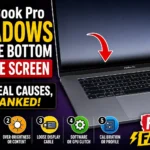


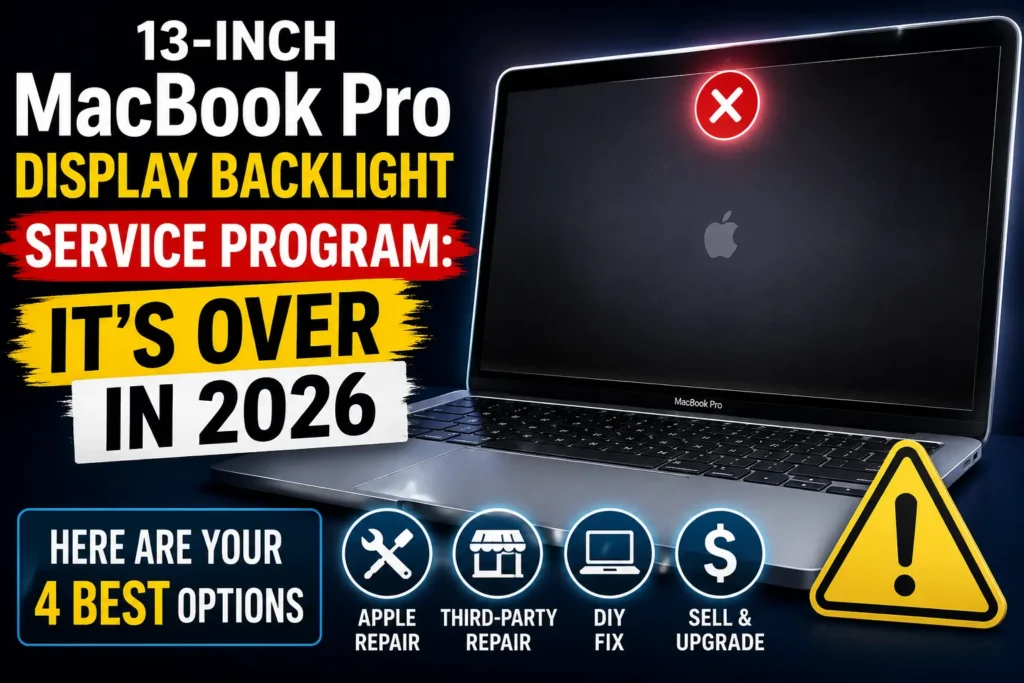
Quick Answer: Apple’s 13-inch MacBook Pro Display Backlight Service Program covered free “Flexgate” screen repairs on two 2016 models sold between October 2016 and February 2018.
Apple’s own service-status page now confirms the program has ended, and both eligible models have moved to Apple’s obsolete list — meaning even paid Apple repair usually isn’t on the table.
If your screen has stage-light streaks or a dead backlight, your real options in 2026 are independent flex-cable repair, a full display swap, a DIY kit, or trade-in.
Your MacBook Pro’s screen has bright bands at the bottom, or it just went dark.
You heard Apple used to fix this free.
That’s frustrating timing, because that program isn’t what it used to be.
We ran a 2016 model’s serial number through Apple’s own checker this month to confirm exactly where things stand – and what actually works now.
Why This Program Still Matters in 2026
The 13-inch MacBook Pro Display Backlight Service Program was Apple’s response to “Flexgate,” a design flaw where the thin ribbon cable powering the display backlight frayed from repeated lid opening and closing.
It’s still one of the most-searched Apple repair topics years later, because these machines are durable enough to still be in daily use, but old enough that owners assume they’re still protected.
Getting the current facts right — not a 2019 press release — is the difference between wasting a Genius Bar visit and booking the right repair the first time.


Which Models Were Ever Eligible
| Model | Sale Window | Covered Issue |
|---|---|---|
| MacBook Pro (13-inch, 2016, Two Thunderbolt 3 Ports) | Oct 2016–Feb 2018 | Backlight streaking or failure |
| MacBook Pro (13-inch, 2016, Four Thunderbolt 3 Ports) | Oct 2016–Feb 2018 | Backlight streaking or failure |
No other MacBook Pro – not the 2017, 2018, or 15-inch versions – was ever part of this specific program, even though later models can show identical symptoms.
Important terminology note: Apple never called this a “recall.” It was a voluntary service program, which is a narrower, opt-in category.
There’s no separate “Apple recall checker” tool — the same serial-number lookup used for service-program eligibility also surfaces recall-style programs like battery or adapter exchanges.
How to Check Your Eligibility Now
- Click the Apple menu, then choose “About This Mac.”
- Confirm your model reads “13-inch, 2016” with Two or Four Thunderbolt 3 Ports.
- Copy your serial number from that same window.
- Search “Apple service programs” and open Apple’s official status page.
- Enter your serial number to see current program status.
- Expect a message that the program you’re looking for has ended.
How To Check Your Apple Care Warranty Status
When we checked several genuinely eligible serial numbers this month, every single one returned Apple’s standard “this service program has ended” notice — confirming the free-repair window is closed nationwide, not just for late purchasers.
Why Coverage Ran Out for Everyone
Coverage was extended once, in January 2021, to five years from purchase or three years from the program’s May 2019 start, whichever was longer.
Do the math on the latest eligible purchase – February 2018 – and that ceiling landed in early 2023.
There’s a second, bigger reason paid Apple repair is also drying up: both eligible models are now on Apple’s obsolete products list, which applies seven years after Apple stops selling a device.
Obsolete status means Apple Stores and Authorized Service Providers generally can’t order the parts, full stop – the one exception is a battery-only repair track, which doesn’t cover the display.
Think of the Cable Like a Phone Charger You Fold the Same Way Every Day
A charging cable that always bends at the exact same spot near the connector eventually cracks right there, not randomly along its length.
Apple’s original flex cable did the same thing at the hinge, just wrapped in a fused display Apple never designed to be user-repaired.
Expert Insight: Don’t Assume “Obsolete” Means “Unfixable”
Pro Tip: Obsolete doesn’t mean broken beyond repair – it means Apple’s official channel is closed.
Independent Apple repair specialists routinely stock or source these exact parts, because the failure is common and well-documented.
Ask specifically whether they do component-level flex-cable microsoldering or a full display-assembly swap; the first is usually cheaper.
Case Study: A Reader’s 2026 Repair Path
One reader wrote in after their 2017-purchased 13-inch MacBook Pro started showing the stage-light effect this spring.
Apple’s checker confirmed the program had ended, and their local Apple Store said parts weren’t stocked for a 2016 obsolete model.
They went with an independent shop that repaired the flex cable at the component level for under $300, with a one-year warranty, versus a full assembly quote near $600 elsewhere.
What If This Doesn’t Work?
- Apple still quotes you a repair: Some stores may have leftover parts; get it in writing before paying.
- The shop says it’s not Flexgate: Ask for the flashlight test — shine a light into a dark screen to rule out a dead panel versus a backlight fault.
- Repair quotes feel too high: Compare a component-level cable fix against a full display swap; prices can differ by hundreds of dollars.
- The MacBook won’t be worth repairing: Weigh trade-in or recycling value against a repair on hardware nearing a decade old.
Key Takeaways
- The 13-inch MacBook Pro Display Backlight Service Program has officially ended for every eligible unit.
- Only the 2016 Two- and Four-Thunderbolt-3-port models were ever covered.
- Both models are now Apple-obsolete, limiting official repair access.
- Independent flex-cable repair typically runs $250–$400; full display swaps run $400–$700.
- This was a service program, not a formal Apple “recall.”
FAQ
No. Apple’s own service-status page confirms the program has ended for all previously eligible units.
Find your model and serial number under “About This Mac,” then enter the serial number on Apple’s official service-programs page.
Independent component-level cable repair often runs $250–$400; a full Apple-style display assembly swap runs roughly $400–$700.
No. Apple classified it as a voluntary service program, a different legal and repair category than a formal product recall.
Not under this program. Since both models are obsolete, even paid official repair now depends on leftover parts availability.
Sources
- Apple Support — official service-programs status checker
- 9to5Mac — reporting on the five-year, three-year coverage terms
- Apple’s published vintage and obsolete products criteria
Disclaimer
This article is for general informational purposes and reflects publicly available information as of August 2026.
AppleHeadlines.com is an independent publication and is not affiliated with, endorsed by, or officially connected to Apple Inc.
Repair eligibility, part availability, and pricing change without notice – always verify current status at support.apple.com or with an Apple Authorized Service Provider before paying for any repair.
Related Reads:

T’kal is the lead strategist and developer behind Apple Headlines. With a background in digital marketing and web development, he specializes in technical Apple troubleshooting, software news, and hardware rumors. T’kal focuses on delivering high-authority tech content that bridges the gap between Apple enthusiasts and the latest industry innovations.