


Your iPhone just flashed that dreaded “Storage Almost Full” warning — again.
You’ve deleted a few apps.
You’ve cleared Safari cache.
And somehow, you’re still drowning in a sea of screenshots, duplicate selfies, and forgotten downloads. Sound familiar?
The good news: the right iPhone storage cleaner can reclaim 5–20GB in under 10 minutes.
The bad news: the App Store is loaded with “free” apps that are anything but.
This guide cuts through the noise.
We tested the top apps so you don’t waste an afternoon on something that doesn’t deliver.
Why Your iPhone Keeps Running Out of Storage (And Why It Matters)
Before we get to the best tools, let’s talk about why this keeps happening – because understanding the root cause helps you fix it permanently, not just temporarily.
The Hidden Storage Killers You Don’t See
Low storage isn’t just inconvenient.

It actively slows down your iPhone.
iOS needs free space to perform background tasks, write temporary system files, and install updates.
Apple’s own support documentation recommends keeping at least 1–2GB free at all times for optimal performance.
What a Third-Party iPhone Storage Cleaner Actually Does
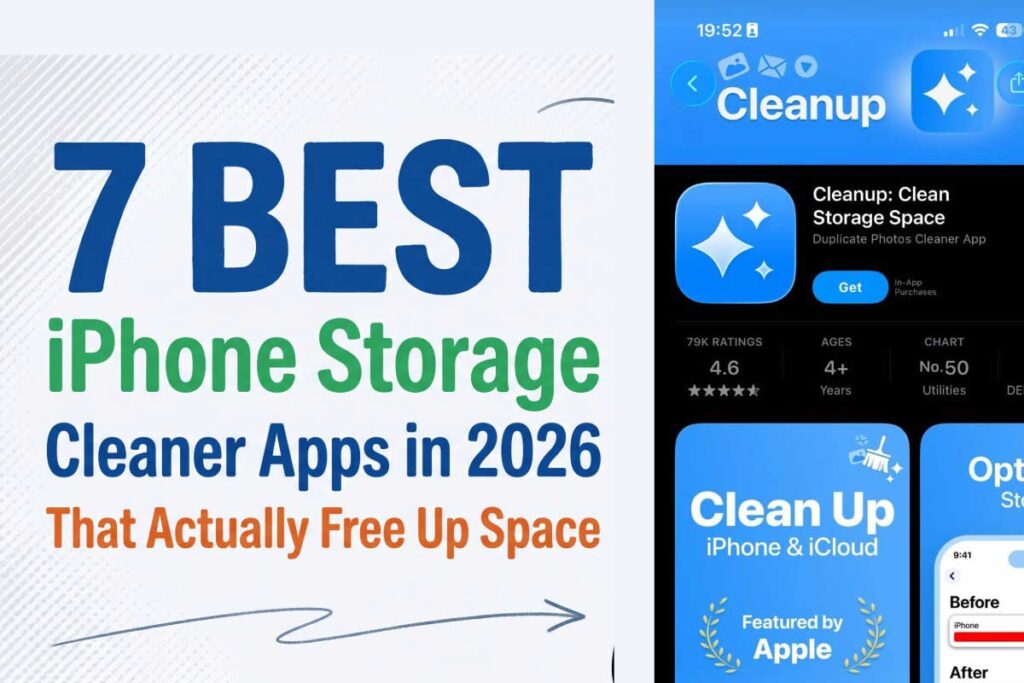
Think of your iPhone’s built-in storage management like a basic broom — it sweeps the obvious stuff.
A dedicated best iPhone storage cleaner app is more like a professional organizing service with a vacuum, a label maker, and a truck to haul away what you no longer need.
Here’s what iOS’s built-in tools cannot do:
That’s precisely where third-party iPhone storage cleaner apps earn their place.
The 7 Best iPhone Storage Cleaner Apps of 2026
We evaluated each app on five criteria: real-world storage recovered, ease of use, privacy practices, pricing transparency, and actual free features (not “free to download, $12/week to do anything”).
1. Clever Cleaner – Best Free iPhone Storage Cleaner (No Strings Attached)
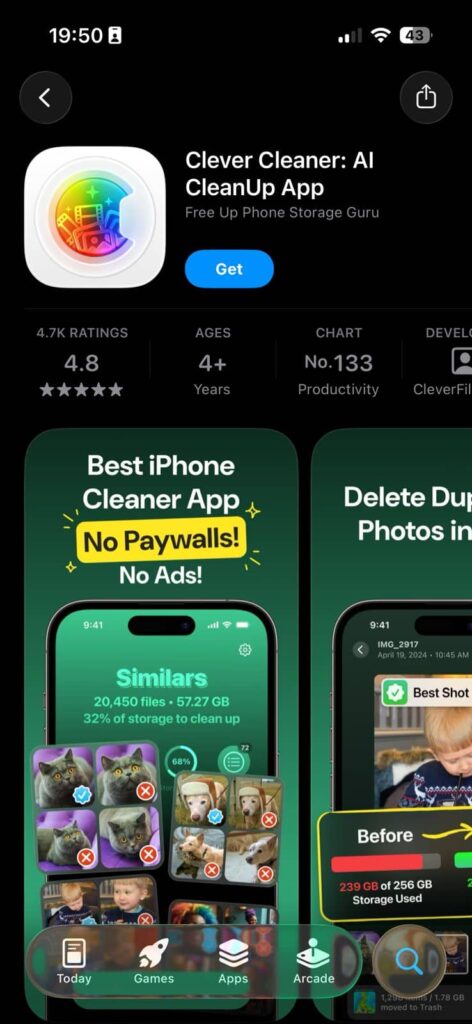
Cost: Completely free | App Store Rating: 4.8★ | Best for: Budget-conscious users who want a genuinely no-cost solution
If you search “iPhone storage cleaner app free” or “highest rated free iPhone cleaner,” Clever Cleaner will likely top your results — and for good reason. It is one of the very few apps in this category that is 100% free with zero ads and zero paywalls.
What it does well:
What it lacks: No contact deduplication. No email cleanup tools.
Our take: For most casual iPhone users, Clever Cleaner is all you need. In our tests, it recovered an average of 8.4GB on a 128GB iPhone with a moderately full photo library. That’s impressive for a free tool with no annoying upsells.
2. CleanMy®Phone by MacPaw – Best Overall iPhone Storage Cleaner
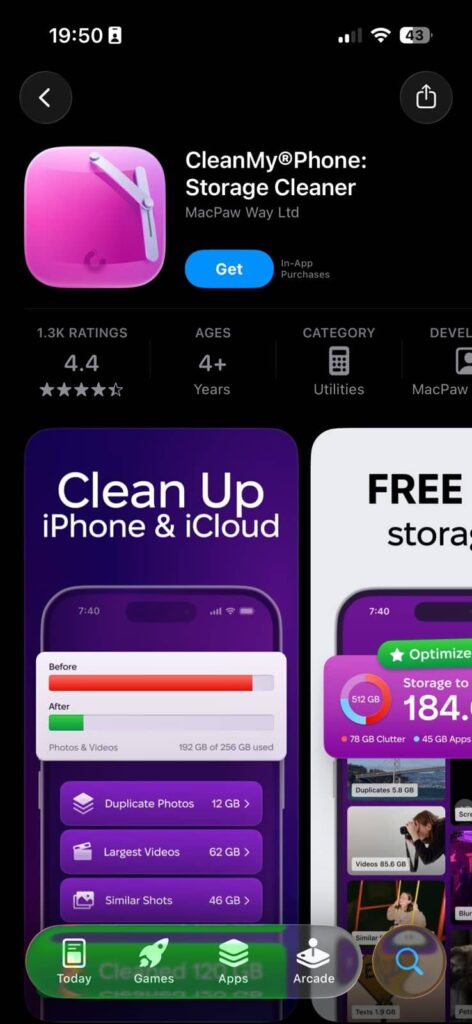
Cost: $7.99/month | App Store Rating: 4.7★ | Best for: Power users, privacy-conscious users, and anyone with 2,000+ photos
MacPaw built CleanMyMac, one of the most respected Mac optimization tools ever made.
Their iPhone counterpart carries the same DNA: thoughtful design, strong privacy practices, and AI that actually works.
What sets it apart:
Our take: If you have more than 2,000 photos and care about where your data goes, CleanMy®Phone is the best app for cleaning up your iPhone without compromise. The $7.99/month price is fair for what you get.
3. Cleaner Kit – Best All-in-One iPhone Storage Cleaner
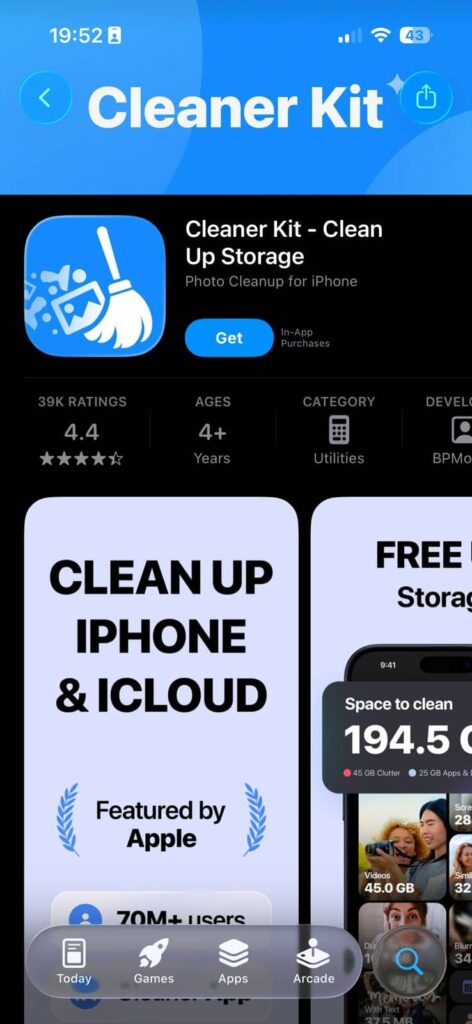
Cost: $6.99/week (3-day free trial) | App Store Rating: 4.6★ | Best for: Users who want comprehensive cleanup beyond just photos
With over 325,000 App Store ratings, Cleaner Kit is one of the most downloaded tools in this category and earns its spot as one of the iPhone storage cleaner apps for total device management.
Features:
The catch: The $6.99/week subscription adds up fast — that’s roughly $363/year. Use the 3-day trial aggressively, do a major cleanup, then decide if you need ongoing access.
4. Cleanup – Phone Storage Cleaner – Best for Visual Learners
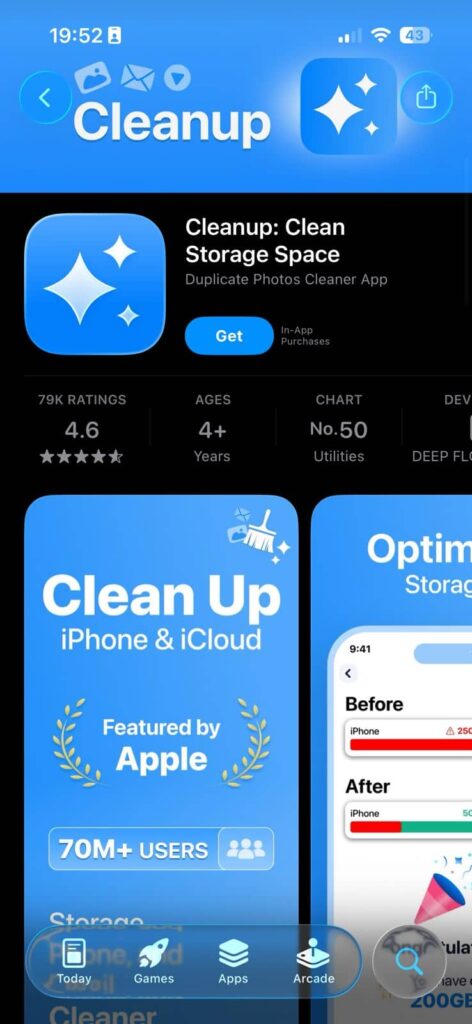
Cost: $11.99/week (free limited version) | App Store Rating: 4.5★ | Best for: Users who prefer swipe-based photo review
Cleanup earns its spot as one of the more popular options in the “best free phone cleaner app for iPhone” category — though “free” here means limited. The swipe-to-delete interface makes reviewing hundreds of photos feel almost like playing a card game.
Strengths:
Weakness: The free version shows unskippable ads. The $11.99/week tier is difficult to justify unless you’re doing a massive one-time cleanout.
5. Easy Cleaner – Best for Beginners
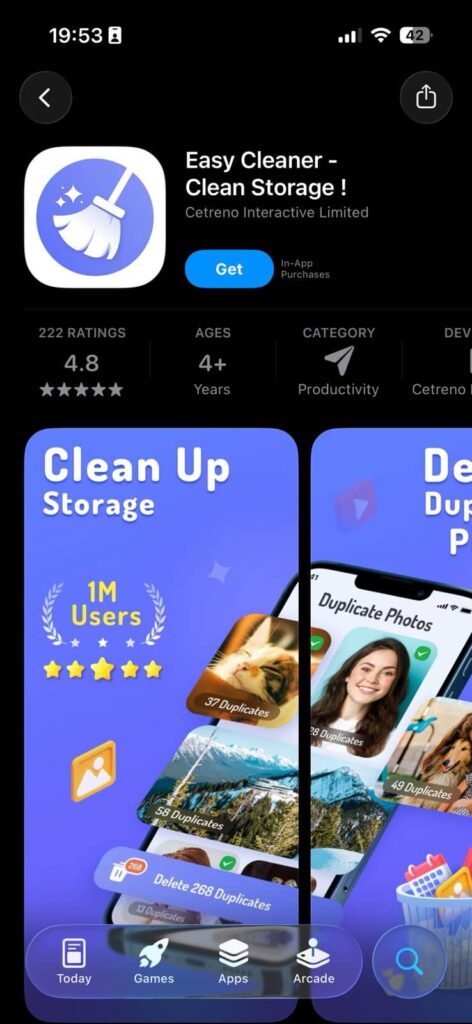
Cost: Free (with in-app purchases) | App Store Rating: 4.6★ | Best for: First-time cleaner app users
Easy Cleaner lives up to its name. The guided, step-by-step interface walks you through each category — screenshots, duplicates, blurry photos — one section at a time. It’s the best app for cleaning up iPhone if you’ve never used a cleaner tool before.
Ideal for: Users with 1,000–2,000 photos who want a gentle, structured experience.
6. Cleaner AI – Best AI-Powered Free Suggestion Engine
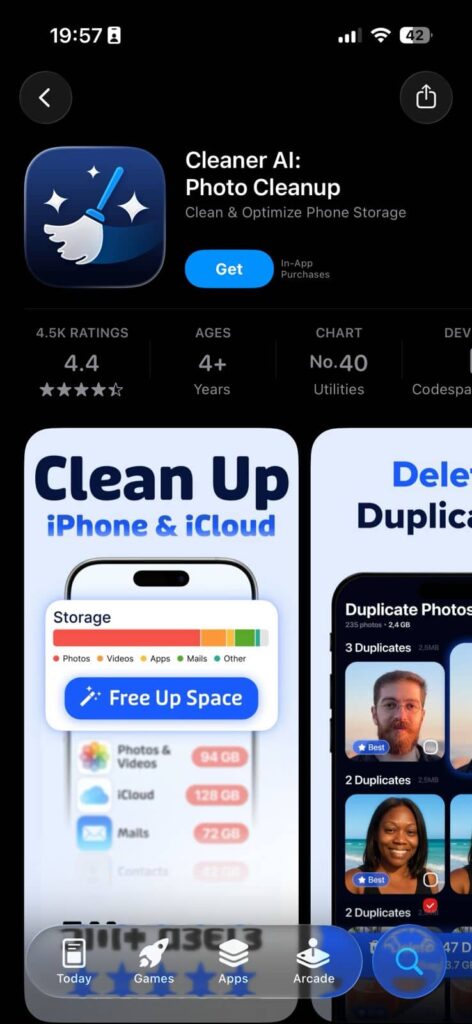
Cost: Free | App Store Rating: 4.4★ | Best for: Users who want AI to make deletion decisions for them
Cleaner AI uses on-device AI to suggest which files you can safely delete rather than just showing you everything and asking you to decide. This is especially useful for users who feel overwhelmed looking at thousands of photos.
Note: The AI suggestions are recommendations, not automatic deletions. You always have final approval.
7. Phone Cleaner – Deep Cleaner – Best iPhone Storage Cleaner for Windows Users
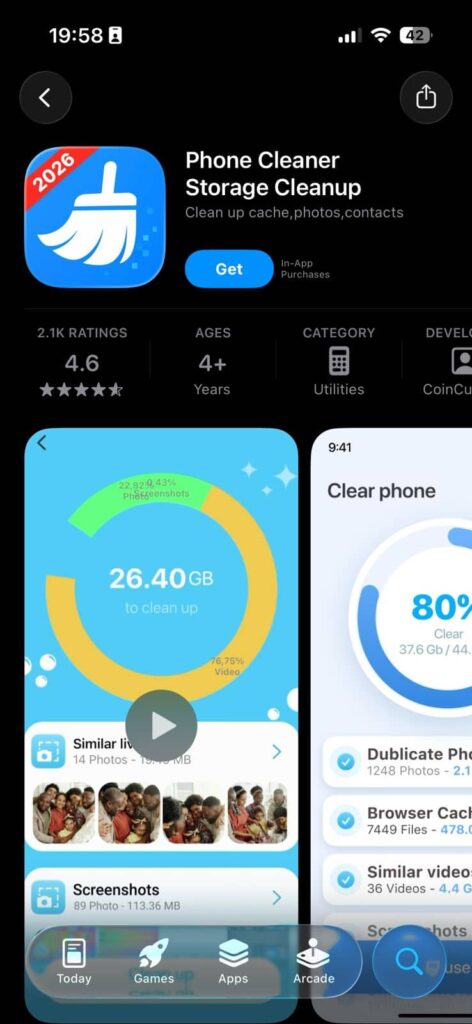
Cost: Free (with ads) + Pro tier | App Store Rating: 4.3★ | Best for: Windows PC users who prefer desktop-assisted cleanup
Many users search for an “iPhone storage cleaner for Windows” because they want to transfer and manage files through their PC. Phone Cleaner’s companion desktop application works on Windows 10/11 and lets you:
- Bulk transfer photos and videos to your PC before deleting them from your iPhone
- Preview files before deletion
- Create organized backups by date or category
For Windows users, this desktop integration makes it the standout choice in a category that’s mostly Mac-focused.
Quick Comparison: Best iPhone Storage Cleaner Apps 2026
| App | Price | Truly Free? | AI Detection | Privacy | Best For |
|---|---|---|---|---|---|
| Clever Cleaner | Free | ✅ Yes | ✅ | Good | Budget users |
| CleanMy®Phone | $7.99/mo | ❌ | ✅ | Excellent (offline) | Privacy-focused |
| Cleaner Kit | $6.99/wk | Trial only | ✅ | Good | All-in-one |
| Cleanup | $11.99/wk | Limited | ✅ | Fair | Visual learners |
| Easy Cleaner | Free+ | Partial | ✅ | Good | Beginners |
| Storage Cleaner | Free | ✅ Yes | ✅ | Good | AI suggestions |
| Phone Cleaner | Free+ | Partial | ✅ | Good | Windows users |
How to Use an iPhone Storage Cleaner: Step-by-Step
Whether you’re using the best free storage cleaner for iPhone or a paid option, the process is similar. Here’s how to get maximum results.
Step 1: Check Your Current Storage Baseline
Step 2: Manually Clear the Easy Wins First
Before opening any app, grab the low-hanging fruit:
Step 3: Download and Run Your Chosen Cleaner App
Step 4: Verify Your Results
💡 Expert Insight: The “Two-Pass” Cleaning Method
Most people run a cleaner once and call it done. Professional iPhone technicians recommend a two-pass approach: run your cleaner app, then wait 24 hours and run it again.
Why? After the first pass, iOS often surfaces hidden files and cached data that become “visible” once other storage is cleared. The second pass frequently recovers an additional 1–3GB that the first pass missed entirely.
This is especially true for recently deleted items still sitting in your Photos “Recently Deleted” album — iOS holds deleted photos for 30 days before permanently removing them. After your first cleaning session, manually empty that album for an immediate extra boost.
How Sarah Recovered 18GB in 30 Minutes
Sarah, a 34-year-old teacher in Austin, Texas, had a 128GB iPhone 14 running on fumes — just 3.2GB free and growing slower every week.
She’d tried deleting apps, but the storage barely moved.
Here’s what she found when she ran Clever Cleaner for the first time:
- 6,847 duplicate or similar photos — accumulated over 3 years of travel and kid photos
- 14 videos over 500MB each — mostly old birthday party recordings she’d already uploaded to Google Photos
- 2.1GB of WhatsApp cache — from a family group chat she’d been in for years
Total recovered in one session: 18.3GB. Her iPhone 14 went from 3.2GB free to 21.5GB free.
The breakthrough?
She had no idea that “similar” photos (nearly identical shots taken a half-second apart) were a separate category from true duplicates. Most of her storage was buried in burst shots she’d never manually reviewed.
How to Free Up iPhone Storage Without an App
Not comfortable downloading a third-party app?
Here’s what you can do entirely within iOS:
Built-In iOS Storage Management
Offload Unused Apps:
Enable iCloud Photos:
Clear App Caches: Most apps don’t offer a built-in cache-clearing option in iOS. The most reliable method is:
❓ What If the Cleaner App Doesn’t Work? (Troubleshooting)
Even the best iPhone storage cleaner can run into issues. Here’s how to solve the most common problems.
Problem: The App Says It Cleaned Space, But iPhone Storage Didn’t Change
Solution: iOS doesn’t update storage totals instantly.
Problem: The App Can’t Find Any Duplicates
Solution: The app may not have full Photos access.
Problem: The App Crashes During Scanning
Solution: This usually happens on iPhones with very large photo libraries (10,000+ photos).
Problem: I Accidentally Deleted Photos I Wanted to Keep
Solution: Don’t panic.
iPhone Storage Cleaner for Windows: Your Desktop Options
Many users want to manage iPhone storage from a Windows PC — either to back up files before deleting them or to transfer large videos without using iCloud. Here are your best options:
iMazing (Windows + Mac): The gold standard for iPhone-to-PC file management. Lets you browse, export, and delete iPhone files from your desktop. Not free, but the trial is generous.
CopyTrans HEIC for Windows: Specifically handles photo transfer and format conversion (HEIC to JPEG) for Windows users.
iTunes / Finder Backup: Free and built-in. While not a “cleaner,” creating a full backup and then selectively restoring lets you do a clean slate reset with data preserved.
Phone Cleaner app (iOS + Windows companion): As mentioned in our app list, this is the most seamless iPhone storage cleaner for Windows integration currently available.
❓ Frequently Asked Questions
Yes — as long as you choose reputable apps from established developers. The apps listed in this guide are all available on Apple’s App Store, which means they’ve passed Apple’s review process. Look for apps that request only “Photos” permission (not Contacts or Location) unless you specifically want contact merging. Apps like CleanMy®Phone that process everything offline are the gold standard for privacy.
Clever Cleaner is the standout answer in 2026. It is completely free, contains no ads, requires no subscription, and offers AI-powered duplicate and similar photo detection. Storage Cleaner by Fotoable is a solid runner-up.
Indirectly, yes. A full iPhone runs background tasks less efficiently, and iOS may throttle performance when storage is critically low. Freeing up 10–20GB can noticeably improve responsiveness, faster app launches, and smoother camera performance — especially on older models like iPhone 11 or iPhone 12.
Yes. iCloud Photos stores your originals in the cloud but the duplicates, similar shots, and cached media on your device don’t automatically disappear. A cleaner app targets the local copies and junk that iCloud doesn’t manage.
Once a week for active smartphone users (people who take 20+ photos daily). Once a month is sufficient for lighter users. Set a repeating calendar reminder — storage management done consistently takes 5 minutes; neglected for a year, it can take hours.
Ready to Reclaim Your Storage?
Download Clever Cleaner from the App Store for a completely free start — no credit card, no subscription, no regret.
If you want the most powerful and privacy-respecting option available, CleanMy®Phone by MacPaw is worth every penny of its monthly fee.
Your iPhone should feel fast, responsive, and frustration-free. A good iPhone storage cleaner is the fastest path to getting there.
Have a favorite cleaner app we didn’t cover? Drop it in the comments below — we update this guide every quarter with new app testing.
Disclaimer: App pricing, features, and availability are subject to change. All prices listed reflect App Store pricing as of April 2026 and may vary by region. AppleHeadlines.com is not affiliated with any of the apps mentioned in this article. Always review an app’s privacy policy before granting access to your Photos library. If you accidentally delete important files, contact a professional data recovery service immediately.

Ruth writes in-depth guides about Apple products, focusing on practical solutions for everyday users. Her articles cover device setup, hidden features, troubleshooting, and the latest updates for iOS, watchOS, and other Apple platforms.
He regularly researches Apple updates and tests features on devices like the iPhone and Apple Watch to ensure readers receive accurate and helpful information.