If you’ve ever felt frustrated texting an Android user – blurry photos, missing read receipts, zero encryption – Apple just fixed most of that.
iOS 26 brings the biggest Apple iPhone texting changes since iMessage launched in 2011. From encrypted cross-platform messages to scheduled texts and bold formatting, your Messages app is almost unrecognizable.
Here’s everything that changed, why it matters, and exactly how to use it.
Quick Info:
Why These iOS 26 Message Changes Are a Big Deal
For over a decade, messaging between iPhone and Android users was embarrassingly limited. Green bubbles meant low-quality images, no typing indicators, and — most critically — zero encryption.
Your messages traveled across carriers like a postcard: readable by anyone handling them.
The FBI issued warnings about this exact vulnerability.
Apple’s own privacy marketing felt hollow as long as cross-platform texts remained exposed.
iMessage conversations between iPhones have had end-to-end encryption since 2011, and Android-to-Android RCS chats through Google Messages have also been encrypted – but the moment you cross that platform divide, messages were completely exposed. PhoneArena
iOS 26 directly addresses this. But that’s only one of seven major upgrades. Let’s break down every single change.
1. Encrypted RCS: Your Texts to Android Users Are Finally Secure
This is the headline feature. RCS (Rich Communication Services) replaced old SMS for cross-platform messaging in iOS 18 — but it lacked encryption. iOS 26 is fixing that.
Apple added RCS support to iPhone with iOS 18.1, enabling richer cross-platform messaging including typing indicators, read receipts, and high-resolution photo and video attachments. Now, iOS 26.4 beta adds an early implementation of end-to-end encrypted RCS messaging.
Apple has been working with the GSM Association to implement end-to-end encryption for RCS messages using the MLS (Messaging Layer Security) protocol, part of the GSMA’s RCS Universal Profile 3.0 standard. MacRumors
How to Know If Your Message Is Encrypted
When you message someone with RCS encryption enabled, you will see a new lock icon in the chat thread. This lock icon will also appear on all iMessage threads. 9to5Mac
No lock icon = not yet encrypted for that thread. Simple as that.
What’s the Current Status?
Apple announced encrypted RCS support in March 2025. Signs of it appeared in iOS 26.3 betas in January 2026, and as of April 2026, it’s still not in a single public release. PhoneArena
Apple first tested this encryption during the iOS 26.4 beta but confirmed it wouldn’t be included in that update. With iOS 26.5 beta 1 available to developers since March 30, 2026, the encryption code has returned. Explosion
Bottom line: Encrypted iPhone-to-Android messaging is coming — likely with a public iOS 26 update in mid-to-late 2026. It’s not fully live yet for regular users.
2. Text Formatting: Bold, Italic, Underline, and Strikethrough in iMessage
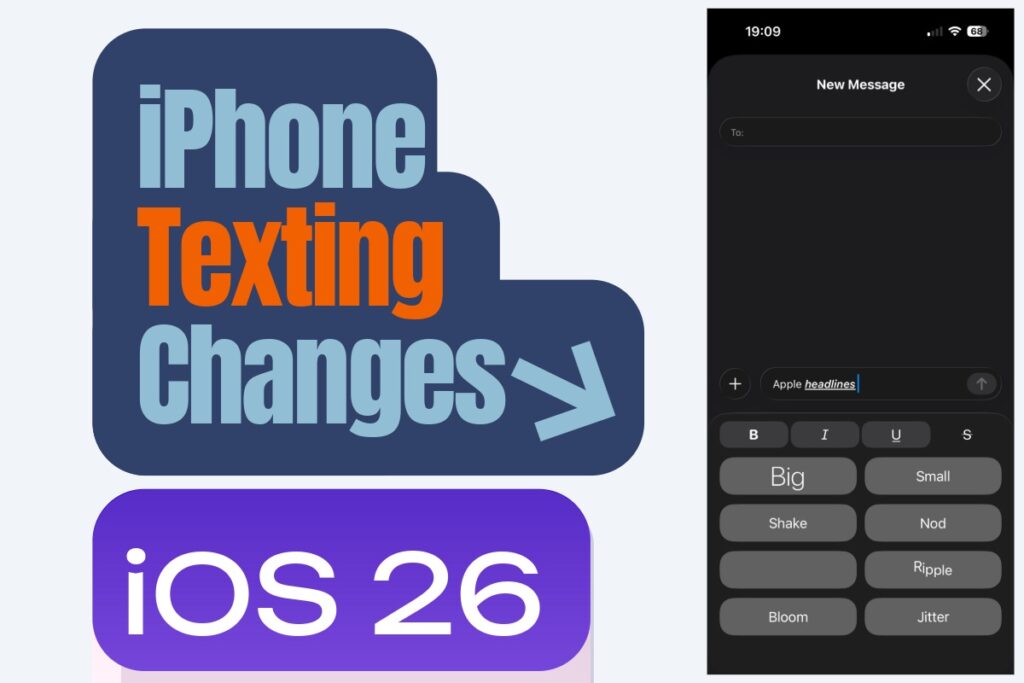
This one’s already live and wildly useful. Within iMessage, you can now format text using bold, italics, underlines, and strikethroughs. You can set the formatting before you type or adjust specific text after the fact by selecting it and applying one or more styles. Gadget Hacks
How to Format Text in iOS 26 Messages
Pro Tip: You can stack formatting. Select a word and apply both bold AND italic at once. Great for emphasizing urgent details in group chats without shouting in all-caps.
3. Animated Text Effects: Make Your Messages Come Alive
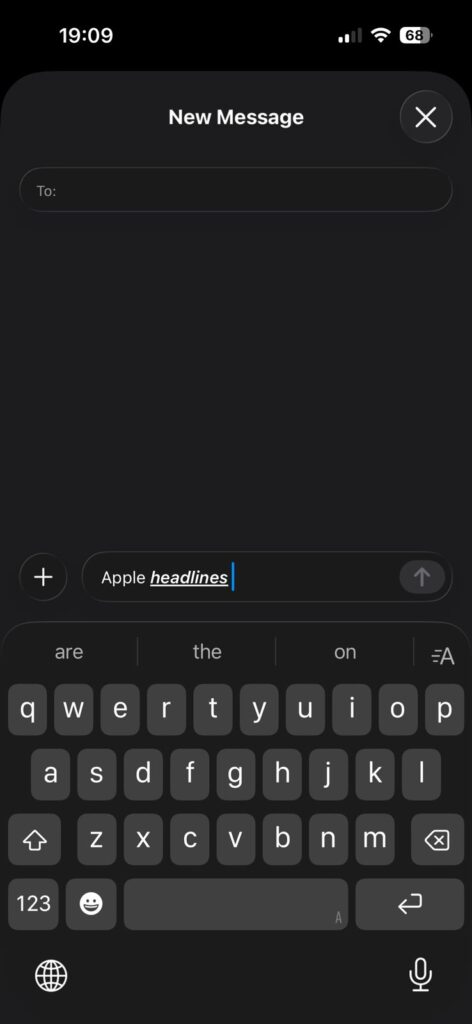
Formatting isn’t the only visual upgrade. You can also animate specific text with eight new text effects: Big, Small, Shake, Nod, Explode, Ripple, Bloom, and Jitter. Each effect animates while composing, so you can preview how it looks before sending. Gadget Hacks
Important caveat: These effects are visible only to recipients running iOS 18 or later. Older devices will just see plain text.
How to Add Animated Effects
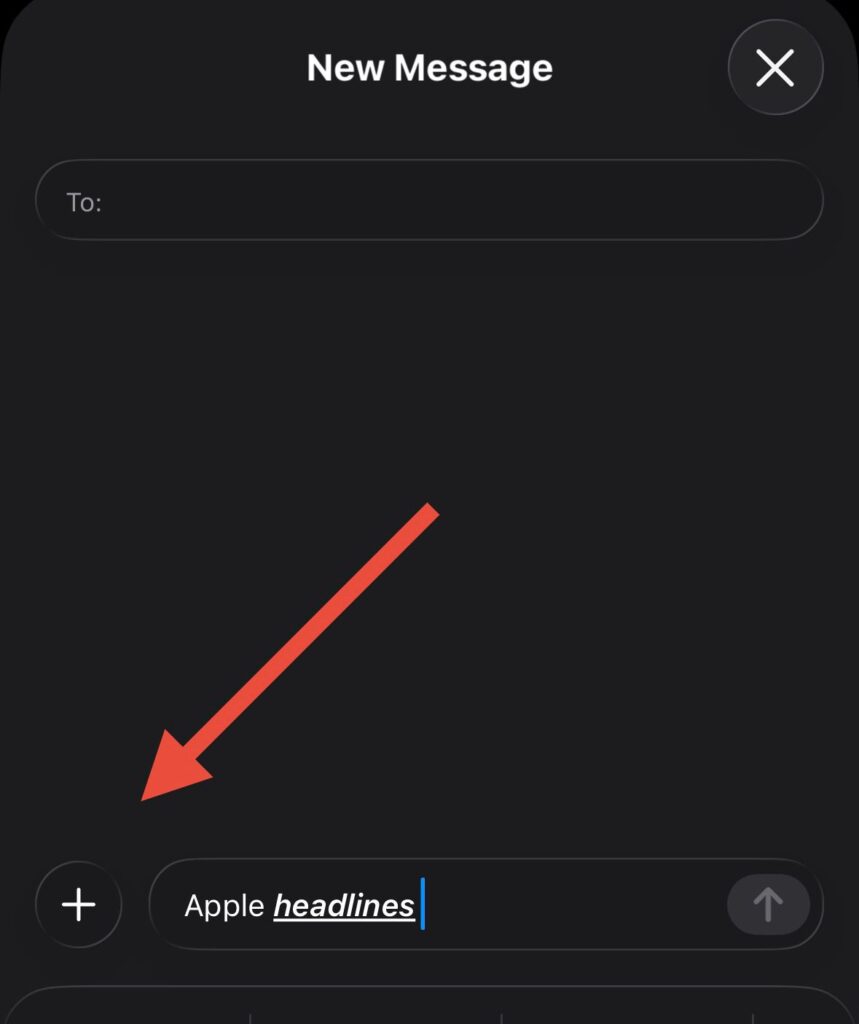
4. Send Later: Schedule Your Texts Up to 14 Days in Advance
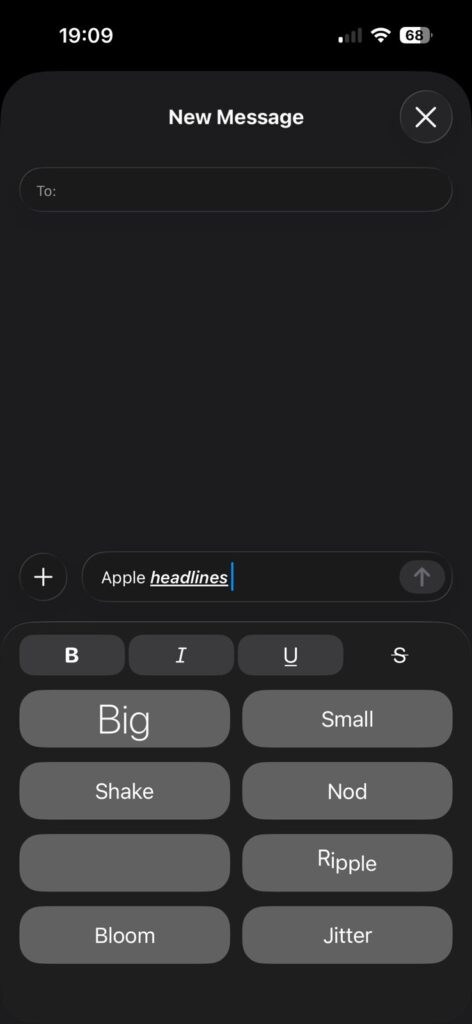
This is the feature iPhone users have wanted for years. Tap the “+” next to the text field → More → Send Later. Set a date and time (up to 14 days ahead), write your message, and hit send. The message is delivered even if your iPhone is offline at the scheduled time. You can edit or cancel before it’s sent. Onoff
How to Schedule a Message in iOS 26

What Doesn’t Work with Send Later
The scheduling function works only with iMessage (blue bubbles). It doesn’t support SMS or MMS — so if your recipient is using a non-Apple device, the Send Later option won’t appear. There’s also no native option for recurring scheduled messages — you can’t set a text to go out daily, weekly, or monthly automatically. Izoate
Expert Insight: The Postcard vs. Sealed Letter Analogy
Here’s the clearest way to understand why RCS encryption matters.
Before iOS 26, texting an Android user was like sending a postcard through the mail. The message was visible. Your carrier could read it. A bad actor intercepting network traffic could read it. Apple and Google could theoretically read it.
With end-to-end encrypted RCS, your message becomes a sealed letter with a lock only you and your recipient hold the key to. Your message is encrypted before it ever leaves your phone — not by the carrier’s server. Even Apple, Google, your carrier, or any network operator cannot read the content in transit. Itech4mac
That’s the difference between privacy theater and actual privacy.
5. Any Emoji as a Tapback Reaction
Old Tapbacks were limited to six fixed reactions: heart, thumbs up, thumbs down, ha, !!, and ?. iOS 26 blows that open. Any emoji in the entire library can now be used as a Tapback.
How to React With Any Emoji
The reaction appears below the message for everyone in the conversation.
6. Real-Time Translation in Messages
Apple’s Messages app now supports live translation, allowing messages to be translated in real-time across supported languages, improving communication with non-native speakers. SimplyMac
This works without leaving the Messages app. Tap the translated bubble to see the original text at any time. Supported languages include Spanish, French, German, Italian, Japanese, Korean, Mandarin Chinese, Portuguese, and Arabic — with more expected to roll out through 2026.
How iOS 26 Texting Changes Solved a Real Problem
Maria, a Chicago-based nurse, texts her mother in Mexico City daily. Before iOS 26, every photo came through blurry over green-bubble SMS, read receipts never worked, and — unknown to both of them — those messages were unencrypted across carrier networks.
After updating to iOS 26, Maria’s mother received a high-resolution birthday photo for the first time. She could see that Maria had “read” her good morning message. And once encrypted RCS rolls out publicly, their daily check-ins will be as private as a phone call. No app switch required.
That’s the real-world impact of Apple iPhone texting changes that most tech coverage glosses over.
7. Satellite Messaging, Polls, Custom Backgrounds, and More
Several other iOS 26 message changes are worth knowing:
- Satellite Messaging: iPhone 14 and later can send iMessage and SMS without Wi-Fi or cellular signal using satellite connectivity. The service is currently free — ideal for remote areas, mountains, or at sea. Onoff
- Group Chat Polls: Create a poll directly inside any group iMessage thread. Tap “+” → More → Poll.
- Custom Conversation Backgrounds: Set a unique background per conversation, not just globally.
- Auto-Delete Old Messages: Set messages to automatically delete after 30 days or one year under Settings → Messages → Keep Messages.
- Spam Filtering: Improved filters move unknown sender messages into a separate folder automatically.
iOS 26 Message Settings: Where to Find Everything
Here’s a quick-reference map for the most important iOS 26 message settings:
| Feature | Where to Find It |
|---|---|
| Encrypted RCS toggle (beta) | Settings → Apps → Messages → RCS |
| Send Later | Messages → “+” → More → Send Later |
| Text Formatting | Long-press text while composing |
| Auto-Delete Messages | Settings → Apps → Messages → Keep Messages |
| Satellite Messaging | Automatic when signal unavailable |
| Message Filtering (spam) | Settings → Apps → Messages → Filter Unknown Senders |
Troubleshooting: What If These Features Don’t Work?
Send Later isn’t showing up? Check that you’re messaging an iMessage contact (blue bubble). Send Later does not work with green bubble SMS/RCS contacts. Also confirm you’re running iOS 18 or later.
Text formatting options are missing? Make sure Predictive Text is enabled. Go to Settings → General → Keyboard and toggle on Predictive Text.
Animated effects not visible to the recipient? The recipient must be on iOS 18 or later. On older iOS versions, effects show as plain text.
RCS encryption lock icon not appearing? Encrypted RCS is still in beta testing as of April 2026 and not available to all users or carriers yet. It hasn’t shipped in a public release. Check back with future iOS 26.x updates.
Messages not syncing across iPhone, iPad, and Mac? Go to Settings → Messages → Text Message Forwarding and ensure your other Apple devices are toggled on.
Frequently Asked Questions
Q: Do iOS 26 message changes work with Android users?
Most new features like text formatting effects and Send Later are iMessage-only (blue bubbles). However, RCS improvements — including the upcoming encryption — do apply to iPhone-to-Android conversations. High-res photo sharing, typing indicators, and read receipts already work over RCS.
Q: Is encrypted RCS available right now in iOS 26?
Not as a public release. As of April 2026, encrypted RCS has been tested in iOS 26.4 and iOS 26.5 developer betas but hasn’t shipped to regular users yet. Apple has confirmed it’s coming in a future iOS 26 update.
Q: What iOS version do I need for the new texting features?
Text formatting, animated effects, Send Later, any-emoji Tapbacks, and group chat polls all require iOS 18 or later. The upcoming encrypted RCS feature will require a future iOS 26.x update.
Q: Will the other person see my bold/italic formatting?
Yes — as long as they’re also on iOS 18 or later. Recipients on iOS 17 or earlier will see plain text without formatting.
Q: Should I still use WhatsApp or Signal for secure texting?
For now, yes — if cross-platform privacy is critical to you. If you need truly secure cross-platform messaging today, WhatsApp, Telegram, or Signal remains your best bet. But you shouldn’t have to rely on a third-party app for something this basic PhoneArena — and once Apple ships encrypted RCS publicly, iPhone-to-Android texting will finally be as private as iMessage has always been.
What to Watch Next
Bookmark this page. Apple is expected to announce the finalized iOS 26.5 public release timeline at WWDC 2026 in June. That’s likely the moment encrypted RCS officially crosses from beta to your phone. When it does, the last major gap between iPhone and Android messaging closes — permanently.
Ready to explore more iOS 26 features? Check our full guide to iOS 26 hidden features and how to set up RCS on iPhone.
Disclaimer: This article is based on publicly available information, developer beta testing observations, and official Apple announcements as of April 2026. Features described as “in beta” have not yet shipped to all users and are subject to change. Encrypted RCS availability depends on your carrier’s support for RCS Universal Profile 3.0. AppleHeadlines.com is not affiliated with Apple Inc. Always verify feature availability in your current iOS version under Settings.
Related Posts:

Virginia J. Alfonso is a seasoned technology writer with a passion for all things digital. With over a decade of experience covering the latest in tech innovation, gadgets, and software, Virginia brings a unique blend of technical expertise and accessible writing to her work. Her articles focus on making complex tech topics easy to understand for readers of all levels.