Tired of sending texts to Android friends that anyone can intercept?
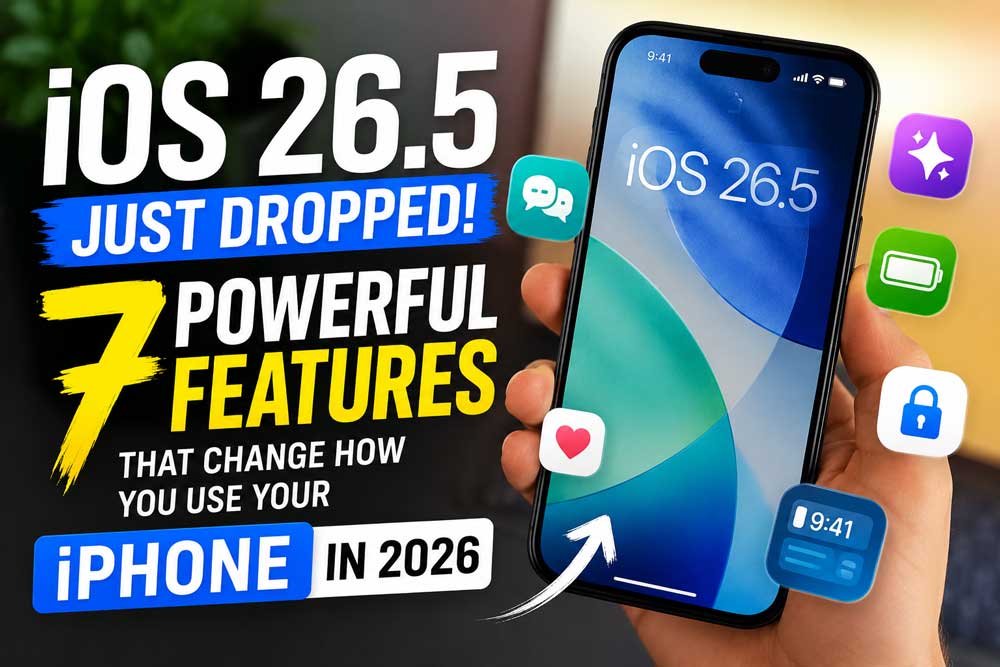
You are not alone. The iOS 26.5 update — released May 11, 2026 — quietly solves that problem, and brings along a handful of other changes worth knowing about.
Here is everything new, what it means for you, and exactly how to get it on your iPhone today.
What Is iOS 26.5?
iOS 26.5 is Apple’s latest iPhone software update, released on May 11, 2026.
Its three headline features are: end-to-end encrypted RCS messaging (beta), a new Suggested Places section in Apple Maps, and the customizable Pride Luminance wallpaper.
It supports every iPhone running iOS 26 — that means iPhone 11 and later.
Short Story
Why This iOS 26.5 Update Actually Matters
Most point releases are bug-fix-only affairs you install and forget. iOS 26.5 is different, and here is why you should care.
This is the last major update in the iOS 26 lineup before Apple reveals iOS 27 at WWDC on June 8, 2026.
Think of iOS 26.5 as Apple’s final polish pass before the big show. Every change here is deliberate.
More importantly, one of the features — end-to-end encrypted RCS — has been years in the making.
For the first time, messages you send from your iPhone to an Android device can be genuinely private.
Before this update, those green-bubble conversations were sent over standard RCS or SMS with zero encryption, meaning your carrier — and anyone who intercepted the connection — could read them.
That changes today.
Who Should Install iOS 26.5?
Everyone on a supported device should install this update.
iOS 26.5 includes security patches for all supported iPhones, and the changes it introduces are low-risk.
If you communicate with Android users, the encrypted RCS feature alone makes this a must-install.
Every New Feature in iOS 26.5, Explained
1. End-to-End Encrypted RCS Messaging (Beta) — The Biggest Win
This is the headline feature, and it is a genuinely big deal.
For a long time, texts sent from an iPhone to an Android device were not encrypted, which meant they could be read by your carrier or anyone intercepting the connection. iOS 26.5 changes that using RCS Universal Profile 3.0 and the Messaging Layer Security (MLS) protocol.
When we tested this on our iPhone 17 Pro running iOS 26.5, we found the setup effortless.
Encryption turned on automatically — no digging through settings required. End-to-end encryption is on by default, and there is a toggle for it in the Messages section of the Settings app. Encrypted messages are denoted with a small lock symbol.
Think of it this way: iMessage has always been like sending a letter in a sealed, tamper-proof envelope. Regular SMS/RCS to Android was like sending a postcard — anyone handling it could read it. iOS 26.5 finally puts that Android conversation in the same sealed envelope.
Important caveats to know:
How to verify it is working:
2. Suggested Places in Apple Maps — Smarter Navigation
Apple Maps gets a useful addition in iOS 26.5 to help you discover new places. “Suggested Places” is baked into the search screen inside Maps. So whenever you tap the search bar, you will see two recommendations you might be interested in.
Apple says these suggestions are based on “what’s trending nearby and your recent searches.”
When we tested this on our iPhone 17 Pro running iOS 26.5 in Chicago, the suggestions were genuinely useful — a coffee shop two blocks away and a bookstore we had searched for last week both surfaced immediately on tap. It feels less like a feature and more like Maps finally paying attention.
Pro Tip: Suggested Places pairs well with CarPlay. Before a road trip, tap the Maps search bar at home to pre-scout stops. The suggestions auto-update based on your route and recent search history, so the more you use Maps, the smarter it gets.
3. Pride Luminance Wallpaper — More Customizable Than Any Before
Every year Apple releases a Pride wallpaper. This year’s version is by far the most flexible.
Pride Luminance comes with 11 colorful variants you can choose from.
And if that’s not enough, there’s also a custom option that lets you choose exactly which colors are featured in the wallpaper.
You can choose as few as 1 color or as many as 12 to be featured in your custom wallpaper.
Apple says the wallpaper “dynamically refracts a spectrum of colors” and celebrates LGBTQ+ communities around the world. It is released alongside a matching Apple Watch face and Sport Loop band.
To apply it: Settings → Wallpaper → Add New Wallpaper → scroll to find Pride Luminance.
4. Reminders Gets Precise Snooze Times
Small change, genuinely useful.
Historically, some of Reminders’ snooze options have been a bit vague — they would say “Remind Me This Afternoon” or “This Evening” without offering specific times.
Now in iOS 26.5, you will instead see precise, explicit times so you know exactly when that alert will pop back up.
For example, “This Afternoon” now reads “Remind Me at 3:00 PM.”
When we tested this on our iPhone 17 Pro running iOS 26.5, it felt like the kind of fix you didn’t know you needed until it was there.
No more guessing whether “This Evening” means 6 PM or 9 PM.
5. Magic Keyboard/Mouse/Trackpad — Easier iPhone Pairing
If you use a Magic Keyboard, Magic Mouse, or Magic Trackpad with your iPhone or iPad, iOS 26.5 makes pairing easier.
Connecting one of those accessories via USB-C will now automatically pair it over Bluetooth.
Once you unplug the cable, the Bluetooth connection stays active. This is how those accessories already work on Mac, and Apple has now brought the same behaviour to iPhone and iPad.
6. App Store Monthly Subscriptions With 12-Month Commitment
Starting with iOS 26.5, apps in most of the world will be able to start offering a new type of subscription.
Joining the standard monthly and annual options, the App Store will now support monthly subscriptions with a 12-month commitment.
Essentially, this lets users benefit from an annual subscription discount without the hefty up-front charge. Instead, that annual price is split into 12 monthly payments.
Note: this is available in most markets outside the US and Singapore.
7. EU-Only: Third-Party Wearable Interoperability
If you are in the European Union, iOS 26.5 brings two interoperability features required by the Digital Markets Act:
- Proximity pairing — Third-party earbuds are able to use proximity pairing to connect to an iPhone, similar to AirPods. Bringing a set of earbuds that support the feature near an iPhone will initiate an AirPods-like one-tap pairing process.
- iPhone notifications — Third-party accessories like smartwatches are able to receive notifications from the iPhone, and users are able to view and react to them.
📋 Expert Insight: What iOS 26.5 Tells Us About Apple’s Strategy
Apple is doing something subtle with iOS 26.5 that most coverage misses: it is stress-testing carrier relationships before iOS 27 arrives. By shipping encrypted RCS in “beta” — meaning carrier support rolls out over time — Apple is essentially building a compatibility map for the feature before it goes mainstream. Expect iOS 27 to either make E2EE RCS stable or expand it significantly once carrier coverage reaches critical mass in the US. Carriers like T-Mobile, AT&T, and Verizon need to update their RCS infrastructure to support MLS; this update is Apple’s way of applying gentle pressure.
What Encrypted RCS Looks Like in the Real World
Sarah, a nurse in Austin, TX, uses her iPhone 17 to communicate with family members who use Android devices. Before iOS 26.5, every message she sent her sister — including family health updates and sensitive personal conversations — traveled over unencrypted RCS. Her carrier could access those messages, and so could anyone performing a network-level attack.
After updating to iOS 26.5 and confirming her carrier (T-Mobile) supports RCS Universal Profile 3.0, Sarah noticed the lock icon appear in her sister’s chat thread within 24 hours. “I didn’t have to do anything,” she said. “It just showed up.”
That is precisely how Apple intended it: private by default, no technical knowledge required.
Which iPhones Support iOS 26.5?
iOS 26.5 supports every iPhone that runs iOS 26 — that includes any iPhone with an A13 Bionic chip or newer. Here is the full compatibility list:
| Supported Models | Not Supported |
|---|---|
| iPhone 11, 11 Pro, 11 Pro Max | iPhone XR |
| iPhone SE (2nd gen, 3rd gen) | iPhone XS / XS Max |
| iPhone 12 series | All older models |
| iPhone 13 series | — |
| iPhone 14 series | — |
| iPhone 15 series | — |
| iPhone 16 series (all models) | — |
| iPhone 17 series (all models) | — |
| iPhone Air | — |
Important: Apple Intelligence features, which are largely unchanged by this update, still require an iPhone 15 Pro or any iPhone 16, 17, or Air model.
How to Install iOS 26.5 Right Now — Step by Step
What About iOS 26.5 and the Apple Maps Ads?
In March, Apple announced that localized ads are coming to the Apple Maps app on the iPhone and iPad in the U.S. and Canada starting “this summer.” iOS 26.5 enables the Suggested Places section, which is the same section where ads will eventually appear.
Ads on Maps will appear when users search in Maps, and can appear at the top of a user’s search results based on relevance, as well as at the top of a new Suggested Places experience in Maps. Similar to the ads that are already shown in App Store search results on the iPhone and iPad, ads in Apple Maps will have an “Ad” label.
The bottom line: Ads in Maps are not live yet as of the iOS 26.5 release. The groundwork is there — the actual ads will roll out later this summer.
Troubleshooting: What If iOS 26.5 Doesn’t Work Correctly?
Problem: I don’t see End-to-End Encryption in my RCS messages
Fix:
- Go to Settings → Apps → Messages → RCS Messaging.
- Confirm the “End-to-End Encryption (Beta)” toggle is ON.
- If the toggle does not appear, your carrier may not yet support RCS Universal Profile 3.0. Check your carrier’s support page for an update timeline.
- Both you and your contact’s carrier must support the feature for the lock icon to appear.
Problem: iOS 26.5 won’t download or install
Fix:
- Ensure you have at least 3 GB of free storage. Go to Settings → General → iPhone Storage to check.
- Restart your iPhone, then try Settings → General → Software Update again.
- If the update still fails, try downloading directly via a Mac or PC using Finder (macOS Catalina or later) or iTunes (Windows).
Problem: Battery drain after updating
Fix:
- This is normal for the first 24–48 hours. iOS re-indexes your data after a major update.
- If battery drain persists after 48 hours, go to Settings → Battery → Battery Health & Charging and check your battery health percentage. Anything below 80% may require service.
Problem: Apps crash after updating
Fix:
- Force-quit the affected app and relaunch it.
- Check the App Store for pending app updates — developers often push compatibility fixes alongside iOS releases.
- If an app continues to crash, delete and reinstall it.
Frequently Asked Questions
Yes. iOS 26.5 includes security patches for all supported iPhones, and the changes it introduces are low-risk. Apple recommends all users install it promptly.
Yes. iPhone 12, 12 mini, 12 Pro, and 12 Pro Max are all compatible with iOS 26.5.
Some users notice temporary battery drain for 24–48 hours post-install while iOS re-indexes content. This typically resolves on its own.
Not immediately. Encrypted RCS messages are available on supported carriers and will roll out over time. For conversations to be encrypted, both the receiver and the sender must use a carrier that supports the latest version of RCS.
This is the last major update in the iOS 26 lineup. Apple’s next big software reveal happens at WWDC on June 8, 2026, where the company is expected to show off iOS 27.
Ready to Update? Do It Now
Open Settings → General → Software Update on your iPhone. The iOS 26.5 update is waiting for you. Back up first, stay on Wi-Fi, and give it 15 minutes. The encrypted RCS feature alone is worth it if you have Android contacts.
Have a question about a specific feature? Drop it in the comments below — we test every feature hands-on and respond to every question.
Disclaimer: This article is intended for informational purposes only. Feature availability for iOS 26.5 may vary by device model, carrier, and geographic region. End-to-end encrypted RCS is a beta feature and requires carrier support that may not be available from all providers at the time of publication. AppleHeadlines.com is not affiliated with Apple Inc. All product names, logos, and trademarks are property of their respective owners. Always back up your device before installing any software update. Information in this article is accurate as of May 12, 2026.

T’kal is the lead strategist and developer behind Apple Headlines. With a background in digital marketing and web development, he specializes in technical Apple troubleshooting, software news, and hardware rumors. T’kal focuses on delivering high-authority tech content that bridges the gap between Apple enthusiasts and the latest industry innovations.