

Waiting for that one fix Apple still hasn’t shipped?
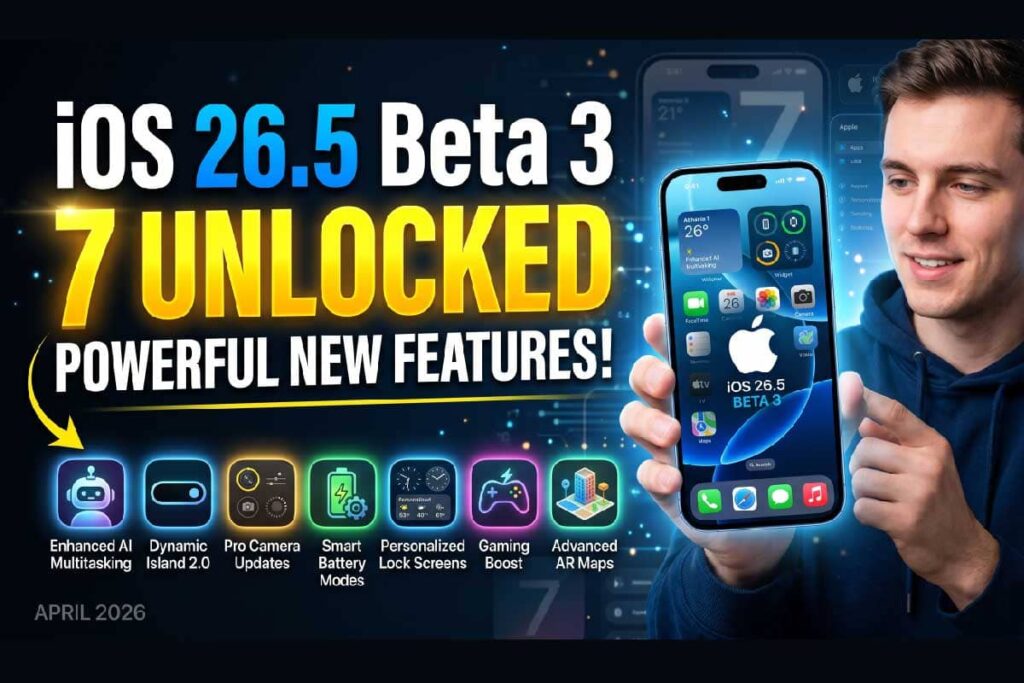
You’re not alone. iOS 26.5 beta 3 dropped on April 20, 2026, and while it won’t blow the roof off with a Siri revolution, it delivers a set of meaningful refinements that actually matter in everyday use – smoother animations, faster text-to-Siri response, and the clearest signal yet that Apple Maps is about to look very different this summer.
Here’s everything you need to know.
Main Topics in Short:
What Is iOS 26.5 Beta 3 and Why Should You Care?
Before diving into features, let’s set the stage. iOS 26.5 is a point release – not a major version like iOS 27, which is expected at WWDC in June 2026.
Point releases traditionally carry bug fixes, performance tuning, and occasionally new features that missed the previous cycle.
But “point release” doesn’t mean “skip it.” Beta 3 specifically matters for three audiences:
The build number for iOS 26.5 beta 3 is 23F5059e. The download sits at roughly 1.6 GB to 1.8 GB depending on your device. If you’re already on beta 2, the delta update will be significantly smaller.
How iOS 26.5 Fits Into Apple’s Bigger 2026 Roadmap
Think of iOS 26.5 as the last tune-up before WWDC.
Apple uses these spring point releases to clean house – fixing the rough edges of iOS 26’s bigger features while quietly laying infrastructure for what’s coming in iOS 27.
That’s exactly what beta 3 does.
You won’t find a redesigned Siri here (that’s being saved for the fall), but you will find a more stable, polished daily driver.
iOS 26.5 Beta 3: Every New Feature and Change, Explained
1. Apple Maps Gets “Suggested Places” — and Yes, Ads Are Coming
The biggest consumer-facing addition in iOS 26.5 isn’t a bug fix — it’s a shift in Apple Maps strategy. “Suggested Places” now appears directly in the Maps search experience, surfacing trending and popular spots near you as you type.
Here’s the part that raised eyebrows: those suggested spots will eventually include paid placements.
Apple confirmed this spring that ads are heading to Apple Maps in the US and Canada this summer, and beta 3 continues to build out that infrastructure.
When you tap a sponsored listing, it will be clearly labeled – Apple has promised a privacy-centric approach where ads are matched to your search context rather than your personal profile.
What this means for you: If you rely on Apple Maps for restaurant or business discovery, expect to see promoted listings appearing in your results by summer 2026. They’ll look similar to how Google Maps handles ads, but Apple is betting its privacy story sets it apart.
Expert Insight: This is the most commercially significant change in iOS 26.5. Apple’s Services revenue has grown to become its second-largest business segment. Maps advertising is the next logical monetization frontier — and the “Suggested Places” UI is engineered to make ads feel like organic recommendations, not intrusions. Watch how this rolls out carefully.
2. Encrypted RCS: End-to-End Encryption for iPhone-to-Android Messages
Apple continues to test end-to-end encryption (E2EE) for RCS messages between iPhones and Android devices. This was first spotted in iOS 26.5 beta 1 and has been refined with each beta.
To put it simply: right now, when you send an RCS message to an Android user, that message is encrypted in transit — but not end-to-end. Someone with access to the carrier’s infrastructure could technically read it. E2EE closes that gap, meaning only you and the recipient can read the message.
Think of it like this: regular RCS is a sealed envelope handed to a postal worker. E2EE RCS is a locked safe — even the carrier delivering it can’t peek inside.
Beta 3 doesn’t flip this feature on for everyone yet. It’s still in testing, but the groundwork is solidifying. Expect a public toggle to appear when iOS 26.5 ships to everyone.
3. New Splash Screens for App Store, Apple TV, and Vision Pro App
A small but noticeable change: three Apple apps now have updated welcome/intro screens.
These aren’t just cosmetic. They signal which verticals Apple is actively marketing to new users: sports, subscriptions, and spatial computing.
4. FIFA World Cup Support in Apple Sports
Apple Sports — the free standalone sports app – now includes dedicated support for the FIFA World Cup.
Given that the 2026 FIFA World Cup is being co-hosted in the United States, Canada, and Mexico starting in June 2026, this timing is deliberate.
You’ll be able to follow match scores, standings, and tournament brackets directly in Apple Sports. This brings the app in line with its existing NFL, NBA, and MLB coverage depth.
5. New Developer Subscription Options: Monthly Billing, Annual Commitment
This one is more developer-facing but has real implications for how you’ll be billed for your favorite apps going forward.
iOS 26.5 beta 3 introduces a new in-app subscription model: monthly payments with a 12-month commitment.
This is essentially an installment plan for annual subscriptions. Instead of paying $59.99 upfront for a year of an app, you’d pay $4.99/month — but you’re locked in for 12 months.
For users, this lowers the barrier to subscribing.
For developers, it improves conversion rates on annual plans. Expect to see major apps adopt this billing structure once iOS 26.5 ships publicly.
6. EU-Only: Live Activities and Notification Forwarding for Third-Party Wearables
If you’re in the European Union, beta 3 continues testing a feature that doesn’t exist anywhere else: Live Activities and notifications pushed to third-party smartwatches and earbuds.
This means your Garmin, Samsung Galaxy Watch, or even Fitbit could receive iPhone notifications and real-time Live Activities data — like a sports score updating mid-game — without needing an Apple Watch.
This is a direct result of EU digital market regulations forcing Apple to open its notification stack to competing wearables. It remains EU-exclusive for now, with no indication of a global rollout.
iOS 26.5 Beta 3: Bug Fixes That Actually Matter
New features get the headlines, but beta 3’s bug fixes may be what most users will notice most.
Fix #1: The Home Screen Swipe Stutter Is Gone
Beta 2 had a noticeable stutter when swiping from an app back to the home screen, and a similar jank when pulling down the Notification Center.
Beta 3 resolves this. The animation is now fluid again — the kind of smoothness iOS 26 shipped with before it crept back in beta 2.
Fix #2: Sports Scores in Live Activities Were Lagging
If you used the Live Activities feed on your Lock Screen to follow a game score, you may have noticed delayed updates in beta 2.
Scores could be 3–5 minutes behind the actual game. Beta 3 patches this, restoring real-time accuracy to the Live Activities sports feed.
Fix #3: Text-to-Siri Suggestions Load Faster
When you type a query to Siri (rather than speaking), beta 3 removes a noticeable lag before suggestions appeared. This isn’t a new AI capability — Apple Intelligence’s bigger Siri overhaul is confirmed for iOS 27. But the text-to-Siri pipeline is now snappier and more responsive at the input level.
Why Beta 3’s Timing Matters
Marcus, a freelance iOS developer in Austin, TX, has been on every iOS 26.5 beta since day one. Here’s what he told us:
“Beta 1 was too rough to use daily. Beta 2 was better but that home screen stutter drove me crazy during demos. Beta 3 feels like what beta 1 should have been. The subscription API changes alone make it worth tracking — I’ve been waiting to implement monthly-commit billing for my app for two cycles.”
Marcus’s experience is typical of the developer beta arc: each beta closes the gap between “testing build” and “daily driver.” Beta 3 usually represents the point where more adventurous everyday users start flipping on the developer beta.
How to Download iOS 26.5 Beta 3 Right Now
Option A: Developer Beta (Available Now)
Requirement: You must have a registered Apple Developer account (free or paid at developer.apple.com).
Option B: Public Beta (Coming Within 24–48 Hours)
Pro Tip: Always back up your iPhone via iCloud or Finder before installing any beta. Go to Settings > [Your Name] > iCloud > iCloud Backup > Back Up Now. Beta software can occasionally cause data loss, especially if you need to restore to stable iOS.
iOS 26.5 Beta 3 vs. Beta 2: What Actually Changed?
| Feature / Fix | Beta 2 | Beta 3 |
|---|---|---|
| Apple Maps Suggested Places | ✅ Introduced | ✅ Refined |
| Encrypted RCS | ✅ In testing | ✅ Continued testing |
| Home screen swipe stutter | ❌ Present | ✅ Fixed |
| Live Activities sports delay | ❌ Present | ✅ Fixed |
| Text-to-Siri lag | ❌ Present | ✅ Fixed |
| FIFA World Cup in Apple Sports | ❌ | ✅ Added |
| New App Store splash screen | ❌ | ✅ Added |
| Monthly subscription billing API | ❌ | ✅ Added |
What’s NOT in iOS 26.5 Beta 3 (And Why That Matters)
It’s worth being clear about what this beta doesn’t include, because there’s been significant speculation online.
No Gemini-powered AI features. Reports from March 2026 confirmed that the planned Google Gemini integration was pushed back. Any AI partnership features are now expected in iOS 27 at the earliest.
No new Siri interface. The rumored “Ask” button and conversational Siri redesign are iOS 27 territory. iOS 26.5 beta 3 only fixes a text input lag — it’s not a capabilities upgrade.
No CarPlay Ultra changes. Any CarPlay improvements tied to the 2026 model year vehicles will ship with a later update or iOS 27.
Understanding what’s not here prevents disappointment and helps you set realistic expectations for the public release.
Troubleshooting: What If iOS 26.5 Beta 3 Doesn’t Install?
Beta installs can hit snags. Here’s how to work through the most common ones.
Problem: The beta doesn’t appear under Software Update.
Problem: Download stalls or fails mid-way.
Problem: Phone freezes or boot loops after install.
Problem: Massive battery drain after updating.
- Give your phone 24–48 hours after a major beta update. Background re-indexing and Spotlight rebuilding drain battery temporarily.
- If drain persists, go to Settings > Battery > Battery Health and check for anomalies.
When Will iOS 26.5 Ship to Everyone?
Based on the current beta cadence, the public release of iOS 26.5 is expected in late May or early June 2026 — just before WWDC 2026.
Apple typically ships a point release in this window to clean up any remaining issues before the developer conference spotlight shifts entirely to iOS 27.
The timeline looks like this:
If the beta cadence stays on track with roughly a two-week gap between betas, beta 4 could arrive around May 4–6, 2026. Public release would follow 10–14 days after the final beta.
Frequently Asked Questions
A: Beta 3 is generally the most stable build in the iOS 26.5 cycle so far, and it fixes the two most disruptive bugs from beta 2. That said, any beta carries risk. If your iPhone is your primary work device, wait for the public beta or the final release. If you’re comfortable with occasional quirks and you back up regularly, beta 3 is a reasonable daily driver.
The developer beta and public beta share the same underlying build — the content is identical. The difference is the release channel and timing. Developer betas drop first (available via Apple Developer account). Public betas follow 24–48 hours later via beta.apple.com and are aimed at non-developers willing to test early software.
No. Apple confirmed in March 2026 that any Gemini-powered AI integration has been delayed. iOS 26.5 will ship without new AI capabilities. The major Siri and Apple Intelligence overhaul is being held for iOS 27, expected to be announced at WWDC 2026 in June.
The download size depends on your specific iPhone model. Different hardware configurations (chip generation, display resolution, camera stack) require slightly different firmware packages. Devices like iPhone 16 Pro Max may see larger updates than older models.
Yes, but it requires a full restore via Finder (Mac) or iTunes (Windows). You cannot simply “undo” a beta install from the settings menu. Apple typically keeps downgrade signing windows open for a limited time after a stable release, so act quickly if you want to go back. Back up before you start.
What to Expect Next: iOS 26.5 Beta 4 and Beyond
The beta cycle isn’t over. Based on the current pace, beta 4 is the likely final beta before a release candidate (RC) build ships to developers. RC builds are typically identical to what reaches the public — they’re a green-light signal.
Keep an eye on the following in beta 4:
- Whether encrypted RCS is enabled by default or remains toggle-based.
- Whether Maps ads appear live in testing builds.
- Any final Siri input optimizations before the update ships.
Stay bookmarked — we’ll update this article the moment beta 4 drops.
Ready to install?
Head to Settings > General > Software Update > Beta Updates right now. And if you spot something new in beta 3 that we haven’t covered, drop it in the comments — the community notices things Apple doesn’t put in patch notes.
Disclaimer: iOS 26.5 beta 3 is pre-release software intended primarily for developers and experienced users. Installing beta software on a primary device can result in instability, data loss, or app incompatibility. Always back up your device before installing any beta update. The features described in this article are based on the current beta and may change before public release. AppleHeadlines.com is not affiliated with Apple Inc. Apple, iPhone, iOS, Siri, Apple Maps, and related marks are trademarks of Apple Inc.

Virginia J. Alfonso is a seasoned technology writer with a passion for all things digital. With over a decade of experience covering the latest in tech innovation, gadgets, and software, Virginia brings a unique blend of technical expertise and accessible writing to her work. Her articles focus on making complex tech topics easy to understand for readers of all levels.