
Quick Answer
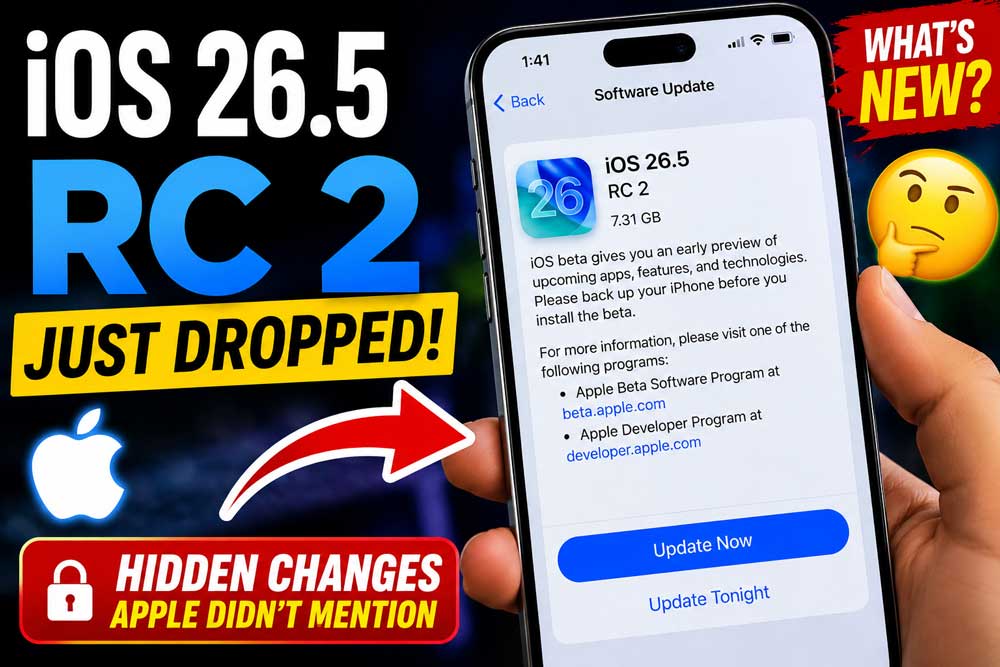
iOS 26.5 RC 2 dropped on May 8, 2026, with build number 23F77. It replaces RC 1 (build 23F75, released May 4).
The update is laser-focused on Apple Watch reliability fixes, a data-protection patch for notification forwarding, and under-the-hood stability improvements.
A public release is expected as early as mid-May 2026, just ahead of WWDC 2026 on June 8.
You can download it now via Settings → General → Software Update if you’re enrolled in Apple’s developer or public beta program.
Waiting for iOS 26.5 to drop and wondering what’s actually new in RC 2?
You’re not alone.
The second release candidate landed quietly on Thursday, May 8, and the changes are subtle — but important.
If you’re on RC 1 and wondering whether to jump, or if you’re on iOS 26.4.2 waiting for the stable release, this guide breaks down everything in plain English so you can make the right call.
Short Story on iOS 26.5 RC 2
Why iOS 26.5 RC 2 Matters (And What “RC” Really Means)
Most people gloss over the term “release candidate.” Here’s why you shouldn’t.
A release candidate (RC) is Apple’s way of saying: “This is almost certainly the final version we’ll ship publicly.”
Think of it like a dress rehearsal the night before opening night.
The performance is complete — actors know their lines, the set is built — but one last run-through catches any final stumbles before the curtain goes up.
Every RC build is intended to be the final software version that ships to all users.
But it’s not unusual for Apple to ship a revised RC for additional testing when bugs surface during that final review window.
That’s exactly what happened here.
Build number 23F77 appears on Apple’s developer portal for both iOS 26.5 and iPadOS 26.5, replacing the earlier 23F75 RC build released on May 4.
When Apple pushes a second RC, it signals one thing clearly: the team found something worth fixing before millions of devices update.
That’s a good thing — not a warning sign.
What’s New in iOS 26.5 RC 2 — The Full Breakdown
The RC 2-Specific Fixes (What Changed From RC 1)
This is where most coverage falls short.
Let’s go deeper than the headline.
RC 2 is laser-focused on Apple Watch reliability.
Specifically: UserNotificationsCore gets a file data-protection fix for Watch notification forwarding — a classic BFU (Before First Unlock) bug.
WatchFacesWallpaperSupport’s snapshot renderer was also refactored, replacing the old orientation-to-MTLBuffer mapping with per-look progress tracking.
Kernel and iBoot remain untouched — this is purely a Watch reliability patch.
In plain terms: if your Apple Watch was missing or delaying notifications after a restart — especially before you unlocked your iPhone for the first time — RC 2 specifically addresses that.
What does “BFU bug” mean in real life? If you sleep with your phone locked overnight, your Apple Watch may have failed to receive notifications until you unlocked your iPhone in the morning. RC 2 patches exactly that workflow.
Everything New in iOS 26.5 (The Full Feature Set)
iOS 26.5 introduces support for end-to-end encrypted RCS (beta) messaging, a downloadable Pride Luminance wallpaper, and Suggested Places in Maps, which displays recommendations based on what’s trending nearby and your recent searches.
Here’s the complete feature breakdown:
1. End-to-End Encrypted RCS Messaging (Beta)
This is the headline feature of the entire iOS 26.5 cycle. Apple is continuing to test end-to-end encryption (E2EE) for RCS messages between iPhone and Android users.
Apple included the feature in the iOS 26.4 beta, but removed it before the update launched to the public.
The feature depends on carriers adopting the latest GSMA Universal Profile specifications and expands encrypted messaging support beyond Apple’s existing iMessage ecosystem. Not all carriers will support it at launch — it rolls out over time.
2. Pride Luminance Wallpaper
The new Pride Luminance wallpaper dynamically refracts a spectrum of colors and is available for download.
You can customize it with up to 12 colors of your own selection. It ties in with Apple’s annual Pride Apple Watch band release.
3. Suggested Places in Apple Maps
Apple Maps now surfaces trending nearby spots and factors in your recent searches to suggest places you might want to visit.
Think of it as Google Maps’ “Explore” tab, but built into Maps with Apple’s privacy-first approach.
4. EU-Specific: Third-Party Wearable Support
In the European Union, Apple is testing proximity pairing, notification forwarding, and Live Activities for third-party wearables like earbuds and smartwatches.
The functionality will allow third-party wearables to have many of the same features as the Apple Watch and AirPods.
This is a Direct result of the EU’s Digital Markets Act (DMA) compliance requirements.
5. Apple Maps Ads (Background Work)
Apple is continuing work on Apple Maps ads in iOS 26.5, but the sponsored search and recommendation features don’t appear publicly active in the current builds.
This one is being built in the background — don’t expect to see it at launch.
iOS 26.5 RC 2: Build Number & Technical Details
| Detail | Info |
|---|---|
| Build Number | 23F77 |
| Release Date | May 8, 2026 |
| Previous Build | 23F75 (RC 1, May 4, 2026) |
| Darwin Kernel | 25.5.0 |
| RC 1 Gap | 5 days |
| Expected Public Release | ~Week of May 12, 2026 |
How to Download iOS 26.5 RC 2 Right Now
If You’re Already on the Beta Program
If You’re Not Enrolled in the Beta Program
Note: You no longer need to visit Apple’s beta website to enroll. The entire process happens in Settings.
Download via IPSW (Advanced Users)
If you prefer a clean install or need IPSW files for device management:
💡 Expert Insight
A second RC appearing just 4 days before an expected public release isn’t a red flag — it’s actually a green flag. It means Apple’s internal testing caught a real-world bug (the Apple Watch notification issue) and fixed it before it reached 1.5 billion devices. The fact that Kernel and iBoot weren’t touched tells us this wasn’t a deep security patch — it was a targeted reliability fix. If you were nervous about updating, RC 2 should give you more confidence, not less.
Compatible Devices: Which iPhones and iPads Support iOS 26.5?
iOS 26.5 supports all devices that run iOS 26. If your device runs iOS 26.4.2, it will get iOS 26.5.
Supported iPhone Models:
Supported iPads: All iPads compatible with iPadOS 26.
When Will iOS 26.5 Release to the Public?
Apple hasn’t announced a release date for iOS 26.5 or iPadOS 26.5, and RC builds usually arrive shortly before public rollout.
Based on Apple’s historical release patterns:
- RC 1 dropped May 4, 2026.
- RC 2 dropped May 8, 2026.
- Apple typically releases the public update 1–2 weeks after the final RC.
That puts the likely public release window at May 12–16, 2026. With WWDC 2026 just around the corner in June, it’s likely that Apple is putting most of their development efforts into OS 27 betas. Apple will want iOS 26.5 out the door before the WWDC keynote on June 8.
What RC 2 Fixes in Daily Use
The scenario: Marcus, a nurse in Chicago, relies on his Apple Watch Series 10 to receive patient alert notifications overnight. He updated to iOS 26.5 RC 1 on May 4.
Every morning after his phone sat locked all night, he noticed his Apple Watch would miss notifications for the first 5–10 minutes after waking up — until he unlocked his iPhone. He posted about it on Reddit’s r/iOSBeta thread.
That exact pattern — notifications failing on Apple Watch before the iPhone’s first unlock — is precisely what RC 2’s UserNotificationsCore patch addresses. Marcus updated to RC 2 on May 8. The delay disappeared.
This is why RC 2 exists. Not because Apple missed something obvious — but because real-world use cases surface edge conditions that even thousands of internal testers can miss.
iOS 26.5 vs iOS 26.4.2: Should You Update Now or Wait?
| Factor | iOS 26.4.2 (Stable) | iOS 26.5 RC 2 (Beta) |
|---|---|---|
| Stability | ✅ Fully stable | ⚠️ Near-final, minor risks |
| RCS Encryption | ❌ Not available | ✅ Available (beta) |
| Pride Wallpaper | ❌ | ✅ |
| Apple Watch Notifications | ⚠️ May have BFU bug | ✅ Fixed in RC 2 |
| Maps Suggestions | ❌ | ✅ |
| Recommended for | Most users | Beta testers, developers |
Bottom line: If you depend on your device for critical work, wait for the stable release. It’s days away. If you’re a power user who wants encrypted RCS or the Maps feature now, RC 2 is stable enough for daily use.
Troubleshooting: What If iOS 26.5 RC 2 Doesn’t Show Up?
Update Not Appearing in Settings?
Stuck on “Preparing Update”?
iPhone Getting Hot During Install?
Some iPhone Air users reported their device running unusually hot on RC 1.
If this happens during RC 2 installation: place your phone on a flat, hard surface (not a bed or couch), and avoid using it during the install.
0The heat is normal during active installation but should subside within 15 minutes.
Downgrade Back to iOS 26.4.2?
You can downgrade to iOS 26.4.2 using iTunes/Finder while Apple is still signing the firmware.
Once the public iOS 26.5 release drops, Apple typically stops signing older builds within 2 weeks. Act fast if you need to go back.
FAQ: iOS 26.5 RC 2 — Your Top Questions Answered
Q: What is iOS 26.5 RC 2’s build number? Build number 23F77, released May 8, 2026. The first RC was 23F75, released May 4.
Q: When will iOS 26.5 release to the public? No official date has been confirmed, but based on Apple’s typical timeline, expect the public release between May 12–16, 2026.
Q: Can I download iOS 26.5 RC 2 without a paid developer account? Yes. Apple allows public beta enrollment directly in Settings → General → Software Update → Beta Updates. No paid developer account needed.
Q: What’s the difference between iOS 26.5 RC 1 and RC 2? RC 2 (23F77) adds a targeted Apple Watch notification fix (UserNotificationsCore BFU patch) and refactors the Watch face wallpaper snapshot renderer. Kernel and iBoot were not changed.
Q: Does iOS 26.5 RC 2 support encrypted RCS messaging on all carriers? Not yet. End-to-end encrypted RCS is in beta and requires your carrier to support the latest GSMA Universal Profile specs. It will roll out gradually after the public release.
What’s Coming Next: iOS 27 and WWDC 2026
Apple will unveil iOS 27 during its WWDC 2026 keynote on June 8, and the update should be released in September. With iOS 26.5 wrapping up the current cycle, all eyes are shifting to what iOS 27 brings — expect deep Apple Intelligence upgrades, Siri improvements, and likely the first glimpse of software optimized for the rumored foldable iPhone.
iOS 26.5 is the final chapter of this generation. Make sure your device is updated and ready before the next one begins.
➡️ Stay ahead of every Apple update. Bookmark AppleHeadlines.com and follow us for iOS 26.5 public release coverage the moment it drops.

T’kal is the lead strategist and developer behind Apple Headlines. With a background in digital marketing and web development, he specializes in technical Apple troubleshooting, software news, and hardware rumors. T’kal focuses on delivering high-authority tech content that bridges the gap between Apple enthusiasts and the latest industry innovations.