


Are you tired of dealing with buggy beta software?
Installing pre-release updates can be incredibly frustrating. Your favorite apps crash constantly.
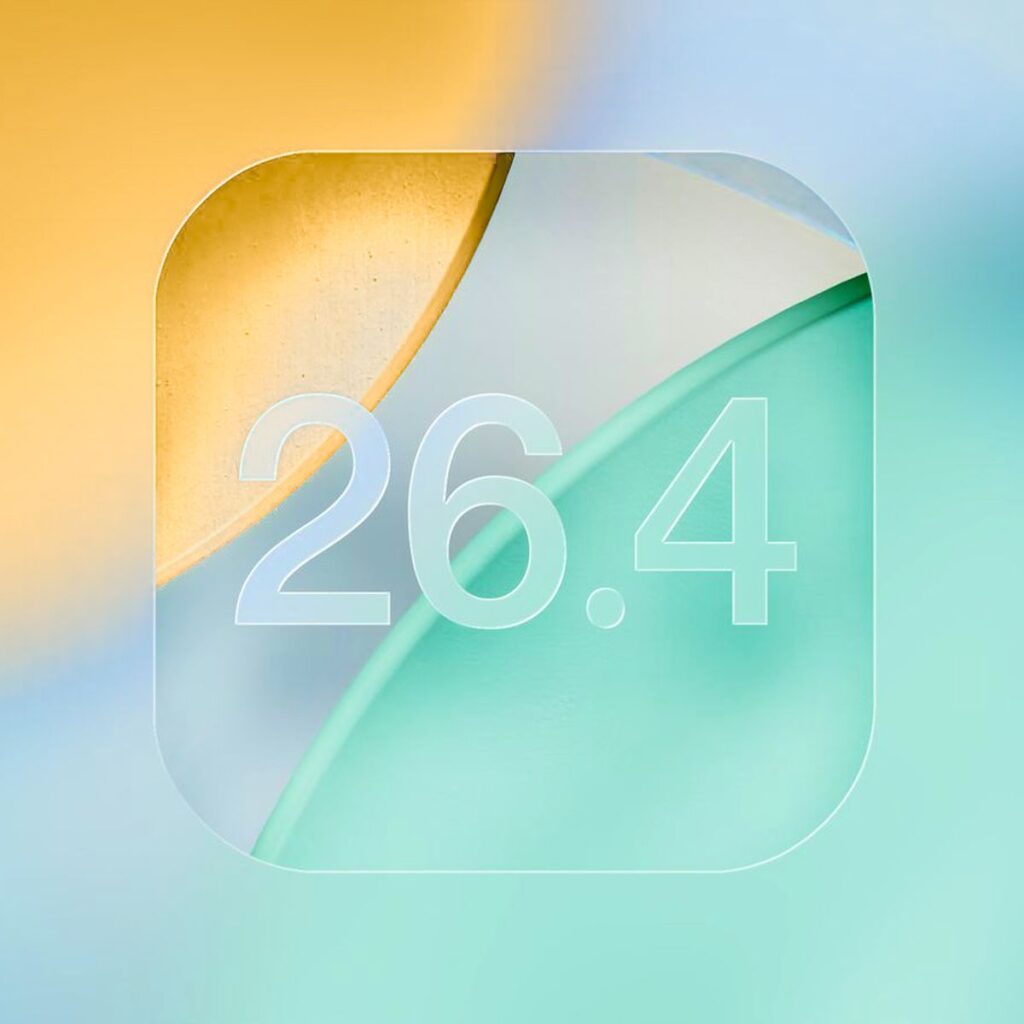
Your iPhone battery life vanishes in hours. But the new iOS 26.4 beta 4 changes the game.
Apple just dropped this update for developers and public testers. It brings crucial stability improvements.
It also adds fun new emojis and accessibility tweaks.
If you want a smoother iPhone experience today, keep reading.
We will explore all the new iOS 26.4 beta 4 features together.
Short Story
Why You Should Care About iOS 26.4 Beta 4
As a senior Apple tech expert, I test every update.
I have reviewed iOS betas for over fifteen years.
This specific release is actually very important for everyday users.
Apple is finalizing the software for the new iPhone 17e.
They are also preparing for the M4 iPad Air launch.
This means iOS 26.4 beta 4 focuses heavily on reliability.
It is not just about flashy new tools. It is about making your daily device usage completely seamless.
The final public release is coming very soon.
Testing it now gives you a massive head start. You can learn the new layout before your friends do.
Beta testing used to be strictly for software developers.
Now, millions of everyday users install these early builds.
Apple relies on this massive testing pool to find bugs.
By installing this update, you help shape the final product. You become part of the Apple development process.
The Battery Drain Fix
A client complained about terrible battery drain. He was running beta 3 on his iPhone 16 Pro.
His phone would die by noon every single day. I told him to install this fourth beta immediately.
Within twenty-four hours, his standby battery life improved drastically.
Background processes were finally optimized by Apple.
Real-world testing proves this beta is highly refined. He can now use his phone all day without charging.
Top iOS 26.4 Beta 4 Features Explained
Let us dive deeply into the biggest software changes.
Apple focuses on polish over major redesigns in this build. These updates will make your daily iPhone usage much better.
Brand New Emojis
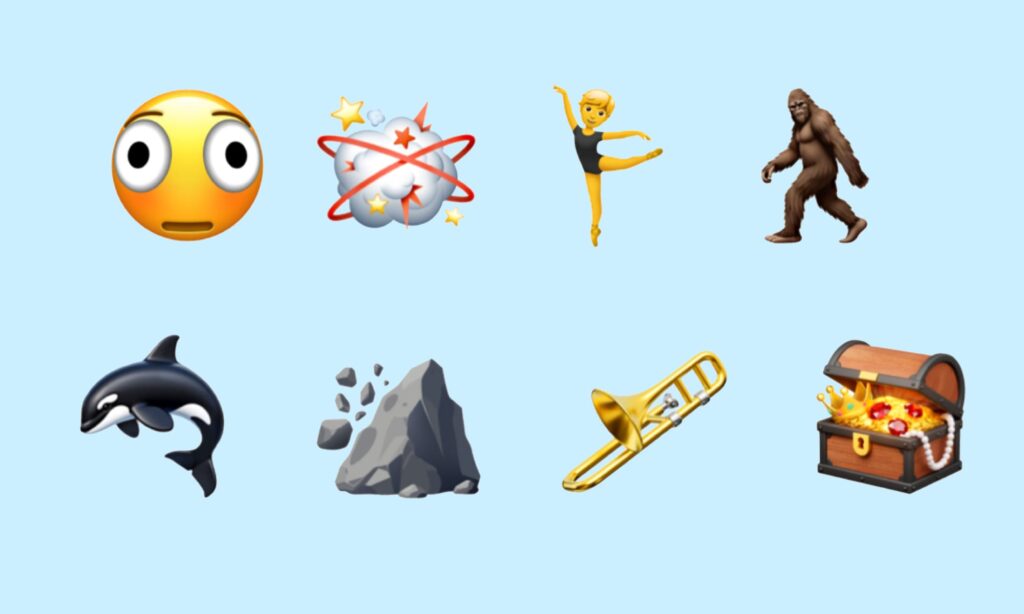
Everyone loves getting new emojis to share. This update brings several fun additions to your iOS keyboard.
You can now send a detailed trombone to your friends. There is a realistic treasure chest and a distorted face.
You will also find a hairy creature and a fight cloud. Animal lovers will appreciate the new beautiful orca emoji.
A landslide emoji is also included for dramatic effect.
Skin tone modifiers now apply to the wrestling emojis. You also get dancers wearing cute bunny ears.
Ballet dancers now have a fully gender-neutral option. This gives users much more flexibility when expressing themselves online.
Reduce Bright Effects
Apple changed a very important visual accessibility setting.
The old “Reduce Highlighting Effects” option is entirely gone. It is now officially called “Reduce Bright Effects.” This feature minimizes harsh flashing on your bright screen. It affects things like digital buttons and the virtual keyboard.
Analogy: Think of it like putting polarized sunglasses on your iPhone.
It blocks the harsh digital glare without ruining the picture. It makes navigating your phone much easier on the eyes. This is perfect for late-night scrolling in the dark.
RCS Encryption Beta Removed
Apple removed the RCS end-to-end encryption beta. They tested it heavily in the first three beta builds.
Now, it is completely gone from the operating system. Apple confirmed this feature will not launch right now. It is delayed until a future major iOS update.
During earlier tests, Apple enabled strict encryption for RCS conversations. This worked between iPhones and Android devices.
iMessage remains fully encrypted as always. RCS encryption for Android texts will come later this year.
Expert Insight: Do not panic about the missing RCS encryption. Apple simply needs more time to perfect the protocol. They want to ensure cross-platform security is completely flawless. Stick to iMessage for sharing highly sensitive personal information.
AI-Powered Apple Music Updates
Apple is supercharging its music app with artificial intelligence. The new Playlist Playground is a massive game-changer.
This feature uses advanced AI to build perfect custom playlists. It learns your exact listening habits over time.
The album and playlist views are also completely redesigned. They look much sleeker and load significantly faster now.
Personal Hotspot Data Tracking
Managing your cellular data is easier than ever before. iOS 26.4 beta 4 introduces per-device Personal Hotspot reporting.
You can now see exactly which device uses the most data. This is perfect if you share your connection with kids. You can finally find out who is draining your data plan.
Stolen Device Detection
Security is always a massive priority for Apple engineers. iOS 26.4 enables Stolen Device Detection by default.
This feature uses advanced sensors to recognize unusual movement patterns.
If someone snatches your phone, it locks down instantly. This prevents thieves from accessing your private banking apps.
Developer Beta vs Public Beta
Many people get confused by the different beta tracks. Apple offers two distinct paths for testing new software. Understanding the difference is crucial for a good experience.
The Developer Beta comes out first. It is designed specifically for app creators. It often contains more severe bugs and unexpected crashes.
The Public Beta arrives a few days later. It is generally much safer for everyday consumers.
Apple fixes the worst bugs before releasing the Public Beta.
For most users, the Public Beta is the best choice. It offers a great balance of new features and stability. You should only use the Developer Beta on a spare phone.
How to Install iOS 26.4 Beta 4 Safely
Are you ready to try the new software yourself? Follow these exact steps to update your device safely. Never skip the backup process.
Troubleshooting: What If This Doesn’t Work?
Sometimes, beta installations fail unexpectedly. Do not worry if you hit a frustrating snag. Try these proven troubleshooting steps to fix common issues.
The Update Won’t Appear
Sometimes the beta update simply refuses to show up. Force close your Settings app entirely by swiping up. Restart your iPhone using the physical side buttons.
Check your internet connection speed using a browser. Ensure you are logged into the correct Apple ID account. Toggle the Beta Updates setting off and back on.
Installation Stuck on “Preparing“
This is a very common and annoying beta glitch. You must delete the downloaded update file first.
Go to Settings, then General, then iPhone Storage. Find the iOS update file in the long list.
Tap it and select the delete option. Restart your phone and try downloading the update again.
Major App Crashes
Beta software can easily break third-party applications. Developers have not updated their apps for the beta yet.
Update all your apps in the App Store immediately. If an app still crashes, delete and reinstall it.
Remember, banking apps often reject beta software completely. You might need to use their website instead.
Severe Overheating
Your iPhone might get very hot after the update. This is entirely normal for the first few hours.
The phone is indexing data in the background. Leave it plugged in and let it finish processing.
If it stays hot for days, you have a problem. You might need to downgrade back to a stable release.
How to Downgrade from the Beta
Sometimes the beta is just too buggy for daily use. You can easily remove it and go back. You will need a Mac or a Windows PC.
Plug your iPhone into your computer using a cable. Open Finder on a Mac or iTunes on Windows. Put your iPhone into recovery mode using the buttons. Your computer will prompt you to restore the device. Click restore and wait for the process to finish. This will completely erase your device. You can then restore from your earlier backup.
Frequently Asked Questions (FAQ)
It is relatively stable, but risks always exist. Back up your data before installing any beta software.
Beta 4 includes numerous under-the-hood battery optimizations. Many users report improved battery life over beta 3.
Apple usually releases the final version shortly after beta 4. Expect it alongside the new iPhone 17e launch event.
Apple wants to ensure the security protocol is absolutely perfect. They delayed it to a future software update.
Some banking apps block access on beta software for security. You might have to use your mobile web browser.
Legal and Technical Disclaimer
Disclaimer: Beta software inherently contains bugs and unrefined features. Installing pre-release software can easily cause permanent data loss. Always back up your device using iCloud or a Mac. We are not responsible for bricked devices or lost data. Proceed with caution and at your own personal risk.
Ready for more tech insights?
Did you find these iOS 26.4 beta 4 features exciting?
Share this comprehensive guide with your tech-loving friends today!
Leave a comment below with your absolute favorite new emoji. Subscribe to our daily newsletter for more amazing Apple tips!

Ruth writes in-depth guides about Apple products, focusing on practical solutions for everyday users. Her articles cover device setup, hidden features, troubleshooting, and the latest updates for iOS, watchOS, and other Apple platforms.
He regularly researches Apple updates and tests features on devices like the iPhone and Apple Watch to ensure readers receive accurate and helpful information.