


By using this site, you agree to the Privacy Policy and Terms of Use.
Accept
Apple Headlines Logo Image Apple Headline's White Logo
  • 🔥 Trending:
  • Apple Tech
  • How to Fix
  • Readers Space
  • iPhone
  • iOS
  • Mac
  • Apple Watch
  • iPadOS
  • AirPods
  • Contact Us
Reading: Apple Rolls Out iOS 26.3 RC: Privacy, Performance, and Cross-Platform Updates
Apple HeadlinesApple Headlines
Font ResizerAa
  • iPhone
  • iOS
  • Mac
  • Apple Watch
  • iPadOS
  • AirPods
  • Contact Us
Search
  • iPhone
  • iOS
  • Mac
  • Apple Watch
  • iPadOS
  • AirPods
  • Contact Us

Must Read

Only one AirPod working while the other is not connecting

Only One AirPod Working? How to Fix AirPods Connection & Pairing Issues Fast

Apple iOS 27 beta 5 release with iPadOS 27, macOS 27, watchOS 27, tvOS 27, and visionOS 27

Apple Releases iOS 27 Beta 5 and More on August 10: Here’s What Changed

iPhone keyboard lag and delay fix guide

How to Fix iPhone Keyboard Lag and Delay (Stop Stuttering While Typing)

Apple CarPlay dashboard showing Maps, Music, Phone, and Messages

How to Use Apple CarPlay: Complete Step-by-Step Guide

Woman looking at an iPhone with the App Store missing

Where Did My App Store Go? The 5-Minute Fix to Get It Back on iPhone

Follow US
© Apple Headlines. All Rights Reserved.
Apple Headlines > iOS > Apple Rolls Out iOS 26.3 RC: Privacy, Performance, and Cross-Platform Updates
iOS

Apple Rolls Out iOS 26.3 RC: Privacy, Performance, and Cross-Platform Updates

Virginia J. Alfonso By Virginia J. Alfonso Last updated: February 5, 2026
4 Min Read
SHARE

Apple has officially released iOS 26.3 RC (Release Candidate) to developers and public beta testers, marking the final stage before the update rolls out to all iPhone users.

This build, released on February 4, 2026, carries the build number 23D125 and is expected to be identical to the public version arriving within days.

Release Timeline iOS 26.3 RC

  • RC release date: February 4, 2026
  • Public release expected: Within the week (likely February 9, 2026)
  • Build number: 23D125

As usual, the RC version is essentially the finished product, giving developers and testers a preview of what the wider iPhone community will soon experience.

iOS 26.3 RC Features and Improvements

1. Transfer to Android

One of the most notable additions is a new migration tool that allows users to transfer contacts, photos, and messages directly to Android devices.

Main Topics
Release Timeline iOS 26.3 RCiOS 26.3 RC Features and ImprovementsEcosystem-Wide UpdatesWhy iOS 26.3 RC MattersLimitationsConclusion

By placing the two phones side by side, data moves seamlessly.

This feature reflects Apple’s compliance with interoperability requirements and offers greater flexibility for users switching platforms.

2. Privacy Enhancements

Apple continues to strengthen its privacy-first reputation with:

  • Improved location-sharing controls.
  • Expanded notification management across Apple and non-Apple devices.
  • Updates to app tracking transparency, giving users more visibility into third-party data access.

3. Performance and Stability

More Read

Apple iOS 27 beta 5 release with iPadOS 27, macOS 27, watchOS 27, tvOS 27, and visionOS 27
Apple Releases iOS 27 Beta 5 and More on August 10: Here’s What Changed
iOS 27 vs iOS 26 comparison thumbnail showing new AI features, redesigned interface, faster performance, and Apple Intelligence improvements in 2026.
iOS 27 vs iOS 26: What’s New and Improved (2026 Guide)
A hand holding an iPhone displaying the iOS 27 Beta 3 update with bold text highlighting nine major changes Apple introduced before the public beta release.
iOS 27 Beta 3: 9 Critical Changes Apple Just Unlocked Before the Public Beta
  • Faster animations and smoother multitasking.
  • Reduced app launch times.
  • Optimized battery usage during background processes.

4. Wallpaper and Personalization

  • Updates to Astronomy and Weather wallpapers.
  • Introduction of dynamic wallpapers that adapt to time of day and weather conditions.

5. Cross-Device Compatibility

Apple has refined integration with third-party devices, ensuring smoother connectivity with smart home systems, wearables, and accessories outside the Apple ecosystem.
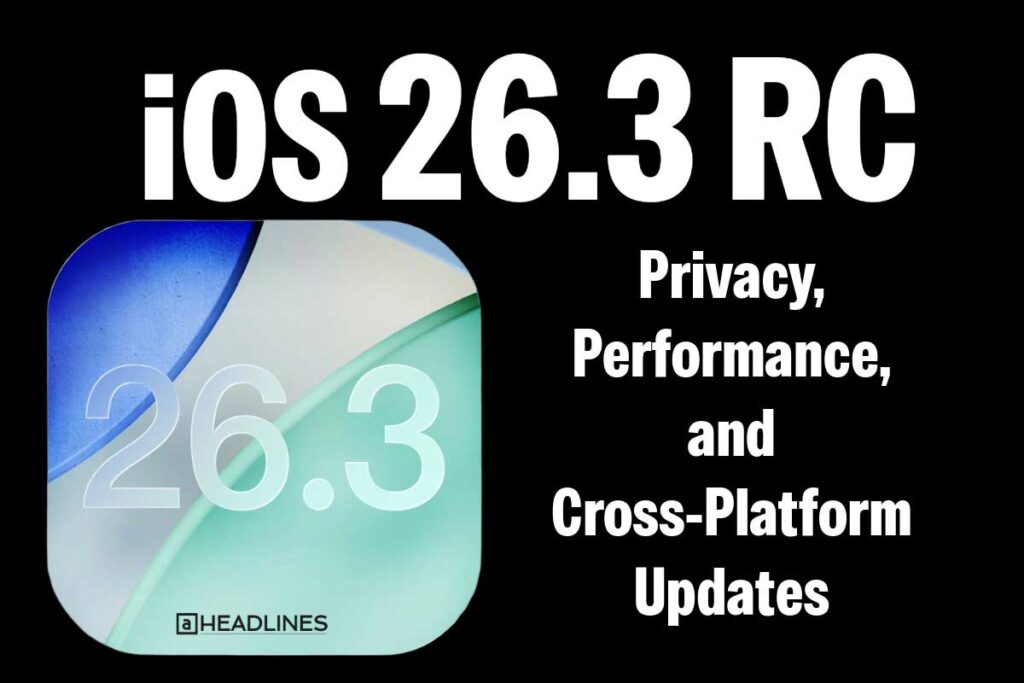
iOS 26.3 RC update graphic showing privacy, performance, and cross-platform features on a black background.
iOS 26.3 RC introduces enhanced privacy, better performance, and improved cross-platform compatibility.

Ecosystem-Wide Updates

Alongside iOS 26.3 RC, Apple also released:

  • iPadOS 26.3 RC – multitasking refinements and Apple Pencil improvements.
  • watchOS 26.3 RC – enhanced health tracking and workout metrics.
  • tvOS 26.3 RC – smoother streaming and UI tweaks.
  • macOS Tahoe 26.3 RC – security patches and performance boosts.
  • visionOS 26.3 RC – better app scaling and immersive environment support.

Why iOS 26.3 RC Matters

While this update may appear incremental, it’s strategically important:

  • Cross-platform migration shows Apple’s willingness to adapt to regulatory pressures and user demand.
  • Privacy upgrades reinforce Apple’s brand identity as the leader in digital security.
  • Performance refinements ensure older iPhone models remain responsive and relevant.

Most importantly, iOS 26.3 RC sets the stage for iOS 26.4, which is expected to introduce the next-generation Siri powered by Google’s Gemini AI—a transformative step in Apple’s AI strategy.

Limitations

  • The Transfer to Android feature may initially be restricted to newer iPhone models.
  • As with any RC build, minor bugs could still exist before the final public release.
  • Some personalization features may roll out gradually depending on region and device compatibility.

Conclusion

Apple’s iOS 26.3 RC is more than a maintenance update—it’s a bridge to the future of cross-platform compatibility and AI-powered experiences.

With privacy upgrades, smoother performance, and ecosystem-wide refinements, this release strengthens Apple’s ecosystem while preparing users for the groundbreaking innovations of iOS 26.4.

Virginia smiling face image
Virginia J. Alfonso

Virginia J. Alfonso is a seasoned technology writer with a passion for all things digital. With over a decade of experience covering the latest in tech innovation, gadgets, and software, Virginia brings a unique blend of technical expertise and accessible writing to her work. Her articles focus on making complex tech topics easy to understand for readers of all levels.


TAGGED:iOS Updates
Share This Article
Facebook Twitter Pinterest Whatsapp Whatsapp LinkedIn Reddit Threads Email Copy Link
Previous Article Close-up of iPhone 18 triple camera module with three 48MP lenses and advanced sensor design iPhone 18 Camera: 48MP Leaks, Variable Aperture & What to Expect
Next Article iPhone displaying iOS 18.7.5 update screen with features, fixes, and performance guide text. iOS 18.7.5 Update: Features, Fixes, and Performance Guide

Follow Us On Social

FacebookLike
InstagramFollow
YoutubeSubscribe

Our Published Video

Must Read

Only one AirPod working while the other is not connecting

Only One AirPod Working? How to Fix AirPods Connection & Pairing Issues Fast

Apple iOS 27 beta 5 release with iPadOS 27, macOS 27, watchOS 27, tvOS 27, and visionOS 27

Apple Releases iOS 27 Beta 5 and More on August 10: Here’s What Changed

iPhone keyboard lag and delay fix guide

How to Fix iPhone Keyboard Lag and Delay (Stop Stuttering While Typing)

Apple CarPlay dashboard showing Maps, Music, Phone, and Messages

How to Use Apple CarPlay: Complete Step-by-Step Guide

Woman looking at an iPhone with the App Store missing

Where Did My App Store Go? The 5-Minute Fix to Get It Back on iPhone

iPhone displaying a Safari error page with troubleshooting icons for fixing Safari not working on iPhone in 2026.

Safari Not Working on iPhone: The Complete 2026 Repair Guide (11 Tested Fixes)

Apple Headlines Logo Image

Apple Headlines delivers fresh, reliable Apple news, how-to guides, and tips for every Apple user.

Topics

  • iOS
  • iPhone
  • Mac
  • Apple News
  • Apple Watch
  • iPadOS
  • AirPods

Quick Links

  • Home
  • About Us
  • Privacy Policy
  • Terms of Service
  • Contact Us
Apple Headlines Logo Image

Designed By Apple Headlines

appleheadlines.com