



It is important to stay organize in today’s world.
If you’re on a phone that supports Siri, Todoist offers a great way of capturing tasks via voice commands using Siri shortcuts.
Learn how to setup and use Todoist voice capture with Siri shortcuts in this guide to streamline your productivity.
Know How to Use Siri Shortcuts TODO List
Todoist is a task management tool that lets you take care of your to do lists, projects, and deadlines.
In contrast, Siri shortcuts are a capability on Apple products that give you the ability to set tasks on repeat or master custom workflows through voice command.
When you put them together, it’s easy to add tasks you want to get done to your Todoist list without lifting a finger.

Using Siri Shortcuts to Set up Todoist
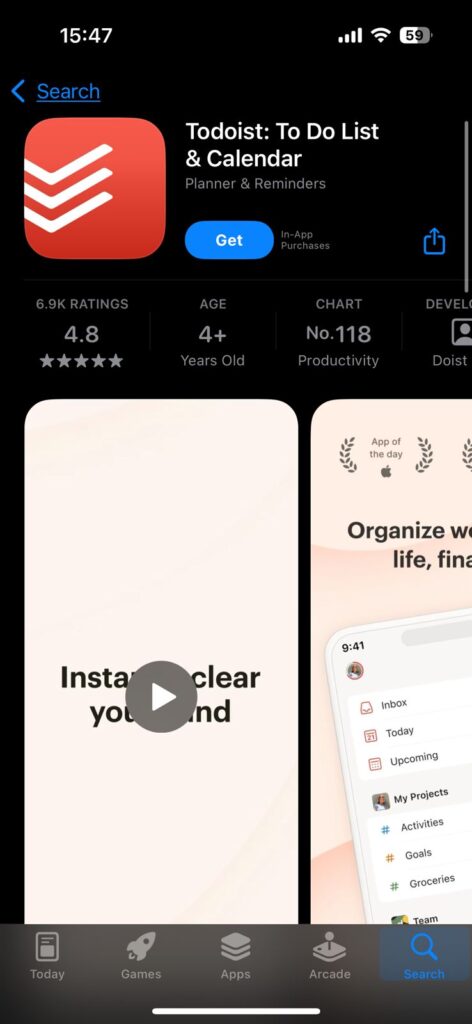
Download Todoist: If you’re an Apple device user, ensure this Todoist app is installed.
Enable Siri: Make sure Siri is activated on your device. To change this require going to Settings > Siri & Search and toggle on ‘Listen for ‘Hey Siri’.



Create a Siri Shortcut: Open Shortcuts, and make a new shortcut. Again, tap the ‘+’ icon on the far right and then select ‘Add Action‘. Select Scripting, then Run Script.
Add Todoist Action: In the script editor paste the following script to create a task in Todoist.
Save and Run the Shortcut: Copy and save the shortcut, and give it a name; for example,
Add Task to Todoist. Now say hey Siri, run Add Task to Todoist, and then a few words of your task.
Todoist Voice Capture with Siri Shortcut


After you’ve set up the Siri shortcut, you can start to capture tasks using voice commands.
Here are some examples of how to use it:
Add a Task: “Tell Siri, Siri, add [task name] to my Todoist list.”
Add a Task with a Due Date: “Hey Siri add [task name] to my Todoist list due tomorrow.”
Add a Task to a Specific Project: Just talk to Siri ‘Hey Siri, add [task name] to [project name] list in Todoist.’
View Tasks: “Show me all tasks in todoist for today”, say to ‘Hey Siri’.
Todoist Voice Capture With Siri Shortcut Benefits
Using Todoist voice capture with Siri shortcuts offers several benefits:
Hands-Free Task Management: It’s great for tasks you can do while driving or cooking, because you don’t need to use your hands to add them.
Increased Productivity: Task capture happens quickly, as you capture tasks as they come to mind, keeping nothing from slipping through the cracks.
Customization: You can also create different shortcuts for different types of tasks like adding to a specific project or setting due dates.
Conclusion
Voice assistant integration with productivity apps has become a popular thing in recent years.
These tools have been reported to significantly increase users’ productivity as well as potential task management efficiency.
With time, we can see more and more seamless integrations, more and more new features.
Key Takeaways
- Set Up Siri Shortcuts: Build your own shortcuts to add tasks to Todoist in an automatic way.
- Use Voice Commands: Hands free Siri voice command Capture tasks.
- Customize Shortcuts: Customize shortcuts for your purpose of task management.
- Stay Productive: Quickly pull tasks you think of right off the top of your head.
FAQ Section
How do I set up Todoist with Siri shortcuts?
Install Todoist, allow Siri, create new shortcut in Shortcuts app and put in a script to let it add tasks to Todoist.
Can I use Siri to add tasks to specific projects?
Of course, you can say “Hey Siri, add [task name] to my [project name] list in Todoist.”
What are the benefits of using Todoist voice capture with Siri shortcuts?
It will provide you with hands-free task management, you’ll improve your productivity and, most of all, you can customize shortcuts for different tasks.
Do I need to use my hands to capture tasks with Todoist and Siri?
You can capture tasks too with voice commands, which is great when your hands are busy.
Disclaimer
Data presented in this article are based on publicly accessible sources and may be outdated. Please rely on official sources for the latest.

Virginia J. Alfonso is a seasoned technology writer with a passion for all things digital. With over a decade of experience covering the latest in tech innovation, gadgets, and software, Virginia brings a unique blend of technical expertise and accessible writing to her work. Her articles focus on making complex tech topics easy to understand for readers of all levels.