




Last updated: November 2, 2026
You unfold your new iPhone Duo, tilt it toward the window, and there it is: a faint line running down the middle of the inner screen.
Is that normal? Or is your $1,999 phone already broken?
Short answer: a soft crease is normal on the iPhone Duo, just like on every foldable phone.
Apple has reduced it, but not removed it.
A crack, though, is different.
Apple has acknowledged a crack issue on some units and is replacing affected phones.
Here’s how to tell which one you’re looking at, in about 60 seconds.
Is Your iPhone Duo Crease Normal?
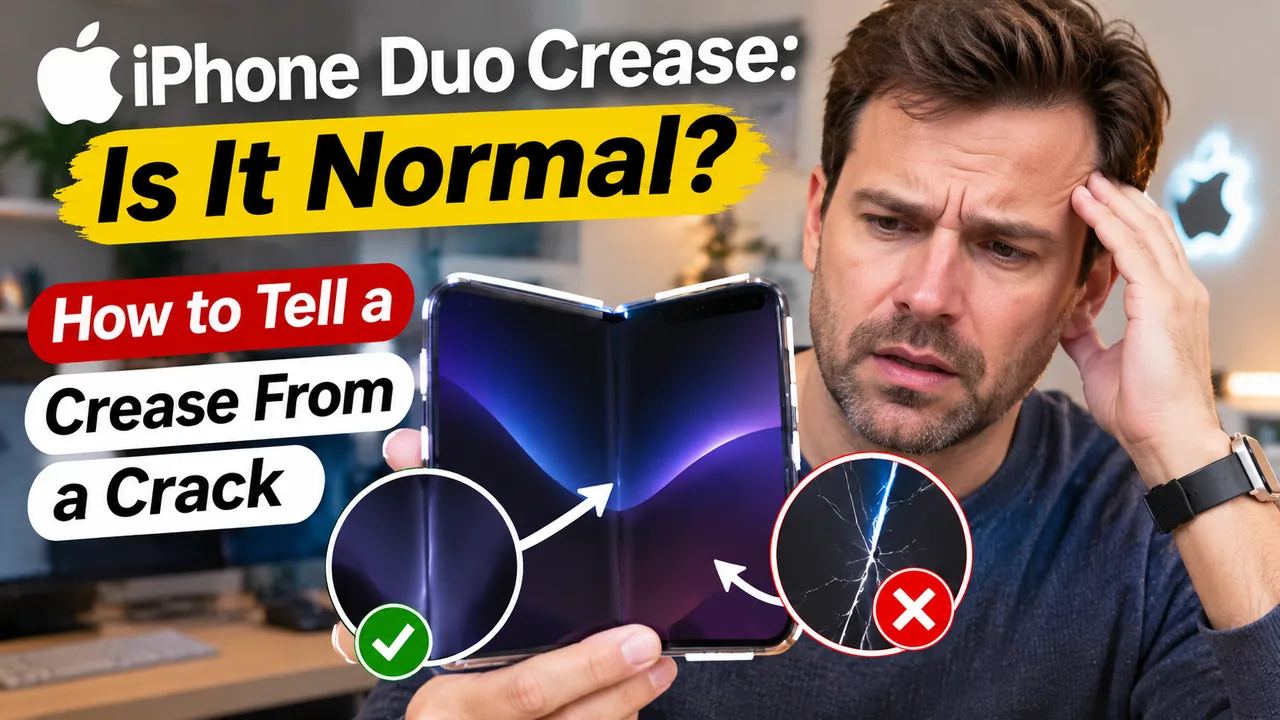
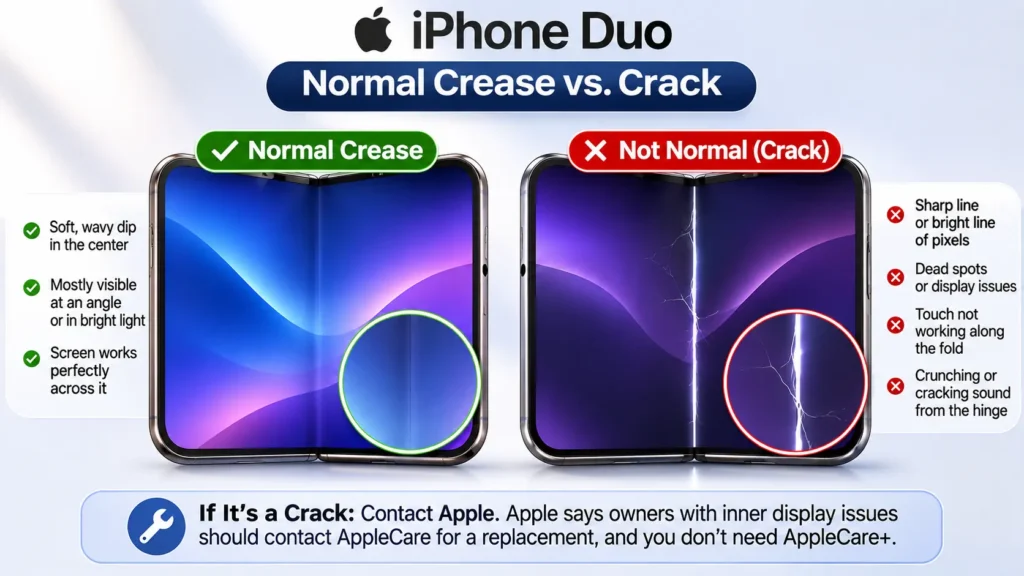
A soft, wavy dip down the center that you mostly see at an angle or in bright light. The screen works perfectly across it.
A sharp line, a bright or glowing line of pixels, dead spots, touch not working along the fold, or a crunching or cracking sound from the hinge.
Apple says owners with inner display issues should contact AppleCare for a replacement. You don’t need AppleCare+.
Read the full guide →Does the iPhone Duo have a crease?
Yes. Every foldable phone with a bending OLED screen has one, and the iPhone Duo is no exception.
Apple’s own wording is careful.
On its iPhone Duo product page, Apple answers the question “Does the inner display show a crease where it folds?” without ever saying “no.”
Instead, it describes the screen as “wonderfully flat and smooth.”
It says special optically clear adhesives let the display layers glide as it folds, “minimizing stress and crease.”
Apple also says the nano-texture finish helps hide the crease and cut glare.
The key words are “minimizing” crease, not eliminating it.
MacRumors noted this right after the September 9 announcement: Apple doesn’t claim the crease is gone.
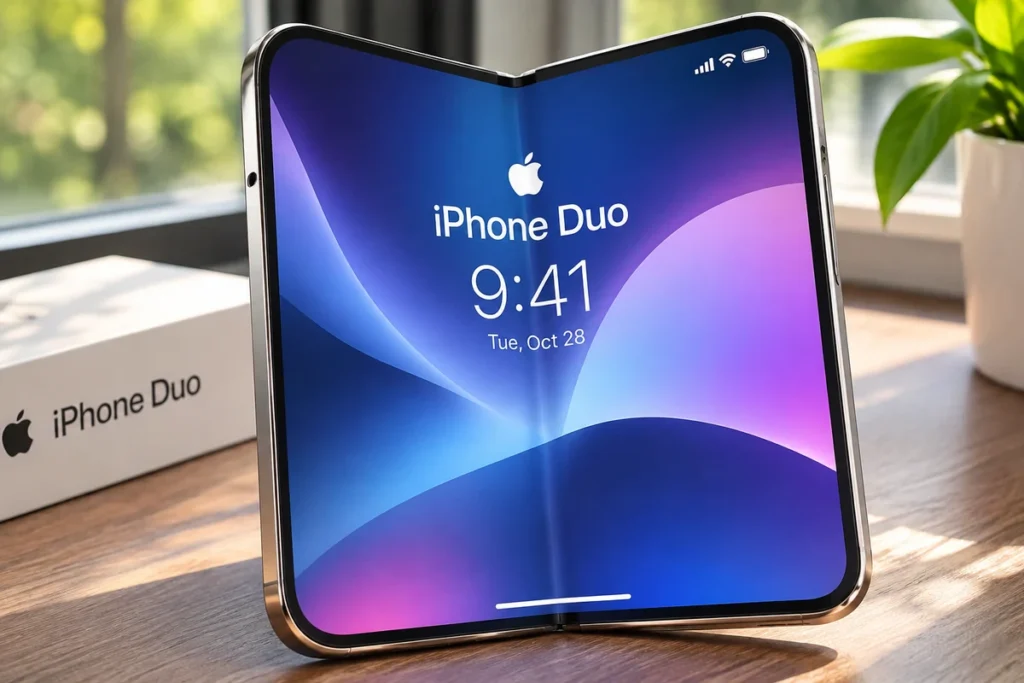
How visible is the iPhone Duo crease?
It depends on how you look at it, and on who you ask.
What reviewers say
- Some reviewers barely see it. In side-by-side comparisons with Samsung’s Galaxy Z Fold 8, some reviewers called the iPhone Duo’s inner screen close to creaseless in everyday use.
- Others say it’s about the same as Samsung. 9to5Google’s early hands-on said the crease looked about as visible as on the Galaxy Z Fold 8. It pointed to Apple’s two-layer flexible glass.
Both can be true. The crease is easy to miss straight-on, and much easier to spot at an angle under bright light.
When you’ll notice it most
- Viewing at an angle, especially with a window or ceiling light reflecting off the screen
- Bright, plain backgrounds like a white web page or document
- Running your finger across the fold, where you’ll feel a gentle dip
When you’ll barely notice it
- Looking straight at the screen
- Watching video or dark content
- Normal reading and scrolling, where it tends to fade into the background
Does the crease get worse over time?
Probably a little, which is normal for every foldable. But early tests are stress tests, not real life.
Here’s what early durability tests found (reported by Notebookcheck, October 22, 2026):
- After about 500 folds in one YouTube test, the crease looked visibly deeper, but felt about the same to the touch.
- After 10,000 folds in freezing cold (-4°F), it deepened further. Notebookcheck pointed out this isn’t representative of real-world use.
- After 3,000 folds in another test (HTX Studio), the iPhone Duo’s crease was deeper than on two other foldables used for comparison.
- In those tests, the hinge itself held up.
For context, opening your phone about 50 times a day works out to roughly 18,000 folds a year. So some deepening over months is expected. Apple hasn’t published an official fold rating for the iPhone Duo. Samsung rates the Galaxy Z Fold 8 for 500,000 folds.
Bottom line: a crease that slowly becomes a little more visible is normal wear. A crease that suddenly turns into a sharp line or starts showing glowing pixels is not.
iPhone Duo crease vs crack: how to tell the difference
This is the part that matters most, because a crack is covered and a crease isn’t.
Normal Crease vs. Display Crack
Know the difference before assuming your iPhone Duo screen is damaged.
| CHECKPOINT | ✓ Normal crease | ✕ Crack / display fault |
|---|---|---|
| What it looks like | Soft, wavy dip; looks like a ripple | Sharp, thin line; may spread |
| Pixels | All normal | Bright or glowing white line, stuck or dead pixels |
| Where | Exactly down the center fold | Along the hinge, sometimes toward one side of the screen |
| Touch | Works normally across it | May not respond along the line |
| Sound | None | Some owners reported a crack or crunch from the hinge |
| When it appears | Present from day one, changes slowly | Can appear suddenly, sometimes within hours of unboxing |
| Covered by Apple? | No Normal design | Yes* Apple is replacing affected units |
Important: A visible crease alone does not mean your display is damaged. If you notice bright lines, dead pixels, touch problems, or unusual hinge sounds, contact Apple for an inspection. *Replacement eligibility depends on Apple’s inspection and applicable service terms.
Reports of cracked iPhone Duo screens started appearing right after the October 23 launch. Most affected phones showed damage right along the hinge, often with a line of bright pixels across one side of the screen.
The 60-second check
Do this if you’re not sure what you’re looking at:
- Set a black or very dark wallpaper, or open a black image full-screen on the inner display.
- Turn brightness to maximum and look straight on. A crack or fault usually shows up as a bright line or glowing pixels. A normal crease is invisible here.
- Switch to a white screen (a blank note or page) and look for dark or dead spots along the fold.
- Drag an app icon slowly across the fold. If it skips, stalls or won’t move across the center line, the touch layer may be damaged.
- Open and close the phone slowly next to your ear. Listen for crunching, grinding or clicking. iFixit’s teardown found fine dust can get into the hinge.
- Run your fingertip gently across the fold. A soft dip is normal. A sharp edge or ridge is not.
If everything passes, it’s just the crease. Nothing to do.
If anything fails: take photos and a short video right away, back up your iPhone, and contact Apple. Our guide to iPhone Duo screen issues and getting a replacement walks through each step.
Can you fix or reduce the iPhone Duo crease?
No. You can’t remove it, and nothing in an app or in Settings changes it.
But you can keep it from getting worse faster than it should, and make it less noticeable:
- Leave the factory film on the inner screen. Foldable inner screens are softer than regular glass. Don’t peel off the layer your iPhone Duo shipped with, and don’t add a random third-party film on top. >> See our iPhone Duo screen protector guide.
- Close it gently. Snapping it shut one-handed puts extra stress on the fold.
- Keep the hinge clean. Avoid pockets with lint, sand or crumbs.
- Don’t press hard on the crease, and never with fingernails, pens or keys.
- Use a case made for the iPhone Duo that protects the hinge without pressing on it. >> See iPhone Duo cases.
- Avoid extreme cold, which made the crease deeper in one stress test.
- Wipe oil and makeup off the screen. The nano-texture finish handles fingerprints well, but Notebookcheck noted it doesn’t do as well with oil and some makeup. Grime in the fold makes the crease easier to see.
- Use a darker theme or Dark Mode if the crease bothers you. It’s much less visible on dark content.
Is the crease worth returning the iPhone Duo over?
Only you can decide that. Here’s a fair way to think about it:
- If you bought from Apple within the last 14 days, you can return it for any reason, including “the crease bugs me.”
- The crease alone isn’t a defect, so outside the return window, Apple won’t replace a phone just because the crease is visible.
- Many foldable owners say they stop noticing it after the first week or so. If you’re still staring at it every day after two weeks, a foldable may not be for you, and that’s okay. Check your iPhone Duo trade-in value if you’re thinking of switching.
- Consider AppleCare+. An out-of-warranty inner screen repair costs $999, compared with $99 with AppleCare+.
iPhone Duo crease vs Galaxy Z Fold 8
iPhone Duo vs. Galaxy Z Fold 8
How do the two foldables compare on crease visibility, durability, and display technology?
| FEATURE | iPhone Duo | Galaxy Z Fold 8 |
|---|---|---|
| Crease visibility | Mixed reviews Reviews split: “close to creaseless” vs. “about the same as the Fold 8” | Much improved, but Tom’s Guide found it came back noticeably after 7 days |
| Official fold rating | Not published Not published by Apple | 500,000 folds Samsung’s rated fold count |
| Anti-glare finish | Nano-texture Matte-like finish | Check Samsung’s official specification sheet |
| Early stress test | 3,000 folds Crease deeper than two rival foldables after 3,000 folds (HTX Studio) | Not comparable No directly comparable result |
Comparison note: Review observations, manufacturer fold ratings, and independent stress tests measure different things. They should not be treated as directly equivalent durability results.
Our take: neither phone is truly creaseless. Apple’s matte nano-texture finish helps hide the crease in normal lighting. Long-term durability is still unknown, because the iPhone Duo has only been out since October 23. We’ll update this as more long-term data comes in.
Frequently asked questions
Yes. Every foldable with a bending screen has a crease. Apple says its design “minimizes” the crease, but it doesn’t claim it’s gone.
The crease is a slight dip in the screen surface. Light hitting it at an angle shows that dip. Look straight on, or use darker content, and it mostly disappears.
Not for a normal crease. But if you see a sharp line, glowing pixels, dead spots or touch problems along the fold, that’s a display fault. Apple says affected owners should contact AppleCare for a replacement, and AppleCare+ isn’t required.
Some deepening is expected with use. Stress tests found the crease looked deeper after 500–3,000 folds, but felt about the same to the touch. A sudden change, especially a bright line, is not normal.
Not really. Leave the factory film on the inner screen, because it’s part of how the screen is protected. Adding a thick third-party film can make the fold area look and feel worse.
Reviews are split. Some say the iPhone Duo is close to creaseless. Others say the two look about the same. One early 3,000-fold test found the iPhone Duo’s crease got deeper than two rival foldables.
Try one at an Apple Store first. Look at it at an angle under the store’s lights. If the crease bothers you there, it’ll bother you at home.
Final verdict
A soft crease on your iPhone Duo is completely normal. It’s part of how every foldable screen works, and Apple has only reduced it, not removed it.
What’s not normal is a sharp line, glowing pixels, dead spots or a crunching hinge.
If you see any of those, document it and contact Apple for a free replacement while the issue is acknowledged and your phone is under warranty.
Related iPhone Duo guides
- iPhone Duo: Specs, Price & Complete Guide
- iPhone Duo Screen Issues: Cracks, Costs & Replacement
- iPhone Duo Screen Protector Guide
- Best iPhone Duo Cases & Accessories
- AppleCare+ Explained
Sources
- MacRumors: Here’s What Apple Says About the iPhone Duo’s Crease (Sept 9, 2026)
- Notebookcheck: iPhone Duo crease put to the test (Oct 22, 2026)
- 9to5Google: iPhone Duo hands-on reveals crease (Sept 9, 2026)
- TechRadar: iPhone Duo vs Galaxy Z Fold 8
- Tom’s Guide: Galaxy Z Fold 8 crease after 7 days
- The Register: Apple’s foldable phone has a crease in its reputation (Oct 27, 2026)
- 9to5Mac: Apple responds to reports of iPhone Duo’s inner display cracking (Oct 26, 2026)
Disclaimer: Apple Headlines is not affiliated with Apple Inc. Product details and Apple’s policies may change. Check Apple Support for the latest.
Related Posts:
- How to Get an Apple Card: Credit Score Needed, Approval Odds & How Long Approval Takes
- iPhone Duo Crease: Is It Normal? How to Tell a Crease From a Crack
- iPhone Duo Screen Cracked? How to Get a Free Replacement From Apple
- iPhone Alarm Goes Off but No Sound? 11 Proven Fixes for the iOS 27 Silent Alarm (Tested on iPhone 17 Pro)
- iPhone Photos Not Sending in Messages After Update? 9 Proven Fixes That Beat the iOS 27.2 Glitch (Tested)

T’kal is the lead strategist and developer behind Apple Headlines. With a background in digital marketing and web development, he specializes in technical Apple troubleshooting, software news, and hardware rumors. T’kal focuses on delivering high-authority tech content that bridges the gap between Apple enthusiasts and the latest industry innovations.