

You dropped your iPhone. That sickening crack spreads across the display like a spider web.
Now what?
Apple Store screen repair feels like the obvious answer — but most people overpay, book the wrong service, or waste hours waiting when a faster, cheaper option exists just down the street.
This guide cuts through the confusion and gives you every tool you need to get your screen fixed fast, affordably, and the right way in 2026.
Quick Highlights
Why Getting Apple-Certified Screen Repair Actually Matters
It’s tempting to use that $39 repair kiosk at the mall. But here’s what most people don’t realize: a non-certified screen replacement can silently cripple your iPhone.
Face ID can stop working. True Tone display calibration gets lost. Water resistance drops from IP68 to zero.
And if anything goes wrong down the road, Apple can deny warranty coverage because a non-authorized tech touched the device.
Think of your iPhone screen like the windshield on a luxury car.

Any glass shop can swap in a piece of glass – but only an authorized dealer can restore the heated defrost sensors, rain detection, and lane-assist camera calibration.
The glass is just one part of a much bigger system.
🔍 Expert Insight: Apple’s Ceramic Shield (introduced with iPhone 12) is not just glass — it’s a nano-ceramic crystal matrix fused to the display assembly. When a third-party shop replaces it with standard display glass, you lose that material’s drop resistance advantage entirely. You’re paying less but getting significantly less protection.
Apple-certified repairs — whether done at an Apple Store Genius Bar or an apple certified repair near me provider — guarantee:
2026 Apple Store Screen Repair Price: What You’ll Actually Pay
Pricing is where most guides get vague. Here are the real numbers for 2026.
iPhone Screen Repair Cost at Apple (Out-of-Warranty)
| iPhone Model | Out-of-Warranty Screen Repair Cost |
|---|---|
| iPhone SE (2nd & 3rd gen) | $129 |
| iPhone 12, 13 | $229 – $279 |
| iPhone 14 | $279 |
| iPhone 14 Pro / Pro Max | $329 – $379 |
| iPhone 15 / 15 Plus | $279 – $329 |
| iPhone 15 Pro / Pro Max | $329 – $379 |
| iPhone 16 / 16 Plus | $299 – $349 |
| iPhone 16 Pro / Pro Max | ~$379 |
With AppleCare+, every screen repair incident drops to just $29, regardless of your model. AppleCare+ itself typically costs $149–$199 for two years depending on the iPhone model.
That means if you have a newer iPhone and no AppleCare+, adding AppleCare+ and then filing a screen claim can still save you $100–$200 compared to a straight out-of-warranty repair — even factoring in the plan cost.
Apple Store Screen Repair iPad Pricing (2026)
iPad screen repair costs vary by model and can range from $199 for an iPad mini to $499 for an iPad Pro when going out-of-warranty through Apple.
| iPad Model | Out-of-Warranty Screen Repair |
|---|---|
| iPad (standard, 9th–10th gen) | $199 – $249 |
| iPad mini | $199 – $249 |
| iPad Air (M2) | $299 – $349 |
| iPad Pro 11″ (M4) | $449 |
| iPad Pro 13″ (M4) | $599 – $649 |
For the M4 iPad Pro and M2 iPad Air, AppleCare+ now offers $29 screen repairs — the same low rate previously only available for iPhones. For previous-generation iPad models, AppleCare+ charges a $49 fee for screen repairs.
Pro Tip: Before you pay out-of-warranty pricing, visit checkcoverage.apple.com and enter your device serial number.
Thousands of people pay full price not realizing they still have an active AppleCare+ plan — or that their device qualifies for a free repair under Apple’s limited warranty due to a manufacturing defect.
How to Book an Apple Store Screen Repair: Step-by-Step
Option 1 — Genius Bar Appointment (Fastest for Same-Day Repair)
Option 2 — Mail-In Repair (Best When No Local Store Exists)
Option 3 – Express Replacement (AppleCare+ Only)
Finding an Apple Authorized Repair Near You (And Why It Can Be Better)
Not everyone lives near an Apple Store. That’s where Apple Authorized Service Providers (AASPs) come in — and this is the most overlooked option in most repair guides.
What Is an Apple Authorized Service Provider?
Apple retail stores and a large network of Apple Authorized Service Providers offer Apple-certified repairs using genuine Apple parts.
Only repairs performed directly by Apple or by an Apple Authorized Service Provider are covered by Apple’s Limited Warranty and AppleCare plans.
When searching for apple authorised repair near me or apple certified repair near me, you’re looking for shops that carry Apple’s AASP certification badge. These include:
How to Verify an Apple Authorized Provider
If you aren’t sure whether a provider is an Apple Authorized Service Provider, Apple provides a verification page at support.apple.com/en-us/repair/verify-repair-provider.
Always verify before handing over your device — scam shops use vague language like “Apple-trained” or “Apple-compatible” without holding actual certification.
Real-World Case Study: Sarah’s $29 Repair vs. the $349 Quote
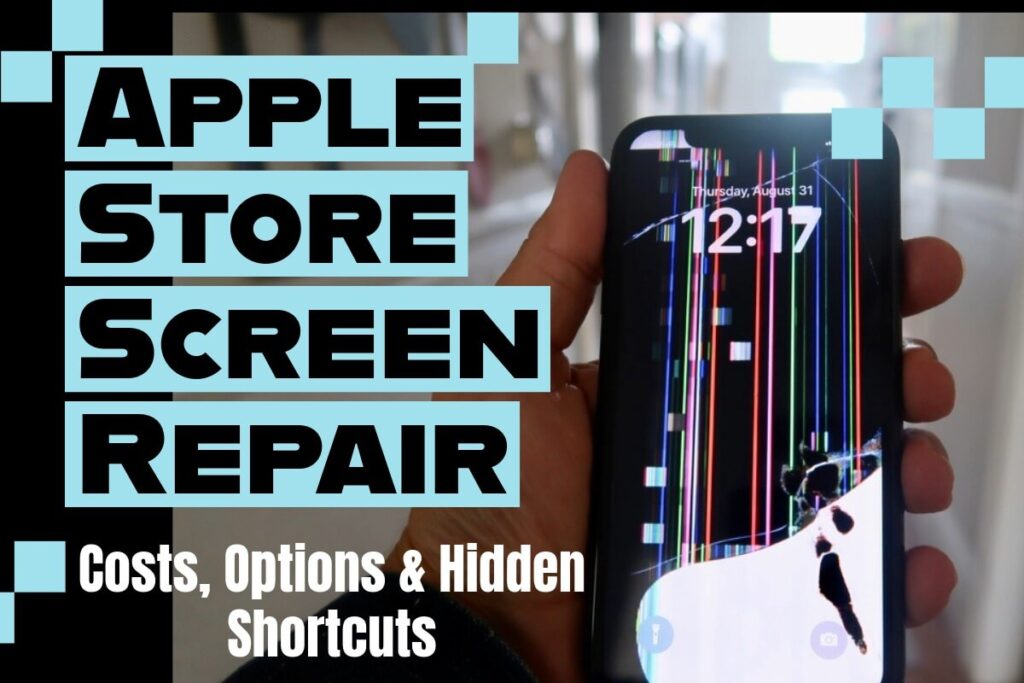
Sarah dropped her iPhone 15 Pro Max in September 2025. The screen cracked badly — visible lines and a dead zone in the lower-right corner.
She Googled “apple screen replacement near me” and the first result was a mall kiosk quoting $89. She almost said yes.
Instead, she checked her coverage at checkcoverage.apple.com. She had 14 months remaining on AppleCare+.
She booked a Genius Bar appointment for the next morning, paid her $29 accidental damage fee, and walked out 45 minutes later with a perfect, factory-calibrated display.
Total savings versus the mall kiosk: $60 — and a genuine Apple screen instead of a third-party panel.
Apple Authorized Screen Replacement: What Happens During the Repair?
Most people picture a technician hunched over their phone with tiny screwdrivers. The reality in 2026 is more sophisticated.
Apple Stores use automated display replacement systems — specialized machines that apply precise heat and pressure to separate display assemblies without damaging internal components.
The new screen is then calibrated electronically to match your specific device’s True Tone profile.
Apple quotes that screen repairs are usually completed in under an hour if you visit an Apple Store.
For more complex repairs — such as damage involving the display controller board — the device may need to be sent to an Apple Repair Center, which typically adds 3–5 business days.
Apple Repair Cost Estimate: How to Get One Before You Go
You should never walk into a repair appointment without a price estimate. Here’s how to get an accurate apple repair cost estimate in 2 minutes:
Troubleshooting: What If Things Don’t Go as Expected?
The Genius Bar Says There’s “Additional Damage”
Sometimes a cracked screen hides deeper damage – a bent frame, a damaged display connector, or a cracked back glass.
Apple will always show you the full diagnosis before charging anything additional.
You have the right to say no and take your device back unrepaired. If the estimated total repair cost approaches the cost of a refurbished replacement device, ask your Genius about Apple Trade In credit toward a newer model.
Your Face ID Stops Working After a Third-Party Repair
This is unfortunately common. Some features like True Tone may be disabled after non-authorized screen repairs.
Face ID is tied to a secure enclave chip that is paired with your original front-facing camera module.
If that module was disturbed or replaced during a third-party repair, Face ID may be permanently broken — and Apple cannot restore it without replacing the entire device.
This is the clearest argument for using apple authorized screen replacement from the start.
Your Repair Estimate Seems Higher Than Apple’s Published Price
Apple Authorized Service Providers can set their own service fees and will provide their own estimate.
If an AASP quote is higher than what Apple.com shows, you can book directly with Apple instead.
For AppleCare+ repairs, the $29 fee is fixed — the same at Apple and all authorized providers.
The Apple Store Has No Appointments for Several Days
Try these alternatives in order:
Third-Party vs. Apple Screen Repair: The Honest Comparison
| Factor | Apple / AASP | Independent Third-Party |
|---|---|---|
| Parts quality | Genuine Apple parts | Varies (OEM to aftermarket) |
| Face ID preserved | ✅ Yes | ⚠️ Often not |
| True Tone preserved | ✅ Yes | ⚠️ Usually lost |
| Water resistance restored | ✅ Yes | ❌ Usually not |
| Warranty coverage maintained | ✅ Yes | ❌ May void AppleCare |
| Repair warranty | 90 days / Apple warranty | Varies (30–180 days typical) |
| Typical cost (iPhone 15 Pro) | $29–$379 | $100–$220 |
| Speed | 45 min–1 hour in store | 30–90 min |
The math on third-party repairs changes significantly when you factor in long-term risks. A $150 third-party repair that disables Face ID on a $1,199 iPhone is not a bargain — it’s an expensive mistake.
Frequently Asked Questions
Most iPhone screen repairs at the Genius Bar or an Apple Authorized Service Provider are completed in under an hour. More complex repairs may require leaving your device overnight or using mail-in service (5–7 business days total).
Apple’s standard limited warranty does not cover accidental screen damage. However, if your screen cracked due to a manufacturer defect (unusual fracturing with no impact), it may qualify for a free repair. AppleCare+ covers screen damage for a $29 service fee per incident (unlimited incidents for iPhones).
For most screen repairs, Apple replaces only the display assembly — not the whole device. However, if additional internal damage is found, or if your device is a model where individual screen replacement isn’t available, Apple may offer a device replacement at the out-of-warranty service price.
Yes — as an Apple Authorized Service Provider, Best Buy uses genuine Apple parts and Apple-certified technicians. The repair is covered the same way, and the service fee for AppleCare+ repairs is identical to Apple’s own pricing.
Back up your device (iCloud or Mac/PC), disable Find My iPhone in Settings > [Your Name] > Find My, and note your device passcode. You do not need to erase the device before an Apple screen repair — technicians only need the passcode to verify functionality after the repair is complete.
Ready to Get Your Screen Fixed?
Don’t wait — a cracked screen is more than cosmetic. Cracks spread, moisture enters, and touch sensitivity degrades over time, turning a $29 repair today into a $379 replacement tomorrow.
→ Start your repair now at getsupport.apple.com
Or check your AppleCare+ coverage status in 30 seconds at checkcoverage.apple.com — you might be one click away from a $29 fix.

Ruth writes in-depth guides about Apple products, focusing on practical solutions for everyday users. Her articles cover device setup, hidden features, troubleshooting, and the latest updates for iOS, watchOS, and other Apple platforms.
He regularly researches Apple updates and tests features on devices like the iPhone and Apple Watch to ensure readers receive accurate and helpful information.