




Your Apple Watch is frozen, glitching, or you’re handing it off to someone new — and you need to reset it right now.
You’ve landed in the right place. Whether you have a Series 3, Series 7, or the latest Ultra 2, this guide covers every reset method Apple offers, plus the ones they don’t tell you about.
No fluff, no dead ends — just step-by-step instructions that actually work.
Short Stories
What’s the Difference? Restart vs. Force Restart vs. Factory Reset
Before you dive in, it helps to know what you’re actually doing. Think of your Apple Watch like a snow globe:
- Restart = gently shaking it to settle things down
- Force Restart = flipping it upside down when it won’t move on its own
- Factory Reset = smashing the globe and starting fresh with new snow
Each method serves a different purpose. Using the wrong one wastes time — or worse, wipes data you didn’t mean to lose.
| Method | When to Use | Erases Data? |
|---|---|---|
| Soft Restart | Watch is slow or acting odd | ❌ No |
| Force Restart | Watch is frozen or unresponsive | ❌ No |
| Factory Reset (from watch) | Selling, gifting, or fixing deep software issues | ✅ Yes |
| Unpair via iPhone | Clean slate with backup | ✅ Yes (with backup option) |
| Reset without iPhone | Lost phone, or phone is unavailable | ✅ Yes |
How to Restart Apple Watch (The Soft Reset)
This is your first line of defense. If your watch is sluggish, an app froze, or notifications stopped working — start here.
Steps to Restart Apple Watch
Your watch will be back up in about 30 seconds. No data is lost.
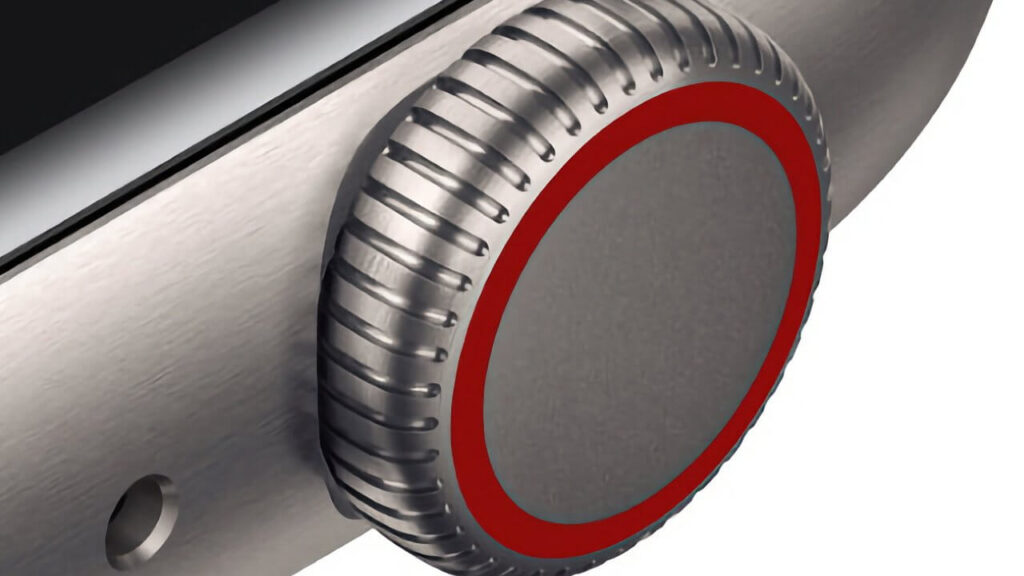
How to Force Restart Apple Watch (When It Won’t Respond)
Your watch screen is black, frozen, or completely unresponsive.
The soft restart isn’t an option because you can’t even get to the slider.

This is where the force restart comes in.
Steps to Force Restart Apple Watch
⚠️ Do not use a force restart while your watch is actively updating. This can corrupt the watchOS software and cause a bigger headache.

How to Factory Reset Apple Watch from the Watch Itself
This method wipes everything and returns your watch to out-of-box condition.
Use this when you’re selling your watch, giving it to a family member, or troubleshooting a serious bug that a restart can’t fix.
Steps to Factory Reset Apple Watch (On-Device)
🔴 Heads up: If Activation Lock is enabled (meaning the watch is linked to an Apple ID), you’ll need to enter the Apple ID password after the reset. Make sure you know it before you wipe.
How to Reset Apple Watch via iPhone (The Safest Method)
This is the recommended method for most people. Unpairing via your iPhone automatically creates a full backup of your watch first — so you can restore everything to a new watch if needed.
Steps to Unpair and Reset Apple Watch Using iPhone
The process takes 1–3 minutes. A backup is created automatically before everything is wiped. You’re covered.

Expert Insight: Why Unpairing via iPhone Is Almost Always the Right Move
Here’s something the Apple support page buries in fine print: every time you unpair your Apple Watch via the iPhone app, it creates a timestamped encrypted backup. That backup captures your activity data, health trends, app layout, notification settings, and even your workout history. If you reset directly from the watch, you skip that safety net entirely. Unless you’re in a situation where your iPhone isn’t available, always go through the Watch app. — AppleHeadlines Senior Editor
How to Unpair Apple Watch Without iPhone
Lost your iPhone? Switched carriers and it’s not working?
No problem. You can still perform a full reset directly from the watch — but there’s a catch.
Steps to Reset Apple Watch Without iPhone
⚠️ Activation Lock Warning: If the previous owner’s Apple ID is still linked, the watch will prompt for a password after the reset. Without that credential, the watch becomes a very expensive paperweight. This is Apple’s anti-theft protection — it works.
A Real-World Case Study: The Frozen Series 7 at 6AM
Marcus, a triathlete from Austin, Texas, woke up race morning to find his Apple Watch Series 7 stuck on a black screen with a spinning wheel. He’d updated watchOS the night before. Panicking, he tried pressing every button. Nothing.
He pulled up this guide on his phone. Within 60 seconds of doing a force restart (holding both buttons for 10 seconds), the Apple logo appeared. His watch booted normally with all his health data intact. He finished the race — and his Apple Watch tracked every mile of it.
The lesson? A force restart fixes 80% of software-related freezing issues. Always try it before jumping to a factory reset.
How to Reset Apple Watch Series 3 Specifically
The Apple Watch Series 3 is still widely used — especially in schools and by kids. The reset process is identical to newer models, but there’s one thing to watch out for:
How to Reset Apple Watch Series 7 and Newer
The Apple Watch Series 7, Series 8, Series 9, and Ultra all follow the same steps listed above. However, these models have one extra consideration:
Troubleshooting: What If the Reset Doesn’t Work?
Sometimes things don’t go as planned. Here’s how to handle the most common problems.
Problem 1: The Force Restart Isn’t Working
Problem 2: Stuck on Apple Logo After Reset
This usually means the watchOS software is corrupted. Try this:
Problem 3: “Activation Lock” Screen After Reset
You — or the previous owner — need to enter the Apple ID and password used to set up the watch. There is no bypass. Options:
Problem 4: Watch Won’t Reset — Asks for Passcode You Forgot
If you’ve forgotten your passcode, the only path forward is to reset via your paired iPhone (Watch app → Unpair). The iPhone method bypasses the watch passcode requirement.
FAQ: How to Reset Apple Watch — Your Top Questions Answered
Only if you reset directly from the watch without backing up. If you unpair via the iPhone’s Watch app first, all health and fitness data is backed up to iCloud. You can restore it when setting up a new watch.
Go to Settings → General → Reset → Erase All Content and Settings directly on the watch. This will wipe it without needing the iPhone. Just know that no backup will be created, and Activation Lock must be disabled manually if it was enabled.
Q3: Can I reset Apple Watch Series 3 the same way as Series 7?
Yes. The button combination and menu path are identical across all Apple Watch series. The main difference is that Series 3 may take longer to complete the reset due to older hardware.
Resetting the watch removes it from your iPhone, but it does not automatically cancel your carrier plan. You need to contact your carrier separately to remove the Apple Watch line from your account.
Ask the seller to navigate to Settings → General → About on the watch. Check that Paired shows “No” or that the watch shows a setup screen. You can also ask them to remove the watch from their Apple ID at appleid.apple.com before the sale.
Ready to Take Back Control of Your Apple Watch?
Whether you just needed a quick restart or a full factory reset, you now have everything you need. Bookmark this page — you never know when a frozen watch or a device handoff will send you back here.
Have a question this guide didn’t answer? Drop it in the comments below, and our team will respond within 24 hours.
Disclaimer: The instructions in this article are based on watchOS 10 and iOS 17/18, ios 26 as of March 2026. Apple may change menu locations or reset procedures in future software updates. Always back up your data before performing any reset. AppleHeadlines.com is not affiliated with Apple Inc. Activation Lock removal requests must be submitted directly to Apple Support with valid proof of purchase. We are not responsible for data loss resulting from following these instructions on unsupported or modified devices.

Ruth writes in-depth guides about Apple products, focusing on practical solutions for everyday users. Her articles cover device setup, hidden features, troubleshooting, and the latest updates for iOS, watchOS, and other Apple platforms.
He regularly researches Apple updates and tests features on devices like the iPhone and Apple Watch to ensure readers receive accurate and helpful information.