




Apple has officially rolled out iOS 26.2 Beta 3 to registered developers.
This latest beta brings several improvements and bug fixes.
Whether you’re a developer or an Apple enthusiast, this update offers exciting new features.
In this guide, we’ll explore what’s new in 26.2 Beta 3, how to download it, and what changes you can expect.
Let’s get the details of Apple’s newest software release.
Story in Short
- iOS 26.2 Beta3 brings performance improvements and bug fixes
- Available to registered Apple developers through Software Update
- Features enhanced battery life, faster Face ID, and UI refinements
- More stable than Beta 2 with fewer crashes and connectivity issues
- Not recommended for primary devices due to potential beta instability
What is iOS 26.2 Beta 3?
iOS 26.2 Beta 3 is the third developer preview of Apple’s iOS 26.2 update.
It follows iOS 26.2 Beta 2 and includes refinements to existing features.
Apple releases beta versions to test new functionality before the public launch.
This beta helps developers prepare their apps for the final release.
The 26.2 Beta 3 build number provides version tracking for developers.
Each beta iteration brings Apple closer to a stable public release.
Developers can test compatibility and report issues. Beta testing is crucial for identifying bugs early.
The beta 3 version continues Apple’s commitment to quality software.
iOS 26.2 Beta 3 Features and Changes
The iOS 26.2 Beta 3 features include several noteworthy improvements. Apple focuses on stability and performance in this release. Here’s what’s new in iOS 26.2 Beta 3:
The iOS Beta 3 changes focus on user experience improvements.
Apple addresses feedback from previous beta testers. These updates make iOS more reliable and efficient.
Performance Improvements
iOS 26.2 Beta 3 delivers noticeable speed improvements.
App launch times are faster across the board. Multitasking feels smoother on compatible devices. Apple optimized memory management for better efficiency.
These improvements benefit both new and older iPhone models.
Bug Fixes and Stability
This beta addresses several bugs reported in earlier versions.
Users experienced occasional app crashes in Beta 2. Beta 3 resolves these stability issues.
Bluetooth connectivity problems have been fixed. Wi-Fi performance is now more consistent across networks.
How to Download iOS 26.2 Beta 3
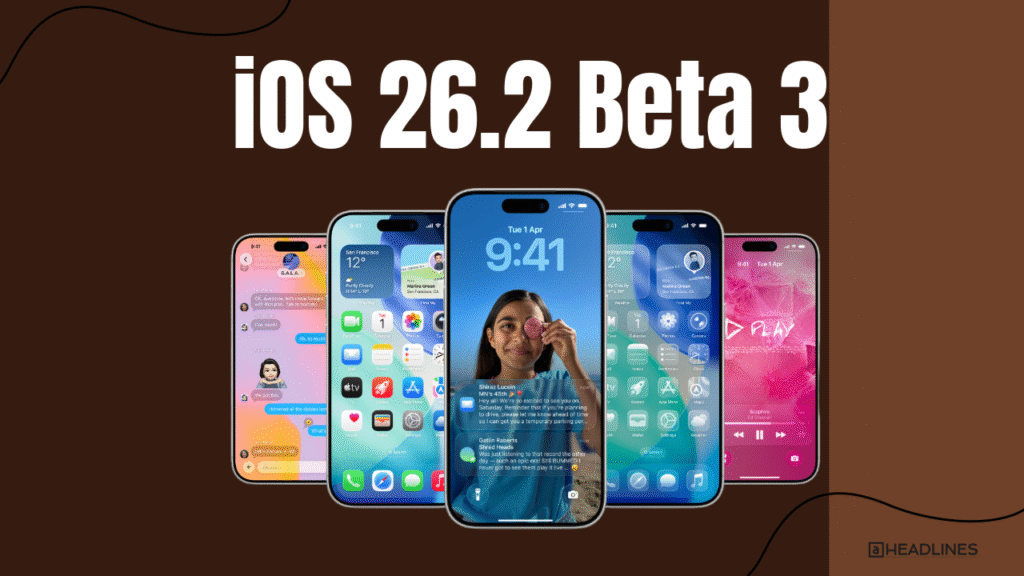
The iOS 26.2 beta download is available to registered developers. Here’s how to get iOS 26.2 Beta 3 on your device:
- Enroll in the Apple Developer Program at developer.apple.com
- Open Settings on your iPhone or iPad
- Navigate to General, then Software Update
- Tap Beta Updates and select iOS 26 Developer Beta
- Download and install iOS 26.2 Beta 3
Make sure your device is charged and connected to Wi-Fi.
The download size varies by device model. Installation takes approximately 15-20 minutes.
Always backup your device before installing beta software.
26.2 Beta 3 Build Number
The iOS 26.2 Beta 3 build number helps developers track versions.
You can find this in Settings under General, then About. The build number appears next to the iOS version.
This identifier is crucial for bug reporting and compatibility testing. Developers reference this number when submitting feedback to Apple.


Should You Install 26.2 Beta 3?
Beta software isn’t recommended for your primary device.
It may contain bugs that affect daily use. Developers need it to test app compatibility.
Apple enthusiasts curious about new features might consider it.
Wait for the public release for stability.
If you’re not a developer, the public beta might be better. It’s more stable than developer betas. Apple releases public betas shortly after developer versions. This gives you new features with fewer risks.
26.2 Beta 3 vs Beta 2: What Changed?
Comparing iOS 26.2 Beta 3 to Beta 2 reveals key improvements.
Beta 3 has better battery life optimization. The previous version had more frequent app crashes. Face ID works faster in the latest build.
Apple refined several UI elements based on feedback.
Beta 2 users reported Wi-Fi connectivity issues.
These are now resolved in Beta 3. The update size is slightly smaller this time.
Performance on older devices shows marked improvement. Overall, Beta 3 feels more polished and stable.
Frequently Asked Questions
1. How do I download 26.2 Beta 3?
Enroll in the Apple Developer Program. Go to Settings, then General, then Software Update. Select Beta Updates and choose iOS 26 Developer Beta. Download and install the update.
2. What are the main iOS 26.2 Beta 3 features?
Key features include improved battery optimization, faster Face ID, Safari bug fixes, performance enhancements, security patches, and UI refinements in Settings and Control Center.
3. Is Beta 3 stable for daily use?
Beta software may contain bugs affecting daily use. It’s best for testing on secondary devices. Wait for the public release for maximum stability. Developers need it for app compatibility testing.
4. What’s the Beta 3 build number?
Find the build number in Settings under General, then About. It appears next to your iOS version. This number helps developers track versions and report bugs.
5. Can I downgrade from iOS 26.2 Beta 3?
Yes, but you’ll need to restore your device using a computer. You’ll lose data not backed up. It’s recommended to backup before installing beta software. Downgrading requires downloading the stable iOS version.
Ready to experience new Beta 3?
Join the Apple Developer Program today and start testing the latest features!
Disclaimer
This article is for informational purposes only. Beta software may contain bugs and is not recommended for production devices.
Always backup your data before installing beta updates. Features and specifications are subject to change.
The author is not responsible for any device issues resulting from beta software installation. Install at your own risk.

Virginia J. Alfonso is a seasoned technology writer with a passion for all things digital. With over a decade of experience covering the latest in tech innovation, gadgets, and software, Virginia brings a unique blend of technical expertise and accessible writing to her work. Her articles focus on making complex tech topics easy to understand for readers of all levels.