




The Apple Watch has transformed how we interact with technology daily.
Since its launch in 2015, it’s become more than just a timepiece. It’s your fitness coach, health monitor, and personal assistant on your wrist.
Whether you’re a new owner or longtime user, this guide unlocks everything you need.
We’ll explore powerful features, solve common issues, and share expert tips. Get ready to maximize your Apple Watch experience.
Story in Short
Your Apple Watch becomes more valuable as you master its capabilities.
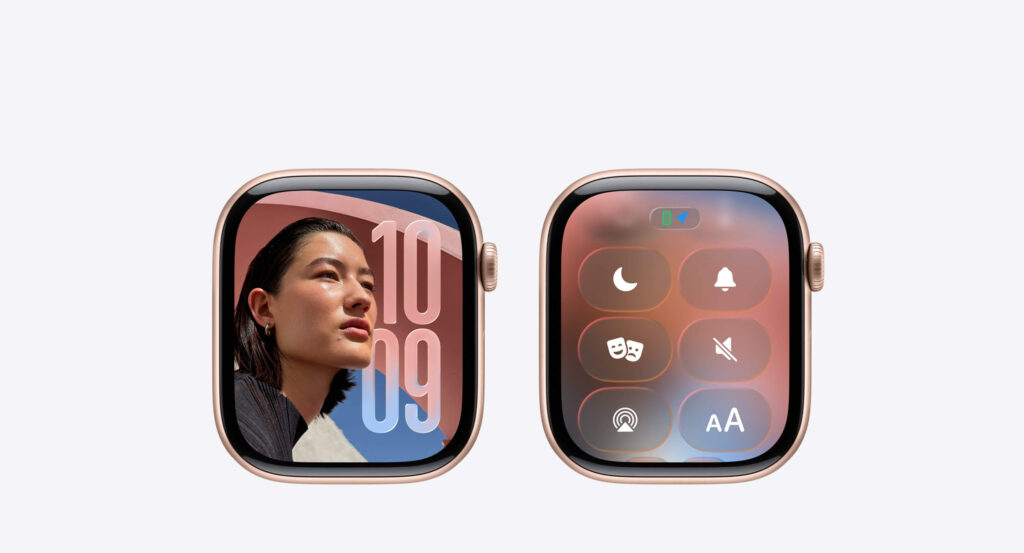
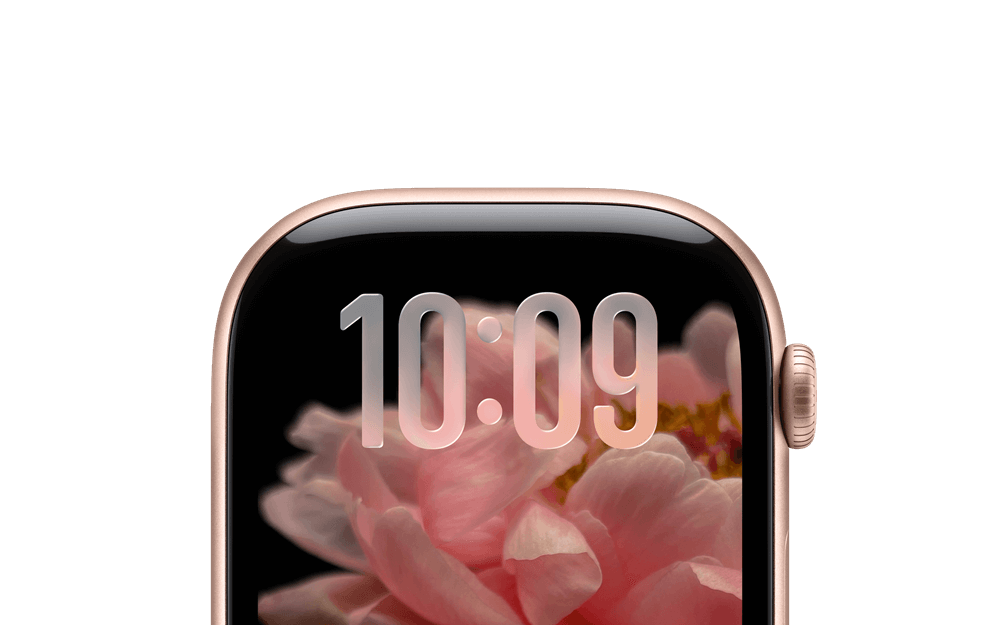
Start by customizing your watch face for your daily needs.
Enable health features like heart monitoring and sleep tracking immediately.
Troubleshoot common issues with simple restarts and calibration.

Explore hidden features like handwashing timers and noise monitoring.
Protect your investment with appropriate bands and screen protectors.
Remember that software updates continuously add new features free.
Take advantage of Focus modes and Shortcuts for automation.
Your Watch grows more powerful with every WatchOS release.
Most importantly, wear your Apple Watch consistently for accurate health tracking.
The more data it collects, the more personalized insights you receive.
Make it part of your daily routine for maximum benefit.
Understanding Your Apple Watch: Models and Capabilities
Current Apple Watch Lineup
Apple offers several models to match different needs and budgets.
Apple Watch Series 9 delivers the perfect balance of features and value. It includes advanced health sensors and bright displays. The starting price makes it accessible for most users.
Apple Watch Ultra 2 targets adventure enthusiasts and athletes. It features titanium construction and extended battery life. The Action button provides quick access to workout controls.
Apple Watch SE (2nd generation) offers essential features at a lower price. It’s ideal for first-time smartwatch users or gift-giving. You still get core fitness and communication features.
Key Hardware Specifications
Understanding your watch’s capabilities helps you use it effectively:
- Display: Always-On Retina display (Series 9 and Ultra 2)
- Processor: S9 SiP chip with double the speed
- Storage: 32GB or 64GB depending on model
- Battery: 18-36 hours based on usage and model
- Water Resistance: 50 meters for swimming and water sports
- Connectivity: Wi-Fi, Bluetooth, GPS, and optional Cellular
The cellular models work independently from your iPhone. You can make calls, stream music, and use apps without your phone nearby.
Essential Apple Watch Features You Should Use Daily
Health and Fitness Tracking
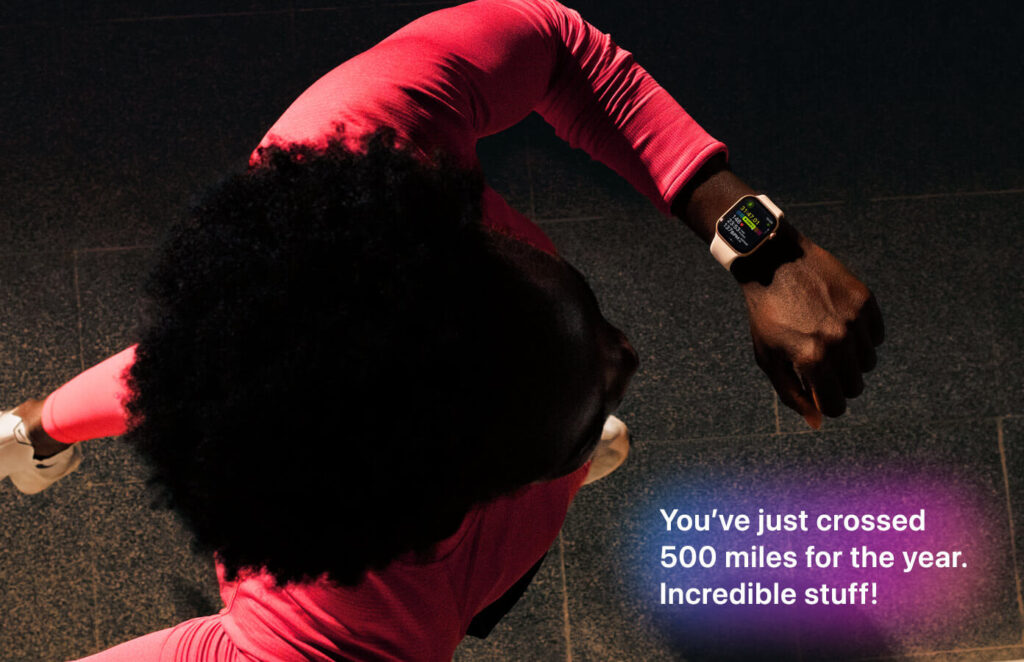
Your Apple Watch monitors your health continuously throughout the day.
Heart Rate Monitoring tracks your heart rhythm 24/7. The watch alerts you to irregular rhythms or unusual patterns. This feature has literally saved lives by detecting AFib early.
Activity Rings create a simple visual goal system:
- Move ring tracks active calories burned
- Exercise ring counts workout minutes
- Stand ring reminds you to move hourly
Complete all three rings daily for optimal health benefits.
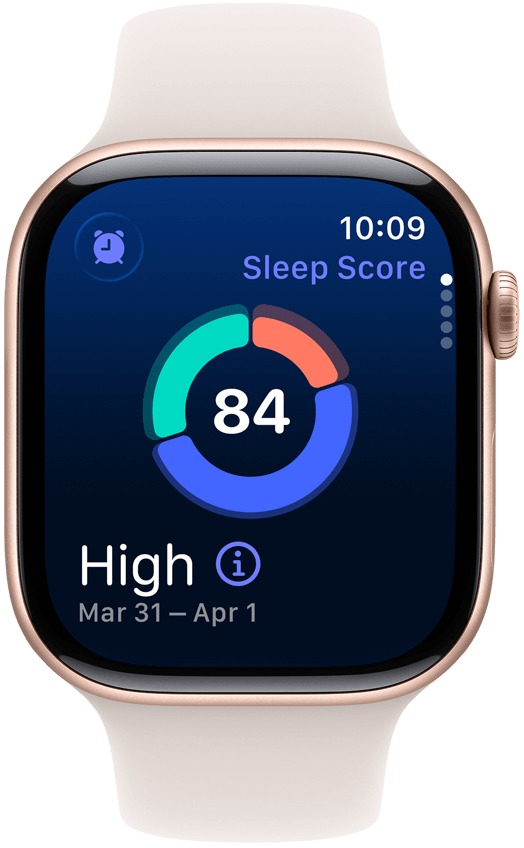
Sleep Tracking analyzes your sleep stages and quality. Wear your watch to bed and review detailed reports each morning. The watch learns your patterns and helps improve sleep habits.
Blood Oxygen Monitoring measures oxygen saturation levels. This feature works best when you’re still and relaxed. It provides valuable insights into your respiratory health.
Communication Features That Keep You Connected
Never miss important messages or calls again with these features.
Quick Replies let you respond to texts instantly. Use preset responses or voice dictation for longer messages. Scribble lets you write letters on the screen.
Phone Calls work directly from your wrist with cellular models. The speaker quality has improved significantly in recent models. Hold conversations clearly even in moderately noisy environments.
Walkie-Talkie connects you instantly with other Apple Watch users. Push to talk creates immediate communication. It’s perfect for families at theme parks or coordinating events.
Apple Pay and Wallet Convenience
Leave your physical wallet at home more often.
Contactless Payments work at millions of locations worldwide. Double-click the side button and hold near the reader. Your default card charges automatically and securely.
Digital Cards store boarding passes, tickets, and loyalty cards. Access everything quickly from your wrist. Hotels increasingly support Apple Watch room keys too.
Troubleshooting Common Apple Watch Problems
Battery Draining Too Fast
Battery issues frustrate many users, but solutions exist.
Check Background Activity by reviewing battery usage in settings. Disable unnecessary app refresh for apps you rarely use. Location services consume significant power when running constantly.
Adjust Display Settings to extend battery life significantly:
Update WatchOS regularly as Apple optimizes battery performance. New updates often include power management improvements. Install updates overnight while charging.
Syncing Issues with iPhone
Connection problems occur occasionally but resolve easily.
Restart Both Devices solves 80% of syncing issues. Turn off your Apple Watch first, then your iPhone. Wait 30 seconds before powering back on.
Reset Network Settings if restart doesn’t work. Go to iPhone Settings > General > Transfer or Reset iPhone. Select Reset Network Settings and enter your passcode.
Unpair and Re-pair as a last resort for persistent problems. This process erases your Apple Watch data temporarily. Back up your watch before unpairing to restore settings.
Unresponsive Screen or Frozen Apps
Sometimes your Apple Watch needs a little nudge.
Force Restart by holding both buttons simultaneously for 10 seconds. Release when you see the Apple logo appear. Your watch will reboot and typically resolve the issue.
Force Quit Apps that freeze or become unresponsive. Press the side button once to view recent apps. Swipe left on the problematic app and tap the X.
Inaccurate Fitness Tracking
Measurement accuracy matters for serious fitness enthusiasts.
Calibrate Your Watch by doing outdoor walks with your iPhone. Walk naturally for 20 minutes in flat, open areas. The watch learns your stride and improves accuracy.
Wear It Correctly with the band snug but comfortable. The sensors need consistent skin contact to measure accurately. Leave one finger’s width of space for proper circulation.
Update Personal Information in the Health app regularly. Weight changes affect calorie burn calculations significantly. Update your data every few months for best results.
Expert Tips to Master Your Apple Watch
Customize Your Watch Face for Maximum Productivity
Watch faces impact how you interact with information daily.
Modular Duo displays two large complications with detailed information. Perfect for checking weather, calendar, and activity at a glance. Customize each corner with your most-used apps.
Infograph Modular packs up to eight complications onto one screen. Information-dense design suits power users perfectly. Update complications based on your daily schedule.
Create Multiple Faces for different contexts and activities:
- Work Face: Calendar, email, reminders, and weather
- Workout Face: Heart rate, activity, music, and timer
- Weekend Face: Messages, maps, photos, and wallet
Swipe between faces instantly by swiping left or right.
Keyboard and Dictation Shortcuts
Responding to messages becomes lightning-fast with practice.
Scribble Feature lets you write letters individually on screen. The watch converts handwriting to text surprisingly accurately. Use it when voice dictation isn’t appropriate.
Voice Dictation works remarkably well in quiet environments. Speak naturally and use voice commands for punctuation. Say “period,” “question mark,” or “new line” as needed.
Smart Replies learn from your texting patterns over time. The watch suggests contextually relevant responses automatically. Tap suggestions to send instantly without typing.
Automation with Shortcuts and Focus Modes
Streamline repetitive tasks with intelligent automation.
Create Shortcuts for common action sequences. Examples include starting workout playlists, setting timers, or sending location updates. Trigger shortcuts from complications or Siri voice commands.
Focus Modes filter notifications based on your activity:
- Work Focus: Only allows work apps and important contacts
- Sleep Focus: Silences everything except emergency calls
- Driving Focus: Automatically activates when connected to CarPlay
- Fitness Focus: Prioritizes workout apps and music controls
Configure each focus mode with specific allowed apps and people.
Hidden Features Most Users Don’t Know
Unlock these lesser-known capabilities for enhanced functionality.
Tap Top of Screen to quickly scroll to the top of any list or webpage. Double-tap for ultra-fast scrolling in long documents. This gesture saves countless scrolling motions daily.
Cover to Mute silences timers and alarms by covering the screen. Place your palm over the display when an alarm sounds. The watch recognizes the gesture and stops the sound.
Ping iPhone from Control Center locates your misplaced phone instantly. Your iPhone plays a loud sound even if silenced. The flashlight also flashes for visual location assistance.
Handwashing Timer automatically starts when it detects washing motions. It encourages proper 20-second washing duration. Enable in Settings > Handwashing for automatic activation.
Noise Monitoring alerts you to harmful decibel levels. Prolonged exposure to loud environments damages hearing permanently. The watch measures ambient sound and warns you appropriately.
Advanced Health Features for Serious Users
ECG and Heart Health Monitoring
The ECG app provides medical-grade heart rhythm analysis.
Take an ECG Reading by opening the ECG app and placing your finger on the Digital Crown. Stay still for 30 seconds while sensors capture heart rhythm. The watch classifies results into several categories immediately.
Share Results with your doctor through the Health app. Export PDF reports containing detailed ECG waveforms. This data helps diagnose conditions like atrial fibrillation early.
Cardio Fitness Tracking measures VO2 max during outdoor activities. This metric indicates overall cardiovascular health objectively. Lower fitness levels trigger notifications to improve activity.
Medication Reminders and Tracking
Never miss doses with built-in medication management.
Log Medications in the Health app on your iPhone first. Set dosage schedules and receive timely watch notifications. Mark doses taken or skipped directly from your wrist.
Track Adherence with visual charts showing your consistency. The Health app highlights patterns in your medication routine. Share reports with healthcare providers during appointments.
Cycle Tracking for Women’s Health
Comprehensive menstrual cycle monitoring lives on your wrist.
Log Symptoms quickly throughout the day without opening your phone. Track everything from cramps to mood changes discreetly. The data helps predict future cycles accurately.
Fertility Window Estimates appear based on logged cycle data. The watch uses algorithms to predict ovulation timing. This feature supports family planning efforts naturally.
Fall Detection and Emergency SOS
Critical safety features protect you during emergencies.
Fall Detection automatically activates after age 55 or manually anytime. Hard falls trigger automatic emergency service calls if you’re unresponsive. The watch sends your location to emergency contacts simultaneously.
Emergency SOS activates by pressing and holding the side button. Choose to call emergency services or your designated emergency contacts. Your medical ID displays automatically for first responders.
Maximizing Battery Life: Pro Strategies
Charging Habits That Extend Longevity
Proper charging maintains battery health for years.
Charge Between 20-80% whenever possible for optimal battery health. Avoid letting your watch die completely regularly. Partial charges stress the battery less than full cycles.
Use Official Chargers to prevent potential battery damage. Third-party chargers may provide inconsistent voltage levels. Apple chargers include proper temperature regulation during charging.
Overnight Charging works fine with optimized charging enabled. The watch learns your schedule and delays charging to 80%. It completes the charge just before you wake up.
Power Reserve Mode
Extreme battery saving preserves basic time functions.
Activate Power Reserve when battery drops critically low. Swipe up for Control Center and tap battery percentage. Select Power Reserve to show only the time.
This mode disables all features except timekeeping. A simple press of the side button displays current time. Charge your watch soon after entering this mode.
Workout Features for Every Fitness Level
Built-in Workout Types
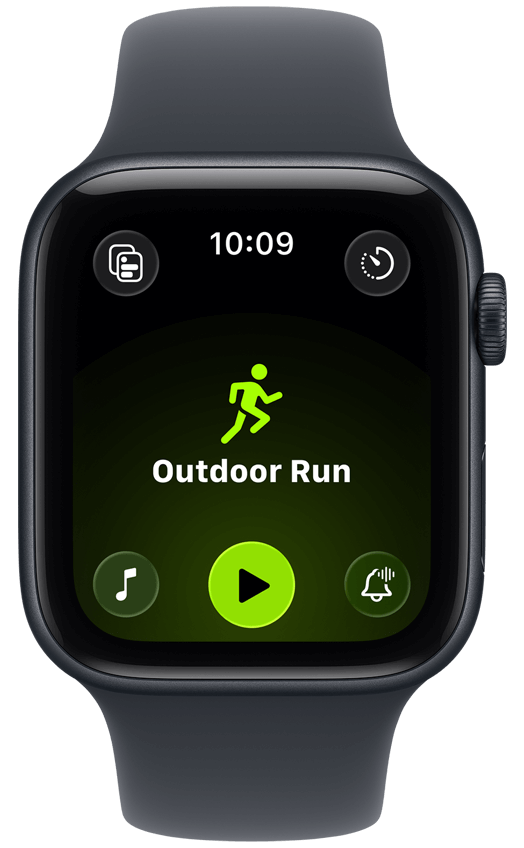
The Workout app supports dozens of activity types automatically.
Popular Workouts include:
Each workout type optimizes sensor readings for accurate tracking.
Multisport Workouts combine activities seamlessly for triathletes. The watch automatically switches between swimming, cycling, and running. Transitions happen smoothly without manual intervention.
Heart Rate Zones Training
Train smarter by understanding your heart rate zones.
Five Heart Rate Zones guide workout intensity scientifically:
- Zone 1 (50-60%): Very light recovery activities
- Zone 2 (60-70%): Fat burning and base building
- Zone 3 (70-80%): Aerobic endurance development
- Zone 4 (80-90%): Threshold and tempo training
- Zone 5 (90-100%): Maximum effort intervals
The watch displays your current zone during workouts. Adjust intensity to stay in target zones for goals.
Third-Party Fitness App Integration
Expand capabilities with specialized fitness applications.
Nike Run Club offers guided runs and personalized coaching. The app syncs seamlessly with Apple Health data. Audio-guided runs keep you motivated during long distances.
Strava connects you with a global fitness community. Segment tracking lets you compete on specific routes. Integration with Apple Watch records activities automatically.
Peloton brings studio classes directly to your wrist. Follow along with instructor-led workouts anywhere you go. The watch tracks metrics without needing the Peloton equipment.
Accessories That Enhance Your Experience
Band Options for Every Occasion
Switching bands transforms your watch’s appearance instantly.
Sport Bands offer comfort and durability for workouts. Fluoroelastomer material resists sweat and water completely. They’re washable and dry quickly after swimming.
Sport Loop provides breathable comfort for all-day wear. The hook-and-loop fastener adjusts precisely to your wrist. Hundreds of color options match any style preference.
Leather Bands elevate your watch for professional settings. They develop unique patina over time with use. Leather requires more care but looks sophisticated.
Metal Bands deliver premium aesthetics and durability. Stainless steel and titanium options complement formal attire. They’re heavier but create an elegant statement.
Screen Protectors and Cases
Protect your investment from daily wear and damage.
Tempered Glass Protectors shield against scratches and cracks. Installation takes seconds and maintains touch sensitivity perfectly. Replace them easily if damaged rather than the actual screen.
Bumper Cases add impact protection around the edges. They’re ideal for construction work or rough activities. Remove them easily for dressier occasions or sleep.
Privacy and Security Best Practices
Protecting Your Health Data
Your health information deserves maximum privacy protection.
Enable Two-Factor Authentication on your Apple ID immediately. This prevents unauthorized access to your health data. Set it up through Settings on your iPhone.
Review App Permissions regularly in the Health app settings. Revoke access for apps you no longer use actively. Only share data with trusted health and fitness applications.
Passcode Lock prevents others from accessing your watch when removed. The watch locks automatically when not on your wrist. Set a strong 6-digit passcode for better security.
Managing Location Services
Balance functionality with privacy concerns thoughtfully.
Disable Location for apps that don’t need it for core functionality. Many apps request location unnecessarily for marketing purposes. Review which apps truly need location access regularly.
Use Precise Location Sparingly and switch to approximate when possible. Precise location drains battery faster than necessary. Most weather and map apps work fine with approximate location.
Future-Proofing Your Apple Watch Investment
Software Updates and New Features
Apple regularly adds features through free software updates.
WatchOS Updates arrive annually with major new capabilities. Recent additions included sleep stages, medication tracking, and AFib history. Install updates promptly to receive latest features and security patches.
Beta Testing lets enthusiastic users try features early. Sign up for Apple’s Beta Software Program online. Be aware that beta software may contain bugs initially.
When to Upgrade Your Apple Watch
Knowing upgrade timing maximizes value from your investment.
Consider Upgrading When:
Skip Upgrading If:
Most users find 3-4 years between upgrades offers the best value.
Frequently Asked Questions
How long does an Apple Watch battery last?
Most Apple Watch models last 18 hours with typical use. The Ultra 2 extends to 36 hours under normal conditions. Heavy GPS usage, streaming music, or workout tracking reduces battery life. Charge your watch nightly for best results.
Can I shower with my Apple Watch?
Yes, all current Apple Watch models resist water up to 50 meters. You can shower, swim, and do water sports safely. However, avoid exposing your watch to high-velocity water like waterskiing. Leather and stainless steel bands require more care around water.
Do I need cellular on my Apple Watch?
Cellular capability lets your watch work independently from your iPhone. You can make calls, stream music, and use apps without your phone. However, GPS-only models work perfectly if your iPhone stays nearby. Cellular adds monthly carrier fees to consider.
How accurate is Apple Watch heart rate monitoring?
Apple Watch heart rate accuracy compares favorably to chest strap monitors. Studies show 90-95% accuracy during most activities. Accuracy decreases slightly during high-intensity interval training. Proper band fit significantly impacts measurement accuracy.
Can family members without iPhones use Apple Watch?
Family Setup allows kids and older adults to use Apple Watch without their own iPhone. Your iPhone manages their watch settings and features remotely. This feature requires cellular-enabled Apple Watch models. Not all third-party apps support Family Setup currently.
Disclaimer
This article provides general information and tips about Apple Watch usage. Individual experiences may vary based on specific models, watchOS versions, and personal usage patterns. Health features are not intended to diagnose, treat, or cure medical conditions. Always consult healthcare professionals for medical advice and before making health-related decisions based on Apple Watch data. Features and capabilities mentioned may vary by region and model. Check Apple’s official website for the most current specifications and compatibility information.
Ready to unlock your Apple Watch’s full potential?
Start implementing these tips today and transform how you use your wearable technology.
Share this guide with fellow Apple Watch owners who want to maximize their device!

Virginia J. Alfonso is a seasoned technology writer with a passion for all things digital. With over a decade of experience covering the latest in tech innovation, gadgets, and software, Virginia brings a unique blend of technical expertise and accessible writing to her work. Her articles focus on making complex tech topics easy to understand for readers of all levels.