
Apple just dropped iPadOS 26, and it’s a game-changer.
Released on September 15, 2025, this update brings the biggest design overhaul since iOS 7.
If you own an iPad, you’re in for a treat.
The new Liquid Glass interface makes everything look fresh and modern.
Plus, you get Mac-style window management that actually works.
Let’s dive into what makes iPadOS 26 special and whether you should upgrade.
Short Story on iPad26
iPadOS 26 Update is the Biggest
iPadOS 26 is Apple’s seventh major iPad operating system release.
It arrived alongside iOS 26, macOS 26, and other Apple platforms.


Apple changed its naming convention this year. Instead of iPadOS 19, they jumped to 26 to match the year.
All Apple operating systems now share the same number for easier tracking.
This update focuses on three main areas: design, productivity, and user experience.
The Liquid Glass interface adds translucent layers throughout the system.
Window management gets a complete overhaul with Mac-style controls. And Apple Intelligence becomes more powerful and integrated.
The update supports most iPads that ran iPadOS 18.
The 7th-generation iPad didn’t make the cut.
You’ll need an A12 chip or newer to install iPadOS 26.
Explainer Video
iPadOS 26 Release Date: When Did It Launch?
Apple announced iPadOS 26 at WWDC25 on June 9, 2025.
The official release date was September 15, 2025, at 10 AM Pacific Time.
This followed Apple’s typical September release pattern.
The rollout happened globally at the same time. Users in India got access at 10:30 PM IST.
European users saw it at 7 PM CEST. The update required 16-30 GB of free storage for installation.
Apple also released iPadOS 26.1 in November 2025 with additional features.
The most recent version, iPadOS 26.2, arrived in December 2025.
These updates added Slide Over functionality and improved multitasking gestures.
iPadOS 26 vs 18: What Changed?
Design Revolution
The biggest difference between iPadOS 26 and iPadOS 18 is visual.
iPadOS 18 offered basic customization with tinted icons and flexible placement.
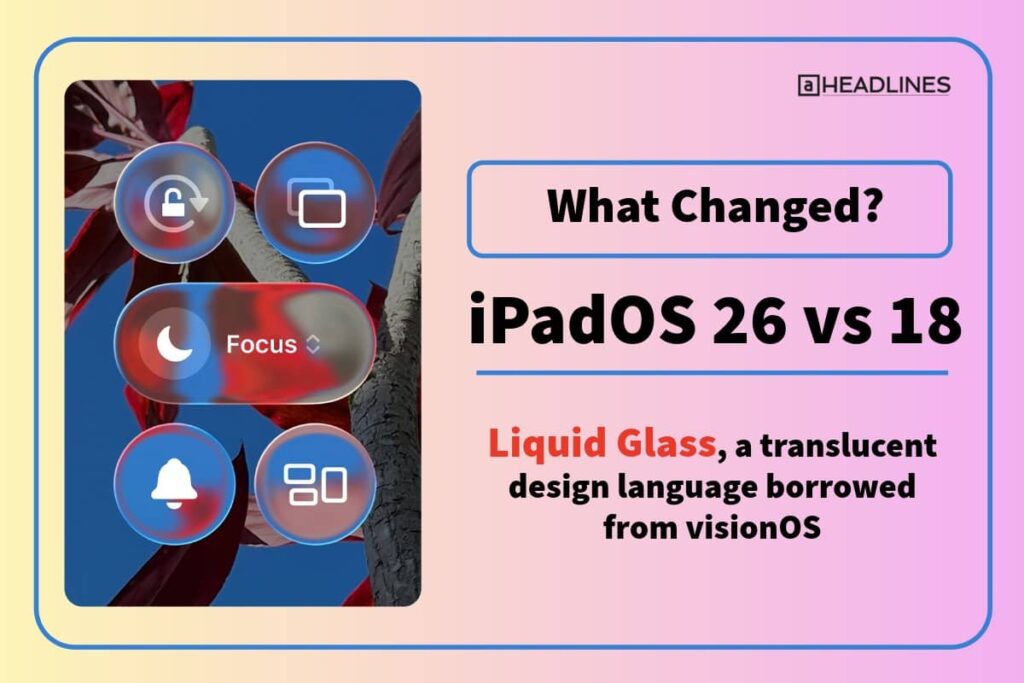
iPadOS 26 introduces Liquid Glass, a translucent design language borrowed from visionOS.
Everything feels more alive in iPadOS 26. Menus float over your content with subtle depth effects.
The interface reacts to movement with realistic reflections. App icons look like layered glass with beautiful dimensionality.
iPadOS 18 had a static, flat appearance. iPadOS 26 brings dynamic, fluid animations throughout the system.
The Lock Screen adapts to your photos with spatial effects. The home screen offers a new “Clear Look” theme with complete transparency.
Multitasking Transformation
iPadOS 18 relied on Stage Manager and Split View.
These features worked but felt limited.
Stage Manager only supported M-series iPads and could handle just four apps.
iPadOS 26 completely reimagines multitasking. You now get true Mac-style windowing on all compatible iPads.
Apps can be freely resized and positioned anywhere. Classic traffic light controls (red, yellow, green) let you close, minimize, or maximize windows.
You can manage up to 12 windows simultaneously.
Window tiling snaps apps to edges for quick arrangements.
Four-finger swipe up reveals all open windows at once. The new system works even on older A12-powered iPads.
File Management Upgrade
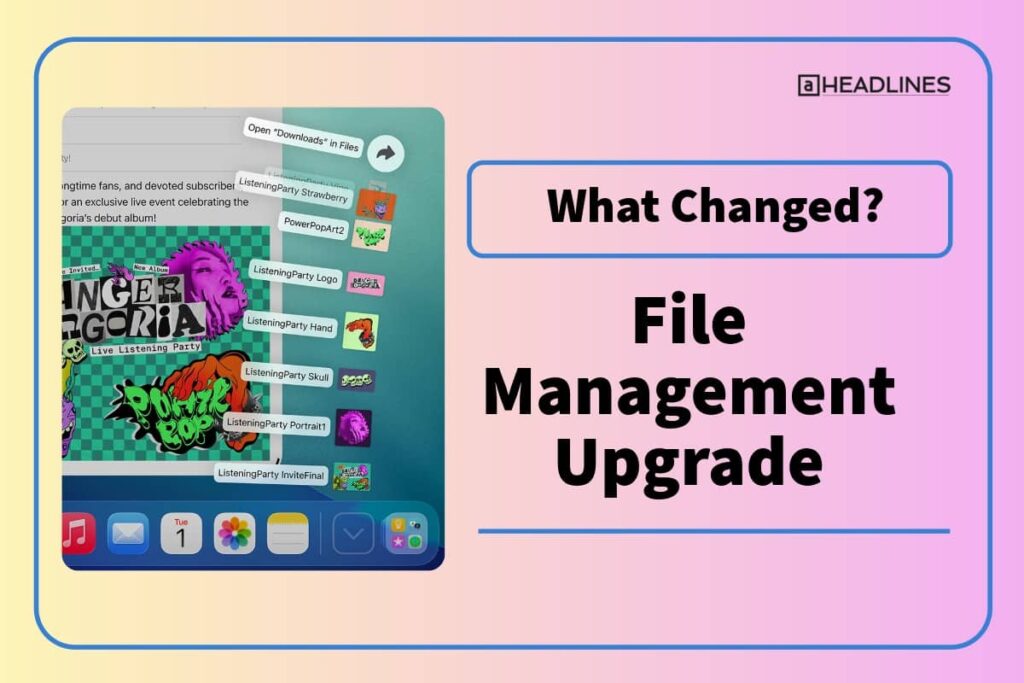
iPadOS 18 had a basic Files app with limited functionality. iPadOS 26 transforms it into something closer to macOS Finder.
You get resizable columns, customizable folder colors, and improved list views.
The new Menu Bar changes everything for productivity. Swipe down from the top to access File, Edit, and View menus.
This works in every app, making complex software feel natural on iPad.
You can also set default apps for specific file types. Drag folders to your dock for quick access. The Files app finally feels professional and capable.
New Apps and Features
iPadOS 26 brings apps that were missing from iPadOS 18:
- Preview: View and annotate PDFs with Apple Pencil support
- Journal: Create multiple journals with location-based entries
- Phone: Make calls with live translation features
- Games: Central hub for gaming with Apple Arcade integration
The Apple Pencil gets better too.
A new Reed Pen tool simulates calligraphy with pressure sensitivity.
The Calligraphy Tool in Notes offers customizable handwriting styles.
Performance Improvements
iPadOS 26 delivers 20% better system responsiveness than iPadOS 18. Apps launch faster, animations run smoother, and multitasking feels more fluid.
The new windowing engine optimizes rendering for active windows.
Gaming improves with reduced latency and better graphics rendering.
Video playback handles high-resolution content more efficiently. Spatial audio support enhances the media experience.
However, initial battery life is slightly worse in iPadOS 26. This typically improves with subsequent updates as Apple optimizes the system.
All iPadOS 26 Updates: Complete Feature List
Liquid Glass Design
Liquid Glass defines the iPadOS 26 experience.
This translucent material appears throughout the interface.
It reacts to light and movement like real glass. The effect puts focus on your content while adding visual interest.
Lock Screen improvements include adaptive time that resizes for photos.
Spatial scenes add 3D effects to wallpapers. App icons get updated light and dark appearances with color tinting options.
Advanced Windowing System
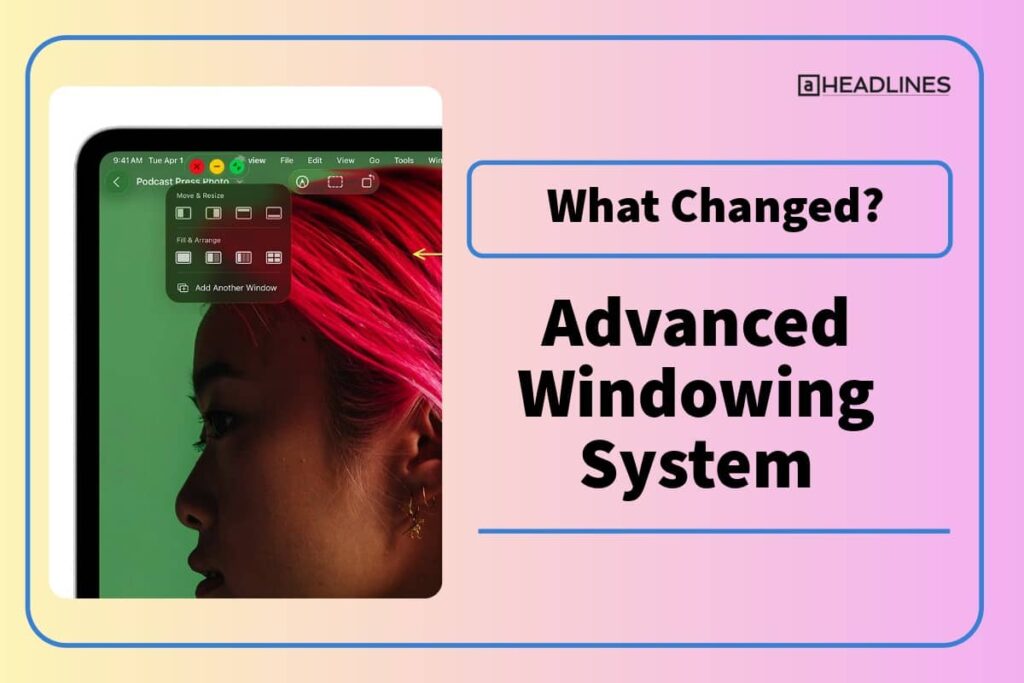
The new windowing system is iPadOS 26’s killer feature. Windows can be positioned and resized freely anywhere on screen. Traffic light controls match macOS for consistency.
Window tiling offers pre-set arrangements. Drag windows to screen edges for automatic layouts. Split view, thirds, and quarters are all supported. The system remembers your preferred arrangements.
App Expose shows all open windows with a gesture. The dock supports folder fan-out for quick access. Stage Manager remains available but now works on all compatible iPads.
Apple Intelligence Integration
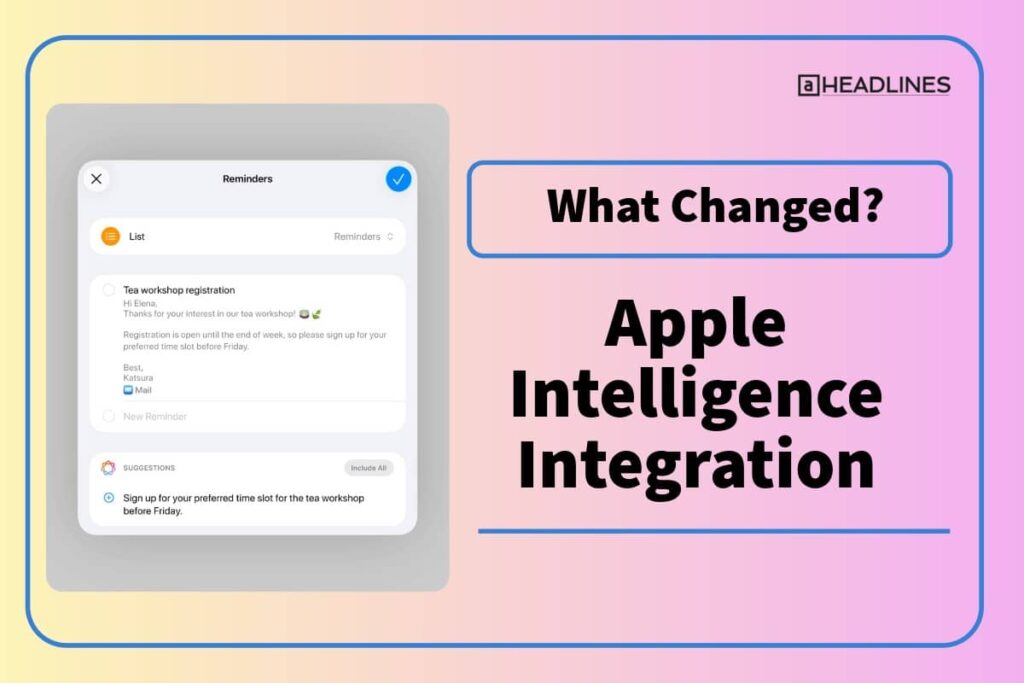
Apple Intelligence gets more powerful in iPadOS 26. It requires M1 or A17 Pro chips for full functionality. The system learns your habits to suggest relevant actions.
Live Translation works in Messages and FaceTime. You can communicate across language barriers in real-time. Shortcuts gain new actions powered by Apple Intelligence.
The Photos app organizes images more intelligently. Search becomes more natural with conversational queries. Siri provides more contextual and helpful responses.
Enhanced Files and Productivity
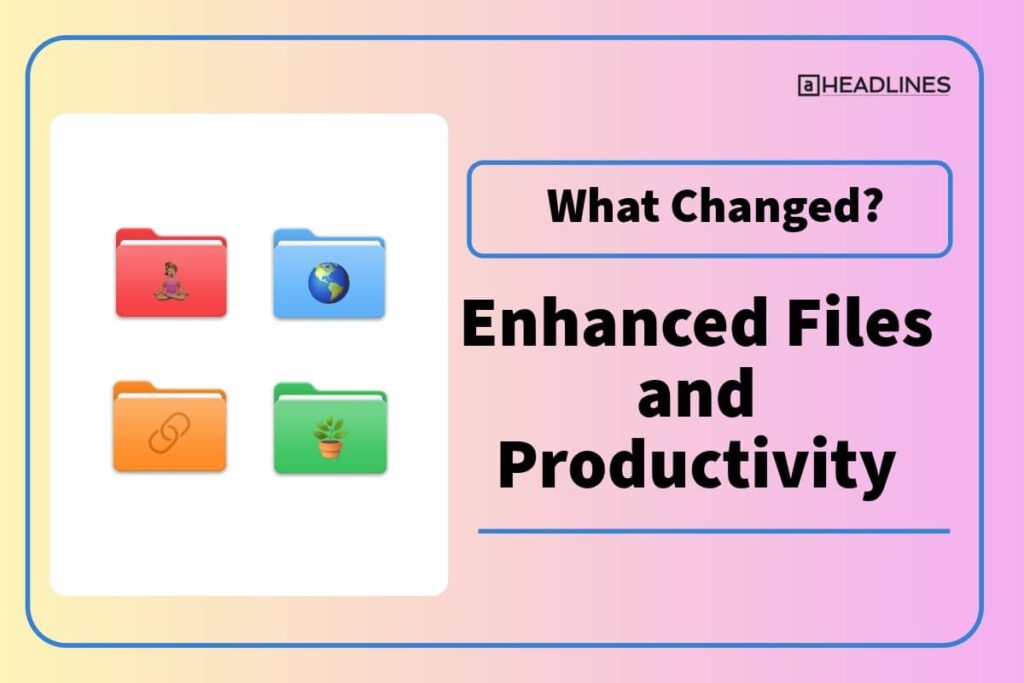
Files app gets Mac-like features with detailed views. You can sort by multiple columns and customize everything. Tags help organize documents across folders.
Menu bars appear in all apps for consistent navigation. Background processes allow apps to continue work while minimized. Default app settings let you choose preferred programs for file types.
Media and Gaming
The new Games app replaces Game Center. It tracks achievements across Apple Arcade and App Store games. Competitive leaderboards let you challenge friends.
Game Overlay lets you adjust settings without leaving games. Chat with friends or invite them to play instantly. The system prioritizes gaming performance for smoother experiences.
Local capture records high-quality video and audio during calls. Files save as MP4 with HEVC video and FLAC audio. This helps content creators produce better podcasts and videos.
Privacy and Security
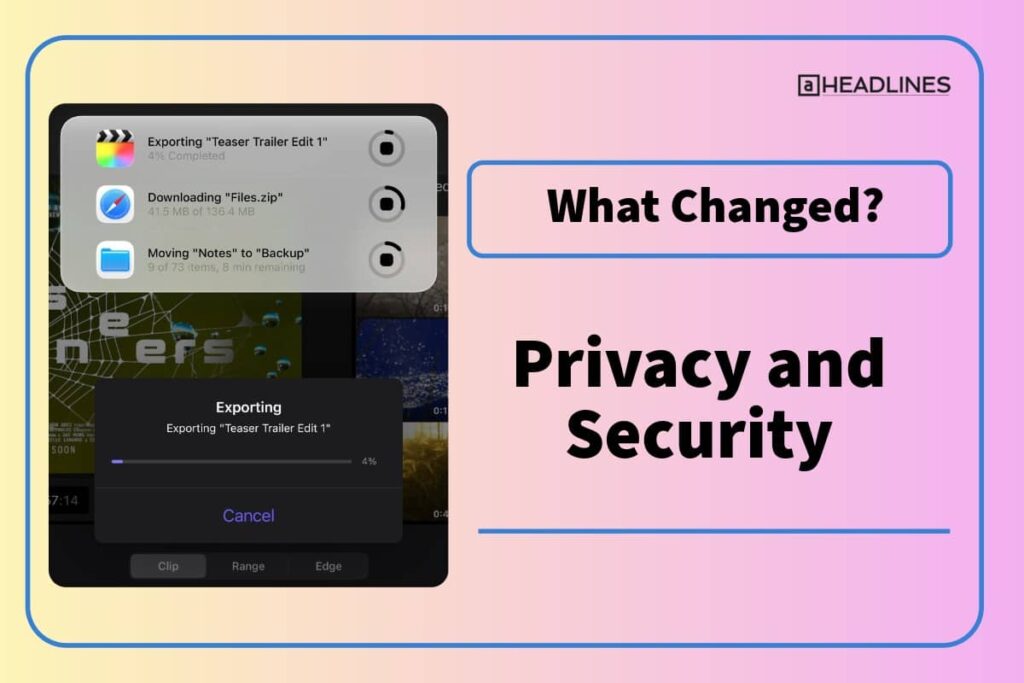
Lockdown Mode offers enhanced protection against cyber threats. App permissions give granular control over data sharing. Privacy settings become more transparent and accessible.
AirDrop codes add verification for transfers with unknown contacts. The receiver gets a code that senders must enter. This prevents unauthorized file transfers.
Safari gains better tracking prevention. The system alerts you about potential security risks. Password management improves with better suggestions and auditing.
iPadOS 26.2: Latest Updates
iPadOS 26.2 released in December 2025 with important additions. Slide Over returns as a windowing option alongside the new system. You can drag apps from the Dock to create Slide Over windows.
Only one Slide Over app works at a time. Tap the green button and choose “Enter Slide Over” to activate it. This gives quick access to utility apps while working.
The update adds a tinted option for Liquid Glass. You can adjust opacity on the Lock Screen for different looks. Apple Music, Podcasts, and Games all get enhancements.
Bug fixes include resolved issues with pre-release album playback. Privacy settings no longer incorrectly show enterprise management. VoiceOver problems from the initial release are fixed.
Compatible Devices: Which iPads Support iPadOS 26?
iPadOS 26 requires an A12 chip or newer. Most iPads from 2018 onwards are compatible. The 7th-generation iPad is the only model that lost support.
Compatible iPad Models:
Apple Intelligence features need M1, M2, M4, or A17 Pro chips. Older A-series iPads get iPadOS 26 but miss some AI features.
The 3rd-gen iPad Air is the only supported 10.5-inch iPad. The 5th-gen iPad mini is the only supported 7.9-inch model. Both white bezel iPads run iPadOS 26 smoothly.
How to Install iPadOS 26
Installing iPadOS 26 is straightforward. First, back up your iPad using iCloud or a computer. This protects your data during the update.
Installation Steps:
Make sure you have 16-30 GB free storage. Connect to stable Wi-Fi for downloading. Keep your iPad plugged in during installation. The process takes 30-60 minutes depending on your device.
You can also choose iPadOS 18.7 if you prefer stability. This maintenance update provides security patches without major changes. It’s available alongside iPadOS 26 for cautious users.
Should You Upgrade to iPadOS 26?
Reasons to Upgrade
iPadOS 26 offers compelling reasons for most users. The Liquid Glass design looks stunning and modern. Mac-style windowing dramatically improves productivity. New apps like Preview and Games add real value.
Performance improvements make everything feel faster. Better file management helps organize your work. Apple Intelligence features become more useful and integrated.
If you use your iPad for serious work, the upgrade is essential. The windowing system alone makes multitasking exponentially better. Creative professionals benefit from Preview and Apple Pencil enhancements.
Reasons to Wait
Some users should consider waiting for iPadOS 26.3 or later. Early versions sometimes have bugs and stability issues. Battery life needs optimization in future updates.
Older iPads may struggle with animations and multitasking. The A12 and A13 chips handle iPadOS 26 but aren’t ideal. M1 or newer provides the best experience.
If you rely on specific workflows, test compatibility first. Some third-party apps need updates for the new system. Corporate users should wait for IT department approval.
The learning curve is real. Long-time iPad users find the new interface different. You’ll need time to adjust to window management and new gestures.
Tips for Using iPadOS 26
Master Window Management
Start by learning traffic light controls. Red closes windows, yellow minimizes, green maximizes. Click and drag title bars to reposition windows anywhere.
Use edge tiling for quick layouts. Drag windows to screen edges for automatic arrangements. Hold the green button to see tiling options. Create your preferred workspace setup.
Four-finger swipe up shows all open windows. Pinch to close windows you don’t need. Organize related apps together for efficient workflows.
Customize Your Experience
Explore Liquid Glass options in Settings. Adjust transparency to your preference. Try the Clear Look theme for a minimalist home screen.
Customize folder colors with tags in Files. Set default apps for different file types. Add folders to your dock for quick access.
Use Menu Bar features in apps for faster navigation. Learn keyboard shortcuts if you have a keyboard. Gestures become second nature with practice.
Optimize Performance
Close unnecessary windows to improve performance. The system handles many windows but fewer runs better. Use App Expose to manage your workspace.
Update all apps to iPadOS 26-compatible versions. Restart your iPad occasionally to clear memory. Monitor battery usage in Settings to identify issues.
Give new features time before judging them. The interface feels different initially but improves with use. Most users adapt within a week.
FAQ
What’s the difference between iPadOS 26 and iPadOS 18?
iPadOS 26 features Liquid Glass design and Mac-style windowing. iPadOS 18 had basic customization and limited multitasking. The new version offers 20% better performance and professional-grade productivity tools. It’s the biggest iPad update in years with fundamental changes to the interface.
When was iPadOS 26 released?
Apple released iPadOS 26 on September 15, 2025, at 10 AM Pacific Time. The announcement happened at WWDC25 on June 9, 2025. Subsequent updates include iPadOS 26.1 (November 2025) and iPadOS 26.2 (December 2025). All updates are free for compatible devices.
Does my iPad support iPadOS 26?
If your iPad runs iPadOS 18, it likely supports iPadOS 26. You need an A12 chip or newer. The 7th-generation iPad is the only model that lost support. Check Settings > General > About to see your iPad model and chip.
Is iPadOS 26 worth upgrading to?
Yes, for most users, iPadOS 26 offers significant improvements. The windowing system alone makes it worthwhile for productivity users. New design elements and apps add real value. However, wait for iPadOS 26.3 if you need maximum stability or have older hardware.
What’s new in iPadOS 26.2?
iPadOS 26.2 brings back Slide Over functionality for quick app access. It adds multitasking gesture improvements for window management. The update includes tinted Liquid Glass options and Lock Screen customization. Bug fixes address VoiceOver, Apple Music, and privacy setting issues.
Disclaimer
This article provides information about iPadOS 26 based on official Apple sources and reliable tech publications. Features and performance may vary by device model and region. Always back up your iPad before installing system updates. Some features require specific hardware or Apple services. Screenshots and descriptions reflect software versions available as of December 2025. Apple may release additional updates that change features or functionality. Consult Apple’s official documentation for the most current information.
Ready to Experience iPadOS 26?
The update is waiting in your Settings app.
Head to General > Software Update to get started. Transform your iPad with Liquid Glass design and powerful new features today. Your productivity is about to level up.

Virginia J. Alfonso is a seasoned technology writer with a passion for all things digital. With over a decade of experience covering the latest in tech innovation, gadgets, and software, Virginia brings a unique blend of technical expertise and accessible writing to her work. Her articles focus on making complex tech topics easy to understand for readers of all levels.