

Are you a student eyeing that sleek MacBook but worried about the price tag?
Here’s some good news: Apple offers substantial student discounts that can save you hundreds of dollars on laptops, desktops, and accessories.
The apple computer student discount program isn’t just a minor price cut—it’s a legitimate way to get premium technology without emptying your bank account.
In fact, students can save between $100 and $200 on Mac computers, plus additional perks like discounted AppleCare+ and free AirPods during back-to-school promotions.
But navigating the verification process and understanding what’s actually included can be confusing.
This comprehensive guide breaks down everything you need to know about scoring these discounts, from eligibility requirements to step-by-step purchasing instructions.
Whether you’re starting college or finishing your PhD, you’ll learn how to maximize your savings on Apple products.
What Is the Apple Student Discount Program?
The Apple Education Pricing program is a year-round initiative designed to make Apple products more accessible to students, educators, and educational institutions.

Unlike flash sales or limited-time offers, these discounts are permanently available to verified members of the academic community.
Who Qualifies for Apple Education Pricing?
Apple’s eligibility criteria are broader than many people realize:
High school students are generally not eligible for individual purchases, though their schools may access institutional pricing.
How the Apple Store Discount for Students Actually Works

Getting your student discount is straightforward, though Apple has implemented verification systems to prevent misuse.
Step-by-Step: Claiming Your Discount
1. Access Apple Education Store Navigate to Apple’s Education Store section. This is separate from the regular consumer store and displays education pricing automatically.
2. Verify Your Student Status Apple partners with UNiDAYS, a third-party verification service. You’ll need to:
- Create a UNiDAYS account (free)
- Provide proof of enrollment (student ID, acceptance letter, or institutional email)
- Wait for verification (usually instant, sometimes up to 24 hours)
3. Shop with Verified Credentials Once verified, browse the education store. Pricing automatically reflects your discount. No promo codes needed.
4. Complete Your Purchase During checkout, you may be asked to re-verify your status. Keep your student documentation handy.
Verification Methods Accepted
Apple accepts multiple forms of proof:
How Much Can You Actually Save?
Let’s break down the real numbers. These savings apply to 2026 pricing and can change, but the discount structure remains consistent.
Current Discount Ranges by Product
| Product Category | Regular Price Range | Education Discount | Potential Savings |
|---|---|---|---|
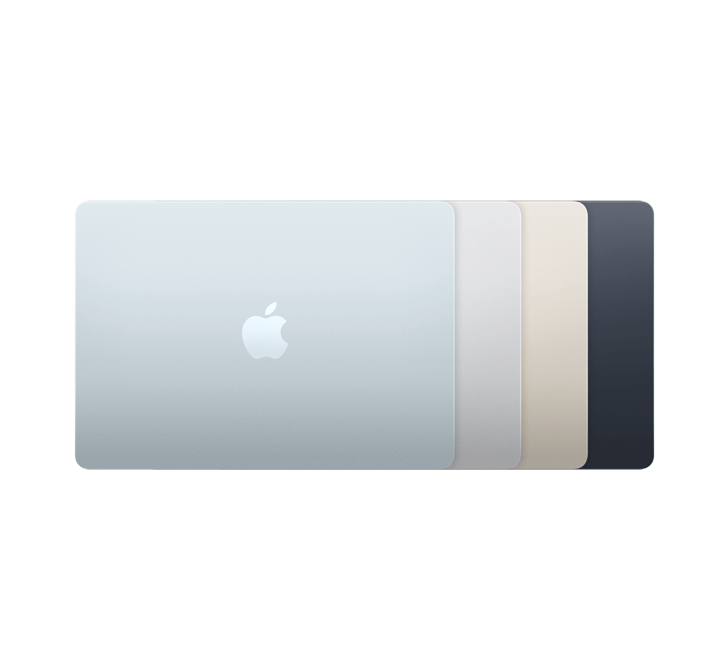
| MacBook Air | $1,099 – $1,499 | $100 – $150 off | Up to $150 |
| MacBook Pro | $1,599 – $3,999 | $100 – $200 off | Up to $200 |
| iMac | $1,299 – $2,299 | $100 – $200 off | Up to $200 |
| Mac mini | $599 – $1,399 | $50 – $100 off | Up to $100 |
| iPad Pro | $799 – $2,099 | $50 – $100 off | Up to $100 |
Additional Savings Opportunities
Back-to-School Promotions (June-September) Apple typically sweetens the deal during summer with bonus items:
- Free AirPods (2nd or 3rd generation) with Mac or iPad purchase
- 20% off AppleCare+ protection plans
- Exclusive deals on accessories
Year-Round Perks
- Student pricing on Final Cut Pro and Logic Pro
- Discounted Apple Music subscription ($5.99/month instead of $10.99)
- Three months free Apple TV+ with device purchase
Key Features of the Education Pricing Program
No Purchase Limits (With Caveats)
Students can buy one of each product line per academic year:
This policy means you could legitimately purchase a MacBook Air for yourself and an iMac for your dorm room in the same year.
Same Quality, Same Warranty
Education-priced devices are identical to retail versions. You’re not getting refurbished or lower-spec models. Every computer includes:
Customization Options
Student discount applies to base configurations and custom builds. Want to upgrade RAM or storage? The percentage discount typically applies to the entire configuration price.
Pros and Cons of Using Apple Student Discounts
Advantages
Significant upfront savings A $200 discount on a $1,600 MacBook Pro represents a 12.5% price reduction—substantial for premium electronics.
Access to professional software Discounted Final Cut Pro ($199.99 instead of $299.99) and Logic Pro make creative work more affordable for students pursuing media, music, or design.
Stackable with other offers During promotional periods, you can combine education pricing with free accessories, making total value even higher.
Flexible eligibility Parents can purchase on behalf of students, and verification doesn’t require physical presence at a store.
Disadvantages
Verification can be time-consuming Some students report delays if their institution isn’t immediately recognized by UNiDAYS. International students may face additional hurdles.
Limited to new products Education pricing doesn’t apply to refurbished items (which are already discounted) or third-party retailers.
Not the deepest possible discount Apple Certified Refurbished products sometimes offer better value—up to 25% off with full warranty.
Annual purchase limits If you need multiple devices for specific academic purposes, the one-per-category restriction might feel limiting.

Comparing Apple Student Discounts to Other Savings Methods
Student Discount vs. Refurbished Products
Refurbished Macs come directly from Apple, fully tested and certified. They include:
- Same one-year warranty as new
- Eligible for AppleCare+
- 15-25% discount from original price
When to choose refurbished: If your model is a generation old and you prioritize maximum savings over having the latest release.
When to choose student pricing: When you want the newest model with latest chips and features, plus eligibility for promotional AirPods.
Student Discount vs. Third-Party Retailers
Retailers like Best Buy, Amazon, or B&H Photo occasionally run sales that beat education pricing. However:
- Sales are unpredictable and time-limited
- Student pricing is guaranteed and available year-round
- Education store often has exclusive configurations
Pro tip: Check major retailers during Black Friday or Amazon Prime Day, then compare to education pricing plus any active Apple promotions.
Student Discount vs. Trade-In Programs
Apple’s trade-in program accepts old devices for credit. You can stack this with education pricing:
- Receive trade-in value as credit
- Apply student discount to purchase price
- Potentially save $400+ on a new MacBook by trading in an old laptop
Real-World Use Cases: Who Benefits Most?
Computer Science Students
Why it matters: Development work demands processing power. A discounted MacBook Pro with M3 or M4 chip saves money while providing the performance needed for coding, virtual machines, and app development.
Best choice: 14-inch MacBook Pro with upgraded RAM (16GB minimum) for running multiple development environments.
Creative Arts Majors
Why it matters: Video editing, music production, and graphic design require both hardware power and professional software. Student pricing makes Final Cut Pro and Logic Pro affordable.
Best choice: MacBook Pro with maximum storage, plus discounted software bundle during back-to-school season when free AirPods are included.
Pre-Med and STEM Students
Why it matters: Long library sessions and research work benefit from reliable hardware and long battery life. AppleCare+ student discount provides peace of mind.
Best choice: MacBook Air M3 for portability and all-day battery, with AppleCare+ for protection during intense academic years.
Budget-Conscious Students
Why it matters: Every dollar counts. Combining student discount with trade-in and promotional periods maximizes value.
Best choice: Wait for back-to-school promotion, trade in old device, purchase base model MacBook Air with free AirPods—total value approaching $500 in savings.
Expert Tips for Maximizing Your Student Discount
Timing Your Purchase
Best times to buy:
- June through September for back-to-school promotions with free accessories
- January when new models are announced, previous generations see steeper discounts
- Black Friday week if third-party retailers offer competitive deals
Avoid: Buying right before Apple’s annual September event when new products typically launch.
Verification Pro Tips
- Use your institutional email during UNiDAYS signup for fastest verification
- Have multiple documents ready in case your school isn’t immediately recognized
- Verify status before you need it so you’re ready when promotions begin
- Check if your parents qualify as educators—teacher discounts mirror student pricing
Maximizing Total Value
Create a strategy:
- Calculate total cost including tax and any upgrades
- Factor in trade-in value of current device
- Add value of promotional items (AirPods = $129 value)
- Compare to refurbished pricing for same specs
- Consider AppleCare+ student discount if you plan to keep device 3+ years
Common Mistakes to Avoid
Waiting too long to verify Start the UNiDAYS process days before you plan to purchase. Last-minute verification can fail, especially during high-traffic promotional periods.
Ignoring refurbished options Many students assume new is always better. A refurbished previous-generation MacBook Pro might offer better specs than a new MacBook Air at the same price.
Buying unnecessary specs Don’t max out RAM and storage just because you’re saving money. Assess your actual needs. Most students don’t need 64GB RAM.
Missing promotional deadlines Free AirPods promotions have strict cutoff dates. Missing the deadline by one day means losing $129+ in value.
Frequently Asked Questions
1. Can graduate students get Apple education discounts?
Yes, graduate students are fully eligible for Apple education pricing. Masters, PhD, and professional degree students all qualify using the same verification process as undergraduates.
2. Do I need to verify my student status every time I buy?
Your UNiDAYS verification typically remains valid while you’re enrolled. However, Apple may request re-verification for high-value purchases or if your account has been inactive for extended periods.
3. Can I use student discount at physical Apple Stores?
Absolutely. Bring your student ID to any Apple Store and inform staff you qualify for education pricing. They’ll apply discounts at checkout. Online shopping is often more convenient, but in-store works identically.
4. Does Apple education pricing work internationally?
Yes, Apple offers education pricing in most countries where they operate. Verification methods and discount amounts vary by region. International students in the U.S. can use American education pricing with valid enrollment proof.
5. What happens if I can’t verify my student status?
Contact Apple Education Store support directly. They can manually verify enrollment with alternative documentation like registration receipts, bursar statements, or letters from academic advisors.
Conclusion: Is Apple Student Discount Worth It?
For students investing in Apple computers, education pricing represents genuine value—especially when combined with promotional offers and trade-ins. The average student saves $150-$200 on laptops alone, with additional perks pushing total value past $500 during optimal buying periods.
The verification process has become more streamlined with UNiDAYS integration, making access easier than ever. While refurbished products and third-party sales occasionally offer deeper discounts, the consistency and reliability of year-round education pricing provides unmatched convenience.
Looking ahead, Apple continues investing in education markets with expanding software access and sustainability initiatives like enhanced trade-in programs. As technology becomes increasingly essential for academic success, these discounts make premium computing more accessible to students who will shape our future.
Ready to save on your next Mac?
Verify your student status through UNiDAYS today, bookmark the Apple Education Store, and set a reminder for the next back-to-school promotion. Your perfect MacBook is closer—and more affordable—than you think.

Virginia J. Alfonso is a seasoned technology writer with a passion for all things digital. With over a decade of experience covering the latest in tech innovation, gadgets, and software, Virginia brings a unique blend of technical expertise and accessible writing to her work. Her articles focus on making complex tech topics easy to understand for readers of all levels.