




Apple has officially launched iOS 26.2 for iPhone users across the apple users.
This December update packs significant improvements including customizable Liquid Glass effects, offline music features, and critical security patches.
Released on December 12, 2025, iOS 26.2 represents the second major point update since iOS 26 debuted.
Whether you’re wondering about new features or security improvements, this guide covers everything you need to know about the update iOS 26.2.
Short Story on iOS 26.2 Dec-12 Release.
What’s New in iOS 26.2? (Confirmed Features)
Liquid Glass Lock Screen Customization
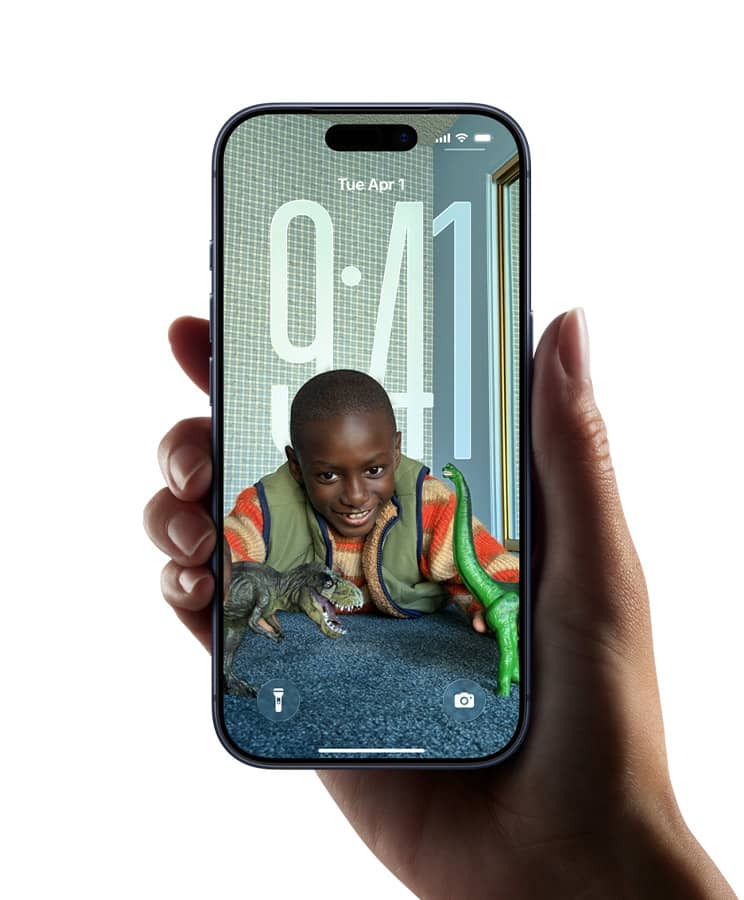
iOS 26.2 introduces a game-changing slider for your Lock Screen.
You can now adjust how frosted or clear the Liquid Glass material appears behind your clock.
Think of it like adjusting window tint – slide left for crystal clear, slide right for maximum frost effect.
This builds on the Clear and Tinted options added in iOS 26.1.
The new slider gives you precise control over opacity levels.
Want to see your wallpaper clearly?
Dial down the frost.
Prefer a more sophisticated blur?
Crank it up.



Apple Music Gets Offline Lyrics
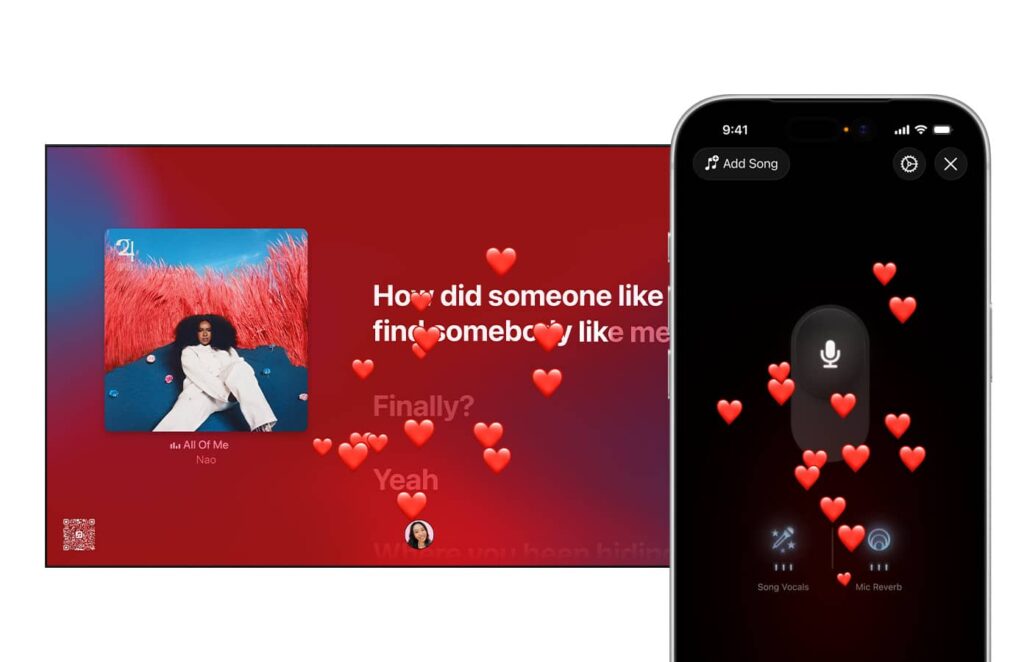
Music lovers, rejoice! iOS 26.2 brings offline lyric support to Apple Music.
You can now view song lyrics even without Wi-Fi or cellular connection. This feature is perfect for:
- Airplane mode listening sessions
- Areas with poor signal coverage
- International travel without data plans
- Underground commutes on subway systems
The Favorite Songs playlist also appears in Top Picks on the home tab.
This makes accessing your most-played tracks faster than ever.
Enhanced Security Features
Apple addressed 24 security vulnerabilities in iOS 26.2. These fixes protect against serious threats like memory corruption and unauthorized data access. Key security improvements include:
Critical WebKit Fixes: Two vulnerabilities that Google’s Threat Analysis Group discovered were patched. These issues potentially allowed sophisticated attacks against targeted individuals.
App Store Protection: Fixed a permissions issue that could let apps access sensitive payment tokens without authorization.
FaceTime Security: Resolved a bug where password fields might be unintentionally revealed during remote device control.
Photos Privacy: Fixed a configuration issue where Hidden Photos Album content could be viewed without authentication.
The update supports iPhone 11 and later models, iPad Pro 12.9-inch 3rd generation and later, plus iPad Air 3rd generation and later.
Apple Podcasts Intelligence
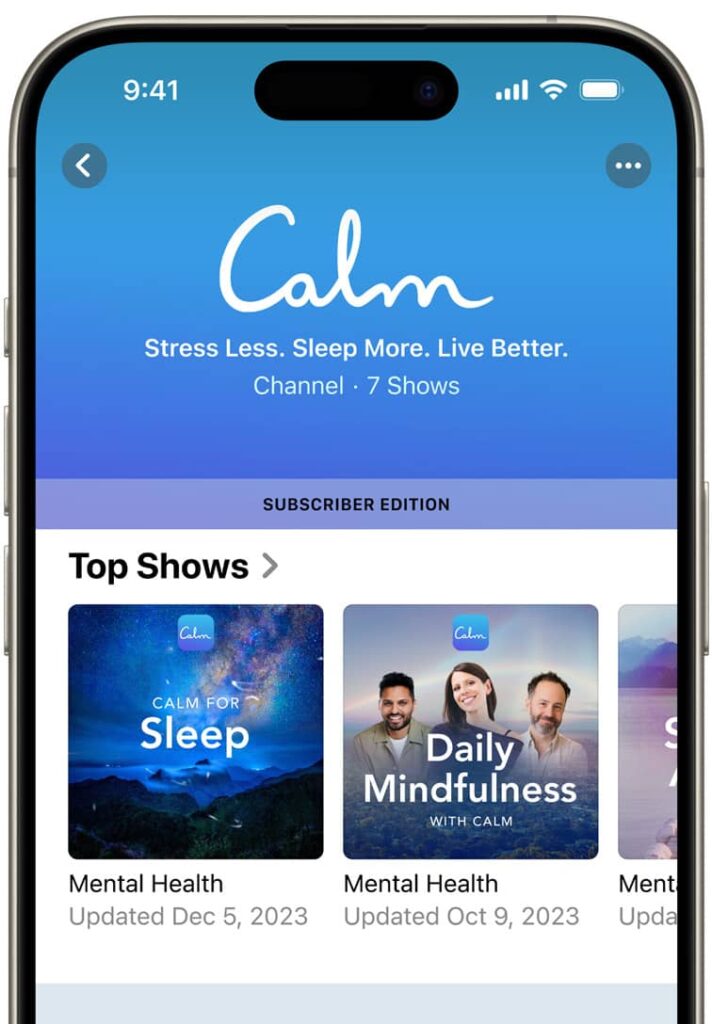
iOS 26.2 transforms how you experience podcasts using AI-powered features:
Automatic Chapters: The app now generates chapters automatically. Skip to specific topics without manual scrubbing.
Podcast Mentions: See other podcasts referenced in episodes directly from the player. Follow them instantly without searching.
Timed Links: Links appear on screen at relevant moments during playback.
These AI enhancements make podcast navigation intuitive and efficient.
Reminders App Gets Alarms
Setting alarms for reminders is now possible in iOS 26.2. Toggle the “Urgent” option when adding a time-based reminder. The alarm goes off at your designated time, ensuring you never miss important tasks.
This feature includes:
- Snooze functionality
- Live Activity support
- Focus mode breakthrough capability
- Timer integration
Games App Improvements
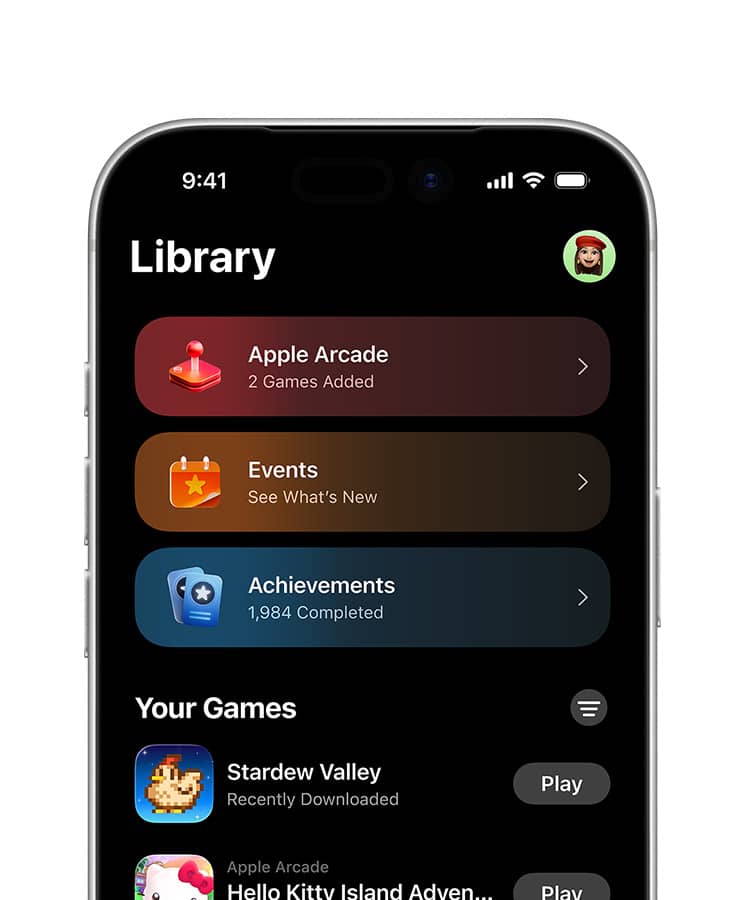
The Games app received three major upgrades: filters for finding games by category and size, real-time score banners showing leaderboard changes, and improved controller support for devices like Backbone and Razer.
Gamers can now organize their library efficiently. Sort by genre, file size, or recently played. During gameplay, challenge score banners provide instant updates when someone takes the lead.
Apple News Redesign
Apple News features a dedicated “Following” tab and quick-access buttons for topics like sports, puzzles, politics, business, and food. The redesign streamlines navigation to your favorite content sections.
Section links appear at the top of the Today feed. Jump directly to Politics during election season or Business for market updates. The interface feels more organized and intuitive.
Screen Flash Notifications
Accessibility gets a boost with screen flash alerts. Your iPhone screen can now flash when notifications arrive. Previous versions only offered LED camera flash on the back.
Configure this in Settings under Accessibility → Audio & Visual → Flash for Alerts. Choose from:
- LED Flash only
- Screen flash only
- Both simultaneously
- Keep it turned off
AirDrop Codes Feature
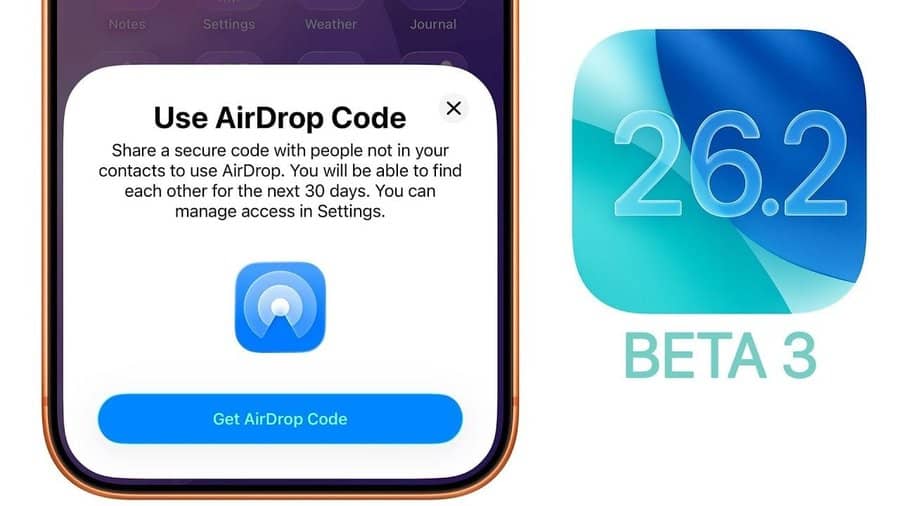
iOS 26.2 adds verification when using AirDrop with unknown contacts. The receiver’s device displays a code that senders must enter to complete transfers. This extra security layer prevents accidental or unwanted file transfers.
The feature works for 30 days after initial contact. It protects your privacy while maintaining AirDrop’s convenience for legitimate sharing.
AirPods Live Translation Expands
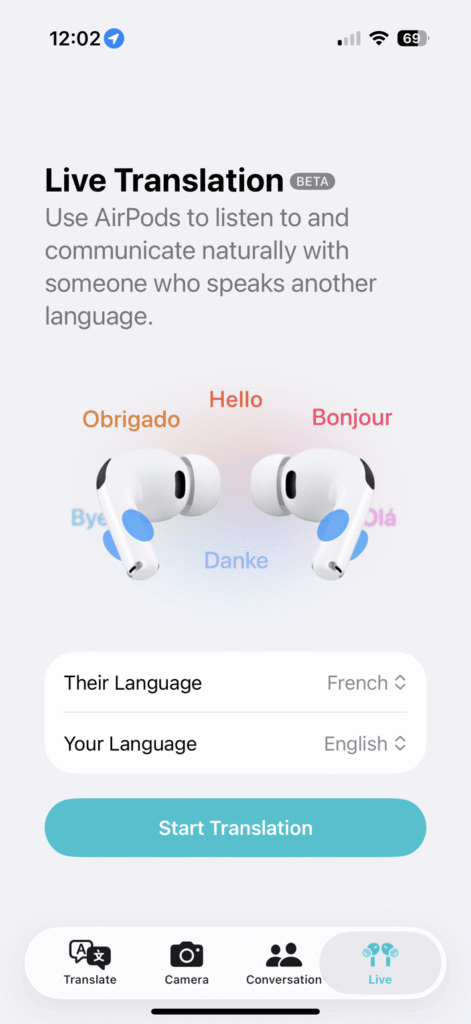
Live Translation on AirPods is now available in EU countries. This feature lets you understand speakers of different languages in real-time. If someone speaks French and you speak English, Siri translates through your AirPods.
Requirements include:
- AirPods Pro 3, AirPods Pro 2, or AirPods 4 with ANC
- iPhone 15 Pro or newer
- Apple Intelligence enabled
- Translate app installed
Supported languages include English (US/UK), French, German, Portuguese, Spanish, Chinese, Japanese, Korean, and Italian.
Sleep Score Adjustments
Apple revised Sleep Score ranges based on user feedback. The new categories are:
- Very Low: 0-40 points (previously 0-29)
- Low: 41-60 points (previously 30-49)
- OK: 61-80 points (previously 50-69)
- High: 81-95 points (previously 70-89)
- Very High: 96-100 points (previously 90-100)
The “Excellent” category was replaced with “Very High.” These changes address criticism that previous ranges were too broad and overly positive.
Additional Features and Fixes
Freeform Tables
Freeform now supports tables that hold text, images, documents, and drawings. Cells resize intelligently to fit content. This brings structure to the infinite canvas workspace.
CarPlay Messages Update
Pinned conversations in Messages can be disabled in CarPlay Settings. This gives users control over their in-car messaging interface.
Measure App Level Tool
The Level inside Measure app features a new Liquid Glass design. The visual update matches iOS 26’s overall aesthetic while maintaining functionality.
Bug Fixes Included
iOS 26.2 resolves several annoying issues:
- Pre-release albums in Apple Music library now become playable immediately at release time
- Privacy and Security settings no longer incorrectly marked as enterprise-managed
- Various stability improvements across system apps
Enhanced Safety Alerts (US Only)
American users receive Enhanced Safety Alerts for imminent threats. These include floods, natural disasters, and emergencies. Alerts provide:
- Maps showing affected areas
- Links to safety guidance
- Realtime threat information
How to Update to iOS 26.2
Updating to iOS 26.2 is straightforward. Follow these steps:
- Open Settings app on your iPhone
- Tap General
- Select Software Update
- Tap “Download and Install” if iOS 26.2 appears
- Enter your passcode when prompted
- Agree to terms and conditions
- Wait for download and installation to complete
Important: Back up your iPhone before updating. Use iCloud or your computer. Connect to Wi-Fi for best results. Ensure battery is above 50% or plug into power.
The update file size varies by device. Expect downloads between 1-3 GB depending on your current iOS version.
Compatible Devices
iOS 26.2 works on these iPhone models:
- iPhone 16 series (all models)
- iPhone 15 series (all models)
- iPhone 14 series (all models)
- iPhone 13 series (all models)
- iPhone 12 series (all models)
- iPhone 11 series (all models)
- iPhone SE 2nd generation or later
iPad compatibility includes iPad Pro 12.9-inch 3rd generation and later, iPad Pro 11-inch 1st generation and later, iPad Air 3rd generation and later, iPad 8th generation and later, and iPad mini 5th generation and later.
Should You Update iOS 26.2?
Most users should update immediately. The security patches alone justify installation. Apple doesn’t disclose security issues until patches are available, indicating these vulnerabilities were actively exploited or serious enough to warrant urgent fixes.
Beyond security, the feature additions enhance daily iPhone use. Offline lyrics benefit commuters. Liquid Glass customization lets you personalize your lock screen. Enhanced podcast features improve content discovery.
Some users report minor bugs in early adoption. Check forums before updating if you rely on specific apps for work. Most complaints involve cosmetic issues rather than functionality breaks.
Common iOS 26.2 Questions
Does iOS 26.2 drain battery faster?
Initial reports suggest battery performance remains stable. Some users experience temporary drain immediately after updating while the system reindexes files. This normalizes within 24-48 hours.
Will iOS 26.2 slow down older iPhones?
Apple optimizes each update for supported devices. iPhone 11 and 12 users report smooth performance. However, the latest features like AI-powered podcast chapters work best on newer hardware.
Can I downgrade from iOS 26.2?
Downgrading is technically possible but complicated. Apple stops signing previous iOS versions within weeks of new releases. Once signing stops, downgrading becomes impossible without advanced techniques.
Is iOS 26.2 stable for daily use?
Yes. Apple released two Release Candidate versions before public launch. This testing cycle ensures stability. Early adopter reports indicate minimal issues compared to previous point updates.
Frequently Asked Questions
Q: How long does iOS 26.2 installation take?
A: Installation typically takes 10-20 minutes. Download time varies by internet speed. Plan for 30-45 minutes total including backup and restart.
Q: Will updating delete my data?
A: No. iOS updates preserve all data and settings.
Always backup before updating as a safety precaution. Unexpected issues during installation could cause data loss.
Q: Why doesn’t my iPhone show iOS 26.2 update?
A: Check your device compatibility first. iPhone 11 or newer required. Ensure sufficient storage space (at least 6-7 GB free). Restart your iPhone and check Software Update again. Updates roll out gradually, so availability may vary by region.
Q: Are there any known iOS 26.2 bugs?
A: Minor cosmetic issues reported with Liquid Glass slider in rare cases. Some users experienced temporary lag in Messages app. Most bugs resolve with device restart. Apple typically releases follow-up patches within weeks if widespread issues emerge.
Q: Does iOS 26.2 improve performance?
A: Yes. Apple includes performance optimizations in every update. Users report faster app launch times and smoother animations. Background processes benefit from efficiency improvements. Gaming performance enhanced with better controller support.
Ready to Explore iOS 26.2?
Ready to experience everything iOS 26.2 offers? Update your iPhone today through Settings > General > Software Update. Don’t forget to backup first using iCloud or your computer. Share your favorite new feature in the comments below, and subscribe for more iOS tips and guides.
Disclaimer
This article provides information about iOS 26.2 based on official Apple documentation and early user reports.
Features and functionality may vary by device model and region.
Security information comes from Apple’s official support documentation.
Always backup your device before installing system updates.
The author and publisher assume no responsibility for data loss or device issues resulting from iOS updates.
Individual experiences may differ.
Check Apple’s official support channels for device-specific information and troubleshooting guidance.
Some features require specific hardware, Apple Intelligence support, or regional availability. Third-party app compatibility depends on developer updates.

Virginia J. Alfonso is a seasoned technology writer with a passion for all things digital. With over a decade of experience covering the latest in tech innovation, gadgets, and software, Virginia brings a unique blend of technical expertise and accessible writing to her work. Her articles focus on making complex tech topics easy to understand for readers of all levels.