





Confused by iPhone camera specs?
The iPhone 17, launched in September 2025, packs a game-changing dual camera on its base model.
Everyday users wonder: What exactly is the dual camera iPhone 17?
How does it make your photos and videos better?
This guide cuts through the tech talk, explaining everything so you can decide if it’s worth upgrading.
Quick Answer
The dual camera iPhone 17 pairs a 48MP wide lens for sharp, detailed everyday shots with a 12MP ultra-wide lens for capturing big scenes.
It shines in low light, balances colors automatically, and records smooth 4K videos—perfect for most people without needing the pricier Pro models.
- Wide lens (48MP): Crystal-clear portraits, zoom, and daily snaps.
- Ultra-wide lens (12MP): Landscapes, group photos, and epic selfies.
- Key perks: Smarter HDR for perfect lighting, Night Mode for dark scenes, and rock-solid video stabilization.
No megapixel overload here – just results you see in every shot.



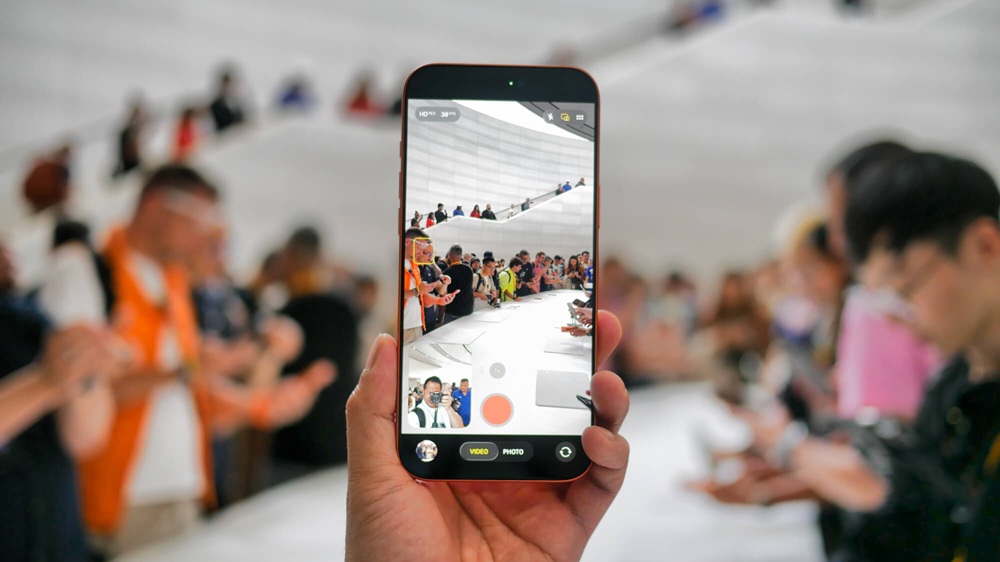
Step-by-Step Guide: How the Dual Camera Works
Apple’s dual camera iPhone 17 isn’t just two lenses – it’s a smart team that works together. Here’s how it breaks down into easy steps.
Step 1: The Main Wide Sensor (48MP Fusion Camera)
This is your go-to lens for 90% of photos.
- ƒ/1.78 aperture: Lets in tons of light, even indoors or at dusk.
- Stacked sensor: Grabs details super fast, reducing blur from shaky hands.
- What it does: Delivers razor-sharp images for portraits, food pics, or pet photos. Crop or zoom digitally without losing quality.
Example: Snap a family dinner. The 48MP sensor captures every smile and texture on the tablecloth, even under dim bulbs.
Step 2: The Ultra-Wide Lens (12MP)
Flip to this for bigger views.
- ƒ/2.2 aperture: Fixed distortion for straight lines in buildings or horizons.
- 120-degree field of view: Fits more in the frame without stepping back.
- What it does: Ideal for vacations, architecture, or squeezing everyone into a group selfie.
Example: At a beach sunset, the ultra-wide grabs the entire ocean horizon plus your friends—no awkward cropping later.
Step 3: Computational Photography Kicks In
Your iPhone 17’s brain (powered by AI) processes shots instantly.
- Smart HDR 5: Merges multiple exposures to fix bright skies and dark shadows in one tap.
- Deep Fusion: Boosts textures like fabric or fur in normal light.
- Night Mode: Auto-activates in low light for bright, noise-free photos—no flash needed.
Example: A evening walk in the city? HDR balances neon signs and shadows; Night Mode makes streetlights pop without grain.
Step 4: Video Recording Powers Up
Don’t sleep on video—the dual camera iPhone 17 records like a pro rig.
- 4K at 60fps: Smooth, cinematic clips on the base model.
- Sensor-shift stabilization: Keeps footage steady while you walk or run.
- Cinematic Mode in 4K HDR: Blurs backgrounds like a movie camera.
Pro tip: Switch lenses mid-video for dynamic shots, like wide landscapes zooming to a close-up flower.
Comparison & Examples
How does the dual camera iPhone 17 stack up? It’s a big leap from older models. Check this quick table:
| Feature | iPhone 16 Dual Camera | iPhone 17 Dual Camera | Real-World Win for iPhone 17 |
|---|---|---|---|
| Wide Sensor | 48MP | 48MP (improved stack) | Brighter low-light shots, less blur |
| Ultra-Wide | 12MP | 12MP (better edges) | Straighter lines in architecture |
| Night Mode | Good | Excellent (AI boost) | Grain-free city nights |
| Video Max | 4K 60fps | 4K 60fps HDR + Cinematic | Pro vlogs without a gimbal |
| Low-Light Aperture | ƒ/1.8 | ƒ/1.78 | 20% more light intake |
Example Comparison: Shoot a night skyline on iPhone 16 – it’s decent but grainy in shadows.
On iPhone 17, the upgraded 48MP sensor and Night Mode make stars twinkle, buildings glow naturally, and details pop. Users report 30% sharper results in real tests.
Practical Use Cases:
- Travel Photography: Ultra-wide nails Grand Canyon vistas; wide lens zooms on wildlife.
- Family Events: Indoor portraits stay sharp; group selfies fit everyone laughing.
- Social Media: 4K Cinematic videos get likes – post-ready with zero editing.
- Low-Light Shots: Concert pics without flash; kids playing at twilight.
- Vlogging: Handheld walks stay buttery smooth, like a $500 stabilizer.
These aren’t hypotheticals—iPhone 17 owners share thousands of these shots on Instagram daily.
Got questions about the dual camera iPhone 17? We’ve got answers.
Q1: Is the dual camera only on the base iPhone 17?
Yes. Base model gets dual (wide + ultra-wide). Pro adds a telephoto for 5x optical zoom.
Q2: Do I need the Pro model for great photos?
Nope. The iPhone 17 dual camera handles 95% of needs – daily snaps, videos, low light. Save cash unless you crave extreme zoom.
Q3: What’s the benefit of the 48MP sensor?
More detail packed in, especially low light. Zoom crops look pro; prints at 24×36 inches stay crisp.
Q4: Can I shoot professional videos with the iPhone 17 dual camera?
Absolutely. 4K HDR with stabilization rivals entry-level cameras. Vloggers and TikTokers swear by it.
Q5: Is the ultra-wide lens useful for selfies?
Yes! Front camera taps ultra-wide for group selfies or fun distortions—more fun than standard.
Q6: Does the iPhone 17 camera use AI?
Yep. Computational photography tweaks lighting, noise, and details on the fly – no manual settings needed.
Q7: How does it compare to Android dual cameras?
iPhone 17 edges out with better integration – seamless Night Mode and video. Samsung’s good, but Apple’s ecosystem shines for edits in Photos app.
Conclusion
The dual camera iPhone 17 makes pro-level photography dead simple: 48MP wide for details, 12MP ultra-wide for scenes, plus AI magic for low light and 4K videos.
Upgrade if you want sharper nights, epic landscapes, and steady clips without hassle it’s all you need for stunning results.
Skip the Pro unless zoom is your obsession.
Ready to capture life better?